
Utilities
Ither's Favorite Menu
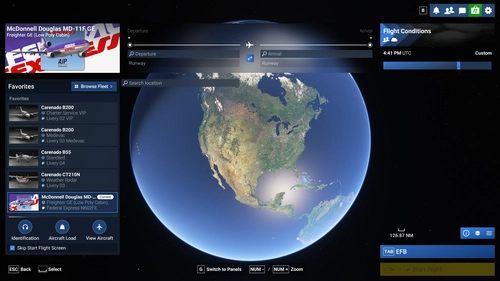
Ither's Favorite Menu streamlines aircraft, variant, and livery selection in Microsoft Flight Simulator 2024 by introducing a redesigned menu focused on user favorites.
 ither
msfs2024
5.0(27)
616
56.1 KB
2 weeks ago



I highly recommend you install and run this apps to enhance your flight simulation!
 jckronbauer
Ither's Favorite Menu streamlines aircraft, variant, and livery selection in Microsoft Flight Simulator 2024 by introducing a redesigned menu focused on user favorites.
itherTraffic2U injects real-world air traffic into Microsoft Flight Simulator 2024 using live ADS-B data, offering an enhanced and user-friendly interface. It is compatible with multiple AI aircraft model libraries, such as FSLTL, Just Flight FS Traffic, and AIG. The add-on includes configurable traffic management options and runs as a dedicated Windows application without the need for a command prompt window. Traffic2U aims to deliver smoother and more realistic aircraft movements by building on the original LiveTraffic MSFS project.
 Mylano
Interactive World Radio brings real-world radio to Microsoft Flight Simulator by automatically tuning the in-cockpit radio to live local stations based on your aircraft's position. The radio reception simulates realistic FM signal behavior, including regional handover, static, and fading as you fly. Users can manually select from nearby stations or let the system handle transitions, with detailed station information displayed. The add-on runs separately from the simulator and supports customizable audio settings and minimal impact on system resources.
 edwardmartinsjr
SOQA Airport Moving Map is a live ground chart in the EFB and a toolbar panel, showing your aircraft on the airport from your installed scenery's own data. Draw the taxi route as ATC gives it, highlight taxiways, and follow it on an experimental taxi HUD. Day and night charts, North Up or Track Up, optional OpenStreetMap aprons and buildings, and nearby aircraft with their callsigns. MSFS 2024 only, default and third-party airports alike, with nothing to download per airport. Free.
 soqasupport
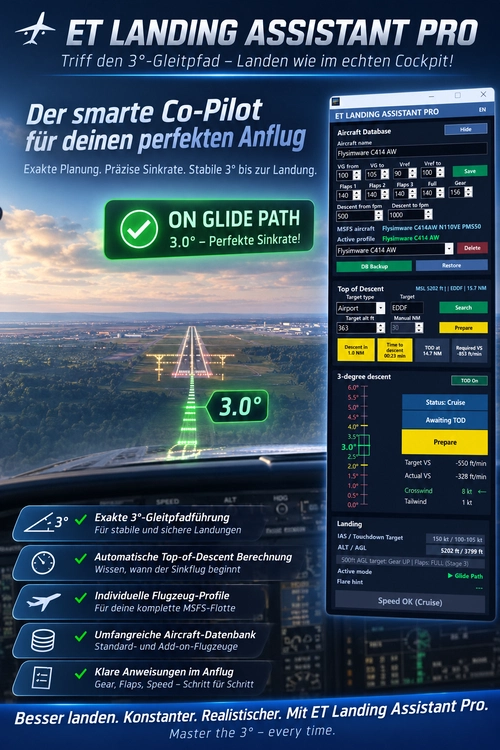
ET Landing Assistant Pro is a flight assistant for Microsoft Flight Simulator 2024 focused on approach preparation and landing monitoring. It displays real-time flight data, including speed, altitude, vertical speed, and wind conditions, using SimConnect integration. The tool offers flexible top-of-descent support and a local aircraft database, with options for manual or automated descent planning. Flight and approach histories are stored for further analysis, and the program runs locally without requiring installation or online data transmission.
 ET
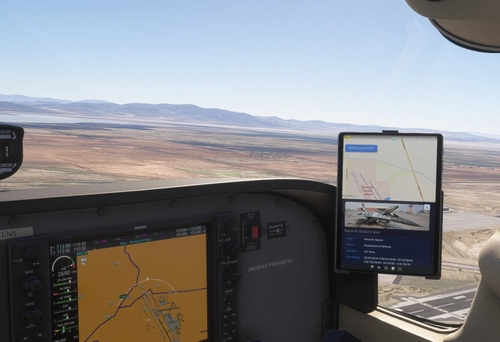
SimWikiMap is a lightweight in-cockpit add-on for Microsoft Flight Simulator 2024, designed for the EFB tablet. It integrates Wikipedia data into a detailed moving map, using yellow dots to mark nearby points of interest and blue pins for airports. Click also anywhere else for instant information and images pulled straight from Wikipedia. The add-on also provides technical airport data and operates entirely within the simulator without external applications. Internet connectivity is required for map and data streaming.
AdilVR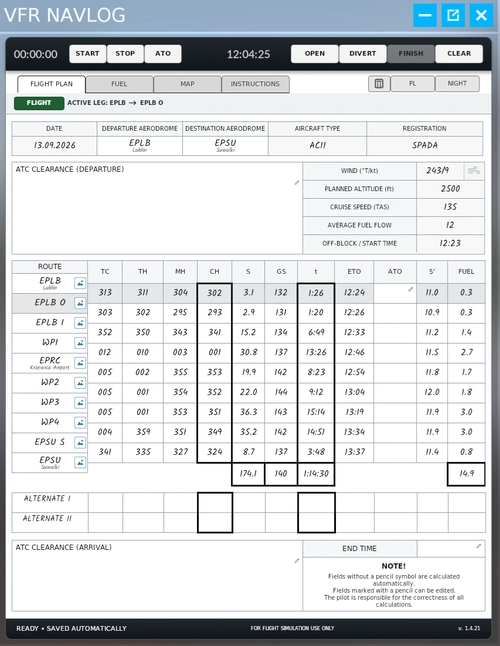
VFR NavLog is an integrated flight planning and navigation log tool for Microsoft Flight Simulator 2024. It allows users to create or import routes, calculate headings, flight times, and fuel requirements. The add-on supports managing alternates and diversions, viewing terrain imagery, and using built-in aviation calculators. Flight tracking and access from the MSFS toolbar or EFB are also included.
ppilat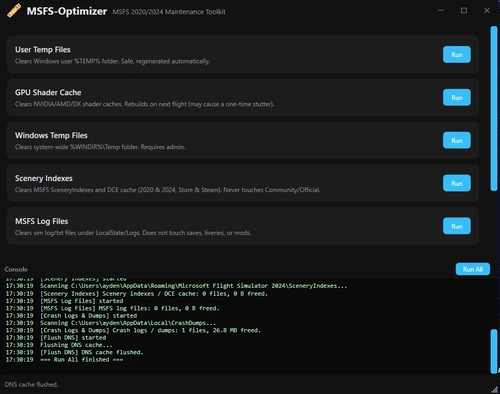
MSFS-Optimizer is a utility designed to streamline and clean various cache and temporary files before launching Microsoft Flight Simulator 2020 or 2024. It supports both Microsoft Store and Steam versions. The tool clears user and system temp files, shader caches, MSFS scenery indexes, log files, and Windows error reports, and can also flush DNS cache. No modifications are made to Community, Official, or core simulator content folders.
 KerbalMissile
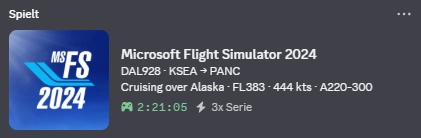
This add-on enables Microsoft Flight Simulator 2024 flights to be displayed as Discord Rich Presence status updates. It features a standalone GUI for monitoring connection and flight details, with background operation via the system tray. The tool is primarily designed for Point to Point flights using SimBrief, but also supports Free Flight modes. The software is free, open source, and does not require installation.
AviationScope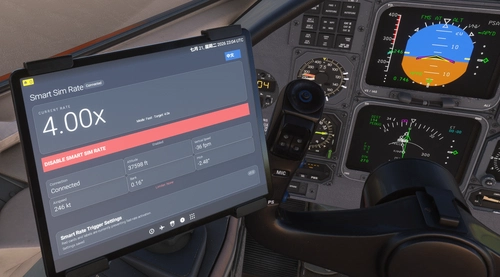
SimRate AutoManager is an EFB-based plugin for Microsoft Flight Simulator 2024 that automatically adjusts the simulation rate during cruise based on aircraft attitude and flight state. It detects turns and climbs or descents, reducing sim rate to 1x to prevent autopilot issues, and restores higher rates in stable flight. Features include customizable limits, bilingual UI, and compatibility with Career Mode, with all settings saved automatically. The add-on operates entirely within the in-game EFB tablet, requiring no external programs.
14FC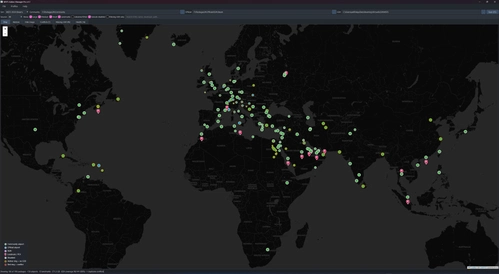
MSFS Addon Manager Pro is a desktop utility for Microsoft Flight Simulator 2020 and 2024 that scans and organizes your installed airport, landmark, and POI add-ons. It provides a visual map of scenery coverage, checks for GSX profile presence, and detects potential scenery conflicts such as double buildings. The tool offers advanced search, filter, and management options, including the ability to enable or disable community add-ons safely. User data is handled locally, with support for both Steam and Microsoft Store versions.
codered89x
fearlessfrogs Mediocre Arcade EFB is an add-on for MSFS 2024 that introduces simple games to your aircrafts Electronic Flight Bag (EFB). Currently featuring titles like Tic-Tac-Toe, Breakout, and Minesweeper, this app is designed to provide a lighthearted distraction during flights. It supports both docked and windowed modes, making it accessible in various aircraft. While the initial offering includes just a few games, there are plans for future updates to add more content.
 fearlessfrog
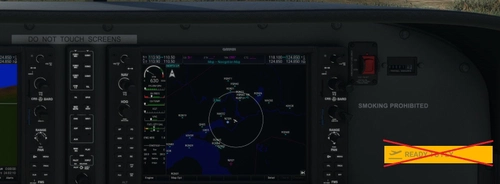
Avoid the hassle of clicking the "Ready to Fly" button at the start of each flight with the Ready to Fly Button Skipper add-on. By simply adding a few lines of code, this tweak allows you to skip the button and jump straight into your missions. Customize the time delay for skipping the button by editing the MissionStartup.html file. Make your flight sim experience more seamless and efficient with this convenient mod.
hawkeyesk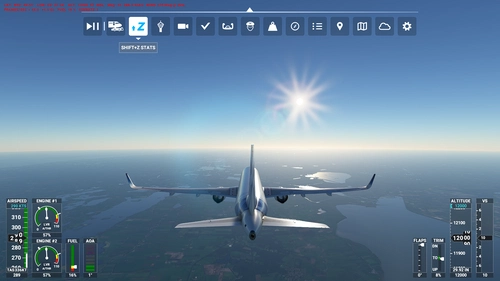
"Shift+Z Stats" brings back the classic compact flight statistics known from FSX and earlier titles of Microsoft Flight Simulator. A very handy tool that shows you information like: FPS (Frames per second), Simulation rate, Coordinates, Wind speed and direction, Airspeed, Altitude, Heading, Fuel remaining
 AmbitiousPilots

A simple add-on that removes the handle bar from your screen, allowing for cleaner screenshots. Easy to install by placing the folder in your Community folder. Happy flying without distractions!
Ither
A convenient add-on that enables the permanent display of the replay menu in your toolbar, making it easier to access replay options during your flights. Simply drag and drop "Enable Replay Toolbar" into your Community folder to install.
Maverik24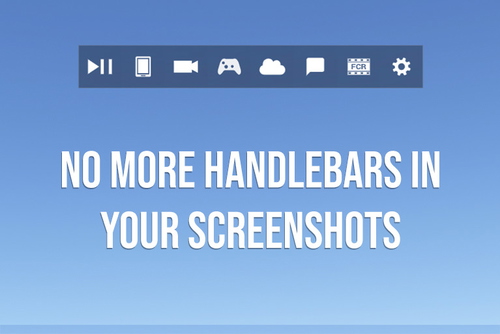
The Handlebar Mod for MSFS2024 allows users to remove the toolbar "handlebar" from their screenshots. This mod aims to provide a cleaner visual presentation in the simulator. Installation is straightforward: simply unzip and drag the mod folder into your community directory. It is built under Microsofts guidelines and incorporates assets from Microsoft Flight Simulator 2024.
 heclak

Enhance your flight experience with this Brazilian Portuguese soundpack for Toolbar Pushback. Featuring voice recordings by Joel Augusto dos Santos (Cpt. voice) and Diego Silveira, immerse yourself in native language audio instructions for a seamless pushback process. Simply follow the installation steps provided to enjoy this localization effort. Bon voo!
 Copan
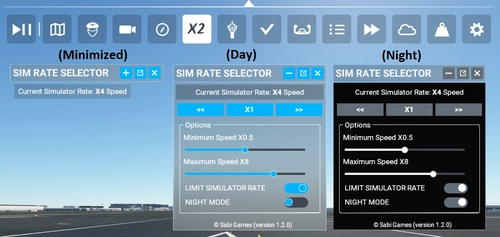
A custom toolbar for Microsoft Flight Simulator, the SIM RATE SELECTOR allows users to view, adjust, and reset simulation rates with ease. Additional features include customization options, minimized window capability, and seamless integration with simulator events. Installation is simple and offline use is supported.
Sabi Games
FBW Toggle adds a toolbar button that activates/deactivates the fly-by-wire system on the fly. Compatible with any airplanes that leverage MSFS's built-in FBW functionality. Press the button located in the in-game toolbar. It will disable all FBW computers (i.e., ELAC/FAC/SEC) when at least one of them is active.
 Spitice
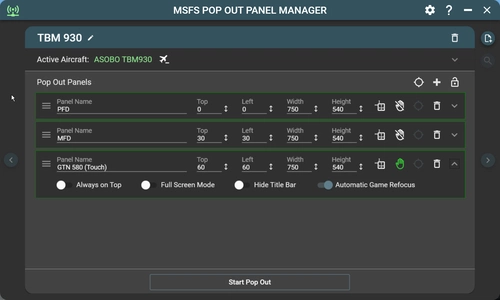
MSFS Pop Out Panel Manager (with Touch Support) is an application for MSFS 2020 which helps pop out, save and position pop out panels onto your screen or another monitor at predetermined locations automatically. It can be used in conjunction with tool such as Sim Innovations Air Manager to simplify pop out placements.
Hawkeyesk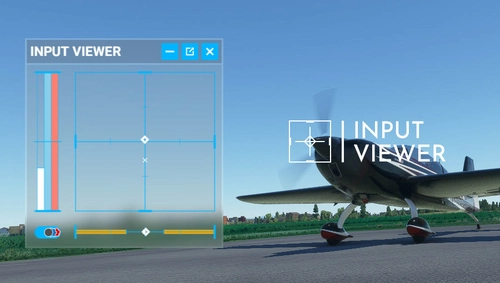
Enhance your flight simulation experience with Input Viewer, a handy addon for Microsoft Flight Simulator. This tool adds an in-game panel displaying various input axes, including aileron, elevator, rudder, wheel brakes, throttle, and more. Easily customize the panels settings and configuration to suit your preferences, offering a convenient way to monitor and showcase your aircraft control inputs. Dont miss out on this useful addition to your virtual cockpit!
Spitice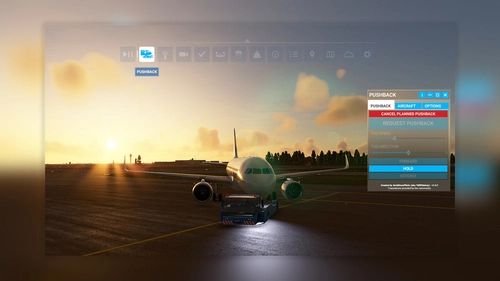
"Toolbar Pushback" offers complete control over pushback operations in Microsoft Flight Simulator. Whether you prefer automated pushback procedures or manual guidance using your rudder pedals or keyboard, this add-on allows you to smoothly adjust the tug speed to your preference. With simple integration into the simulator toolbar, enjoy seamless ground service interactions with a variety of aircraft.
AmbitiousPilots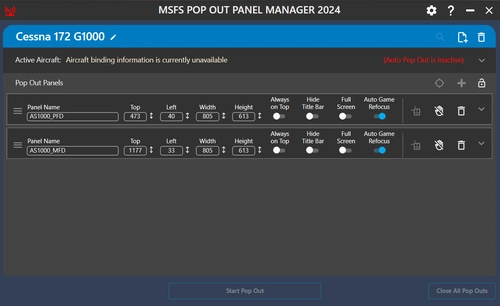
The MSFS Pop Out Panel Manager 2024 is a utility designed for Microsoft Flight Simulator 2024, allowing users to efficiently pop out, save, and position instrument panels on their screens. Key features include support for creating aircraft profiles, configuring panel settings, and enabling touch functionality on compatible displays. The application also introduces simple auto pop-out capabilities, although some functionalities from the previous version may not yet be operational in this beta release.
Hawkeyesk