Flightsim.toFlightsim.to
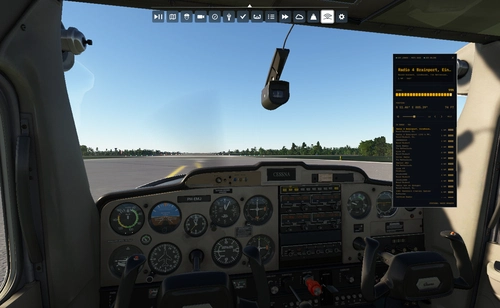
    SIM RATE SELECTOR - Image 1

    Description

    New custom toolbar that I created. This tool can:

    1. Show the current simulation rate

    2. Increase and descrease the simulation rate

    3. Reset the simulation rate to normal rate

    4. Option to change the default speed range (X0.25 to X16)

    5. Option to limit the simulator rate by the range option above (active only if window active)

    6. Minimize the windows (by button or double click in the title) and see what's happend :)

    7. Fully integrated with the simulation events

    8. Real time update with simulation shortcut keys (R, Ctrl +, Ctrl -) and other components or applications

    9. No use with simconnect as an external application

    10. No need online connection

    11. Simple installation: just extract it and move it to community location

    Thanks for downloading, I would appreciate your comments

    Enjoy :)

    Comments(401)

    Log in to join the discussion

    Log In
    F

    about 5 hours ago

    ...works fine at 2020 MSFS. It reminds (me) of the "acceleration-tool" at fs09/fsx. Beware of Sim-Rates higher as X 4. Airliners trim fast up and down - it may be that the Flag occurs: "Planestructure overstressed" - end of Simulation.... .
    I

    about 1 month ago

    For me it does not show all the Text anymore.
    d

    about 1 month ago

    Did someone manage to make it work in VR? I can not see all my elements in the toolbar in VR
    G

    about 2 months ago

    Nifty app, although it doesn't work quite as expected on FS24 SU4. Situation: Used the tool on a flight before current, ended normally before starting a new one. The tool seems to stay "active" (blue) even it hasn' been touched on the new flight. Upon trying to zoom with numpad +&- keys, the simrate goes crazy. https://www.twitch.tv/videos/2733746718
    R

    about 2 months ago

    2024 SU4 user here. Tool works great but have not been able to get it working in career mode. Otherwise, it's one of my go-to addons.
    D

    2 months ago

    Is there any source code for it? So it can be future proofed by the community
    D

    3 months ago

    To prevent anyone else wasting their time, this mod does NOT work with the current (SU4) version of MSFS 2024. I guess it's a tool only for those who are still using MSFS 2020 (why would anyone??).
    R

    about 2 months ago

    It works fine in 2024 SU4. I use it all the time. Never had a problem with it.
    p

    3 months ago

    seems to not work with msfs24 I click to increase sim rate and it immedialty goes back to 1x
    I

    3 months ago

    The app looks amazing and I'd really like to use it, but I practically only play career mode :'(
    K

    3 months ago

    Hi mike2,
    works wonderfully but not for bush trips. Can you find a option for this?
    J

    3 months ago

    fantastic little tool, however seems to randomly change sim speed for no reason?
    m

    3 months ago

    Anyone else having issues? When I try to increase sim rate it decreases to 0.5. When I press the increase key again it takes it back to 1. It just keeps moving between these two numbers. Decrease doesn't work at all.
    I checked my bindings in MSFS24
    Odd. it was working last week.
    a

    3 months ago

    it doesn't work in Career mode, only freeflight mode
    k

    4 months ago

    GREAT soo good
    L

    4 months ago

    the tool reset the SR anytime to default x1, cant choose any SR
    m

    3 months ago

    I have it where when I try to increase sim rate it first reduces it to 0.5 then resets it back to 1.0. I can't change it either
    M

    4 months ago

    Hi,
    not working anymore? Extracted in Community folder, but it's not shown ingame.
    s

    3 months ago

    The same issue here
    ...
    MSFS 2020MSFS 2024

    SIM RATE SELECTOR

    A custom toolbar for Microsoft Flight Simulator, the SIM RATE SELECTOR allows users to view, adjust, and reset simulation rates with ease. Additional features include customization options, minimized window capability, and seamless integration with simulator events. Installation is simple and offline use is supported.

    Downloads69K
    Version1.2.3
    File Size26.84 KB
    Published3 years ago
    Updated1 year ago

    User Reviews

    4.8

    90 reviews

    5
    83%
    4
    11%
    3
    0%
    2
    1%
    1
    1%

    More Information

    Simulator
    MSFS2020/24
    CategoryUtilities
    Sub-CategoryMiscellaneous

    Version History

    Verified with MSFS 2020 and MSFS 2024 Add option to reset the SIM RATE to x1 (normal) on closing the window Note: Works only by pressing the X button (close) in the tittle and not by the icon in the toolbar menu NOTE: in career mode this toolbar wont work (3rd party components disabled by Asobo MSFS2024)

    Related