
Description
Real-world air traffic, made simple.
Traffic2U brings real-world aviation into Microsoft Flight Simulator 2024 and 2020 using live ADS-B tracking data.
Built upon the original LiveTraffic MSFS project, Traffic2U focuses on providing a simpler, more user-friendly experience through a dedicated Windows application, improved traffic management, and refinements aimed at smoother aircraft movements.
Enjoy real-world aircraft around you without having to keep a command prompt window open in the background.
Main Features
- Real-World Live Traffic – Inject actual aircraft based on live ADS-B tracking data.
- Multiple Aircraft Model Libraries – Compatible with supported FSLTL, Just Flight FS Traffic and AIG aircraft models and liveries.
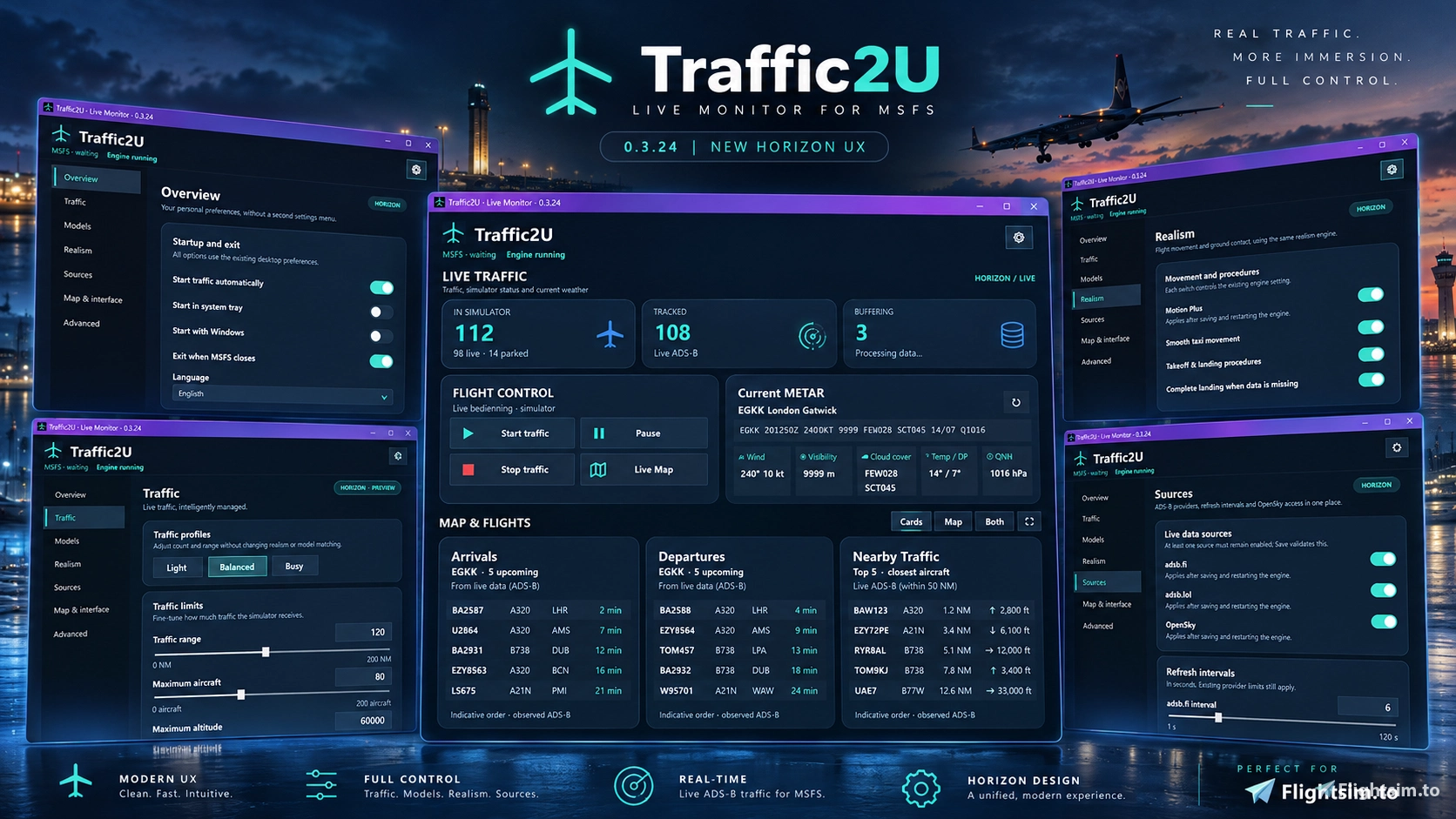
- Simple Windows Application – Control live traffic through a clean, straightforward graphical interface.
- No Persistent CMD Window – No need to keep a command prompt window constantly visible while flying.
- Minimize While Flying – Minimize the application to the Windows taskbar or system tray while traffic injection continues.
- Clear Traffic Overview – Easily access traffic status, configuration options and application controls.
- Smoother Traffic Management – Targeted improvements intended to reduce unnecessary aircraft interruptions.
- Configurable Traffic Settings – Customize aircraft limits, display radius and model matching preferences.
What's Different from the Original LiveTraffic?
Traffic2U is not a completely new traffic engine. It builds upon the existing LiveTraffic project while focusing on usability, convenience and traffic stability.
1. A Simpler Windows Experience
The biggest difference is the dedicated Windows application.
Instead of managing LiveTraffic through a continuously visible command prompt window, Traffic2U provides a clean and accessible interface where everything is organized in one place.
Start, pause or stop traffic injection, review the current application status and adjust your preferences without dealing with a command-line interface.
2. Minimize and Forget
Once traffic injection is running, you can minimize Traffic2U to your Windows taskbar or system tray.
The application continues operating in the background, allowing you to focus on flying without unnecessary windows occupying your desktop.
3. Better Overview and Control
Traffic2U brings important controls and settings together in a single graphical interface.
Whether you want to adjust your traffic limits, configure aircraft model matching or simply check the injector's current status, the information is easier to find and manage.
4. Improvements Aimed at Smoother Aircraft Movement
Another development focus is reducing the noticeable pauses and interruptions that can sometimes occur with live traffic.
Traffic2U includes targeted traffic management improvements intended to provide more consistent aircraft behaviour, particularly during:
- Descent and final approach
- Landing and runway deceleration
- Taxiing and ground movements
- Transitions between different flight phases
These improvements are still undergoing live simulator validation, and results may vary depending on ADS-B coverage, system performance and available tracking data.
How Does It Work?
Traffic2U receives real-world aircraft positions from ADS-B data sources and recreates those aircraft inside Microsoft Flight Simulator 2024.
The underlying engine uses buffered position updates and interpolation to create continuous aircraft movement between received tracking points.
Aircraft are matched to compatible installed AI models and liveries wherever possible.
The result is a living aviation environment based on actual aircraft operating around the world.
Requirements
- Microsoft Flight Simulator 2024
- Windows 10 or Windows 11
- Active internet connection
- Compatible AI aircraft models, such as FSLTL, Just Flight FS Traffic or AIG
Important: Running another live traffic injector simultaneously is not recommended, as this may result in duplicate aircraft.
OPTION A - WINDOWS INSTALLER (RECOMMENDED)
1. Extract the downloaded ZIP file.
2. Run Traffic2U_Setup.exe.
3. Follow the on-screen installation steps.
4. Launch Traffic2U using its installed shortcut or executable.
The installer is the simplest option for most users.
OPTION B - PORTABLE VERSION (NO INSTALLER)
1. Extract the downloaded ZIP file.
2. Find the folder containing Traffic2U.exe and the other app files
(for example, a folder named Traffic2U_Portable).
3. Copy or move that ENTIRE folder to a location of your choice,
such as C:\Games\Traffic2U or D:\Apps\Traffic2U.
4. Open the folder and double-click Traffic2U.exe.
Known Limitations
Traffic2U depends on the availability and accuracy of external ADS-B tracking data.
Ground movements, approaches and departures may sometimes be incomplete or approximate where live tracking coverage is limited.
Aircraft and liveries depend on the model packages installed on your system.
Injected traffic is not integrated with the simulator's native ATC system.
Traffic2U remains under active development.
Credits & Acknowledgements
Traffic2U is based on the original LiveTraffic MSFS add-on.
Special thanks to the original developer for creating LiveTraffic MSFS and kindly granting permission to publish this modified version.
The core traffic simulation engine and original project foundation originate from LiveTraffic MSFS.
Traffic2U builds upon this work with a dedicated Windows interface, additional usability improvements and targeted traffic management refinements.
Original LiveTraffic MSFS project:
https://flightsim.to/addon/116297/livetraffic
Full credit and appreciation go to the original developer for their contribution to the Microsoft Flight Simulator community.
Traffic2U – Real-world traffic, simplified.
Traffic2U
Traffic2U injects real-world air traffic into Microsoft Flight Simulator 2024 using live ADS-B data, offering an enhanced and user-friendly interface. It is compatible with multiple AI aircraft model libraries, such as FSLTL, Just Flight FS Traffic, and AIG. The add-on includes configurable traffic management options and runs as a dedicated Windows application without the need for a command prompt window. Traffic2U aims to deliver smoother and more realistic aircraft movements by building on the original LiveTraffic MSFS project.


User Reviews
3 reviews
Version History
New Horizon UI: Modernized dashboard with improved layout, navigation and traffic overview. Airline Icons: Added airline identification badges to Arrivals, Departures and Nearby Traffic, with optional support for custom airline logos. Improved DPI Scaling: Fixed overlapping and clipped text across different Windows display scaling settings. Updated Controls: Clearer settings, refresh and map control icons. Live Traffic Dashboard: Improved presentation of flight information, METAR and simulator status. Stability & Performance: UI refinements without changes to traffic injection, Motion Plus or the existing engine behavior. Note: Custom airline logos are optional; built-in airline identifiers use ICAO code badges.
Featured in Collections(1)


Related
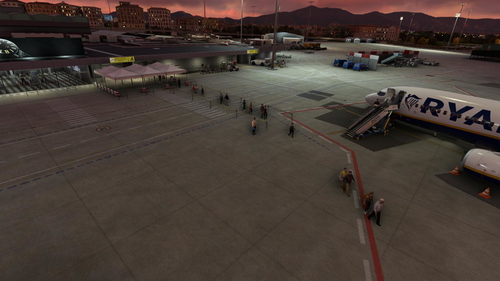
Salvuz Pisa International GSX Profile
Enhance ground operations at Salvuz Pisa International Airport with this GSX profile. Enjoy realistic Ryanair stand usage and walking passengers between gates and terminals. Simply add the ini file to your MSFS GSX folder for a seamless experience.
by Mylano
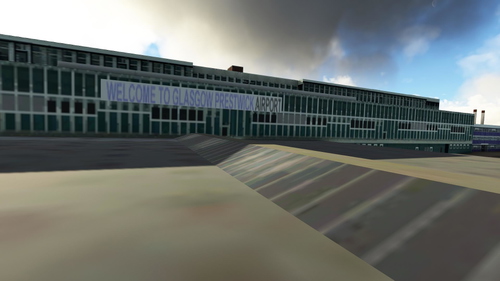
Glasgow Prestwick (EGPK) GSX Profile
Enhance your ground handling experience at Glasgow Prestwick Airport with this GSX profile, designed for the freeware scenery by Scotflight. Created with most regular stands in mind, this profile may not be perfect but offers a customized touch for your MSFS experience. Simply place the ini file in your GSX MSFS folder and enjoy!
by Mylano
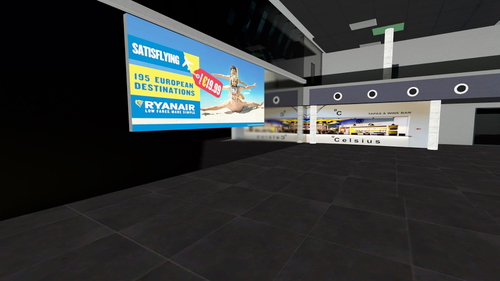
LECH Castellon (MM SIMULATIONS) GSX Profile
Enhance your ground handling experience at LECH Castellon with this GSX profile by MM Simulations. This profile includes stands used by Ryanair and Wizzair, with passengers boarding and deboarding by foot. Located near Valencia, Castellon is a popular airport for low-cost airlines. Simply extract the .ini file to your GSX MSFS folder for a seamless simulation experience.
by Mylano
Log in to join the discussion
Log InComments(72)
about 11 hours ago
about 13 hours ago
I’m facing a small issue, though. I can see AI aircraft taking off on the map, but I can’t seem to spot any AI traffic on the ground in the simulator. I’m using MSFS 2024.
Could you please guide me on whether there’s a setting I might have missed or if there’s anything I need to configure? I’d really appreciate your help. Keep up the fantastic work! ✈️
about 12 hours ago
Traffic2U does support ground traffic in MSFS 2024, including taxiing aircraft, departures, arrivals and parked aircraft.
There are a few things worth checking:
1. Ground Traffic settings: Make sure Parking Realism is enabled. You can also change the Parking Strategy from Evidence to Legacy if you'd like to see more parked aircraft at the airport.
2. Aircraft models: Make sure FSLTL, AIG or FS Traffic models are installed and correctly detected by Traffic2U.
3. Live traffic coverage: Traffic2U uses real ADS-B data, and ground coverage varies between airports. Some airports may have very limited ground position data.
4. Live Map: Aircraft appearing on the map aren't necessarily injected into MSFS. Please check whether the aircraft are marked as injected.
Could you tell me which airport (ICAO code) you're using and which version of Traffic2U you have installed?
That would help me determine whether this is a settings issue, limited ADS-B coverage or something that needs further investigation.
Thanks again for your support! 😊
2 days ago
2 days ago
404
File Not Found
2 days ago
2 days ago
3 days ago
2. The control buttons in the map are just grey squares.
3 days ago
3 days ago
So, for now, MSFS 2024 is officially supported, while MSFS 2020 compatibility remains unverified. You tell me ;)
3 days ago
3 days ago
3 days ago
4 days ago
4 days ago
Why: Traffic2u suggests lots of adjustments spread out over little windows, while the live map stays a pittyful small strech of a window. And a hefty installment is necessary.
Live Traffic comes with a map that fills the whole window and the (same) adjustments are delegated to a very intuitive window that opens on top
with - again - very intuitive sliders, that allocate planes, distances, hight etc., etc.
So I shall opt for Live Traffic while waiting for further updates. Important IT WORKS FINE as of today.
Horst
4 days ago
4 days ago
4 days ago
Traffic2U también admite el tráfico aéreo en tiempo real durante el vuelo, no solo en los aeropuertos. Debería mostrar, de forma automática y fiable, tanto tu propia aeronave como las demás, independientemente de dónde te encuentres volando.
Hay algunos factores a tener en cuenta:
Fuentes ADS-B: Traffic2U utiliza fuentes como adsb.fi y adsb.lol. La cantidad de tráfico visible depende de la cobertura, el estado en tiempo real y la disponibilidad de dichas fuentes; la densidad de los datos de tráfico puede variar según la ubicación.
Alcance del tráfico: Por defecto, Traffic2U muestra las aeronaves que se encuentran en un radio de 40 millas náuticas. Puedes aumentar este límite en la configuración.
Límite de tráfico: Comprueba que el número máximo de aeronaves no esté configurado con un valor demasiado bajo.
Modelos de aeronaves: Traffic2U requiere modelos de aeronaves —como los de FSLTL, FS Traffic o AIG— para poder representar el tráfico dentro del simulador.
Latencia: Se utiliza un búfer de aproximadamente 60 segundos para garantizar un movimiento más fluido y estable de las aeronaves.
¿Podrías proporcionar un poco más de información?
¿En qué ruta o región estás volando?
¿Ves aeronaves en el mapa de Traffic2U durante el vuelo, pero no en MSFS? ¿O es que no aparecen en ninguno de los dos?
¿Qué fuentes ADS-B has seleccionado?
Si pudieras exportar tu configuración a través de Traffic2U, podría investigar con mayor precisión por qué solo ves tráfico en los aeropuertos.
4 days ago