Flightsim.to
    What's Hot

    TrendingRight Now

    The most popular addons for Microsoft Flight Simulator the community is downloading and loving this week.

    Apron Life - Ground Service for AI Traffic

    Apron Life - Ground Service for AI Traffic

    ApronLife is a free desktop tool for MSFS 2024 and MSFS 2020 that brings airports to life: parked AI aircraft get full animated turnarounds with service vehicles, jet bridges, ground crew, cabin crew and passengers. Freighters get cargo turnarounds, widebodies get container loaders, and everything starts automatically at the airport you are at. Built for performance, with Bubble mode, lightweight jet bridges and settings for every PC. Works with Beyond ATC, SayIntentions, VATSIM and other traffic, using FSLTL or AIG aircraft models. GSX Pro is optional, but needed for people, stairs and buses.

    nikitinha2025
    MSFS2020/24
    5.0(73)
    22.6K
    23.4 MB
    Yesterday
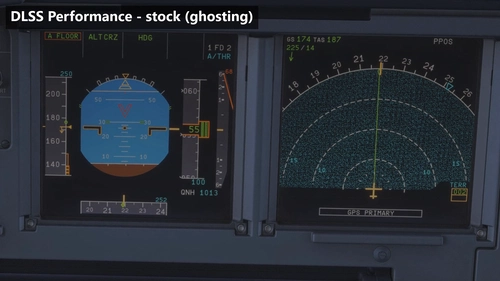
    [Discontinued] Glass Cockpit DLSS/FSR Fix – No ReShade Required

    [Discontinued] Glass Cockpit DLSS/FSR Fix – No ReShade Required

    This add-on addresses ghosting and smearing issues on glass cockpit displays when using DLSS or FSR in Microsoft Flight Simulator. It provides a fix that does not require ReShade, resulting in clearer and sharper primary flight and navigation displays. The solution is based on the original code by IFreemz and is intended for users seeking an easy installation without additional post-processing tools. The mod is installed by placing the provided files next to the FlightSimulator2024 executable.

    scarythrash
    MSFS2024
    5.0(9)
    1.3K
    201.3 KB
    3 days ago
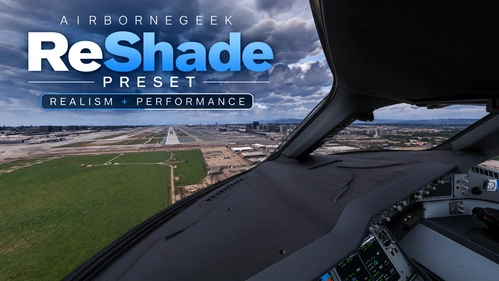
    AirborneGeek ReShade Preset - Ultra Realism + Performance Optimized

    AirborneGeek ReShade Preset - Ultra Realism + Performance Optimized

    Your All-in-One Flight Sim Reshade Preset Make Your Flight Sim Look REAL — Whether it Morning, Evening, Day or Night!

    AirborneGeek
    MSFS2020/24
    5.0(7)
    2.3K
    835 B
    6 days ago
    Official Glass Cockpit DLSS/FSR Fix by IFreemz - no more ghosting on PFD/ND (ReShade or Standalone)

    Official Glass Cockpit DLSS/FSR Fix by IFreemz - no more ghosting on PFD/ND (ReShade or Standalone)

    Removes DLSS and FSR ghosting and smearing from glass cockpit screens in MSFS 2024. Speed tapes, NDs and ECAM pages stay sharp, even in DLSS/FSR Performance, on a monitor and in VR. It redraws the sim’s own clean screen image right after the upscaler, keeps lighting, glare and dirt on the glass, and costs no measurable FPS. Tested on the Fenix A320, iniBuilds A220, A330, A340, A350 and A380, PMDG 737 and 777, and default aircraft. Works on NVIDIA and AMD. Standalone is only drag and drop. Reshade addon needs ReShade 6.7 or newer with full add-on support.

    IFreemz
    MSFS2024
    5.0(54)
    4.0K
    1.0 MB
    20 hours ago
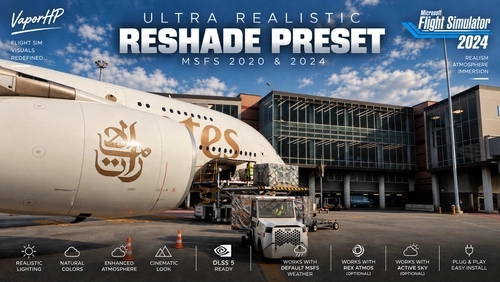
    Ultra Realistic ReShade Preset | DLSS 5 Ready | MSFS 2020 & 2024

    Ultra Realistic ReShade Preset | DLSS 5 Ready | MSFS 2020 & 2024

    This ReShade preset enhances Microsoft Flight Simulator 2020 & 2024 with realistic, natural and cinematic visuals. It improves color balance, lighting, contrast, atmospheric depth, clouds, skies and aircraft detail while maintaining an authentic look. Designed for both day and night flying, it works with default MSFS weather, Active Sky, REX Atmos and DLSS 5 Neural Rendering. ✈️

    Vaporhp
    MSFS2020/24
    4.6(21)
    11.2K
    7.4 KB
    2 weeks ago
    SimpleUI | There, I fixed MSFS UI for you

    SimpleUI | There, I fixed MSFS UI for you

    SimpleUI streamlines the Microsoft Flight Simulator 2024 menus by providing a cleaner and faster user interface while maintaining the simulator's original look. It enhances aircraft selection with a searchable gallery and list, and improves access to setup options and weather controls. The add-on operates only within menus and does not affect in-flight performance or modify sim files. All features are customizable, and compatibility is limited to MSFS 2024 on Windows 10 or 11.

    Hyno
    MSFS2024
    4.9(24)
    1.6K
    2.3 MB
    18 hours ago
    MSFS Physics Camera

    MSFS Physics Camera

    MSFS Physics Camera is a standalone application that introduces realistic, physics-based head movements in Microsoft Flight Simulator 2020/2024. It simulates head shake and G-force effects by using a spring-mass-damper physics engine, connecting to MSFS through SimConnect and FreeTrack. Users can customize movement intensities in real-time via the user interface. The app supports auto-start features and requires disabling the simulator's built-in camera shake for best results.

    netripper
    MSFS2020/24
    5.0(55)
    5.5K
    964.1 KB
    3 weeks ago
    Apron Life PRO

    Apron Life PRO

    ApronLife PRO is a standalone utility for Microsoft Flight Simulator that manages realistic ground services and schedules around AI traffic at over 1500 airports. It synchronizes AI aircraft turnaround to real-world flight times using weekly updated ADS-B data, integrates with popular traffic injectors, and offers an in-sim departures board panel. Features include advanced jet bridge management, customizable airport and aircraft profiles, SimBrief integration, and multi-language support. GSX Pro is optional for further enhanced ground operations realism.

    Nikitinha
    MSFS2020/24
    5.0(4)
    57.36 MB
    Yesterday
    LiveTraffic

    LiveTraffic

    LiveTraffic MSFS integrates real-world aircraft movements into Microsoft Flight Simulator 2020 and 2024 by reading public ADS-B feeds and replaying actual flight paths with a short delay. The add-on uses FSLTL models to display real-time arrivals, departures, and taxiing, closely reflecting real airport operations. Ground movement follows each airport's taxiway layout, with aircraft behaving realistically, including forming queues and parking at appropriate stands. Note that MSFS ATC is not integrated with this traffic, and certain limitations apply due to data gaps and model availability.

    avail
    MSFS2020/24
    4.6(24)
    5.4K
    35.3 MB
    4 days ago
    tebs Traffic Audio (new MSFS2024 Traffic Sound Engine)

    tebs Traffic Audio (new MSFS2024 Traffic Sound Engine)

    This add-on replaces default Microsoft Flight Simulator traffic sounds by silencing the built-in AI engine audio and playing real exterior aircraft sound recordings. It provides directional audio based on aircraft orientation, with sound propagation modeled for distance and environmental effects. Compatible with MSFS 2020 and 2024, as well as VATSIM, and IVAO traffic. Cockpit sound experience is separated from external traffic noise, ensuring realistic sound immersion.

    tebs
    MSFS2024
    4.9(49)
    4.6K
    368.7 MB
    Yesterday
    Simple EFB Moving Map

    Simple EFB Moving Map

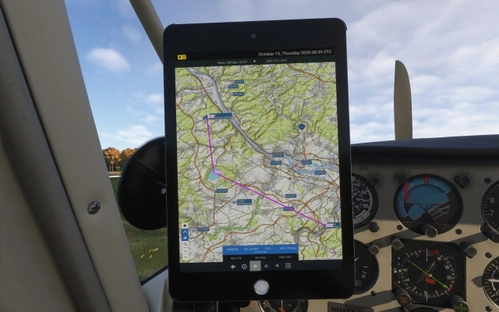
    This add-on introduces a basic moving map to your electronic flight bag in Microsoft Flight Simulator 2024, showing your current aircraft position. It uses map imagery from OpenTopoMap and OpenStreetMap. The map includes a simple zoom function and displays your flight route. Designed for VFR, touring, and basic in-flight navigation needs.

    5.0(18)
    2.2K
    7.5 MB
    15 hours ago
    Fenix TechLog

    Fenix TechLog

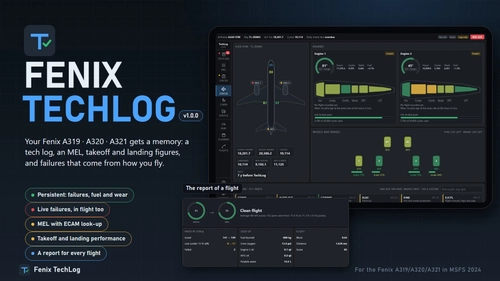
    Fenix TechLog adds persistent aircraft state, maintenance logs, and detailed part wear tracking to the Fenix A319, A320, and A321 in Microsoft Flight Simulator 2024. It simulates ongoing part degradation, realistic in-flight and ground failures, and interactive MEL procedures that carry over across sessions. The add-on records every flight, cabin item wear, and key maintenance actions, allowing management of repairs or part replacements. Data is managed locally, integrates with the in-sim EFB tablet, and requires no changes to Fenix or simulator files.

    5.0(78)
    5.9K
    104.8 MB
    Yesterday
    PACD Cold Bay Airport

    PACD Cold Bay Airport

    This add-on provides a detailed rendition of PACD Cold Bay Airport, including a custom-modeled terminal, updated taxiways, parking spots, and enhanced ground textures. The nearby pier has also been added for improved realism. Cold Bay serves as a key cargo, medivac, and diversion airport in the Aleutian region. The airport is notable for its long runway and strategic location for flights in and out of Alaska.

    tdann7
    MSFS2024
    0.0(0)
    298
    20.2 MB
    Yesterday
    CH Nuclear Power Plants - all four Swiss nuclear power plants for MSFS 2024

    CH Nuclear Power Plants - all four Swiss nuclear power plants for MSFS 2024

    This add-on features detailed recreations of all four Swiss nuclear power plants: Goesgen, Leibstadt, Beznau, and Muehleberg, based on official Swiss survey data. The sites include accurately modeled cooling towers, reactor domes, stacks, and specific plant facilities with textures from aerial imagery. Visual effects such as steam plumes and accurate lighting are included, with all locations marked as points of interest. The package removes default scenery within these sites and includes collision-ready structures for enhanced realism.

    nils8107
    MSFS2024
    5.0(2)
    178
    39.3 MB
    Yesterday
    Taxi Cam - MSFS 2024 PFD Taxi Cameras

    Taxi Cam - MSFS 2024 PFD Taxi Cameras

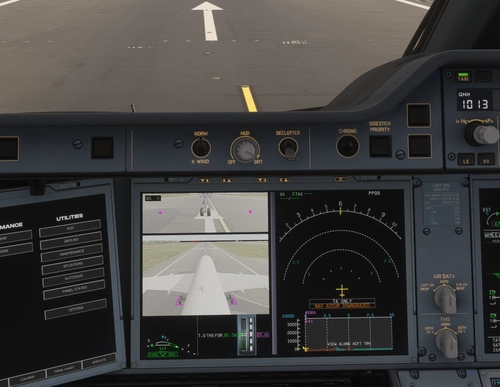
    Taxi Cam enables live nose wheel and tail camera views to be displayed on the Primary Flight Displays of supported aircraft in Microsoft Flight Simulator 2024. The addon integrates with the EFIS TAXI button where available and can be controlled with customizable keyboard shortcuts. Features include adjustable camera angles, zoom, reference markers, and ground speed display, with automatic and manual aircraft profile selection. Compatible aircraft include the FlyByWire A380X and iniBuilds A350 series, with configuration options available through a Windows companion app.

    rdat12
    MSFS2024
    5.0(34)
    11.0K
    2.4 MB
    1 week ago
    Showing 1 - 16 of 80 results

    Select Time Range

    Change the time range here — see what's been trending in the last 24 hours, this week, or this month.

    1 / 2