
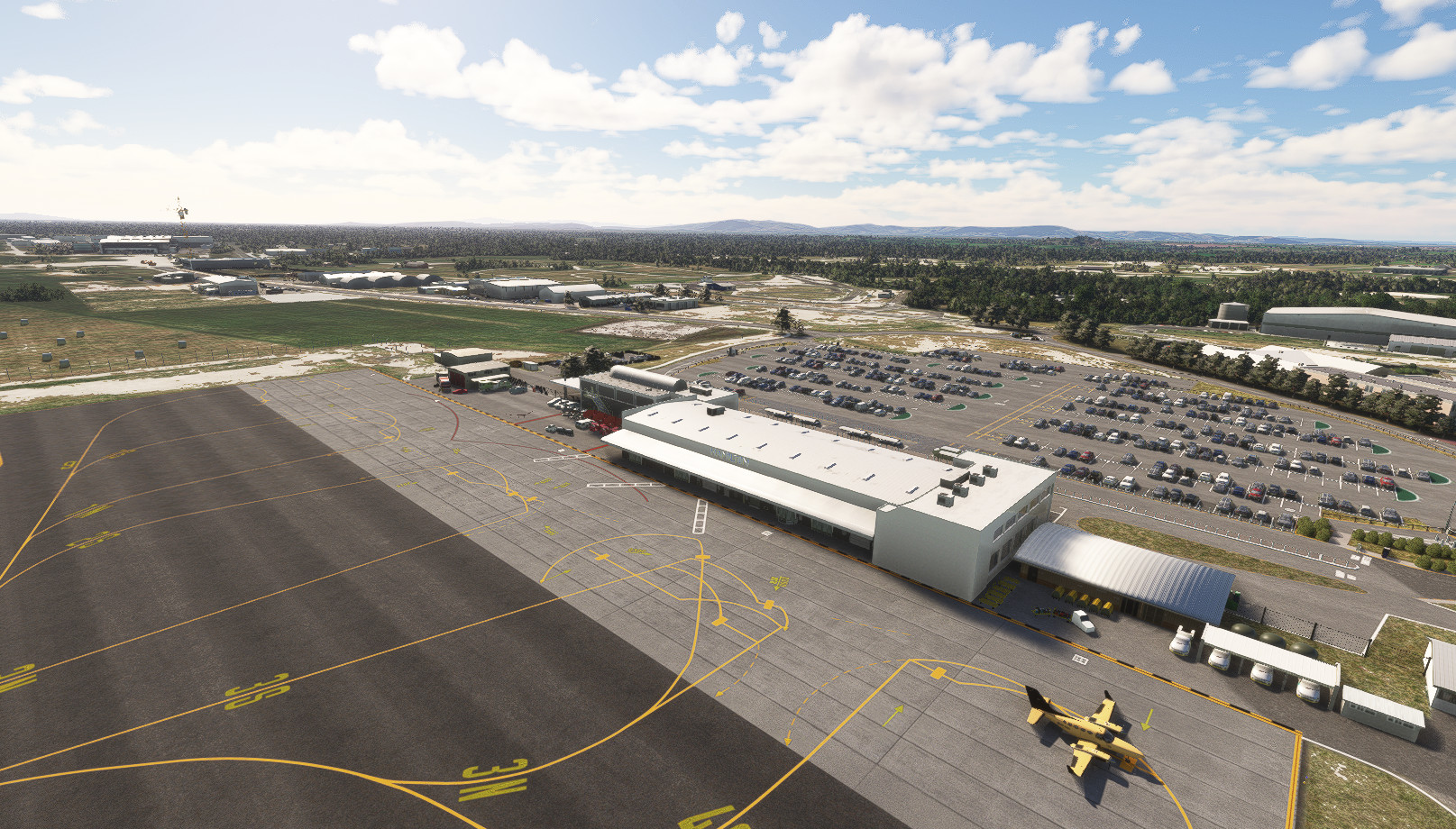
Description
NOTE: The dependancies listed in the dependancies section are required for both FS2020 and FS2024.
You will also need the UK2000 Common Library from the Market Place. Search for it and enable it for streaming if you haven't already. It is free.
If you are missing the main terminal (which is from KSEA Seattle airport) go to your My Library, filter by DISABLED or search on SEATTLE. Make sure it is enabled. Sim updates have a habit of disabling content.
FS2024 Section
V1.1 29 Nov 24
- Stage 1 conversion to FS2024. Fixes missing buildings, corrects terrain and textures.
- Makes the airport work fine and look fine.
- Look out for further fixes and updates as I discover cool things in the new SDK.
V1.2 06 Dec 24
- Removed some annoying artifacts.
- Removed some FS2020 textures that had become ugly. Replaced them.
- Added missing objects such as fuel bowsers and other minor missing stuff.
- Gave new life to the H.A.M.I.L.T.O.N. sign.
- Reinstated missing linework.
- Fixed some taxiway pathing.
V1.3 14 Dec 24
- Removed all rocks from the scenery so that you do not damage your landing gear when taxiing around. Useful for career mode.
V1.4 20 Dec 24
- Changed the terrain pathing references for the new terrain engine to read the surfaces correctly into FS2024.
- Corrected some more textures.
- Checked for popping buildings.
V1.5 30 Jan 25
- Final conversion check for FS2024.
- Removed and replaced any popping objects and buildings.
- Mowed the grass.
V1.6 16 Jun 25
- Removed the aircraft shadows and vehicle artifacts next to your personal hanger (w parking 0 - ga ramp small).
- Made other minor corrections and improvements around the airfield.
V1.7 03 Oct 25
- Fixed some sloppy line work, there was not much of it but it needed perfecting.
- Added some more eye candy while I was at it.
V1.8 15 Nov 25
- Made some additions around your personal hangar.
- Other minor additions.
V1.9 28 Dec 25
- FS2024 version update.
- Replaces/substitutes many missing objects caused by SU4. Too many to list.
- Fixes lighting issues also caused by updates in SU4.
- All of my scenery is now being checked for this total mess they caused us Dev's.
- Adds FS2024 Helicopter cold and dark parking.
- Adds taxiway exit lighting from the main runways.
- Some other minor fixes and additions.
V1.9.1 16 Jan 26
- Replaced more missing objects/buildings from FS2024 Sim Update 4. I think I finally got em all now.
- Fixed up some taxiway textures.
- Added a couple of taxiway signs.
- Removed the terminal sign, it never rendered properly so goodbye.
- Prepared the scenery for my TaxiTuner4 profile coming soon for Say Intentions AI.
V1.9.2 15 Feb 26
- Last update unless things get broken by Asobo.
- Extended the yellow field cones for the grass runway taxiways.
- Turned some static aircraft around to match the direcftion Say Intentions will now park aircraft.
Enjoy!
-=CoolGunS=-
FS2020 Section
Your sim must be up to date with all world updates installed. You do not need any photogrammetry installed, just the base world updates as I borrow scenery from those resources. This project makes extensive use of the UK2000 Scenery Library which is free in the Marketplace. Please make sure you have it installed.
A GSX profile for this scenery by goldmund can be found here.
WELCOME TO HAMILTON AIRPORT!
Yes, the 4-year wait for a high-quality Hamilton Airport is finally over. I have gone all out on this one and poured over 150 hours of meticulous work into this. I have created the airport and all the scenery around it in painstaking detail based on aerial photography and airport charts from 2023.
Before you read on to see what is included in the release version, please take a moment to read this IMPORTANT NOTE below...
IMPORTANT - READ THIS!!
I have activated the ATC and Ground control frequencies for this airport. There are 2 reasons for this.
- Operational documentation that I have read, including on VATNZ, refers to NZHN_TWR - Hamilton Tower on frequency 126.800
- There is a Control Tower on the west GA side of the airfield run by Airways, so I have reproduced it and turned that sucker on.
Therefore you can call up Ground Control and ATC as per normal for arrivals/departures. However, if you use Navigraph and have installed the Navigraph AIRAC database into the sim it will REMOVE the frequencies and revert the airport back to the stock, uncontrolled airport. I have no control over this behaviour.
So if you have Navigraph installed, the workaround is to remove the Navigraph AIRAC Cycle from MSFS via the Navigraph Hub app. It is super quick and easy to remove/reinstall it. Doing so will revert MSFS back to whatever AIRAC it is using. So don't forget you did this as you will probably want the latest Navigraph AIRAC reinstalled for for future flight planning via the Navigraph Charts App. BTW Little Navmap will use whatever is installed so it doesn't care.
Or Navigraph users can just ignore all of this, keep things how they are and fly without the ATC. It will have no impact on the scenery.
This is the most complex work I have done so far, so if you find anything that needs attention please comment below and attach screenshots to the user gallery of this upload if it will help me fix it. Cheers, -=CoolGunS=-
V 2.2 - 3 May 24
Full reproduction of Hamilton Airport, super detailed, near payware quality. All of the airport buildings, aprons, taxiways, signs and clutter are complete. The surrounding scenery is also included, consisting of the cart-track, trade centre, hotel, industrial and retail areas, and the massive Visy Board warehouse and tons more.
Make sure your sim is up to date, see the note at the very very top of this upload before posting issues. Cheers.
Featuring:
- Over 1000 hand placed objects
- More than 150 hours of work.
- Over 30 custom carpark, road and apron markings.
- Removal of MSFS artifacts such as aircraft/vehicle/building shadows, blotches etc.
- More than 60 individual buildings, spanning the airport, industrial and retail areas surrounding it.
- The nearby hotel, complete with swimming pool and tennis court!
- Roads, driveways, fences, signs, its all in there.
- All of the construction work going on, including two huge cranes you will easily see.
- The very busy westside GA area, with static aircraft which I have kept to a miminum.
- Extremely detailed carpark and other immediate areas.
- South or North facing parking on the main apron.You can choose which way to face from the usual parking dropdown in the main MSFS GUI before spawning in. Each ramp 1-4 has this option. This allows hardcore pilots to face into the wind prior to startup.
- Heli-starts and GA parking.
- Seamless texures and meticulous linework.
- Beach babes enjoying life around the swimming pool at the Jet Park Hotel.
- Still FPS friendly!! (tested on a medium rig on high settings capped at 30 FPS no issues)
V 2.2 Fixes
- Forced those pesky ATR's to stop using the GA area to spawn into.
- Filled in an open hangar on the GA side that was looking bare and unused. Look for the DC-3.
- Put NZ flags on the terminal and added the H.A.M.I.L.T.O.N. sign to the carpark side of it.
- Moved a static aircraft out of the way of a GA parking spot.
- Added some people waiting for taxis by the front of the terminal.
V 2.3 ( 20 May 24 )
- Added your own hangar! (choose W Parking 0 - GA Small to spawn into it - bottom of the GUI parking list). See new screenshots.
- **Note I had to add 1 more recommended dependancy for the extra objects in the hangar. Apologies for the long list now, but this airport is an exception due to it's complexity.
**Make sure you check the dependancies list below**
Basically I removed that DC-3 and turned that open hangar into your own Private Business complete with your bangin' 4 speaker stereo system, your red Ford F150 and gold Audi R8. But you can't escape the wife and mother in-law who are enjoying a chat next to your beautiful car. Start your engine(s) and blow them off!
V 2.4 (22 Jul 24)
- Cut the annoying length of all MSFS grass textures down to 1/3rd of their stock length. Makes a massive difference especially for Helipads.
- Essentially I, 'mowed the grass'
- This airport now contains a workaround for the MSFS Helipad bug that prevents cold and dark starts. I have placed a GA_Small parking spot under each of them numbered 100, 101 etc. These are not connected to the taxi paths and can be chosen as an alterative to their matching Helipad so as to achieve a cold and dark spawn. All of my scenery will soon have these.
V 2.5 (22 Jul 24)
- Corrected taxisigns and placed them in the right position and orientation.
- Replaced the stock apron lines with my own custom ones. Now all markings and lines will be colour matched.
- Made some other minor corrections and additions.
- This should be the last update before MSFS 2024.
Tip:
Don't forget to reload your Little Navmap scenery library now and then in order to keep your new airfields accurately portrayed within it. This way all your new taxiway designations are updated among other things.
LNM automatically searches through your community folder during the process which runs in the background so you can keep simming.
From the menu bar of LNM: Scenery Library | Load Scenery Library | press Load. When finished, press Use Database.
Instructions:
Unzip and drop into your Community folder.
Enjoy.
-=CoolGunS=-
Dependencies
Location
NZHN - Hamilton Airport, New Zealand (2023)
Experience a high-quality, detailed reproduction of Hamilton Airport in New Zealand with this add-on. Features include over 1000 hand-placed objects, detailed airport buildings, surrounding scenery, and more. Ensure your sim is up to date and dive into this meticulously crafted airport scenery.

Supporters



User Reviews
9 reviews
Version History
Last update unless things get broken by Asobo. Extended the yellow field cones for the grass runway taxiways. Turned some static aircraft around to match the direcftion Say Intentions will now park aircraft.
Featured in Collections(1)


Related
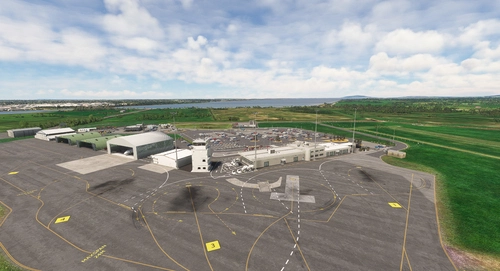
NZNV - Invercargill Airport, New Zealand (2023)
Enhance your flight simulation experience with this detailed add-on featuring Invercargill Airport in New Zealand. Enjoy working AI Traffic, GSX compatibility, and various improvements in the latest updates. Follow the development journey as the scenery evolves with new features and enhancements. Step into the world of aviation with a touch of realism in this immersive airport recreation.
by CoolGunS
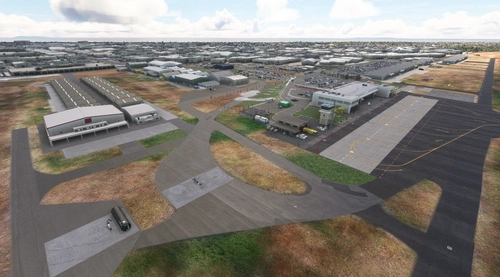
NZTG - Tauranga Airport, New Zealand
Experience the complete rebuild of Tauranga Airport in New Zealand to 2023 standards. Discover hand-placed 3D models, upgraded terminals, new runways, and accurate taxiway designs in this detailed scenery enhancement. Update to the final version for optimized FPS and added features like private business hangars and detailed clutter. Unzip, drop into your Community folder, and enjoy the immersive transformation by -=CoolGunS=-.
by CoolGunS
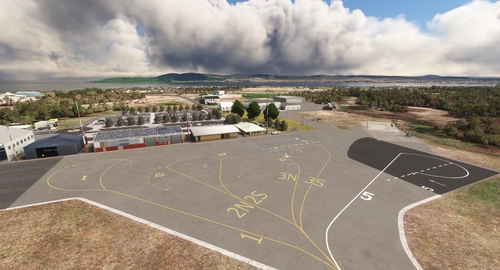
NZAP - Taupo Airport, New Zealand (2023)
Explore Taupo Airport in New Zealand with this detailed scenery add-on that includes over 300 hand-placed objects, custom apron markings, and realistic airport structures. Version 2.0 marks the completion of both stages, featuring high detail and true-to-life elements such as helipads, a campsite, and accurate carpark layouts. Keep an eye out for updates to enhance your flight simulation experience at this unique location.
by CoolGunS
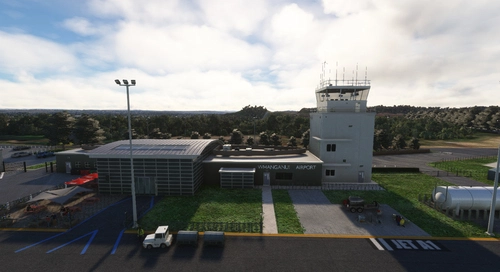
NZWU - Whanganui Airport, New Zealand (2023)
Explore the details of NZWU - Whanganui Airport, New Zealand (2023) in Microsoft Flight Simulator. This add-on features a recreated scenery with quality and detail by CoolGunS, including realistic ATC services and updated runways and taxiways. Discover this historic airfield where Air-NZ and Air Chathams used to operate, offering a unique flying experience in the beautiful New Zealand landscape. Download now and immerse yourself in this meticulously crafted airport environment.
by CoolGunS
Log in to join the discussion
Log InComments(63)
about 1 month ago
6 months ago
v1.6 (downloaded through the Streamline client) works fine. Hope that helps...
Appreciate all your hard work CoolGunS, not just on this, but all your other sceneries too, especially NZ. Coffee coming your way...
6 months ago
9 months ago
I only have MSFS2024 installed and unfortunately the main terminal building is not displaying.
I've tried to ensure all the 2020 and 2024 dependencies are installed (e.g. both the totof objets msfs 2020 and the totof objets msfs 2024 libraries AND the UK2000 library - see screenshot for those I've used)
Would you be able to let me know which library the main terminal uses and I can double-check I've installed the dependancy correctly? Thanks
9 months ago
For the record, Totof's object library (totof library object 2020 et 2024) contains TWO seperate versions. You must install ONLY the one for your sim. Remove the other.
However, this only affects some of the small clutter objects in my scenery, not the main terminal which is from the stock Asobo KSEA Seattle scenery. If it is missing then you are a victim of the sim update gremlins that disable content in your My Library. SU4 update did a lot of damage to some people in that area.
Go to your My Library, filter by DISABLED and find the culprits. You may be shocked at what is not being streamed. World Updates etc - In particular, any USA ones. Search for 'SEATTLE' and ensure KSEA SEATTLE-TACOMA INTL AIRPORT is enabled.
I can easily recreate this issue with that airport disabled in FS2024.
But - If the issue is not resolved then I cannot assist, there maybe something on your system that is preventing that building from displaying. The frequency with which people have reported this problem to me skyrocketed after SU4, so unless a new payware mod I don't know about recently surfaced, then you must have some disabled content preventing the building from streaming.
Good luck, let me know how you go please.
9 months ago
I've got MK Studios KSEA installed. I can't remember if the installation automatically disables the default KSEA, or if I manually disabled it, due to cross-over artifacts, but either way it will be the issue. I'll re-enable the default KSEA later today and let you know!
Thanks for the clarity on Totof's object library being mutually exclusive. I'd originally just installed the 2024 version, but added the 2020 version earlier today, just in case it was the issue. Will dump the 2020 version!
9 months ago
Thank you!
9 months ago
11 months ago
11 months ago
11 months ago
11 months ago
about 1 year ago
about 1 year ago
"Your sim must be up to date with all world updates installed. You do not need any photogrammetry installed, just the base world updates as I borrow scenery from those resources. This project makes extensive use of the UK2000 Scenery Library which is free in the Marketplace. Please make sure you have it installed"
OR
You have a mod conflict in your community folder...
OR
You are loading the wrong version of my download file into your version of the sim. Eg loading my FS2020 version in FS2024 or vice versa.
OR
You did not dowload the dependancies.
about 1 year ago