
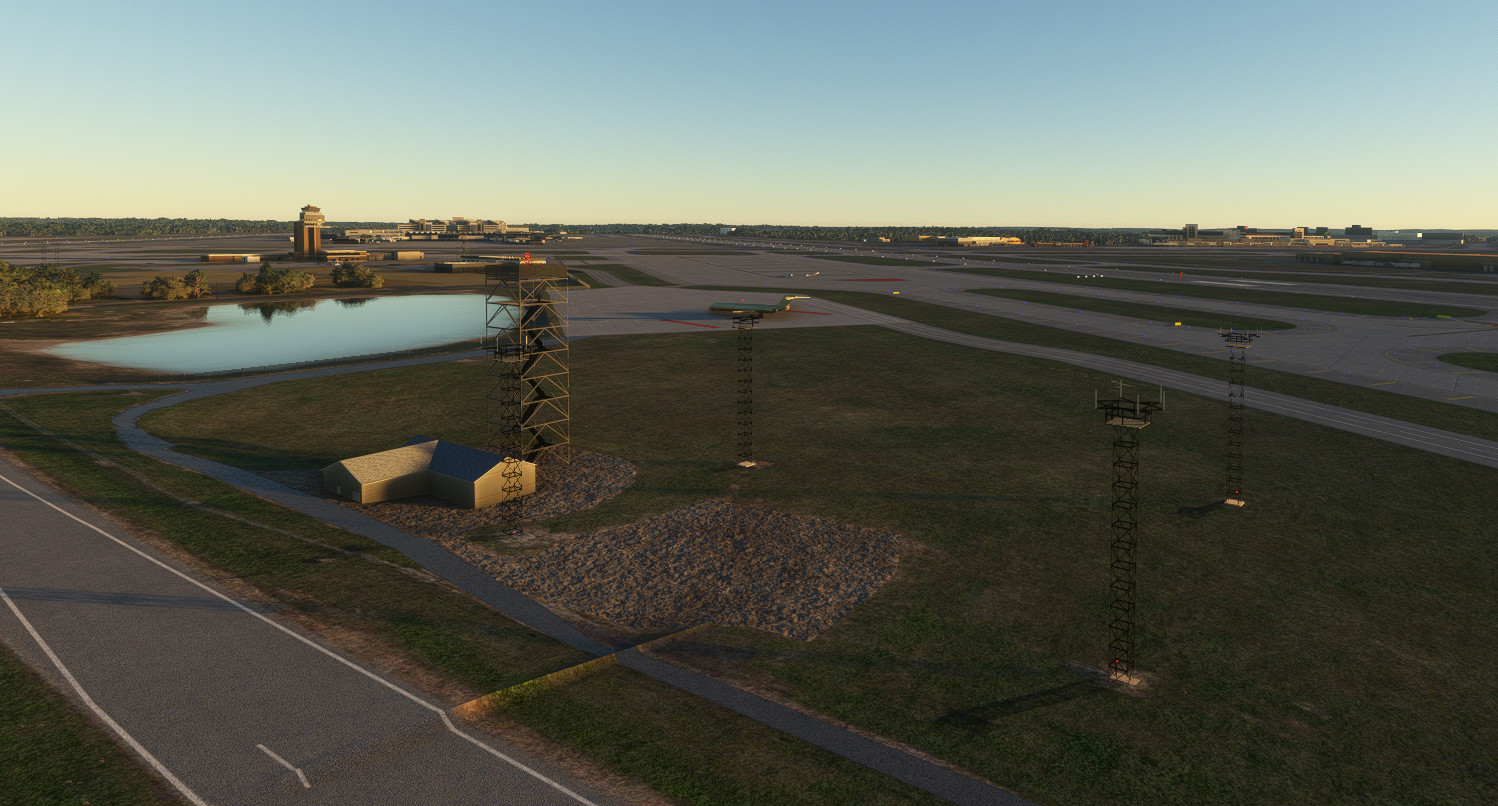
Description
KMSP - Minneapolis St Paul International Airport
Discord:https://discord.gg/tFpB5WfW
Credits:Textures.com for free textures and Horst18519 for providing the font used in the signs.
History Order
It has been requested that I change the order of the History that this file contains. I thought this an excellent idea, so from here on in, the new developments will be at the top.
Version 2.81 - 8th November 2025
Before I realised I needed two separate entities for a 2020/2024 version and a 2024 version, I overwrote the 2.8 2020/2024 version and had to re-upload it. I managed to upload a version with some unfixed bugs, namely: Two aircraft sitting at stands on the G concourse, and a row of red lights on posts across runway 30R. Thanks to PlutonianEmpire and Jaronics for letting me know.
Users who downloaded Version 2.8 before I uploaded the 2024 version probably do not have these problems.
Version 2.8 - Release Date 23rd May 2025
Changes:
All the gates have been examined for currency, and many found to be different, and corrected. C Gates particularly have been widened to take larger wingspans, and therefore some gate numbers have disappeared. It is hard to get real life information on this, but I have watched the Arrivals and Departures board to make sure I have all the gates that are in use.
I was unhappy with the method I had used to create the Red/White lines around the stands. They had been created by generating a modified texture sheet, but MSFS did not like corners. My new solution is to read the white lines, calculate which side should be the outside, and add a new Red line 1 ft from the white line. It isn't perfect, but I think it is better.
Construction work at MSP is taking place in two places. The new Fire-station 2 building near the control tower is completed, but two new buildings are under construction behind it. One is to be the Headquarters of all the Emergency Services for the Airport I understand, and the other the Facilities Maintenance. I have modelled them from what information I can find using Google Earth and MAC Publications, but I know they are further on in reality than I have drawn them. Terminal 2 is receiving an extension, and thanks to Live Video from the viewing area last week, I have been able to get a bit closer to the current state with modelling this.
34th Ave S, the feed road to Terminal 2, has received a lot of attention, with road surfaces, traffic markings and Light Rail Track. In this version, I have managed to animate the Light Rail, so you should see the vehicle running up and down between i494 and T2. I tried taking it all the way to the Mall of America, but this slowed it down to walking pace. Worldscript is not really supported by Asobo, described as a Work in Progress. Work Abandoned would probably be closer to the fact.
I have tried to hide the train turning under the i494 bridge, but the terraforming is awful, so don't get too close.
Adjustments have been made to try and clear a route through the follage at the end of 30L as it heads down to the water.
You may notice little squares with a white center at the G-Gates. This is ongoing work to try and produce accurate parking position Stop Points. This involves placing aircraft that fit the wingspan criteria into the gate, and making sure they clear the fuel ports. However, the latest Google Earth images date back to Feb of this year, when it seems a lot of the new marking of stands had not taken place, and they are of poor quality and impossible to pick out.
Version 2.7 - May 2025
Changes
There are quite a few additions since 2.6, concentrating on the South East end of the Post Road, which runs parallel with Runway 12R-30L.
A quick plug for a new facility at the Real Airport.
https://www.youtube.com/@mncam_com
Provides a live Webcam based on the West side of the field. Users can control the camera by looking up the views from a given link, and sending the appropriate number via chat.
This facility made me realize that runway 12R-30L is closed, though only until May 23rd. I have therefore closed the runway and turned off the approach lights in this version, and added Runway Closed Flashing Crosses at each end. The Asobo AI still uses it however.
The National Cemetery is located to the South West of the Post Road, and is several feet above it, so I have applied some Terraforming to make this more realistic. It is nothing like perfect, but I tried. This allow new chain link fencing to run the whole length of the Post Road.
The FBO Fencing has been added, and the incorrect use of a Blast Screen changed back to a fence.
The FBO Hangars were slightly out of place, and there were some problems with the models due to Normals. These have been corrected.
Up until version 2.6, the Cell Phone Lot has the parking lines square on to the road. This has been corrected to diagonal lines and a new curb put in place.
The parking area, largely disused, between the Post Road and the Taxiway (W) has been re-fenced with barriers and signage to mark the App-Based Parking Lot. Lighting has also been added.
A Pond has been removed to the NE of the Fire Training Aircraft. It was never a pond, so I’m not sure how that got there.
Corrections to Polygons that remove Asobo Buildings were made to get the radar house and a hotel like building reinstated between the runways.
Push Back Operators for GA aircraft had crept back into the Scenery, and have hopefully been banished again in 2.7.
The Swissport Fuel Depot comprising 4 tanks and several buildings have been modelled, and the Gas Station groundwork and fencing made current. It has been demolished.
The Terminal 1 Car Park Exit Booths have been completely reworked. I managed to mislay the original Blender file, so I had to start again.
A new 20 minute video has been made to help users see what they may have been missing.
Silver Ramp had a little attention, with a darker roof and internal surfaces and Ramp Spirals at least visible on the roof.
Version 2.8 - Plans
A thorough overhall of the Jetways. The Asobo Ext Components keep disconnecting, so I have to draw each link to the building as a new entity. This may take a while.
Fencing seems to be lacking around the East End of the airport. I.e. Swissport HQ and the Delta Maintenance Area.
The Multistory Car parks at T1 need more cars inside, and the Silver Ramp needs some lighting.
Flying Cars have been seen on some of the bridges from parking.
FSX Models still exist at the Air National Guard Area D.
Ground surfaces and roads need a lot of work. Northwest Drive even has a tree over it at the moment.
------------------------------------------------------------------------------------------------------
Version 2.6 - April 2025
What has changed?
In the real world, Runway Status Lights have been introduced at 20 US Aiports and MSP is one of them. I cannot be sure if they have introduced just Runway Entrance Lights (REL’S) or gone all out and put in Takeoff Hold Lights (THL’s) as well, but I think they have.
I have attempted to partially replicate the REL’s, which has involved hand placing hundreds of in ground lights that I have created. These lights have three states. Off, Night Mode and Day Mode. It is hard to see which is day and which is night, and that was the intention.
I cannot see how the Takeoff Lights could be implemented, since AI aircraft don’t even stop in the right place. As a rule, the AI aircraft roll down the runway for about 1000ft before starting their takeoff.
How is it implemented?
In front of each Hold Short, a row of REL fittings have been placed 3 Meters apart. When an aircraft is within 1.5 miles on approach, the lights come on. If a vehicle crosses the runway, they come on. Only when the runway is completely empty do the lights go off again. In reality, this is over simplistic. I understand that once the landing aircraft has passed an exit, the lights will go off 3 seconds later, allowing ATC to release crossing or lining up vehicles to enter the runway.
What is not covered?
MSP has intersecting approaches to 12R,12L and 17. For technical reasons, once an object enters the approach box, the lights do not go off until that object leaves the runway box. Therefore, it was found that aircraft landing on 12R would pass through the approach of 17 and trigger those lights. To prevent this, the approach to 17 is split into two leaving a gap for 12L traffic.
There should also be lights offset to the taxi lines onto or across the runway, but in most cases I have not included those.
Update Version 2.5 - November 2024
The area north of Runway 12R hasn't a lot of attention, with the Control Tower buildings all ported from my FSX airport years ago. That changes in Version 2.5, the whole complex having been redrawn and of course lit. Whilst working on this, I discovered a number of changes, such as a new Firestation. I just skipped over to Google Earth to see the last date they had published, and discovered a new image, which shows some of my mods to be behind already, so I have pushed back the release date to the 18th.
So, this version will bring you:
· New Control Tower Complex
· Access Road and Car Park for Same.
· Fencing, accurate to 27 July 2024.
· Firestation 2
· Deice Station near Firestation 2
Runway 12L-30R underwent significant repair and maintenance over the summer, but I don't think that affects this simulated version.
An additional Dependency has been added, The Superspud Airport Asset Library is available on Flightsim.to and provides airport fire trucks and De-Ice trucks. I will probably remove the wombi dependency later as that was provided for fire trucks too.
Update Version 2.4 - 14 August 2024
Runways 17-35 and 4-22 now have WigWag lights, and the Hold Short markings on 17-35 have been changed to provide a black background. Whilst working on this, it became apparent that many of the center lines had been changed since I first created this, so I have redrawn the lines to match the current state of the airport. All the back facing TaxiwaySigns (remember mine are double sided) have been regenerated, but if users see errors, please report them. If I can fix them, I will.
· Update Version 2.3
This release aims to correct the rather abysmal approach to the Lindburg Terminal for vehicles. Added features are:
· Roads have been remarked and generally tidied up.
· Signage has been added where necessary.
· Parking Toll Booths added
· Some work on the undercroft.
· Asobo Road Traffic re-enabled on the exit side of the roadways, since there has been an update of the Open Street Map Data. Still not right, but better than it was.
· People Carrier/Train is now animated.
Dependencies remain the same.
SPECIAL UPDATE Version 2.2
· A special release will be published in the next day or two, since the Jetways on Concourse E were flapping around. Since I had accidentally deleted Concourse E source, I have had to recreate it, and add custom extension Jetways on which to hang the Asobo Jetway. Whilst at it, I decided to try and reduce the load on the sim created by all the chairs in Concourse F, so I redrew the chairs, halving the number of edges, per seat. I was not happy with effect this had with LODS in use, so for the moment I have removed them. I'm also not happy with the glass, so more "Work in Progress".
April 2024 Release 2.1
The first change that users may appreciate is that the five Libraries that were formerly included in the zip file are no longer necessary for this airport. Please note however, that if you use other airports I have created, KFAR, KDLH, KDYT, 25D, 6MN9, KSTP, these libraries are still required for them. Some of these airports are published under MNSceneryDesign.
Dependancies
To get the best out of the airport, the following libraries are still used:
https://flightsim.to/file/21256/oshkosh-striker-wip-wombiiactual-s-fire-truck-collection
https://flightsim.to/file/12208/wombiiactual-enxx-asset-pack
https://flightsim.to/file/14024/windy-things
https://flightsim.to/file/43395/ethnicfs-cars-library
https://flightsim.to/discover/totofteam-france-totofobjet%20V5
https://flybywiresim.com/
https://flightsim.to/file/4906/lsg-sky-chiefs-catering-truck
The last entry, the lsg-sky-chiefs-catering-truck -should read chefs but not mine - will change catering trucks the world over, not just MSP, so be aware of that please.
The Flybywire Installer is required to install FSLTL. This will inject almost real time traffic, which will park at the gates as allocated to each company, and also place aircraft into the maintenance facilities.
Additions:
· LSG Sky Chefs building
· Delta Maintenance Hangar next to Runway 30L
· Additions to Delta Maintenance Hangar by Runway 35
· Electrical Sub Station
· Quick Ride Ramp
· Holiday Gas Station
· Security Hut for Delta
· Building that was partly buried but which I have given up on Terraforming adjusted.
Note:
The models that were used from my libraries have been reintegrated into the core, and for the technically minded, the GUIDS have been changed, so there should be no interaction.
KMSP - Version 2.0 March 1, 2024
This month, I have been working on the buildings that can be seen from i494 and 34th Avenue S.
The big one is the Delta Maintenance Facility, which I have given some attention to the interior, though this is largely guesswork, obtained from any photographic or video source I can find. I wanted a correctly liveried aircraft to be inside, so I have used one from the FSLTL add on, which works really well. So, if the big hangar that faces i494 is empty, you do not have this add on.
The unusual apron markings created a challenge, but I managed to create a new material that does the job.
The maintenance area behind Delta is the Endeavor side of things, but then the aircraft still have Delta Stamped on them, so there are parking places inside the hangar, which will populate if FSLTL is running.
The car parks have had a lot of attention, and now contain random car types in random quantities.
Look for the Delta offices and follow the paths at night to the fountain. Custom light fixtures have been created, though with the level of detail setting I have (50) they only light up when you get fairly close to them.
The Airport Professional Building has been added, along with Car Parking and Lighting. Next along 34th Avenue S is a building with two ramps for Cargo Vehicles. I’ve decided to release this as is, because I am struggling with the wholly unsatisfactory Terra-forming in MSFS. Hopefully by next month I will have something better.
One other feature that is new to this version is that GA Parking places will no longer get an Airport Worker standing in front of the spinning prop, trying to kill themselves for no particular good reason.
If you arrive via ATC control however, you will get a Marshaller to wave you in. If a parking place needs a push tug, it should still be there. This is a workaround, so effectively, parking places with a type of RAMP_GA_SMALL will have no tug.
I have heard from several people that they don’t like having to load libraries into their community folder. In the next version, I plan to trim this down, so only 3rd Party features require this. That said, I have 28 libraries, Aircraft and Airports in my Community Folder, and it increases my load time by 1/3rd.
Dependency List
· wombiiactual-aircraft-truck
· wombiiactual-assetpack-enxx
· mnsd-modellib-airport-models
· mgc-groundmarkings
· mgcscenery-modellib-tsassets
· mgc-mgclibrary
· tsr-windy-things
· ethnicfs-vehicles-library
· totofteam-france-totofobjet V5
· FSLTL - Add on via Fly by Wire Installer.
New Texture Source Accreditation
· Texturecan.com
· Poligon
Bug Fix
I am indebted to user FLYMIDWEST for reporting a problem with Photogrammetry whereby all the AI generated buildings to the South East of the airport disappeared. This was traced to the fact that I had flattened the Airport, but the Asobo setting for KMSP extends the airport area right out to St Paul. I have removed the flatten, but there maybe repercussions. i.e. The Terrain of the airport is now under the control of the dreaded Terraform Polygon.
Reporting
Please report any issues found with as much detail as possible, either on the Discord server or via the messaging service.
Work In Progress as of March 2024
I will be pressing on with new ground work, fixing the new building I mentioned earlier, and adding at least the Gate Gourmet Kitchens. As it gets warmer, there may be a slower progression.
Installation
Please remove kmsp-minneapolis-st-paul-intl from your Community Folder before installing the new version which is mgc-kmsp-minneapolisstpaulintl
As noted below, the zip file contains three other libraries that you will need to copy to the Community Folder.
This zip file contains five folders for the community folder.
mgc_groundmarkings
mgc_kmsp_minneapolisstpaulIntl
mgcscenery-modellib-tsassets
mnsd-modellib-airport-models
mgc-mgclibrary
Please replace the folders in your community folder with all of these at version 2.0.
KMSP Version 1.9 -31st Jan 2024
During December and January, I have been plodding away at improvements to KMSP. Are they the improvements I said I would look at? No, not necessarily. A change in wind direction alerted me to a whole area I had never looked at, which was to the left of runway 35. To my surprise, there are a number of buildings over there:
Airport Machinery Workshop
Sun Country Maintenance Hangar
Endevour Air Maintenance Hangar
Sun Country Cargo
DHL Cargo
Over at Terminal Two - Humphrey, I decided the Fire Station One needed some attention, and in building this, I needed some Fire Tenders. I discovered the amazing driveable models in wonbiiactual-aircraft-truck so this is another library to add to the requirements for this airport.
I also needed Winter Snow clearing machinery, some of which came from wombiiactual-assetpack-enxx
Another thing missing from the dependencies is tsr-windy-things, which contains any flags I may have used. Now here there is a small problem. I have been unable to contact the author, and the flag for Minnesota has recently changed. I may be able to publish a patch to change this later, thought the politicians are still arguing about the new one.
Some of the hangars at Signature FBO by T2 have been rebuilt or modified, and a lot of work has gone into apron texturing and marking for car parks, airport aprons and roads. It is disappointing that MSFS contains no mechanism for changing the off airport road traffic paths. It was necessary to remove the traffic leaving T1 as new construction covered existing roadways, so cars were driving through walls.
I would highly advise users to install FSLTL traffic injector via the Fly By Wire installer. Setting Parked IFR traffic to higher than the default populates the airport gates completely and makes it all come alive with correctly liveried aircraft, all downloaded automatically from Flightaware I think. Also, Version 2.0 will use some of the aircraft from FSLTL as static so the open hangars have some life.
I have finally added a Video Promo, just to prove I am useless at video making. I started off with real time weather .. it was foggy at the time, and my drone skills are poor. It does give an overview of the airport, including a push-back, taxi and takeoff in the Neo.
During the production of the Video, I noticed how wobbly the Taxiway Q centerline was, so that has been straigthened, and all the green taxiway lights have been replaced with Light Rows, so the light fittings in the apron are exactly where they are meant to be. There are also two Taxiway Hold Points that have gained three Yellow Lights, as is the case at KMSP. The Control Tower, which incidentally is imported from my FSX Scenery, now has red lights on the top that can be seen from a distance.
Dependancy List
· wombiiactual-aircraft-truck
· wombiiactual-assetpack-enxx
· Mnsd-modellib-airport-models
· mgc-groundmarkings
· mgcscenery-modellib-tsassets
· tsr-windy-things
· ethnicfs-vehicles-library
· totofteam-france-totofobjet V5
Those marked in Italics are included in the download.
All are either included in my download or available from the flightsim.to catalogue.
---------------------------------------------------------------------------------------
Release 1.8 - December 6 2023
In this release, the Post Office and Cargo Areas have been remodelled, as well as the car parks around them. I have persuaded FedEx and UPS to park their planes at the correct Warehouses, and placed street lights and apron lights in precisely the positions they appear on the field.
Jetways on Concourse C in particular were randomly disconnecting from the Asobo/ACE Studios Connectors. I therefore remodelled the connectors so they are part of the Concourse, which stops this happening. However, before I was finished, SU14 came down. This seems to have fixed the wandering connectors, so I stopped before I broke anything. Concourse E was also having this problem, but I have somehow managed to mislay my Source Blender File. However, that also seems to work now.
Release 1.7 - November 5 2023
This version largely completes the terminal buildings from the air side, adding Gates D and G, and reworking the original Lindburgh Part with the roof and approach roads.
There is a lot of guesswork involved in how the gates look, since there are few photos or satellite images that don’t show them in shadow. I have tinkered around with things that bug me from previous releases, such as Jetways that don’t quite meet the links, and I have largely given up on Asobo Links, since they seem to frequently disconnect from the Jetway.
I am unhappy with my rendering of glass, particularly at night. Right now, there are probably three or four different attempts modeled, and I will hopefully get some feedback on which people prefer. I killed off the road traffic on the exit side of T1, since it was routed through buildings after the latest MAC project. I have placed roads, but they don’t work.
Gate G5 Jetway doesn’t work. Not sure why.
Taxiway Centerline lighting has been revisited as it was incorrect. Now, there are three lit taxiways only, B,Q and T.
The Light Orbs - Street Lights (Asobo) can finally be removed by a Poly, so I have removed them from the approach road, where a bright red glow was previously an eye sore.
Even though I have adjusted the flattening Polygon and the Building Removal Polygon, the Target and Home Depot buildings to the west of the field are still not being populated automatically. I may have to add them as models later.
All the gates now have allocated airline codes added. If you use FSLTL, you should see aircraft parking at the correct concourses.
Release 1.6 - October 6 2023
As promised, I have made reasonable progress on Concourse A though to C1, including as much detail as I can. Thanks must go to Dave Lourie of DVL-Creations for taking a look at pre-release copy and pointing out some issues, most of which have been addressed. The approach to 30L and 30R is over the Minnesota River, which has trees on the not insubstantial Bank. MSFS tends to make these trees overly large, and these have hidden the approach lights. I have trimmed the trees and given the lights a 1 degree angle to try and resolve this, without repeating the problem of approaching aircraft flying through the lights.
Fencing has been tidied up in places where it looked messy, and grass has been laid under roads and Post Office area which has been redeveloped since Asobo captured the satellite data .. about 2008. This is a temporary fix.
Some progress has been made in getting airport vehicles using the Vehicle Paths, but for no apparent reason, they will sometimes peel off onto the taxiways.
I trired my hand at tunnel approaches using the revised Terraforming, but have yet to succeed. I have left the structure in place, but right now, it is only visible as a 1 foot tall wall by the G Gates.
A new feature is the introduction of black paint under the Hold Short and Enhanced Taxi lines. Also, the white lines surrounding aircraft at the stands has been augmented with a red line on the outside. Some fine tuning is needed here, so hopefully I will have refined this by the next version, and added some missing lines as well.
Release 1.5 - September 7 2023
This release concentrates mainly on Concourse B, the Island from which smaller Regional Jets sometimes depart. All the odd gates were removed, probably after phasing out of the smallest aircraft. Although I have fitted Jetways, I have not found them to work, which seems to be an issue with scaling down Asobo Jetways. Also, I have no Regional Jets on which to test it.
The ground markings and lighting have been added, and hopefully more realistic textures.
Overall, one change I hope you will notice, is the inclusion of line markings with Black behind them. The Standard Asobo lines have a transparent background, so the lines are hard to pick out on lighter surfaces. All the hold short lines and enhanced centerlines have been replaced, along with new runway safety graphics on the taxiways. These were often inaccurate when part of the automatic offering from Asobo.
I have yet to create the LOD's for Concourse B, but I wanted to get this out on a monthly development cycle. Over time, I am generating new models whilst old models still exist, so there are a lot of textures that will eventually go away, but are currently needed.
Release 1.4 - August 8 2023
First an apology. Version 1.3 had a Poly Terrain Error that resulted in trench across runway 12L. This was pointed out a couple of days ago, and this has been fixed in this release. Please carry on reporting issues so I can fix them.
This release concentrated largely on Concourse F, which has been completely rebuilt. It is certainly not as good as I would like, and might be improved if I could wander around the gate area and study the construction up close.
The area next to the Terminal 2 Parking booths has also had some attention, a building I believe relates to rental car cleaning. I haven't quite finished it, with touches like address numbers still missing, but the trench on 12L needed a quick fix. Hopefully nothing got broken fixing it.
For AI aircraft, runway 17-35 has been set for Takeoffs on 17 and Landings on 35 in the hope that MSFS will take some notice. Runway 4-22 has been set for no landing or takeoffs to match the current state.
Release 1.3 - July 18 2023
The main updates in this version are:
· Terminal 2 Parking Garage redrawn including construction offices and fencing on the approach road.
· Lighting revised for FBO area, curing the flickering lights.
Runway Approach Lighting revised for 12R and !2L + correction made to 12L Primary/Secondary setting that was causing it to show up incorrectly on the Menu.
Airlift Hangars updated, one from scratch, the other just texure modification and lighting.
Many small updates from the to-do list above, but unable to retrieve the list right now.
VERSION 1.2 - Release 21st June, 2023
With over 800 downloads now, I decided extra work was on the cards. The new version almost entirely concentrates on Terminal 2, Humphrey Terminal. You will also see a To-Do/Completed list below.
Right now, there are few frills, just basic structure of T-2. The car park behind it has not been remodelled, and the building itself is a single LOD, which means it could create a hit for the frame rate. The Jetbridges have been positioned and seem to work flawlessly at T2, BUT I haven't revisited T1 since version 1.1.
Ground markings have been created so the AI traffic flows correctly. As I may have mentioned before, Streetview doesn't cover the drop off side, and few photos seem to exist on line of this area, so much of the front is a guess. No traffic flows at the moment. Hopefully I can fix that later.
Dependencies
Location
KMSP - Minneapolis St Paul International
Add-on summary: Exciting updates and improvements for Minneapolis St Paul International (KMSP) Airport, with detailed enhancements for various terminals, parking areas, lighting, and ground markings. Explore realistic textures, redesigned structures, and optimized AI traffic flow. Keep your experience alive with each version release, bringing a dynamic and evolving airport environment.

User Reviews
45 reviews
Version History
Removed posts with red lights across Runway 30R, and two aircraft on concourse G
Featured in Collections(3)
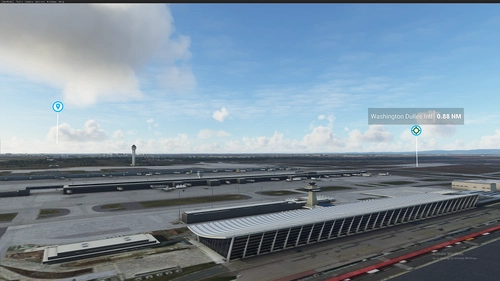
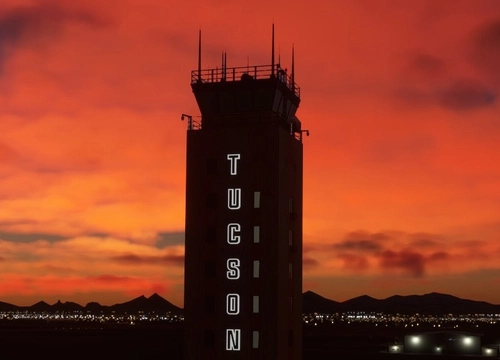
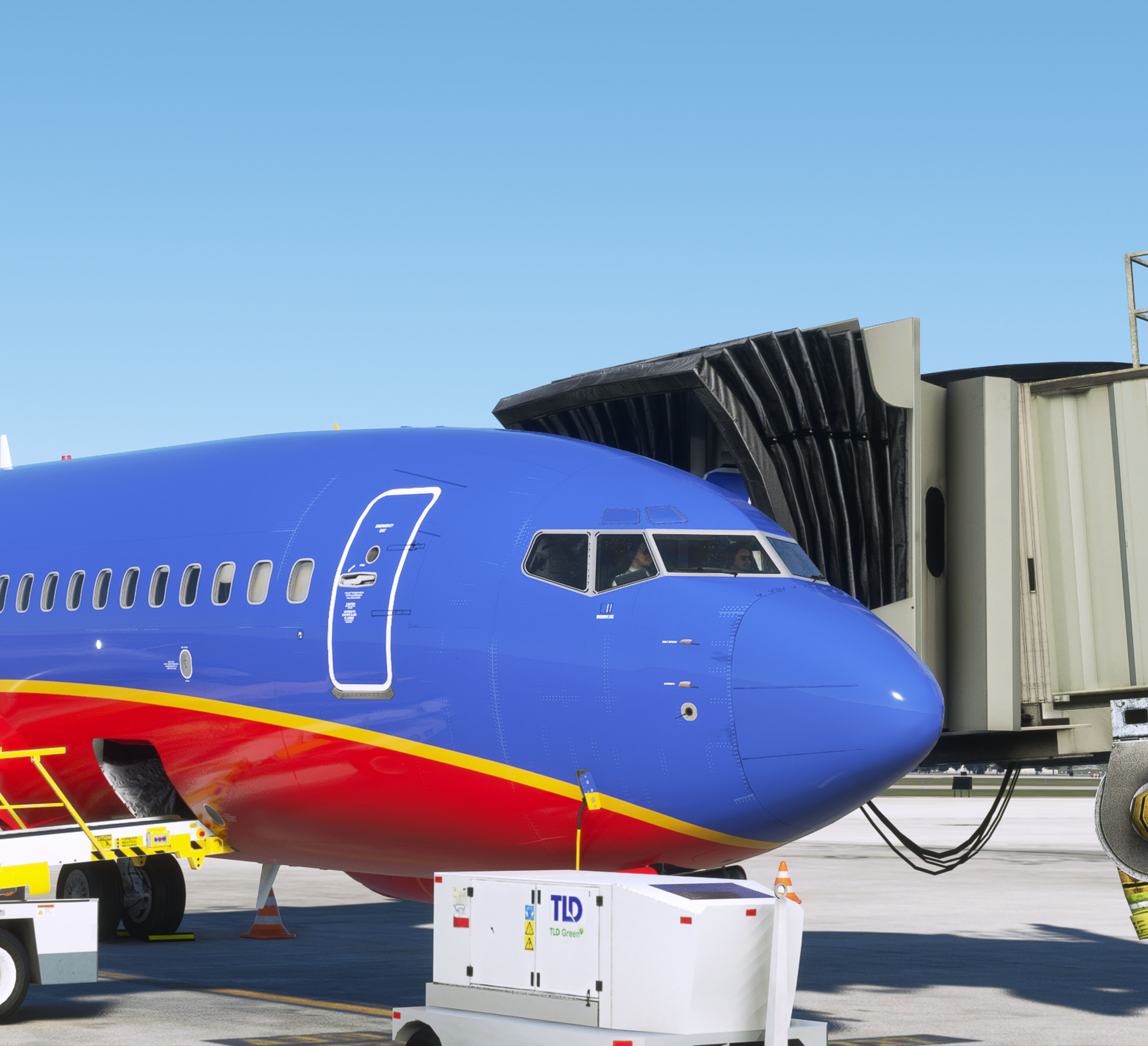
Southwest Freeware Collection
Southwest Airlines destination scenery collection
 gapollo
Minnesota & Wisconsin Airports
Airports large and small from around the States of Minnesota and Wisconsin
 MNSceneryDesign
Tee's Fav
Always payware? Definitly not! Here you can find my favourites from flightsim.to
 Cloudsurfer744
Related
KDLH - Duluth International Airport - Duluth, Minnesota
Enhance Duluth International Airport with this beta add-on, incorporating updates from a multi-year project to modernize taxiways and introduce new GA Hangar spaces. Delve into a detailed rendition featuring over 40 models, including changes such as enhanced hangars, airport services modifications, and improved lighting elements. Stay tuned for upcoming releases to further refine this evolving airport scenery.
by MNSceneryDesign
KSTP - St. Paul Downtown - Holman Field - St. Paul, MN - 3.1
Explore KSTP - St. Paul Downtown/Holman Field in Minnesota with this detailed add-on. Discover the top reliever airport, business hangars, Blackhawk helicopter operations, and more. Updates include CHS Field landmark, accurate taxi signs, enhanced lighting, and detailed tower complexes. Created by MNSceneryDesign, this add-on elevates your flight simulation experience.
by MNSceneryDesign
KMSP - Minneapolis St Paul Intl Airport for MSFS 2024
This add-on provides an updated version of Minneapolis St Paul International Airport (KMSP) for Microsoft Flight Simulator 2024. It features extensive adjustments to lighting, including changes in color temperature and bulb positioning. Most models have been regenerated to incorporate multiple levels of detail, enhancing compatibility with the latest simulator version.
by connomar
KFAR-Hector International Airport - Fargo North Dakota
Explore Hector International Airport in Fargo, North Dakota, serving as a Passenger, Cargo, FBO, and Fargo Air National Guard Base. Immerse yourself in the history of this airport, originating in 1927 and undergoing renovations over the years. Enhance your flight simulation experience with detailed models based on 2022 aerial photos.
by connomar
Log in to join the discussion
Log InComments(142)
about 1 hour ago
However, I'm missing a realistic ground surface with oil and tire marks, like the one in your version for MSFS 2024.
Could you please make an update for MSFS 2020? Thanks in advance.
2 months ago
2 months ago
2 months ago
2 months ago
2 months ago
4 months ago
4 months ago
4 months ago
4 months ago
4 months ago
Thanks for reporting.
7 months ago
Superspud Airport Asset Library
Wombiiactual ENxx Asset pack
Fire truck
Thank you for your assistance...
6 months ago
6 months ago
Hope that is helpful
12 months ago
12 months ago
12 months ago
12 months ago
Many thanks for your feedback. I have uploaded version 2.82 this morning to fix this issue. Please let me know if you see anything else.
about 1 year ago