
Description
WORK IN PROGRESS
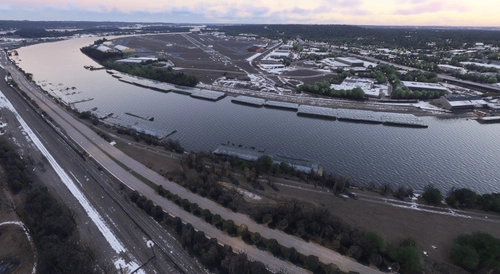
In 2022, a multi-year project began at KDLH to replace taxiways and bring them up to current FAA Standards, and create a lot more GA Hangar space, plus the addition of a new Control Tower.
From our perspective, the Project Start date is 5/20/24 and the first release will be 2.0, date to be announced. (1.9)
Version 2.0 - FIXES ILS Approaches to 9-27
- Corrects the positioning of the ILS Systems that was screwing up both Glide Slope and Locallizer.
- Corrects Edge Lighting issues around A2 and A3
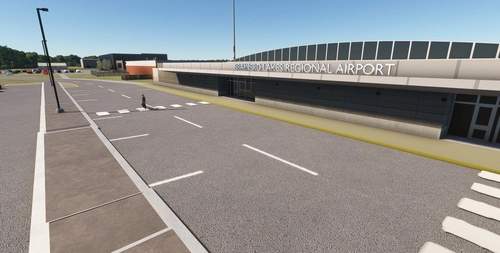
- Improves Terminal Building Ground Parking .. removed blocks of cars, added parking lines, added cars.
Version 1.9 - Based on Google Earth Satellite Images from October 2024
- All the edge lighting has been hand positioned.
- Aprons redrawn to match situation on date above.
- FedEx ATR aircraft and temporary parking position created.
- Revised Intersections A4 and C
- Helipads repainted. (There is an issue with these as Projected Meshes, so currently scenery objects)
- Taxi Signs should now display correctly for US airports.
Update 1.5.0 December 2, 2022 (Beta)
There are now over 40 models attached to this Airport.
Thanks to a user who works at the Airport, the following changes have been made.
- AAR Hangar no longer has Airliners parked outside, and the signage has gone. More work will be done on this hangar when it has new signage.
- Hangar 101 was sadly demolished under an emergency order after it partially collapsed in a bad storm. Our airport has been revised to show this.
- FedEx have added an extension to their facility and revised the taxi path for the ATR 42-300 aircraft that acts as a Feeder to Minneapolis. Finding no suitable models on line, the new model seen in this version is the Author's first attempt at an aircraft. It will disappear at 7:30 in the evening and reappear at 8:30 in the morning.
- The Terminal Building has been better anchored to the ground. It has a habit of leaping in the air when an aircraft approached.
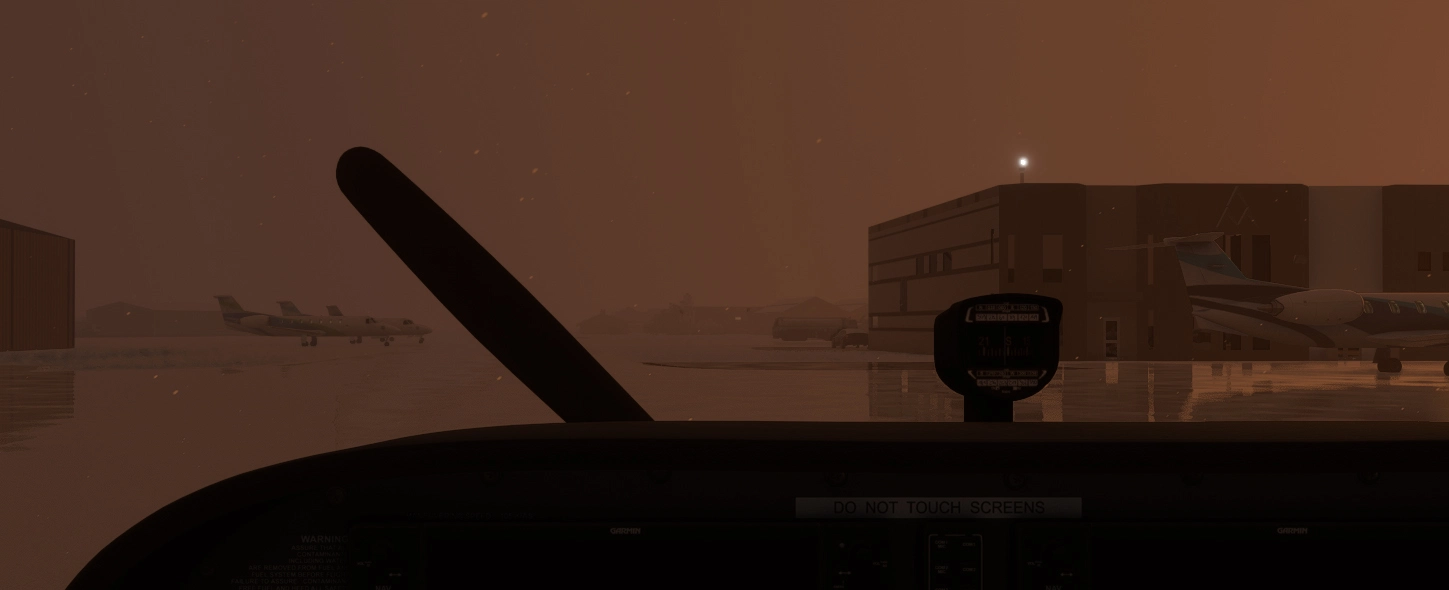
- The Beacon is now a library object and uses a bright emitter rather than an actual spot or point light. It will switch on if the weather gets wet or snowy, even during the day.
- Whilst it has been possible to stop rain and snow falling inside open hangars, a known bug in the Environmental Occluder provided by Asobo, causes any occluded Object seen from within another occluded object, to shed all the beautiful atmospheric effects. Approaching the airport, the hangars with Occlusion would appear as clear when nothing else, including the runway was visible. The current solution has been to fit automatic doors to the open hangars, which will close when the rainfall or snowfall exceeds 5mm/Hr. The doors can sometimes be forced opened by hiding the 2nd Yoke in the aircraft - if so equipped.
- The Cirrus Factory should have only SR-22 and SF-50 aircraft on the apron around it. No SF-50 exists in the current Asobo library, so this has been downloaded from SketchFab.com and modified to sit as a static object in red and green liveries. Attribution for this model is:
"CIRRUS vision sf50 jet" (https://skfb.ly/6CxvT) by Game_-_Tester is licensed under CC Attribution-NonCommercial-ShareAlike (http://creativecommons.org/licenses/by-nc-sa/4.0/). - Airport Services have been modified so that Small GA parking spaces will get a Marshaller, Medium GA a Marshaller and a push back person and Gate aircraft the normal services.
Update 1.3.0 July 1, 2022
There are now over 25 Custom Models of Hangars and buildings, plus an animated beacon and lots little features that have been tweaked.
The :
AAR Hangar Complex has been modeled as if it is active, though that is not the case.
Terminal Glass, Jetway Connections and levels hopefully more accurate.
The Distance Remaining Signage is now double sided, and the radar dome has been modeled, since it is one of those things a pilot might notice. Distance remaining signs are now on both runways.
Street lighting, car park lighting and apron lighting has been improved, and car park markings have also been modeled.
There are still at least 25 buildings that can be added, but most of them are inside the Military Part of the Airport. We have tried to model those that most pilots will see whilst taxing around.
Known issues:
Whilst Flags have been positioned in the appropriate places, their size seems to be fixed at 25ft. For some unknown reason, SimObjects such as these are not scaling.
The Animated Beacon spins regardless of the time of day, and the beacon light (Asobo) remains on in the day. The spotlight however switches off.
A few of the more complex buildings now use LOD’s. Hopefully users will not be made aware.
Additional Credits:
All of the textures used have come from free online sources:
Textures.com,
MyFreeTextures.Com,
FreeStockTextures,
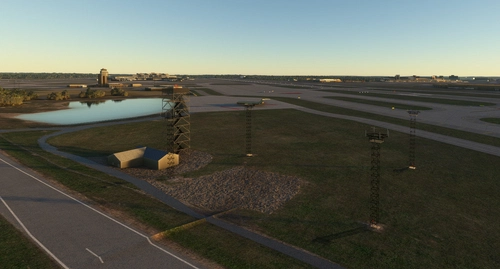
Colinj - MSFS 2020 object library for one of the Radio Towers from Flightsim.to
Many thanks to these sources for making this possible.
One Final Shout Out goes to Chris DeYoe of MyPhysicalWorld for his detailed Blender/MSFS Tutorials on YouTube. Without his measured delivery of countless hints, tips and examples, these models might never have happened.
Update 1.2.1 - March 15, 2022
- Monaco Air FBO custom object added along with it's custom night lighting.
Update version 1.2 - February 4, 2022
About the airport:
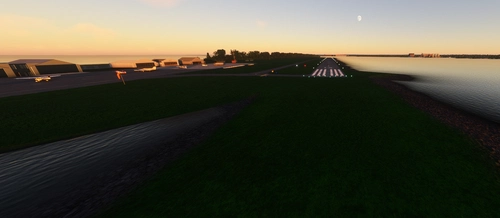
Duluth International Airport is a large airport in north east Minnesota. It has multiple uses and as such has large facilities. It has two runways (9-27 is the main runway at 10,591' and 3-21 is the crosswind runway at 5719'). The airport has a fairly new terminal with four gates. It is the home of the Cirrus aircraft company located on the southwest side of the field. The 148th Fighter Wing of the Air National Guard is also located on the northeast side of the field which currently flies F-16's. It has numerous other purposes with Lake Superior College having a hangar on the field as well as the FBO and private hangars. I have also seen the Commemorative Air Force wing and EAA also has a presence on the field. Northwest Airlines in their final days built a maintenance hangar on the north side of the field which had been used up until recently for various aircraft maintenance.
As this airport has significant activity, there are instrument approaches to all runways. Arresting wire markings were added but are not simulated.
Notes
- Replaced the majority of AI hangars with stock models
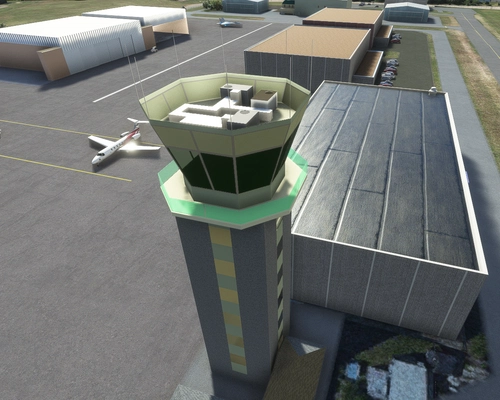
- Custom models added for the Terminal, Control Tower (v1.1), Lake Superior College and Cirrus Design
- Night Lighting added
- Scenery objects placed throughout the airfield
- Line markings added where appropriate (especially on the ANG side of the field)
- Some new parking positions added allowing you to spawn in most useful locations on the field
- Fixed some taxiway light issues
- Relocated the beacon to the appropriate location
Required libraries
- Special thanks to Windhover for uploading his open hangars. A couple have been placed on the field by the tower including a parking position in one of them
- totof aircraft library - This is where the Cirrus scenery object is from. With this library installed, you will get many Cirrus aircraft by the Cirrus hangar on the ramp waiting for delivery - https://flightsim.to/file/17182/totof-aircraft-library-v1-1
- Windy Things - Flags on the field - https://flightsim.to/file/14024/windy-things
- EDHK Lights and Objects - This is used in numerous locations to add much brighter lights - https://flightsim.to/file/2549/edhk-lights-pack
- UK2000 scenery - Installed via the marketplace -> search for free objects. You should see the UK2000 Common LIbrary UK2000 Scenery. This has many various objects used throughout the field including the rotating radar which is north of the main runway.
As always, enjoy flying in Minnesota!
Version 1.1 update
UPDATE to connomar's Version1.0
In Version 1.0, the changes were largely taxiways, taxisigns, VASI and no changes to the AI produced models that Asobo had placed. We are working on a much more comprehensive update, which will attempt to make this a far more realistic interpretation of the field, but one glaring issue has always been the skyscraper control tower, that really isn't.
This version, to be known as 1.1.0 replaces the Control Tower building with what will hopefully be seen as far closer to the real thing. There are still issues with it, but the learning curve is steep, and I am on the beginning of it. The lights I have added to the building do not turn off, and at present seep through a solid object. The glass doesn't look quite right, but hopefully that will get corrected in a later revision.
Connomar will be working on the terminal next, hoping to get something that looks much closer to the real thing.
Installation
Please delete the original from the Community Folder, and unzip this version into its place. Whilst frowned upon by some, the library needed to make the taxi signs double sided is included in the zip file.
MSFS 2024
A lot of work will be needed to make our airports fully compliant with 2024, but that doesn't mean the 2020 versions can't be used. At the time of writing, 12/13/2024, there seems to be an issue with the Community folder. I would recommend that you create a folder with all the packages you want to put in the community folder before you do anything else. If you already have packages in the Community Folder, then I found moving it and then populating it with all the packages before running MSFS 2024 worked.
2020 Static aircraft will not show up in 2024. The ATR at FedEx is my own model, so that will appear between 8:30am and 7:00pm.
Dependencies
Location
KDLH - Duluth International Airport - Duluth, Minnesota
Enhance Duluth International Airport with this beta add-on, incorporating updates from a multi-year project to modernize taxiways and introduce new GA Hangar spaces. Delve into a detailed rendition featuring over 40 models, including changes such as enhanced hangars, airport services modifications, and improved lighting elements. Stay tuned for upcoming releases to further refine this evolving airport scenery.


User Reviews
8 reviews
Version History
Corrects ILS Approaches to 09-27 Runway Adds Car Park Lines to Terminal Car Park Corrects Edge Lighting around Intersection A2 and A3
Featured in Collections(1)

Related
KMSP - Minneapolis St Paul International
Add-on summary: Exciting updates and improvements for Minneapolis St Paul International (KMSP) Airport, with detailed enhancements for various terminals, parking areas, lighting, and ground markings. Explore realistic textures, redesigned structures, and optimized AI traffic flow. Keep your experience alive with each version release, bringing a dynamic and evolving airport environment.
by Martin Connor (connomar)
KSTP - St. Paul Downtown - Holman Field - St. Paul, MN - 3.1
Explore KSTP - St. Paul Downtown/Holman Field in Minnesota with this detailed add-on. Discover the top reliever airport, business hangars, Blackhawk helicopter operations, and more. Updates include CHS Field landmark, accurate taxi signs, enhanced lighting, and detailed tower complexes. Created by MNSceneryDesign, this add-on elevates your flight simulation experience.
by MNSceneryDesign
Sky Harbor Airport, Duluth, Minnesota
Explore Sky Harbor Airport, KDYT in Duluth, Minnesota with this MSFS model featuring a newly built runway and detailed airport features like lit windsocks, waterways for float planes, reflective markers, and a rotating beacon. Experience added realism with the main hangar door that opens during the day, immersive effects with Grain Silos and Ore Handling buildings, and a ship sailing in the canal. Join the aviation community and enhance your flight simulation experience at this historic airport.
by MNSceneryDesign
(KBRD) Brainerd Lakes Regional
Brainerd Lakes Regional Airport (KBRD) is a detailed add-on for Microsoft Flight Simulator, located in Crow Wing County, Minnesota. This mod features accurate representations of the airports structures including a modern terminal, two fire and rescue centers, and custom-built general aviation hangars. Enhancements in this version include improved lighting, correctly positioned edge markings, and additional signage, as well as the construction of new facilities and models to enhance realism. Notable features also include a jetway and a newly created helicopter landing pad with proper lighting.
by Martin Connor
Log in to join the discussion
Log InComments(27)
11 days ago
11 days ago
10 months ago
over 1 year ago
almost 2 years ago
almost 2 years ago
about 2 years ago
However, Sky Harbor Duluth cut the ribbon on their new terminal on 10th July, and I have that ready to go, except for the new feature of shipping and hopefully the Lift Bridge opening for them. Hopefully release that next week.
over 2 years ago
over 2 years ago
https://youtu.be/PVus3kROi8s
over 2 years ago
Martin
over 2 years ago
almost 4 years ago
Love it. KDLH makes a great short hop to MSP. Any chance you could remove the static Citation parked at the terminal?
almost 4 years ago
That's odd, the only static at the terminal is a 737-Max on gate 4.
almost 4 years ago
Could be an issue with FSLTL. No worries. Love the scenery.
almost 4 years ago
Great to hear, many thanks.
almost 4 years ago
Why was the terminal building leaping in the air like you say? Just curious.
almost 4 years ago
It was something I found in the MSFS Forum, where it noted that Snap to Ground can have this effect. Instead, I removed Snap to ground, and adjusted the building vertical position manually.
almost 4 years ago
What a great job! It really brings the airport to life. If I could make one suggestion if you ever decide to update or modify, it would be great to have a version without the static aircraft at the terminal. Thanks again for your work.
almost 4 years ago
Thanks for your feedback. The list of changes is growing.
about 4 years ago
I live and work here. I’ve got some comments to add that would make this feel even more authentic and true-to-life. I’ll DM you later this weekend.