
Description
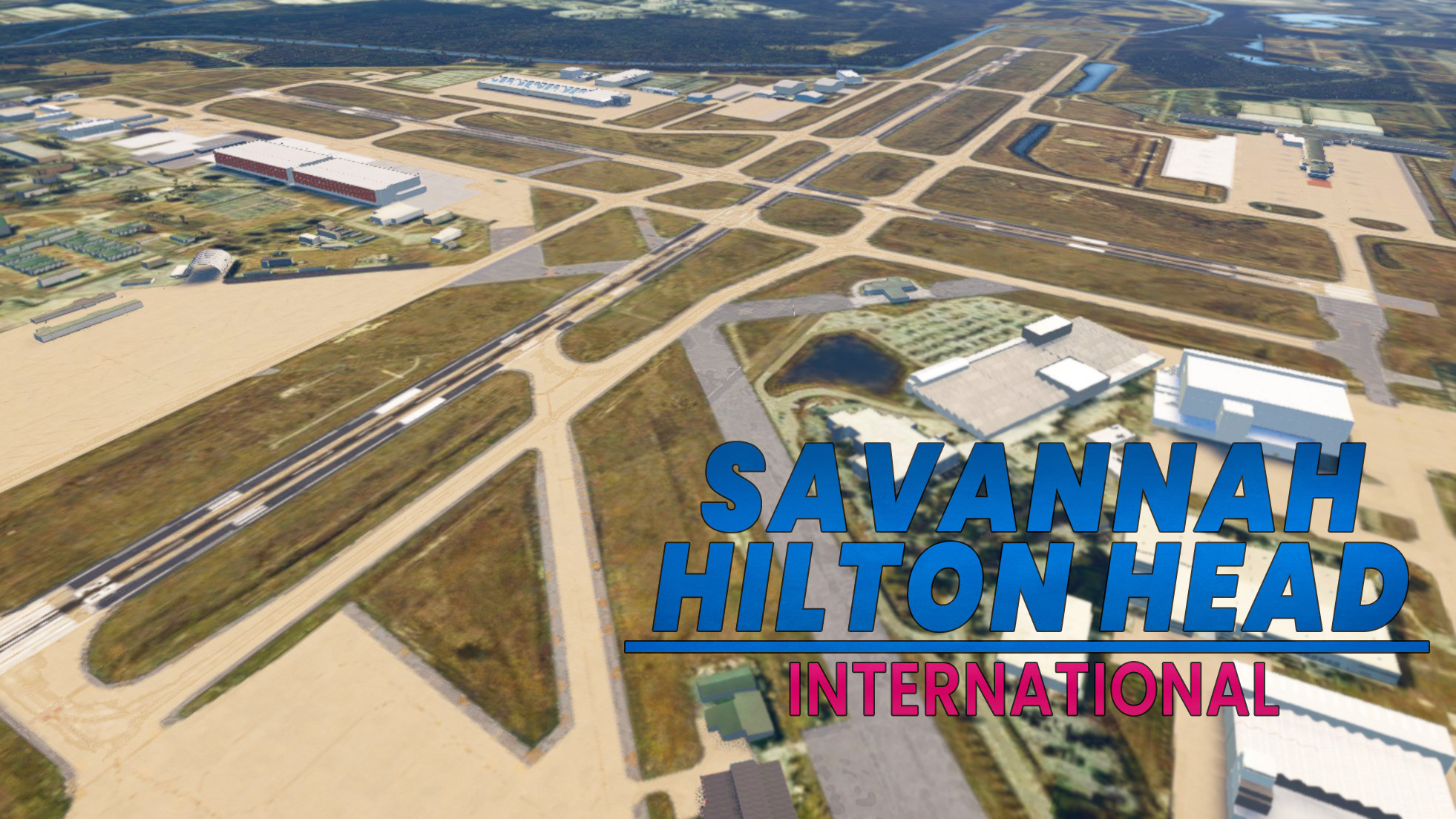
This scenery package improves the default scenery for KSAV. It uses existing buildings and default generic objects. No custom buildings! All parking spots are renamed/numbered to the correct designators. All taxiways correctly named, and signs placed for them. Airport lights, Improved textures for the pavement, terrain enhancements. And more minor fixes as well.
Install/Uninstall
Be sure to download at least the 3 requiered dependencies linked below! But you may want to download all of them. You need them to see certain objects.
1. Extract the ZIP file to a temp location (desktop for example)
2. Inside the extracted folder, locate the "despamods-ksav-improvments" folder; And place it in your community folder.
3. Start the game and select KSAV as a departure airport
To uninstall simply delete the "despamods-ksav-improvments" Folder from your community folder!
MSFS 2024!
This scenery has not been designed or tested for MSFS2024. It may work so feel free to try it (and let me know in the comments if it does work) But I can make no guarantees it does.
Using the Airport
Spawn in the airport like normal. All gates have their correct designations. Most parkings spots do to. The FBOs are located at the East and West Ramps (Named that way in the in game ATC). Other ramps are named acordingly. More details in the readme. All taxiways have correct designators and signs. If arriving at night, all ramps with parking spots are illuminated.
Compatability Warning!
Currently this mod is not compatible with Airport Lights by Andres3D. Actually it does work, but you will see 2 sets of lights; One from Andres3D's mod, and 1 from my scenery. Since my scenery adds its own lights the mod by Andres3D is not needed. Unfortunatly you cannot easily remove them from Andres3D's mod since its in 1 file containing many other airports. Andres3D will have to update their mod if you wish to use both.
If your using the Taxiway signs addon from Blacksquare, Be sure to disable KSAV!
If your using GSX, I recommend disabeling the GSX jetways!
Dependencies
Location
Savannah International Airport Default Scenery Improvements
This scenery package improves the default scenery for KSAV. It uses existing buildings and default generic objects. No custom buildings! All parking spots are renamed/numbered to the correct designators. All taxiways correctly named, and signs placed for them. Airport lights, Improved textures for the pavement, terrain enhancements. And more minor fixes as well.


User Reviews
2 reviews
Version History
This version is an extensive update! The airport has seen significant changes compared to the last version I released. A lot of the changes are very new and are not reflected on current charts at time of writing! Turtle Tanks, Windy Things, and the Japan Airport object libraries are now required! See the readme and/or the dependencies section for links. Relocated 1 gate at the terminal, removed another, and added 6 more New Cargo ramp added off of taxiway H East FBO and associated parking spots relocated to their new location New ramp and parking spots at the West FBO New parking spots and hangar at the East Gulfstream facility Fine tuned the terraforming to be more accurate and smoother! Changed the light rows to look more accurate and use nicer looking objects Please read the new readme file for a more detailed list of changes. Several parking areas have been moved and renamed. You can also fins a parking area guide with the new changes.
Related
Airports Lights
Illuminate over 1200 airports worldwide with the Airports Lights add-on, featuring lights for terminals and gate areas. With more than 32,000 light poles and ongoing updates, enhance your airport visuals today. Easily install by extracting into your Community folder and experience improved airport lighting. Request additional airports and stay updated on the projects progress through the provided link.
by Andres3D
SBGO - Goiânia Airport - GO - Brazil
Enhance your Microsoft Flight Simulator experience with SBGO - Goiânia Airport in Brazil. This add-on features custom 3D models, animated Jetways, realistic runway and taxiway lights, custom markings, and aerial orthophoto for a true- to-life airport immersion. Support for narrow-body aircraft such as Airbus A320 and Boeing 737-800, with the ability to handle wide-body planes like Boeing 767 and Airbus A330. Simply extract the folder to your Community folder to begin exploring this detailed airport scenery.
by Souza Scenery & FSoares
Istanbul Sabiha Gokcen International Airport
Custom-built Istanbul Sabiha Gokcen International Airport add-on for MSFS 2020 in public beta version. Enhancements include detailed airport structures and improved visuals for a more immersive flying experience. Created by developers with experience in X-Plane 11 scenery design. Free for personal use with optional donations to support the Leukemia Foundation for Children.
by Hayri Buberci, Mali Oguducu
Airport Parking
I am going through airports and updating the parking so airlines park in the correct spots. Not everything is 100% accurate, but it is very close and the pack will continue to grow. Both airlines and cargo spots are being updated. Airports are also including A380 gates.
by Chris Baggett
Log in to join the discussion
Log InComments(12)
about 2 years ago
Also when I say cliff I do not mean visually. Visually it looks fine but even slow taxi on this runway or taxiway seems to have a ton of crazy bumps. Once again not visually.
about 2 years ago
I do plan on revisiting this airport to update the terraforming when i get a chance. but thats a odd issue. I dont know what could be causing it unless theres another scenery conflicting. or you just got unlucky on 1 flight. if possible can you try again and send me a screenshot of the problematic area ?
about 2 years ago
I experienced the bumpy part on Alpha and the drop at Alpha onto Runway 01. Then when taking off runway 01, I wasn't even up to 80 knots when the aircraft was forced off the runway by another 'falling' incident.
I've never flown into this airport before and only did so with your scenery.
about 2 years ago
almost 2 years ago
over 2 years ago
almost 3 years ago
almost 3 years ago
almost 3 years ago
over 2 years ago
over 3 years ago
Thank you!
over 3 years ago
Thank you so much, have worked at this airport for many years.. If it will aid you in future updates, I have details signage and layout pictures.