

Description
2022/11/23 Ver1.4.1(0.6MB)
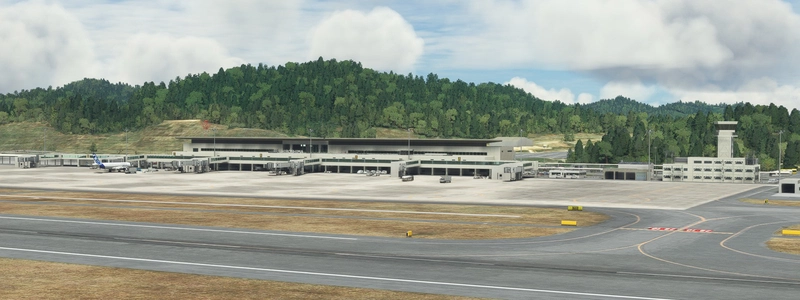
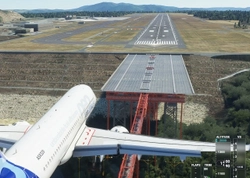
I changed the stadium seen on the right side during the landing curve to my own object.
Please take a look at the last two photos.
2022/11/20 Ver1.4(0.1MB)
On November 12th, 2022, MSFS released the handmade Hong Kong Kai Tak.
I have provided a mod that removes cars running on the runway that he has not been able to do in free and paid kaitak so far,
From this version UP, I changed my policy and decided to aim to coexist with MSFS's hand-made Kaitak Airport.
MSFS's hand-made kaitak contains four types of texture and model: LOD0, LOD1, LOD2, and LOD3, so it is very smooth.
Even my ultra-low spec PC (PENTUM 2 core + GTX1650) works smoothly.
In this Ver1.4, the previous Ver1.3's approach light enhancement and the command to delete cars running on the runway are no longer necessary, so they have been deleted.
I lowered the tall buildings that would get in the way of Hong Kong Kai Tak's landing, and made the low buildings taller to make it more realistic.
All the buildings in this scenery are MSFS standard buildings. No world update required.This MSFS standard part also contains LOD0 LOD1 LOD2 , so it is very smooth.
Use'd the msfs standard Lugano-Agno (LSZA) Airport, so if you install the paid lsza, some buildings may not appear.
Note
I changed the file name this time.
old = h271_hong_kong_kaitak_cars_del
new = h271_kaitak
Be sure to delete the old file and put the new file in \COMMUNITY.
Location
(VHHX)Hong Kong Kai Tak city
Enhance your Hong Kong Kai Tak experience with this mod version 1.4.1, featuring custom stadium objects and improvements to buildings for a more realistic landing environment. Enjoy smooth performance even on low-spec PCs, coexisting with MSFSs handmade Kaitak Airport seamlessly. Say goodbye to cars on the runway and embrace a more immersive flight simulation experience.
User Reviews
13 reviews
Version History
I changed the stadium seen on the right side during the landing curve to my own OBJECT.
Related
Osaka City and Osaka RWY32L Scenery Ver3_0
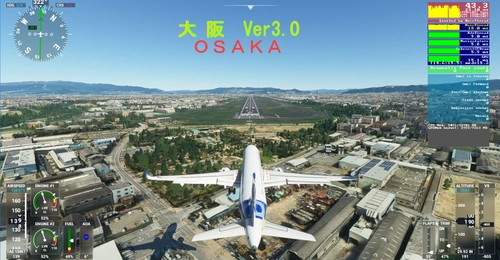
Osaka City and Osaka RWY32L Scenery Ver3_0 brings detailed city and airport scenery with 5 different LOD levels for various viewing distances. Note that it requires at least a GTX2060 for smooth performance, lacks night lighting, and is optimized for flights between 8-10 am. Be mindful of performance issues when flying at low altitudes below 1000FT.
by KAZE
KOBE City Ver2_1
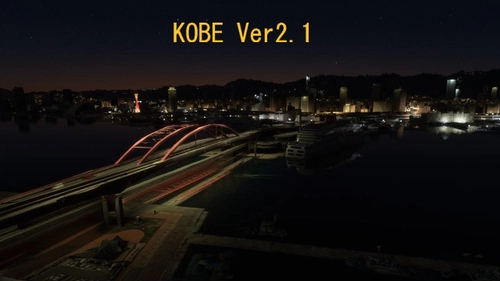
Explore the vibrant city of KOBE with the KOBE City Scenery Ver2.1 add-on. This update includes enhanced details such as car traffic on highways, illuminated Kobe Bridge, and modifications to Shin-Kobe station. Enjoy a more realistic experience with improved night views and accurate colors.
by KAZE
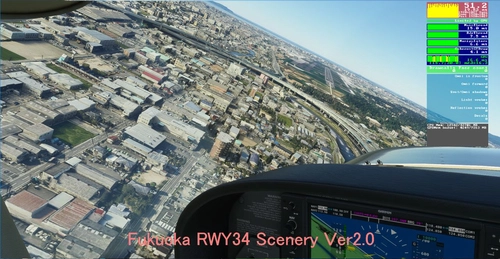
(RJFF) Fukuoka RW34 Google Scenery
Experience the enhanced Fukuoka RW34 scenery with this Google Earth Decoder creation. Featuring LOD19 for the landing section and LOD18 for the rest, enjoy reduced CPU load and detailed road materials. Explore Japans busiest airport per runway, where RWY 34 is reserved for special weather conditions due to noise concerns.
by KAZE
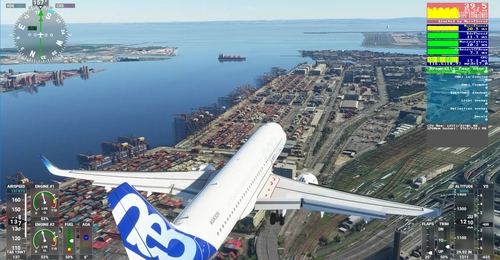
TOKYO RWY16L scenery
Experience a detailed portrayal of the iconic Tokyo(Haneda) Intl RWY16L with this Microsoft Flight Simulator add-on. Featuring Google-replaced scenery, including Tokyo photogrammetry from a leaked update, this mod offers enhanced realism without compromising performance. Discover optimized LODs and meticulously cut 256M tiles for a seamless flight experience over Tokyo. Please note that night view is not available in this scenery addon.
by KAZE
Log in to join the discussion
Log InComments(58)
about 1 month ago
over 1 year ago
almost 2 years ago
over 1 year ago
about 2 years ago
https://flightsim.to/file/4713/hong-kong-kai-tak
almost 3 years ago
over 3 years ago
Hi, is it only me or are the Lead-in lights after IGS13 approach way too high on their poles? In videos and pictures it looks like they are way lower and for example on the roofs of the buildings. So is it possible for you KAZE to lower the poles to make them more realistic? Thanks for your amazing work!!!
over 3 years ago
This pole cannot be lowered because it is a self-made OBJECT made by a hand-made Hong Kong author of MSFS.
Auto-generated OBJECT can be lowered or erased.
over 3 years ago
Hi, I see, thats sad, thanks for the info! All the best to you
almost 4 years ago
Is this addon compatible with the free Addon, except that the AIi501 Hong Kong Kai Tak car cannot be removed? ThanX
almost 4 years ago
My scenery Ver1.4 is only for buildings (OBJECT), so it is compatible with other scenery, but if there is a scenery that remodels the same place, the building will be duplicated.
I removed the command to delete the car in Ver1.4 because the MSFS Kai Tak was released. I don't know because I don't use ALI501 scenery.
almost 4 years ago
Can you please add an exclusion for the trees in the stadium when using SamScene Hongkong City Times? Really great work on the stadium.
almost 4 years ago
Thank you. We can only delete the MSFS default objects. We cannot delete objects added by other author. Therefore I cannot remove SAMSCENE. And, I don't have a SAMSCENE so I don't know what the problem is.
almost 4 years ago
All right, thank you anyways.
almost 4 years ago
Thank you. I use this now with the new MSFS SU11 Kai Tak and SamScene3D Hong Kong City Times. Perfect :)
almost 4 years ago
Hi. Thanks so much for this mod. Not that this is related to your work, but do you have any idea why I see tall buildings on the apron north-east of the gates?
almost 4 years ago
Thank you very much. I don't understand English, so I use translation software. please tell me.
1. Which building?
2. Should I remove the building?
3. Or should I lower the building?
The best thing is to send me a picture.
almost 4 years ago
Thank you so much Kaze, as always you keep adding great content !