
Description
Note: There is no night view
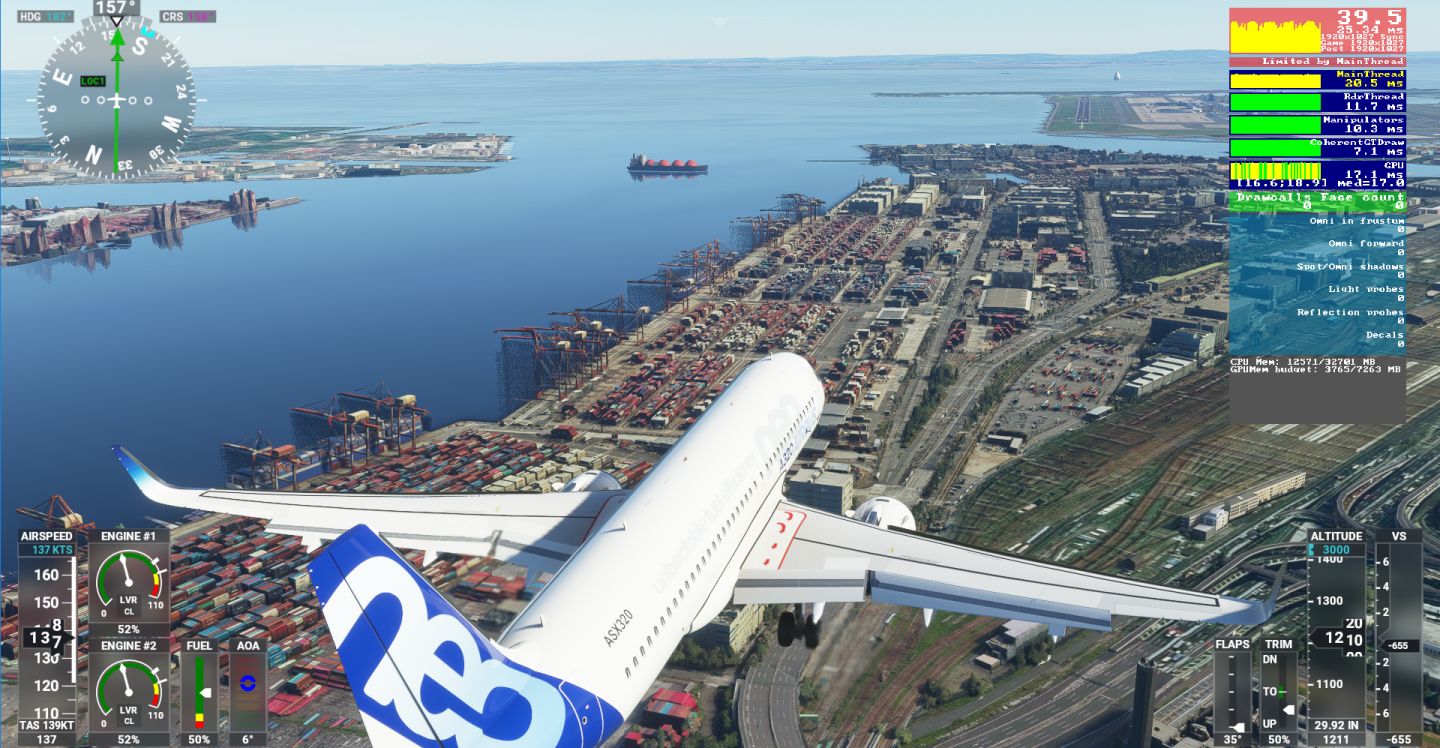
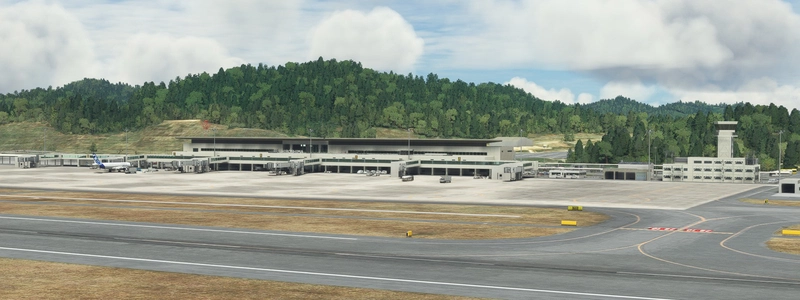
TOKYO(HANEDA) INTL RWY16L Scenery.
The scenery of RWY16L landing in Tokyo has been replaced with GOOGLE.
Note: The "C-Approach" was discontinued with the installation of 16L ILS (111.95).
<< Added 2021/12/24 article >>
The part leaked from the first world update of 2021.09.30, Tokyo Photogrammetry, has been added. The windmill of Koto, which looks like RWY22 landing, also turns.
When I first made this scenery, it was very heavy, but with the subsequent MSFS update, it is now lighter and his frame rate is over 50 (i5 9600 + RTX2060s + 32GB).
This Tokyo 16L scenery has LOD18 (1/4) LOD17 (1/16) LOD16 (1/64) 15 (1/256) and 5 LODs under LOD19, so it doesn't put a burden on the PC. Is smoothly read out of his scenery. When you leaves Tokyo, it reduces the size of this scenery to nearly 1/200, so it doesn't adversely affect other scenery.
This Tokyo 16L scenery is finely cut through the range with 256M tiles, so it is difficult to put LOD15 (1KmX1km) tiles in it, but I put three lod15 tiles in this Tokyo16L scenery.
Location
TOKYO RWY16L scenery
Experience a detailed portrayal of the iconic Tokyo(Haneda) Intl RWY16L with this Microsoft Flight Simulator add-on. Featuring Google-replaced scenery, including Tokyo photogrammetry from a leaked update, this mod offers enhanced realism without compromising performance. Discover optimized LODs and meticulously cut 256M tiles for a seamless flight experience over Tokyo. Please note that night view is not available in this scenery addon.
Version History
No version history available.
Related
Honolulu
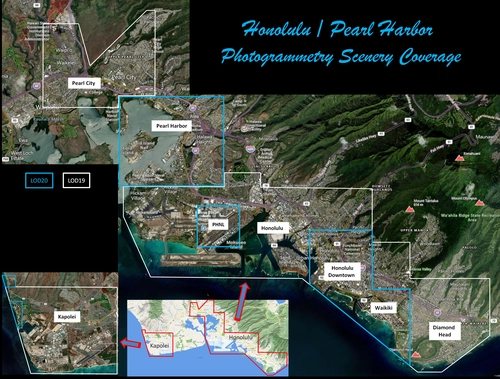
Explore the photogrammetry scenery of Honolulu, including the iconic Pearl Harbor area with optimized performance for better FPS. Discover Waikiki, Honolulu downtown, and more with this detailed addon. Enhance your experience by adding free mods for carriers, battleships, and military airplanes in Pearl Harbor and surrounding bases. Support the creator for future updates if you enjoy this mod.
by steveli
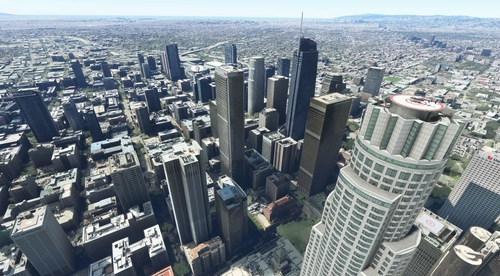
Downtown Los Angeles
Various buildings and monuments that are missing from Los Angeles in the game that shoudn't be. Wilshire Grand Center, SoFi Stadium, 801 S Grand, 825 S Hill, 888 S Hope, 1000 Grand, Apex the One, Atelier, Aven Apartments, Metropolis Towers, Level Los Angeles
by senecadriver
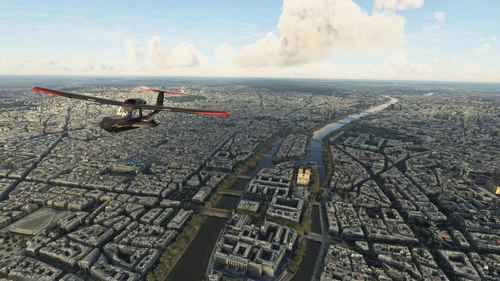
Paris
Explore the iconic cityscape of Paris in Microsoft Flight Simulator. This detailed add-on captures the essence of the French capital, featuring famous landmarks and architectural marvels. With accurate GPS coordinates, immerse yourself in the beauty of Paris, known for its historical significance and vibrant culture. Download now and experience the City of Light from a whole new perspective.
by Thalixte
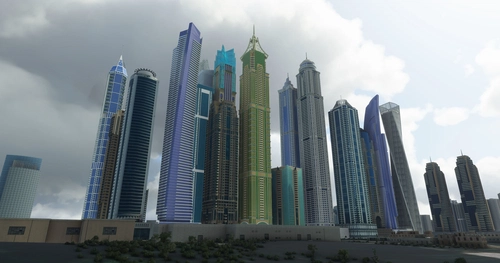
Dubai City Pack
Explore a detailed rendition of Dubai City and Jebbel Ali Port featuring over 250 custom buildings and various landmarks like the iconic hotels and tourist attractions. While focusing on enhancing the daytime visuals, this pack offers improved textures for select buildings, promising a refreshing experience for simmers. Additionally, adjustments have been made to SkyDive Dubai Airport to address previous elevation issues, ensuring a more immersive flight into this dynamic cityscape.
by risuali
Log in to join the discussion
Log InComments(16)
about 5 years ago
For some reason it does not want to show up in the flight sim.
about 5 years ago
I couldn't translate your text well.
Which is 1 or 2?
1 Do you want to remove this scenery?
2 Isn't this scenery displayed well?
about 5 years ago
2 it is not showing up.
about 5 years ago
Please write in more detail, then I don't know.
After unzipping the downloaded \ h127_tokyo.zip (153MB), h127_tokyo (316MB) will appear. Move this to ¥ COMUNITY.
Even if you do this, does the scenery not appear?
about 5 years ago
If this does not appear, exit MSFS2020 once
Please rename \ h127_tokyo to \ aaaa (a name that has never been used) and restart MSFS2020.
You should now see it.
about 5 years ago
thanks
over 5 years ago
over 5 years ago
over 5 years ago
How about sharing Tokyo Landmarks Enhanced for MSFS together? Thank you. Looking forward to your reply
over 5 years ago
over 5 years ago
over 5 years ago
over 5 years ago
over 5 years ago
over 5 years ago
over 5 years ago