
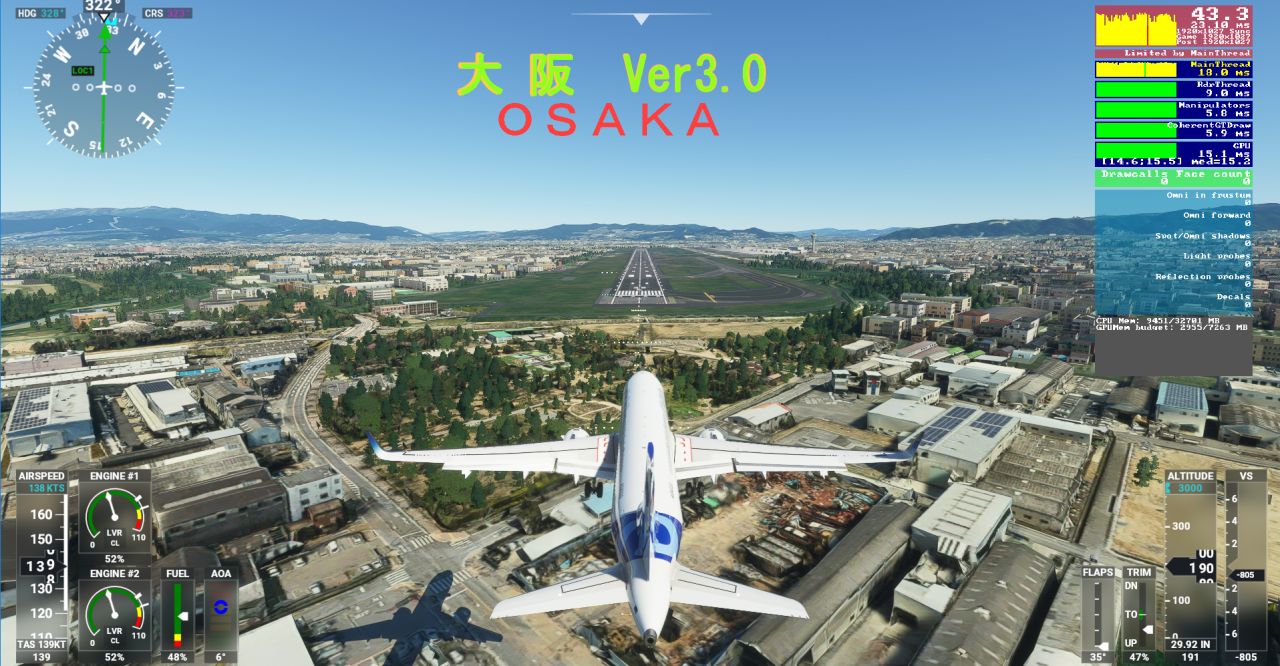
Description
When used in combination with other scenery (especially especially paid Itami)
Please note that even GTX3070 is heavy and does not move.
Even if this scenery is used alone, GTX2060 grade is required.
Note: There is no night view in this scenery.
In addition, the color does not match the flight in the afternoon.
Enjoy your flight in the morning (8-10am).
This scenery insert 5 sheets of LOD0, LOD1, LOD2, LOD3, and LOD4.
LOD0 = resolution for about 500FT
LOD1 = resolution for about 1000FT
LOD2 = Resolution for about 2000FT
LOD3 = resolution for about 4000FT
LOD4 = resolution for about 8000FT
If you fly at a low altitude below 1000FT, it will be heavy because of the continuous reading of LOD0LOD1.
If you land on a normal route such as Itami landing, the distant scenery will be reduced to LOD 4, so it will be lighter.
ほかのシーナリーと併用すると(特に有料の伊丹等)
GTX3070 ですら 重くてコマ落ちなどがあるそうなので ご注意ください。
このシーナリー単体で使用するにしても GTX2060級が必要です。
ご注意 このシーナリーには夜景がありません。
また午後になると建物が黒くなり色が合いません。
午前(8-10時)の飛行をお楽しみください。
このシーナリーは 重さ 対策として LOD0 LOD1 LOD2 LOD3 LOD4 の5枚を 挿入 しています。
LOD0=約500FT用の解像度
LOD1=約1000FT用の解像度
LOD2=約2000FT用の解像度
LOD3=約4000FT用の解像度
LOD4=約8000FT用の解像度
1000FT以下で低空を飛行しますと LOD0LOD1の読み出しの連続なので重くなります。
伊丹着陸など通常のルートで着陸すると遠くの景色をLOD4までおとすため軽くなります。
Location
Osaka City and Osaka RWY32L Scenery Ver3_0
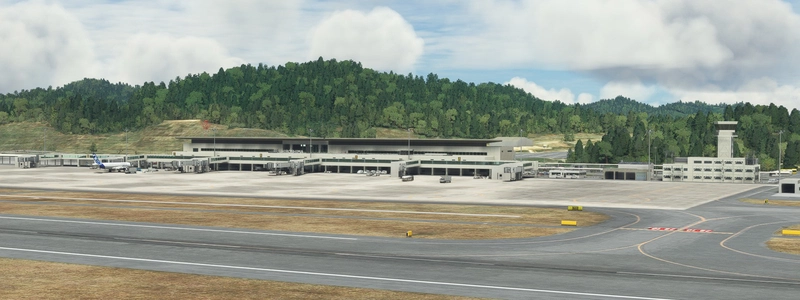
Osaka City and Osaka RWY32L Scenery Ver3_0 brings detailed city and airport scenery with 5 different LOD levels for various viewing distances. Note that it requires at least a GTX2060 for smooth performance, lacks night lighting, and is optimized for flights between 8-10 am. Be mindful of performance issues when flying at low altitudes below 1000FT.
User Reviews
11 reviews
Version History
Ver2.0 is very heavy, so I made it lighter in Ver3.0. 1 Abolish LOD20 in front of RWY32L and downgrade to LOD19 2 Abolish the scenery of LOD19 around RWY32R and return it to the default 3 Expanding the area in Osaka city of LOD18 4 Insert LOD14 for distant reading in almost the entire area of Osaka city
Related
Honolulu
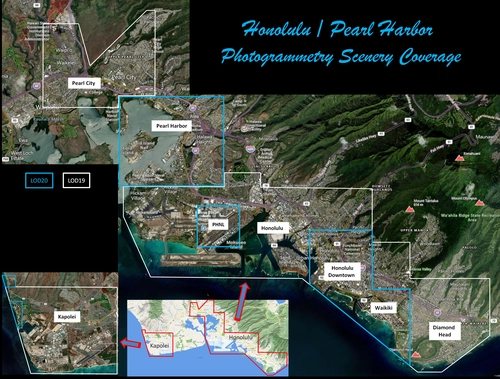
Explore the photogrammetry scenery of Honolulu, including the iconic Pearl Harbor area with optimized performance for better FPS. Discover Waikiki, Honolulu downtown, and more with this detailed addon. Enhance your experience by adding free mods for carriers, battleships, and military airplanes in Pearl Harbor and surrounding bases. Support the creator for future updates if you enjoy this mod.
by steveli
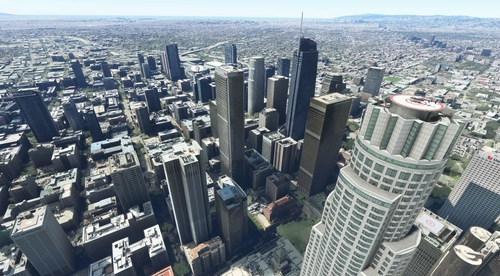
Downtown Los Angeles
Various buildings and monuments that are missing from Los Angeles in the game that shoudn't be. Wilshire Grand Center, SoFi Stadium, 801 S Grand, 825 S Hill, 888 S Hope, 1000 Grand, Apex the One, Atelier, Aven Apartments, Metropolis Towers, Level Los Angeles
by senecadriver
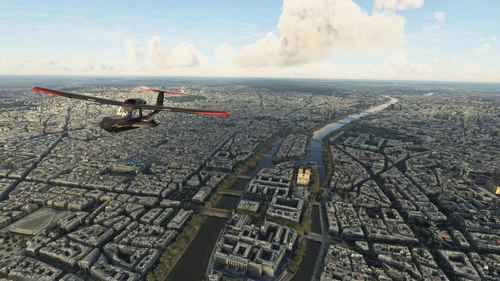
Paris
Explore the iconic cityscape of Paris in Microsoft Flight Simulator. This detailed add-on captures the essence of the French capital, featuring famous landmarks and architectural marvels. With accurate GPS coordinates, immerse yourself in the beauty of Paris, known for its historical significance and vibrant culture. Download now and experience the City of Light from a whole new perspective.
by Thalixte
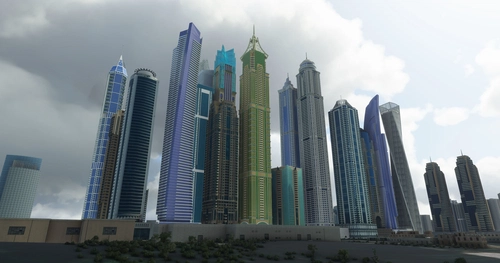
Dubai City Pack
Explore a detailed rendition of Dubai City and Jebbel Ali Port featuring over 250 custom buildings and various landmarks like the iconic hotels and tourist attractions. While focusing on enhancing the daytime visuals, this pack offers improved textures for select buildings, promising a refreshing experience for simmers. Additionally, adjustments have been made to SkyDive Dubai Airport to address previous elevation issues, ensuring a more immersive flight into this dynamic cityscape.
by risuali
Log in to join the discussion
Log InComments(44)
7 months ago
over 2 years ago
I do really like your works , may I ask that is it possible about osaka-airport-rw34-scenery V3.0 could separated from Osaka City?
coz I have SamScene3D - Osaka City Wow, and I hope and use your
rw34-scenery to enhanced approaching views of RJOO,
Even could compatible two scenery together is better, if you will,
If you need something to check of reference for fixing, plz me me know,
much appreciated
almost 3 years ago
almost 3 years ago
almost 4 years ago
almost 4 years ago
Alrighty.
The author sent me a private message saying that I should stop "attacking people" and threating to delist this addon if I don't change my rating to five stars.
When I tried to explain that this is called criticism, and my opinion is based on facts, it turned out that he already blocked me.
Obviously, I'm not gonna respond to his blackmailing and change my rating. Unless, of course, the author decide to fix the issues I listed above.
almost 4 years ago
うまく伝わらないので日本語で書きます。
GOOGLE-MAP-3D はそもそも 夜景が入っていません。だからこれは私のミスではありません。夜景は手間をかければ 追加することができます。これは作者がオプションで行うものです。
私はこの大阪シーナリーを「軽く」するためにLOD0 LOD1 LOD2 LOD3 LOD4 の5枚を挿入しました。さらに隠れてしまった車の約50%以上を表示するよう地面の調整をしました。
また大阪市にはGOOGLEマップのバグでTEXTUREのないエリアもあったのでこれも作成しました。
作成時間75時間+デバッグに2週間を要しました。夜景の挿入は非常に「重い」OBJECTを 1000個ほど追加しないといけません。だから私は夜景は あえて 行っておりません。
私のシーナリーのどこに落ち度がありますか? 私はいままですべてのユーザーの要望を聞いてきました。いきなり☆3.5を付けてきて その内容も自己中心的 かつ 常識を逸脱しているような要求には 応えるわけにはいきません。
almost 4 years ago
I carefully re-checked the other Google Earth scenery I have, and I must say that you are right. Most of them have the same issues (the "glowing" terrain and little to no night lighting). Considering that the Osaka area is super heavy, I see that it's not really possible to improve it any further without significant performance impact, and you did your best. So I apologize for my ignorance, and have deleted my original review.
Nonetheless, I still disagree that I'm "attacking people". I gave top ratings to every other scenery you've made, and I'm always trying to be polite and constructive in my criticism.
almost 5 years ago
Japanese Version Below >>>
Hi again Kaze! I just tried out your scenery again - and I found the culprit. It was the 'Osaka Bay' scenery by another developer which was causing the intense stutters. I used your scenery along with the payware RJOO - and it worked like a charm. I have changed my review to 5 stars and I recommend this for everyone who want the most beautiful experience of the whole city of Osaka. Thank you so much Kaze for all your amazing sceneries!!
こんにちは再び風! 私はちょうど再びあなたの風景を試してみました-と私は犯人を見つけました。 激しい吃音を引き起こしていたのは、別の開発者による"大阪湾"の風景でした。 私はpayware RJOOと一緒にあなたの風景を使用しました-そして、それは魅力のように働きました。 私は5つ星に私のレビューを変更していると私は大阪の街全体の中で最も美しい経験をしたいすべての人のためにこれをお勧めします。 あなたのすべての素晴らしい風景のためにそんなに風に感謝!!
almost 5 years ago
With new RJOO airport from MADB team this scenery creates a lot of lag.
Can you maybe check what could be causing that?
almost 5 years ago
説明が難しいので日本語で書きます。
この大阪シーナリーは 巨大なため、LOD14 15 16 17 18 19 つまり LOW 、MIDDLE 、HIGH の 3種類の地形を 入れています。これにより MSFSのシーナリー読み出しに負担をかけず、スムーズな飛行ができます。
つまり MSFSは 飛行中に 大阪シーナリーの読み書きをおこなっています。 しかし 有料シーナリーは、HIGHのみで作られています。MIDDLEもLOWも入っていません。しかも500MBと巨大です。MSFSは その有料シーナリーを細部まで読まないといけません。そのシーナリーと併用すると、こちらの読み出しがスムーズにいきません。
それと 今 フライトシム・トウに 神戸 奈良や京都 が出ていますが、 そのシーナリーには、LOWが入っていません。(LOD15は LOWではありません ) もしそのシーナリーと併用した場合、MSFSは、 神戸 京都 奈良 の 大きなMIDDLEシーナリー(LOD15)を抱いた状態となります。それらと、併用する場合、その シーナリーにLOWが入っていないので こちらの大阪は その影響を受けます。
逆に この大阪シーナリーは LOWが入っているので 神戸 京都 奈良を飛行の際は 大阪が入っていても スムーズです。 したがってこの大阪シーナリーをスムーズに動作させる場合は それらのアドオンをCOMMUNITYから外す必要があります。
almost 5 years ago
(I converted it with translation software.)
Since this Osaka scenery is huge, it contains three types of terrain: LOD14, 15, 16, 17, 18, 19, that is, LOW, MIDDLE, and HIGH. This allows smooth flight without burdening the MSFS scenery reading.
However, paid scenery is made only with HIGH. Moreover, it is huge at 500MB. MSFS has to read the paid scenery in detail. If you use it together with the scenery, this reading will not go smoothly.
Also, Kobe Nara and Kyoto are now on Flight Sim Toe, but LOW is not included in that scenery. (LOD15 is not LOW) If used in combination with that scenery, MSFS will be in a state of holding a large MIDDLE scenery (LOD15) in Kobe, Kyoto, and Nara. When used together, if LOW is not included in the scenery, he will be affected by this in Osaka.
Therefore, if you want to use Osaka comfortably, you need to remove the big scenery from ¥ COMMUUNITY.
almost 5 years ago
Ok thanks for all the info and your work for these nice addons!
I will test like that and hopefully it will be ok.
about 5 years ago