
Description
2022/03/09 Ver2.0b(391MB)
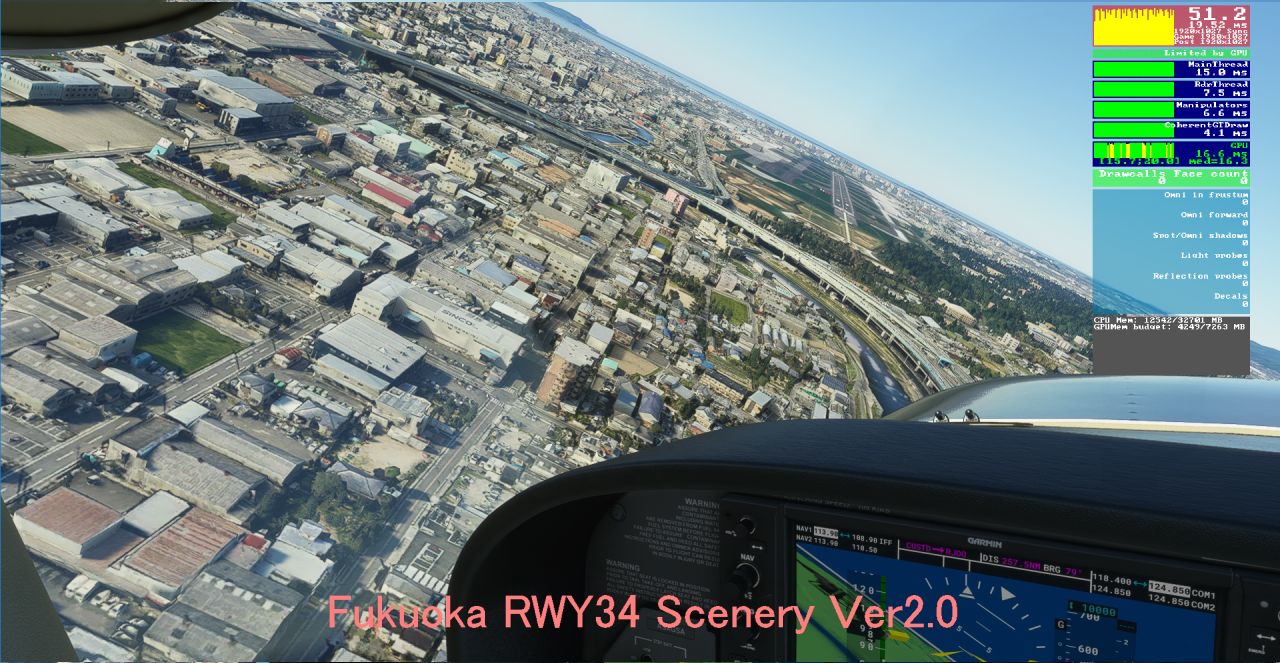
When I tested Sim Update 8, the pre-landing material malfunctioned. So I fixed it.That's the only change.I posted the photo at the end.
2022/03/09 Ver2.0b(391MB)
Sim Update8 で 確認しましたところ 着陸前の田んぼに貼りつけていた GlassGima という標準搭載のマテリアルの透明率が変更になったようなので うまく表示しないことがわかりました。その部分を修正しました。今回の変更はここだけです。最後に変更部分の写真を載せました。
FUKUOKA RW34 SceneryVer2.0(391MB)
Created with Google Earth Decoder .
The landing section is LOD19, and the others are LOD18.
The CPU load was reduced by inserting LOD14 in 60% of the scenery.
I used the road material to display the car on the highway.
It is recommended to fly 800FT or more in the LOD18 area. (If it is less than that, the building will melt)
About Fukuoka RWY34 landing
Fukuoka Airport is the airport with the most departures and arrivals in Japan(per runway).
Due to the short runway, it will landing RWY 34 as soon as it turns into a headwind.
ILS RWY34 (108.9) is used only on heavy rainy days, this landing is rarely done due to noise pollution.
Location
(RJFF) Fukuoka RW34 Google Scenery
Experience the enhanced Fukuoka RW34 scenery with this Google Earth Decoder creation. Featuring LOD19 for the landing section and LOD18 for the rest, enjoy reduced CPU load and detailed road materials. Explore Japans busiest airport per runway, where RWY 34 is reserved for special weather conditions due to noise concerns.
User Reviews
12 reviews
Version History
When I tested Sim Update 8, the pre-landing material malfunctioned. So I fixed it. That's the only change.
Related
(VHHX)Hong Kong Kai Tak city
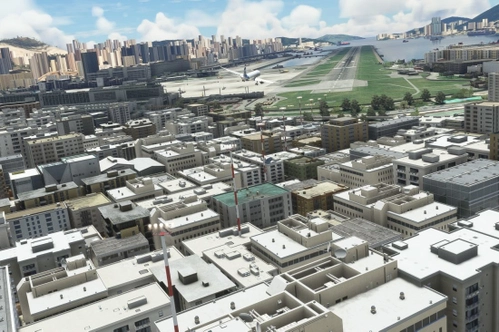
Enhance your Hong Kong Kai Tak experience with this mod version 1.4.1, featuring custom stadium objects and improvements to buildings for a more realistic landing environment. Enjoy smooth performance even on low-spec PCs, coexisting with MSFSs handmade Kaitak Airport seamlessly. Say goodbye to cars on the runway and embrace a more immersive flight simulation experience.
by KAZE
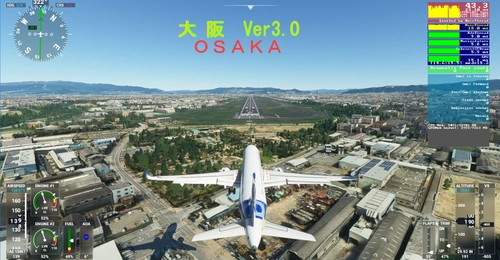
Osaka City and Osaka RWY32L Scenery Ver3_0
Osaka City and Osaka RWY32L Scenery Ver3_0 brings detailed city and airport scenery with 5 different LOD levels for various viewing distances. Note that it requires at least a GTX2060 for smooth performance, lacks night lighting, and is optimized for flights between 8-10 am. Be mindful of performance issues when flying at low altitudes below 1000FT.
by KAZE
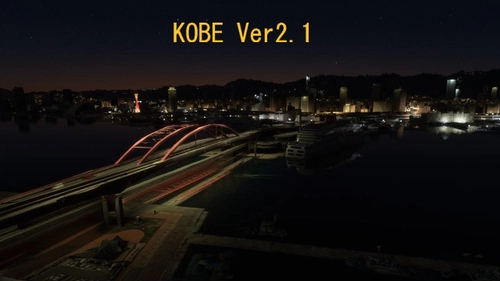
KOBE City Ver2_1
Explore the vibrant city of KOBE with the KOBE City Scenery Ver2.1 add-on. This update includes enhanced details such as car traffic on highways, illuminated Kobe Bridge, and modifications to Shin-Kobe station. Enjoy a more realistic experience with improved night views and accurate colors.
by KAZE
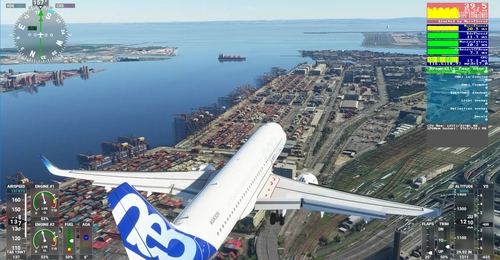
TOKYO RWY16L scenery
Experience a detailed portrayal of the iconic Tokyo(Haneda) Intl RWY16L with this Microsoft Flight Simulator add-on. Featuring Google-replaced scenery, including Tokyo photogrammetry from a leaked update, this mod offers enhanced realism without compromising performance. Discover optimized LODs and meticulously cut 256M tiles for a seamless flight experience over Tokyo. Please note that night view is not available in this scenery addon.
by KAZE
Log in to join the discussion
Log InComments(27)
about 2 years ago
about 3 years ago
There is some pink missing terrain data at left of 34L,
I try to update .layout file but still on there.
Plz help that and expend the google map on this area if you would,
thanks all your works i do really love it~
have a nice day~
PHOTOS
https://imgur.com/a/GB2QUFl
about 3 years ago
This is definitely an anomaly in your SSD. A part of TEXTURE or MODELLIB_BGL is broken. Therefore, delete all the Files,
Once again you download from this page on FLIGHTSIM_TO. And install again,Then it will return to normal.
over 5 years ago
国内線ターミナル Ver1.1として RWY34 側のPAPI、APL修正してアップしました。
ご迷惑をおかけしました。
RJOOの続編も期待しております。(実は地元です^^)
over 5 years ago
今ダウンロードして正常動作確認したしました。
福岡空港ターミナル ほんと軽くて素晴らしいです。
そして作成の技法(建物と窓にテキスチャーを張る)がとても参考になりました。
私もこの福岡空港をお手本にして どこか空港をつくってみようとおもいます。
ありがとうございました。
over 5 years ago
最近、このアドオンがなぜか表示されなくなってしまいました。
アドオンの競合を疑い、すべて排除してこのシーナリだけで起動しても表示されません。何が原因かわからないのですが、同様の事象となっている方や、原因が特定できた方がいらっしゃれば助言頂ければ幸いです。
Thank you for all your wonderful work.
Recently, for some reason, this add-on has stopped showing up.
I suspect a conflict between add-ons, so I eliminated all of them and started with just this scenery, but it still doesn't show up. I don't know what is causing this. I would appreciate any advice from anyone who has been able to identify the cause.
over 5 years ago
一度、Content.xml の中を見てらえますか。Content.xml に登録されていないと出てこないのです。Content.xml は \microsoft.FlightSimulator_8wekyb3d8bbweの下の\LocalCacheの中にあります。もしわからければ この福岡の ファイル名 ¥h076_fuku34 を \ABCDEF (過去入れたことのない名前)に変えてみてください。するとmsfs2020が起動したタイミングで Content.xml の一番下に¥ABCDEF が追加されて 福岡が起動すると思います。
over 5 years ago
content.xml内に本シーナリーフォルダの「h076_fuku34」が存在していましたが表示されませんでした。
このフォルダをご指示通りリネーム「h076_fuku34xxx」して起動したところcontent.xml内最下部に追加され、シーナリーが表示されるようになりました!
存在しないはずの「h076_fuku34」も同時にcontent.xml内に残ってましたが、表示は問題ありません。
なぜこうなったのかはわからないままですが、ご助言ありがとうございました!^^
Thank you very much for your help.
This scenery folder "h076_fuku34" listed in the content.xml , but it was not displayed.
I renamed this folder "h076_fuku34xxx", and I re-started msfs2020
I can see this folder name at the bottom of content.xml, and the scenery is now displayed!
I'm still not sure why this happened, but thanks for help!
over 5 years ago
遅くなりましたがありがとうございます!
福岡も九州道から都市高速でその辺はよく通るので
うれしいです^^
over 5 years ago
over 5 years ago
over 5 years ago
I first made it with LOD18, but this was not practical for landing.
over 5 years ago
over 5 years ago
あとは、福岡空港国内線国際線ターミナルと、海側からのアプローチ(飛行機が見れるスポット)のアップデートがあれば最高です。
over 5 years ago
over 5 years ago
It's easier to RW34 visual approach. I cant'wait to RW16 Hakata-eki :)
over 5 years ago
over 5 years ago
over 5 years ago