
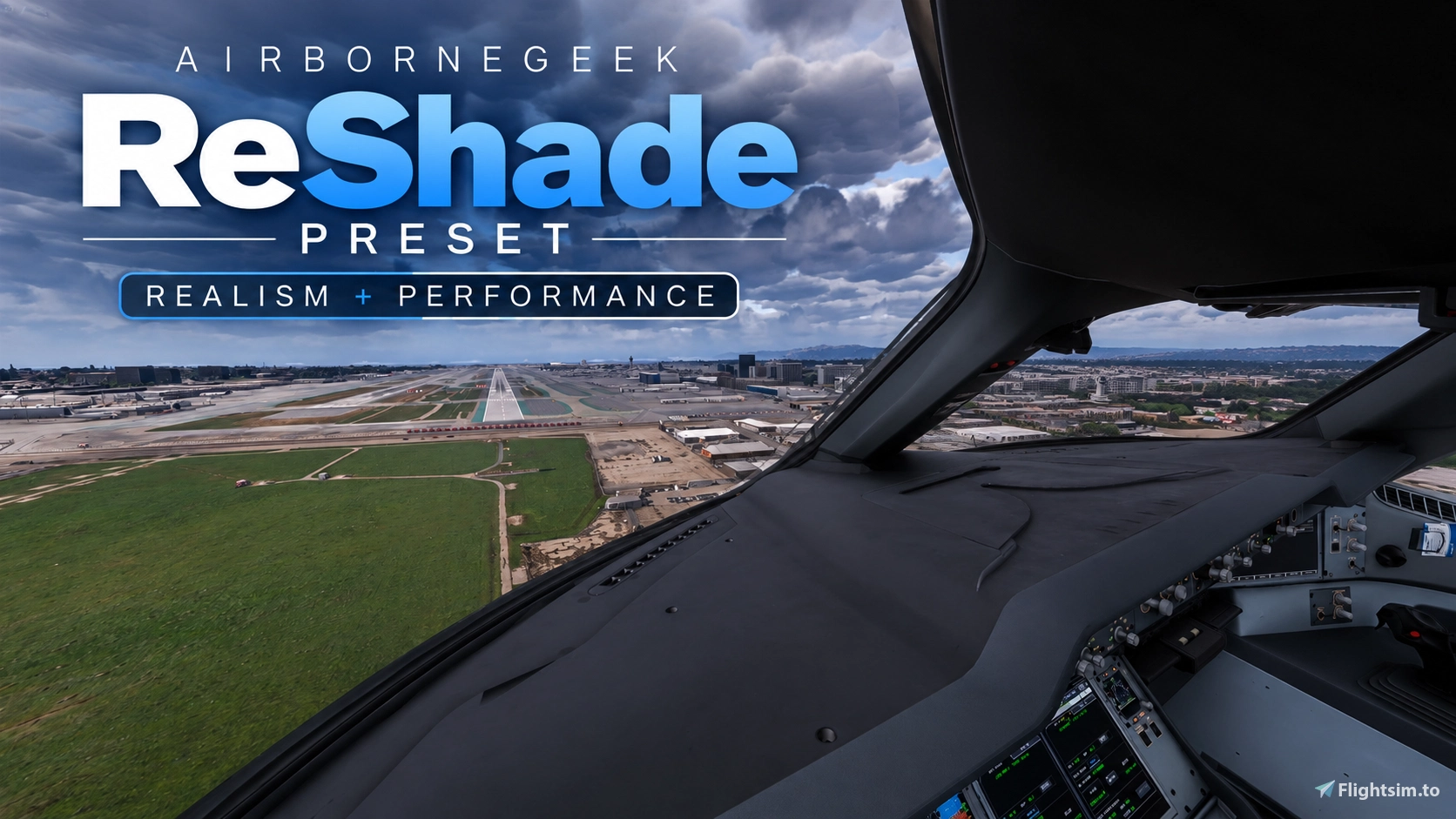
Description
After countless hours of tweaking, testing and comparing against real-world photo references, and multiple revisions, I’m finally sharing my latest ReShade profile for MSFS 2024 and feel free to use it for MSFS 2020 as well. The goal was simple: Cinematic. Natural. Vibrant. Cool
This profile has been carefully tuned across different times of day, weather conditions, locations and lighting environments — not just to look good in one perfect screenshot. The aim is a consistent, realistic image whether you're flying at noon, through overcast skies, during golden hour or at night.
DLSS 5 Neural Rendering:
I've specifically tuned and tested the profile with DLSS 5 NR both ENABLED and DISABLED. It works extremely well with NR and is the combination I'm currently using in my own videos and streams.
Performance:
This profile is tuned to have almost zero fps loss. I am not using any fancy effects that would hurt your GPU power consumption or fps. Please report performance issues in the comments if you see any.
REX Atmos: This profile is designed to complement my REX Atmos presets, which are also available as Top 3 used Presets on Atmos. For the intended look, I highly recommend using the two together.
Monitor Differences:
Every display is different, so colors, gamma, contrast and black levels may vary slightly. My reference setup is an ASUS PG32UCDM 4K OLED with HDR OFF, so small adjustments may be necessary depending on your monitor. The end result is exactly what I wanted: Realistic enough to feel natural.
Vibrant enough to feel alive. Cinematic look without looking overprocessed.
Recommended (but not necessary):
DLSS 5 NR + ReShade + REX Atmos
Install Instructions:
- Install ReShade from reshade.me if you haven't already. Without add-on support is fine just for this preset.
- Download and extract the AirborneGeek ReShade preset file.
- Copy the preset (.ini) files into your any folder of your liking.
- Launch your flight simulator and open the ReShade overlay using the Home key.
- Select the preset ini file from the dropdown menu.
AirborneGeek ReShade Preset - Ultra Realism + Performance Optimized
Your All-in-One Flight Sim Reshade Preset Make Your Flight Sim Look REAL — Whether it Morning, Evening, Day or Night!

User Reviews
21 reviews
Version History
No version history available.





Comment Summary
Community feedback on the AirborneGeek ReShade Preset is overall very positive, with many praising its realistic visuals and performance, especially when combined with other mods like AtmosphereMod and REX Atmos. Users frequently mention impressive color grading, enhanced realism, and little to no performance impact for most setups. However, some users report issues such as the preset being too dark or blue/yellow-tinged for their taste, as well as confusion about installation, missing required shader effects, and the need to manually enable effects in the ReShade menu. Several comments highlight compatibility questions with HDR monitors, VR incompatibility, and occasional crashes or performance stutters on certain systems. A notable portion of the community requests clearer installation instructions and dependency documentation, and there are multiple tips for adjusting color temperature or disabling certain effects like blur.fx for optimal results. Overall, the preset is well-received for its intended effect but does require attention to setup and user customization.
Summarized on Nov 16, 2026
Log in to join the discussion
Log InComments153
Thanks for the this work!