
Description
Important - Required Library!
Bear Island requires that our own Emerald Object Library be installed! Failure to install our free library will result in a 99% broken addon!
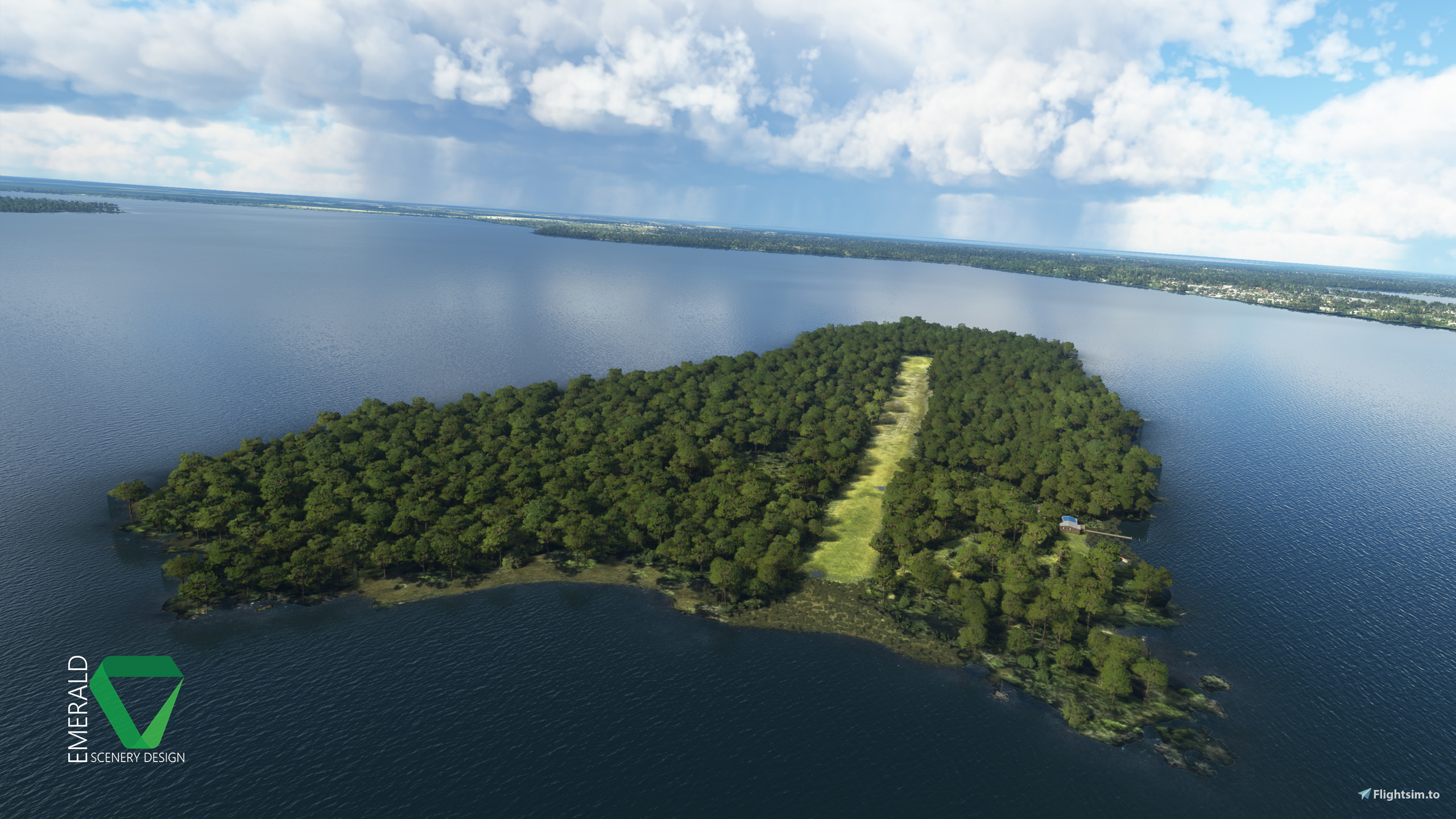
Bear Island, Florida for MSFS is the third iteration of this popular island airstrip scenery, which started its journey with FSX back in 2013. The scenery was later reduxed in 2017, adding custom objects and vegetation. It became one of the most detailed freeware airstrips for FSX & P3D, and was the first ESD airstrip to use SODE for environmentally-dynamic features.
With Bear Island showing its age compared to the detail in MSFS, a port from FSX could not be imagined. So, Bear Island has once again been reworked to closely resemble the FSX scenery, yet add greater detail. Both airstrip buildings have been remodeled with higher detail and 4K PBR materials. The imagery has been AI upscaled to 15cm/px, the island now includes a 2-meter Digital Elevation Model, and a few of the environmentally-dynamic features have found their way back into the scenery.
Bear Island is spawnable using its fictional ICAO code: RNBI. A parking spawn has also been added to the hangar where smaller aircraft, such as Cessna’s and Piper’s can be spawned. The main restriction here being aircraft height and length.
Features
- 15cm/px aerial imagery.
Hand-corrected and AI upscaled from 30cm/px. - 2-meter digital elevation model.
Giving at least some definition to an already pretty flat island. - One way in, one way out runway.
Watch your wing clearance! - Hand-placed, native vegetation.
Weeds, Wildflowers, Palmettos, and Reeds. - Custom detailed dock house, hangar and various clutter models.
Up to 4k resolution PBR materials. Window rain VFX, and environmental occlusion for the open hangar.
Dynamic Features
- "The Frog" – The Frog really likes rain. He can be found perched on a rock near the dock when rain is reported in the area.
- Water Puddles – Only visible when rain is reported in the area.
- Burn Barrel – Burn Barrel VFX will appear once temperatures fall to 50℉/10℃ or below.
Installation
The included "esd-airport-rnbi-bear-island" folder should be placed into your MSFS "Packages\Community" folder. The scenery will load the next time you start Microsoft Flight Simulator.
Stay in the loop!
Stay in the loop with news on future projects and updates, get product support, or just come say hello on our Discord! You can also find Emerald Scenery Design on the following social media platforms:
Thank you for your support!
Thank you to everyone who has supported me in creating these detailed addons! If you would like to help me continue to make addons like this, check out my current payware offerings, or consider leaving a donation!
Cant afford monetary support? You can also support me by:
- Leaving me a honest Review and Rating.
- Sharing or posting about my addons in your groups and communities.
- Checking out my YouTube channel for other flightsim and development related content!
Dependencies
Comments(18)
Log in to join the discussion
Log Inover 1 year ago
10 months ago
almost 2 years ago
over 1 year ago
almost 2 years ago
about 4 years ago
Very nice job, one of the better strips on this website. Please keep up the great work.
about 4 years ago
For some reason this one refuses to load even though I have the library installed and all but it only loads almost till the end and then it hangs so I never make it to the airport. Hopefully you can backtrace the issue and fix it since this scenery would be amazing to have
about 4 years ago
See if you can load into 16FD. It's right next to Bear Island. Try it with and without Bear Island and Emerald Object Library installed, just to see what happens. Maybe even a different aircraft if you tried the same one on all attempts.
You're the first to report this issue. I have not been able to reproduce it, nor have those that I have asked to test.
about 4 years ago
No idea what is happening even without any scenery installed I cant seem to load into anything in that area at all. Must be bugged in MSFS right now
about 4 years ago
You're probably going to need to do a reinstall. I've seen other developers bump into odd cases like this, and that's what it usually comes down to to fix it, unfortunately. You should be able to move all of your official content to a different location then reinstall the base game. When you do the first run and it prompts to install content, pause it, exit and move your content back. You may need to delete any files it creates in "official" first. Then it should just continue on as normal.
about 4 years ago
Already tried that, heard from others that they also experience an issue in that area, it seem to have to do with the live service, one moment it works and another it doesnt
about 4 years ago
Interesting. I will say, I've never had that issue anywhere in the sim, so I guess you're just one of the (un)lucky ones. All you can do is report the issue then, and hope for the best. Hopefully Asobo will get it figured out in the near future. It always sucks running into hiccups like that.
about 4 years ago
Yeah it does, thanks for your replies though
about 4 years ago
Hi. The puddles appear with rain forecast but the shy frog is hiding from me. A very elusive creature. Does the weather need to be live? Or could there be a problem with my files? I've updated all of the libraries. Cheers. Really enjoyable airstrip.
about 4 years ago
The frog is using the same visibility code as the puddles, so if you are seeing the puddles and you have the latest update for Emerald Object Library, you should be able to see the frog.
If you walk down the dock, he should be on the rock closest to the dock, just off the right.
I have noticed that the rock's elevation can adjust slightly at times, so maybe he's getting hidden inside of the rock? Though, he's got an elevation offset just like the rock, so both should move in unison.
I'm using the same release build of Bear Island and the Libraries and he's sitting right where he was when I left him, so I can at least confirm no issue with the current releases.
about 4 years ago
Just one question. Is it a fictional island or is it true? If true, can you say where it is? Thanks.
about 4 years ago
It's a real island and airstrip, though derelict for many many years now.
It's in Crescent City, Florida on Crescent Lake:
https://www.bing.com/maps/?cp=29.439616%7E-81.487334&lvl=16.0
Bear Island, Florida
Explore the revamped Bear Island, Florida in MSFS, a detailed freeware airstrip scenery featuring upgraded buildings, 15cm/px aerial imagery, and a 2-meter Digital Elevation Model. Discover environmentally-dynamic features like "The Frog" and water puddles, as well as custom vegetation and clutter models. Simply install the scenery folder in your Community directory to enjoy this immersive experience in Microsoft Flight Simulator.
User Reviews
5 reviews
Location
More Information
Version History
- Adjusted position of some Palmettos that were clipping other models after the recent library vegetation overhaul. - Adjusted scale of Yellow Wildflowers near the West end of the runway to be a bit more visible. - Adjusted some Weeds & Wildflowers vegetation models to better follow the terrain. - Adjusted water around the island shoreline: Added to some areas where it was missing, and removed from some areas where it was overlapping (Not perfect - it can only be so accurate). - Adjusted Yellow Wildflowers throughout the scenery to better follow the terrain. - Reworked Dock House LODs to follow LOD Limits optimization standard.
Related
Fixes for 425 Papua New Guinea airstrips
Enhance your Papua New Guinea bush strip flying experience in Microsoft Flight Simulator with this mod that fixes issues at 425 airstrips across the region. From trimming rogue vegetation to flattening runways and rivers, this mod aims to improve the realism of bush strip operations. Explore the remote airstrips of Papua New Guinea without worrying about runway obstructions or unrealistic elements, creating a more authentic flying environment.
by wantok
Bush strips in Idaho & Oregon
Explore a collection of challenging bush strips in Idaho & Oregon, including Cache Creek, Dewey Moore, and more. These airstrips were not part of the original MSFS content but have now been added with accurate codes and enhanced terrain details based on real-world references. Visit the developers website for in-game videos showcasing the new locations.
by Kronzky
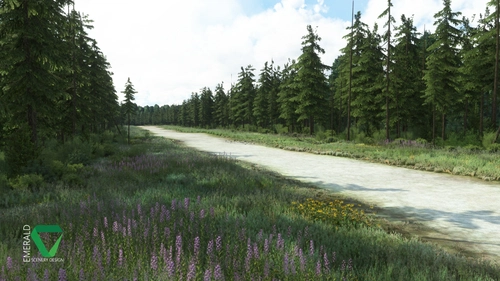
Snowflake Lake Airstrip, Alaska
Fly to the stunning Snowflake Lake Airstrip in Alaska, featuring a 1500 FT gravel runway and detailed scenery with custom environmental elements like butterflies and rain puddles. Experience an authentic backcountry feel with uneven terrain and hand-placed vegetation, ensuring a realistic flight experience. Dont miss out on this immersive addon that brings the beauty of Alaska to Microsoft Flight Simulator.
by Emerald Scenery Design
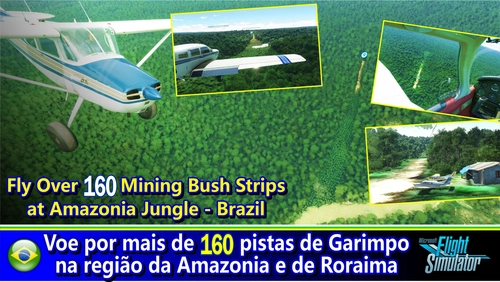
Fly in more than 160 Bush Strips at Amazonia Jungle / Voe por + de 160 Pistas de Garimpo
Explore over 160 challenging bush strips in the Amazonian jungle, meticulously recreated for an authentic aviation experience. Test your skills with 250-meter runways, tree-lined approaches, uneven terrain, and tight clearances. Immerse yourself in the world of mining aviation with this addon, offering a glimpse into the daring flights of the past.
by Tchockozzo Paulo Figueiredo
10 months ago
Greetings from Bielefeld,
Heiner