
Description
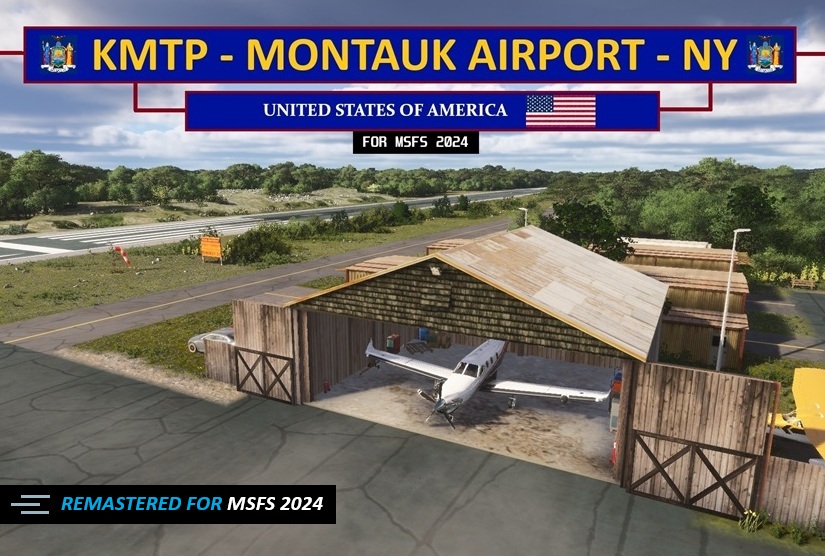
A remastered MSFS 2024 version of my previous MSFS 2020 KMTP. Features include everything from the 2020 version plus 3d rocks, new large diversity of plants and trees, 3d weeds in the marshlands, textures etc. Taking full advantage of all the enhancements MSFS 24' added.
I truly hope you enjoy this version for MSFS 2024. I'm really excited to be releasing this airport to the community. Thank you all for the continued support. Feel free to leave a comment and/or rating :). ❤️
*If you are looking for the MSFS 2020 version click here: KMTP - MSFS 2020 version
**Update 2/12**:🚨ATTENTION SayIntentions users🚨; I have published a custom AI Traffic profile for this airport:
Open TaxiTuner -> ICAO: KMTP-> Select "KMTP MSFS 2024 by EMBCreations" -> Click "Set my default"
Note: This is a server-side profile and is a WIP.
Features:
3D Custom Buildings (Created in Blender) using reference photos:
- FBO - 4 T-Hangers - Wood Hangar
3D Custom Objects (Created in Blender) using reference photos:
-RWY 24 noise abatement sign- Montauk Parking Lot sign - FBO wood fence
Parking Information:
Private Hangar Parking (inside):
T-Hangar #1: select W RAMP 1 ( 44ft Wingspan MAX x 39ft Width x 13ft Tail Height MAX)
T-Hangar #2: select W RAMP 2 (same dimensions)
Wood Hangar: select W RAMP 3 ( 48ft Wingspan MAX x 40ft Width x 16.5ft Tail Height MAX)
3 Tiedown and 6 Ramp Parking spots to select:
**IMPORTANT**: For Larger Jets (i.e Citation Longitude or higher) its recommended to select parking space "RAMP 10" , "RAMP 14" or "RAMP 15". This avoids your aircraft possibly clipping into static planes when parked if you are into immersion.
Ramp 9 Parking: Can accommodate medium sized aircraft
All other Parking Spaces are designed for small aircraft
2 Options: (DO NOT install more than one):
MAIN FILE: Includes Static Planes
🚨NEW🚨No Static Planes : For those that prefer no static planes on the ramp
Download the respected file. Unzip the folder and place into your MSFS 2024 community folder and enjoy!
Known Issues (beyond my control):
Why area some areas in this version the 3d grass blade color is grey/white?
-3d Grass color by default is the color of the satellite imagery underneath. Unfortunately, the Montauk area contains heavily overexposed imagery in its present state. Unlike MSFS 2020's SDK (Scenery Development Kit), MSFS 2024's SDK does not allow me to override the default 3d grass blade color leaving the grass blade colors locked as grey and white.
I have posted the SDK issue and Overexposed Imagery on the official MSFS forum. If Asobo fixes it, I'll update the airport accordingly.
-There are some minor terrain undulation along RWY 6/24. My guess Asobo most updated elevation data. I made every attempt to flatten the runway with no success. Therefore it'll remain "as is." These undulations are very minor and didn't adversely affect takeoffs and landings in testing.
Location
KMTP - Montauk Airport - NY (MSFS 2024 edition) V1.5
A remastered MSFS 2024 version of the MSFS 2020 KMTP airport. Features include everything from the 2020 version plus 3d rocks, new large diversity of plants and trees, 3d weeds in the marshlands, textures etc. Taking full advantage of all the enhancements MSFS 24' brings.

User Reviews
11 reviews
Version History
V 1.5 📝 All parking spots have been renamed: -The original "MIL COMBAT" designation at the time was needed for a workaround, however this is no longer the case. The continued use of the MIL COMBAT designation was affecting immersion when communicating with MSFS ATC. This update applies to both the Main File and No Static Planes files.
Related
KMTP - Montauk Airport - NY - MSFS 2020 edition
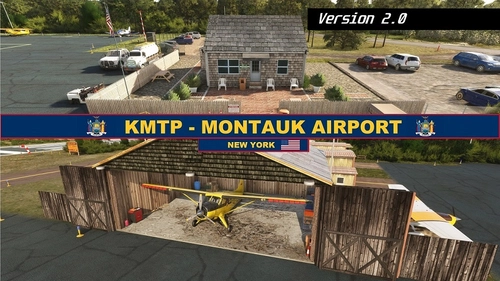
Enhance your Long Island experience with the custom-created Montauk Airport (KMTP). This add-on includes 3D custom buildings and objects, private hangar parking, tiedown and ramp parking spots, as well as reworks and fixes for a more realistic airport environment. Explore this detailed scenery and enjoy a more immersive flight simulation experience.
by EMBcreations
KHOC - Highland Co. Airport - MSFS 2024 edition V1.4
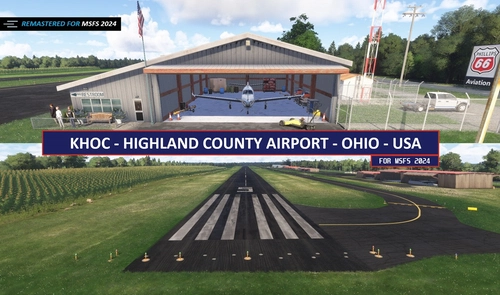
A faithful remaster of my 2020 version for MSFS 2024. Brings in latest graphical enhancements for MSFS 2024. Includes a new 3d cornfield, 3d rocks and vegetation, updated runway textures, fixes to surrounding satellite imagery and much more!
by EMBcreations
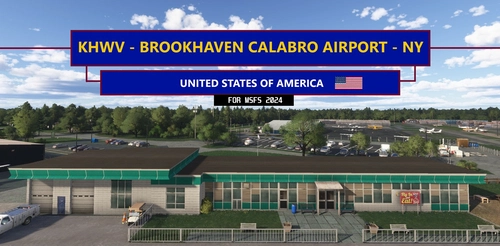
KHWV - Brookhaven Calabro Airport - NY V1.2
Featuring over 30+ Custom Buildings, fixes TWY signage & Designations, enhanced RWY & TWY ground textures, Static Airplanes, Several Tie-Down & Hangars available to select for parking and much more!
by EMBcreations
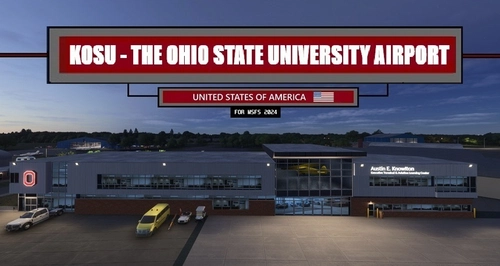
KOSU - The Ohio State University Airport v1.2
Featuring over 30+ Custom Buildings. All updated Runway, Taxiway and Ramp textures, designations and signage. Several inside hangar parking spots available for selection.
by EMBcreations
Log in to join the discussion
Log InComments(37)
about 6 hours ago
All parking spots have been renamed:
-The original "MIL COMBAT" designation at the time was needed for a workaround, however this is no longer the case. The continued use of the MIL COMBAT designation was affecting immersion when communicating with MSFS ATC.
This update applies to both the Main File and No Static Planes file.
5 days ago
5 days ago
4 days ago
4 days ago
1 day ago
2 months ago
2 months ago
2 months ago
2 months ago
In regards to KHTO, when it comes to what airports I develop, it's only the ones that I have a personal connection with or fly to frequently in the sim. That kinda drives both the authenticity of it and my dedication to see it through to the end. So I'll have to politely pass on it.
2 months ago
Highlights:👀
-🚨NEW File option:🚨 No Static Planes option has been added
-All NEW textures for Ramp, Taxiway and Runway that better match real life
-RWY 6/24 PAPIs added and accurately located with the respective published glidepath angles
-Elevated the terrain on right side of RWY 24 departure end to bring it closer to the real life perspective
Optimizations:📈
-Optimized all buildings/Hangars
-Reduced and replaced bush and tree assets that were unreasonably demanding on performance.
RWY 6/24:
-Lighting, alignment and markings corrected to real life configuration
Taxiway:
-Added missing taxiway lighting
FBO Building:
-Fixed texture glitches
-Rework to exterior texture color to match more towards real life FBO
Water Masking:
-Fixed the bright water highlights around RWY 6 dock area
-Reduced the WAY over-exposed east dock area on Star Island that is across from the RWY 6 departure end dock. I did my best to reduce the over-exposure as much as possible. However it is still terrible :)
Other:
-Parked cars in FBO lot should no longer glitch into other cars
-Replaced interior hangar lighting
Known issues:
-There are some minor terrain undulation along RWY 6/24. My guess Asobo most updated elevation data. I made every attempt to flatten the runway with no success. Therefore it'll remain "as is." These undulations are very minor and didn't adversely affect takeoffs and landings in testing.
ENJOY!
10 months ago
My very best Regards from Warstein in Germany,
Heinz-Werner Arens
10 months ago
12 months ago
As for the runway selection problem, the sim can be weird. Is 24 the primary runway and into which direction is the primary runway starting position point to?
12 months ago
10 months ago
8 months ago
I've revisited the place in SU4. The edge of the apron and surroundings has become uneven, the tarmac is elevated in some places.
8 months ago
8 months ago