
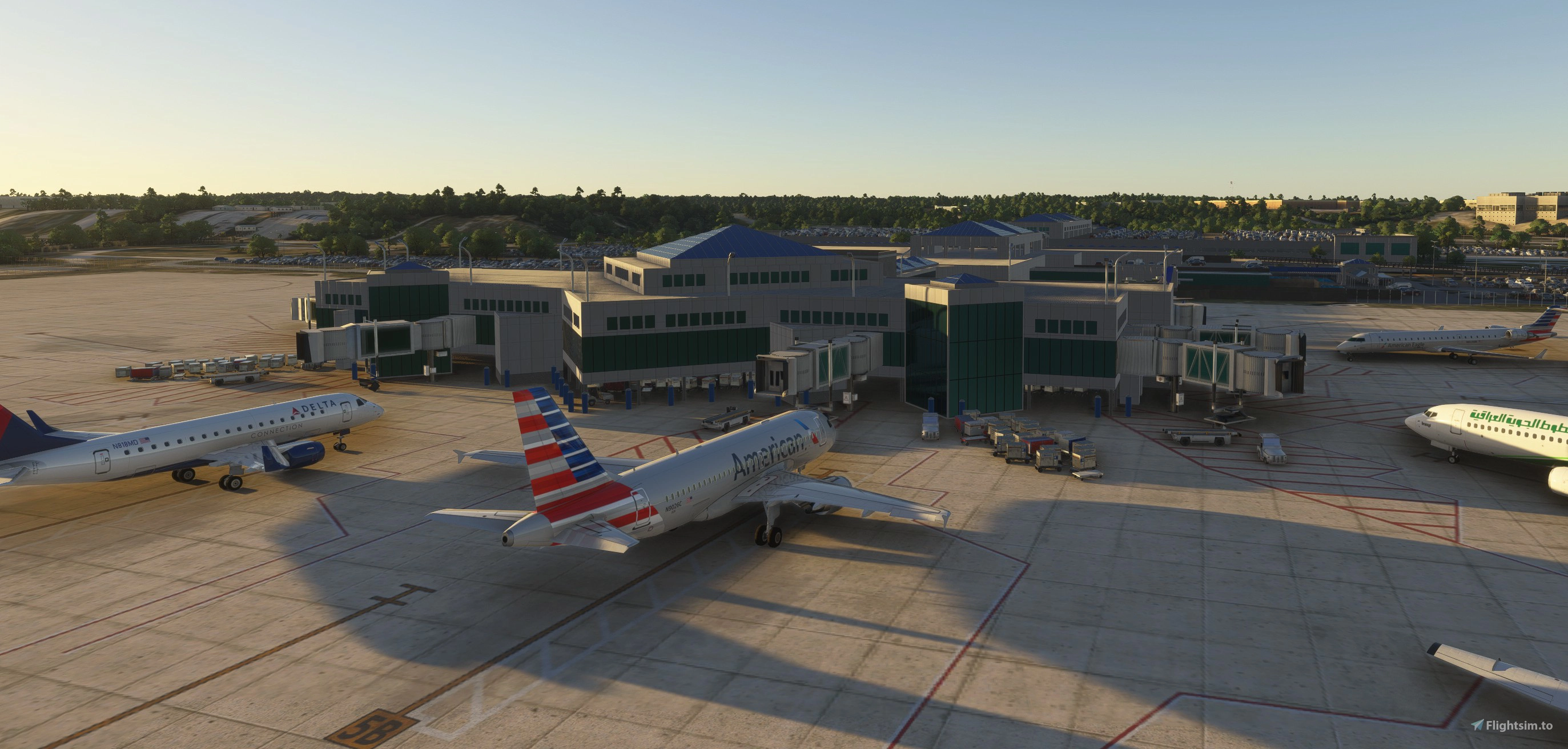
Description
KCAE Columbia Metropolitan Airport
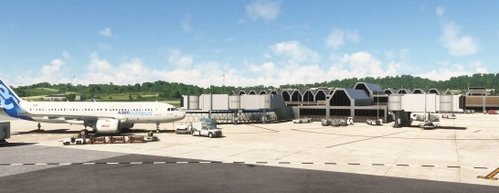
I didn't realize that this airport was so expansive. All models in this scenery are handcrafted including the huge UPS building located outside the airport across the street from the main office building, using information from 3D models in Google Earth, street view from Google Maps and various images from internet sites. The pool area in the scenery is larger than what appear on satellite because it was expanded to the area that not used. I decided t o drop the use of PBR ground texture because it looks too bumpy.
ICAO KCAE, IATA CAE is the main commercial airport for Columbia and the Midlands regions of South Carolina. The airport is located in Lexington County, southwest of Columbia. Although it has a street address listing West Columbia as its location, the airport is not within that city's boundaries. The city of Cayce and the towns of Springdale, Pine Ridge, and South Congaree surround the airport, separating the airport from West Columbia. The airport is a regional cargo hub for UPS Airlines.
Built in 1940 and was used by the Army Air Corps with the earliest use by the 105th Observation Squadron flying the Douglas O-38 and the North American O-47. In 1941 the airport was placed under military control and became Columbia Army Air Base on December 8, 1941. The mission at that time was to become the training base for the B-25 Mitchell crews.
Training at the base was phased down during the summer of 1945 and was deactivated in September and October 1945. It was returned to civilian authorities on November 30, 1945 and was converted back to an airport. The 350th Bombardment Squadron was assigned to the airport July 16, 1947 as part of the Air Force Reserve.
Passenger service began on Delta Air Lines which has served Columbia for over 70 years. Delta began flights from Columbia to Charleston, Asheville, Jacksonville, Augusta, Savannah and New York–La Guardia. Delta DC-9 jet flights began March 7, 1966, with Flight 521 from Charleston continuing to Atlanta.
Other airlines that served the airport includes Eastern Airlines, Piedmont Airlines, Southwest Airways, Southern Airways, United Airlines, Allegiant Air, United Express, Continental Airlines, USAirways Express, Spirit Airlines, Independence Air and Silver Airways.
Corrections
Renamed all taxiways based on airport diagram and corrected taxiway signs to match
Runway 29 was configured as primary, Reconfigured to 11
Install
====
Extract the archive and copy the appropriate version to the sim of your choice.
I'm including a metal jetway with the FS2024 version. The glass jetway can be used if you like by copying the KCAE.bgl file from jd-airport-kcae-columbia\Scenery\airport-kcae-columbia\scenery and paste it in the same location in the FS2024 package.
Required if you don't have them
UK2000 Scenery Libraries
TSR Windy Things (on Flightsim.to)
ESD Model Library
Both packages can be freely obtained from Market Place
Dependencies
Location
KCAE Columbia Metropolitan Airport
Explore KCAE Columbia Metropolitan Airport, a detailed hand-crafted scenery add-on for Microsoft Flight Simulator. The airport serves as the main commercial hub for Columbia, South Carolina, and features meticulously designed models, including a prominent UPS building. Key improvements include accurate taxiway layouts and historical context, enhancing your virtual experience of this regional cargo hub. This add-on requires specific scenery libraries to function properly.


User Reviews
4 reviews
Version History
kcae-Columbia-Metro-Airport_v1.0.5 changes Fixed transparency on SC Aeronautics hangar windows Removed tree from inside SC Aeronautics hangar in FS2024 Corrected missing texture in taxiway lines Added ATC airline code to FedEx and UPS parking. Changed taxiway in front of FD to vehicles only Changed FDX and UPS parking spaces to CARGO Added fire trucks at FD Starting with this release, there is just one package that will work in FS2020 and FS2024. This reduces the amount of work for me and save drive space. All of my sceneries that have a package for both sims will eventually be reduced to one package. Install ==== Delete KCAE from both sims Extract the archive and copy jd-airport-kcae-Columbia to your FS2020 and FS2024 community folders. I'm using MSFS Addon Manager and have all my scenery in one location. This eliminates the need to have two copies on my drive. No changes to jd-Airport_Flags Dependencies - Scenery will work without these UK2000 Scenery Libraries - UPS and FDX Trucks (market place) Windy Things - (Flightsim.to) - for flags ESD Emerald Object Library - for vegetation - (Market Place)
Related
KSBA_Santa_Barbara
Explore KSBA Santa Barbara airport in this detailed add-on, offering a mix of buildings and scenery. Please note that due to outdated satellite imagery, the airport may not reflect its current real-life appearance. Experience some quirks with AI traffic control routing and parking, as well as stationary glass jetways in this scenery.
by danielsjam
KPDK Dekalb Peachtree Airport
KPDK Dekalb Peachtree Airport is a detailed add-on for Microsoft Flight Simulator, featuring the second-busiest airport in Georgia, located just northeast of Atlanta. This airport, known for its historical military background and current civilian operations, includes handcrafted buildings, hangars, and a helipad used by local television stations. The add-on requires additional libraries for optimal performance and provides an authentic representation of the airports surroundings.
by danielsjam
KAGS Augusta Regional Airport at Bush Field
Explore Augusta Regional Airport at Bush Field, serving Augusta, Georgia, with this detailed Microsoft Flight Simulator add-on. The airport features a new passenger terminal, two runways, and serves major airlines such as American Eagle and Delta Air Lines. Experience increased passenger usage and commercial flights during events like the Masters golf tournament.
by danielsjam
KTRI Tri-Cities Regional Airport
KTRI Tri-Cities Regional Airport (IATA: TRI) serves the Northeastern Tennessee and Southwestern Virginia regions, specifically the Tri-Cities area. This add-on features a handcrafted airport model with an open hangar that includes animated doors and a detailed terminal building. Additionally, it provides a realistic environment with an animated ASR on-site. Users may need to install specific object libraries to fully utilize the add-ons features in Microsoft Flight Simulator.
by danielsjam
Log in to join the discussion
Log InComments(30)
about 1 month ago
4 months ago
4 months ago
about 1 year ago
about 1 year ago
about 1 year ago
about 1 year ago
about 1 year ago
about 1 year ago
about 1 year ago
i have one problem with your addon. the position of a plane, for example the Airbus 321 LR Neo, after starting a flight is not on the runway. the plane position was next to a runway in 45 degrees position.
try this also with other planes. some result. any idea for solve this?
about 1 year ago
about 1 year ago
about 1 year ago
about 1 year ago
about 1 year ago
about 1 year ago