
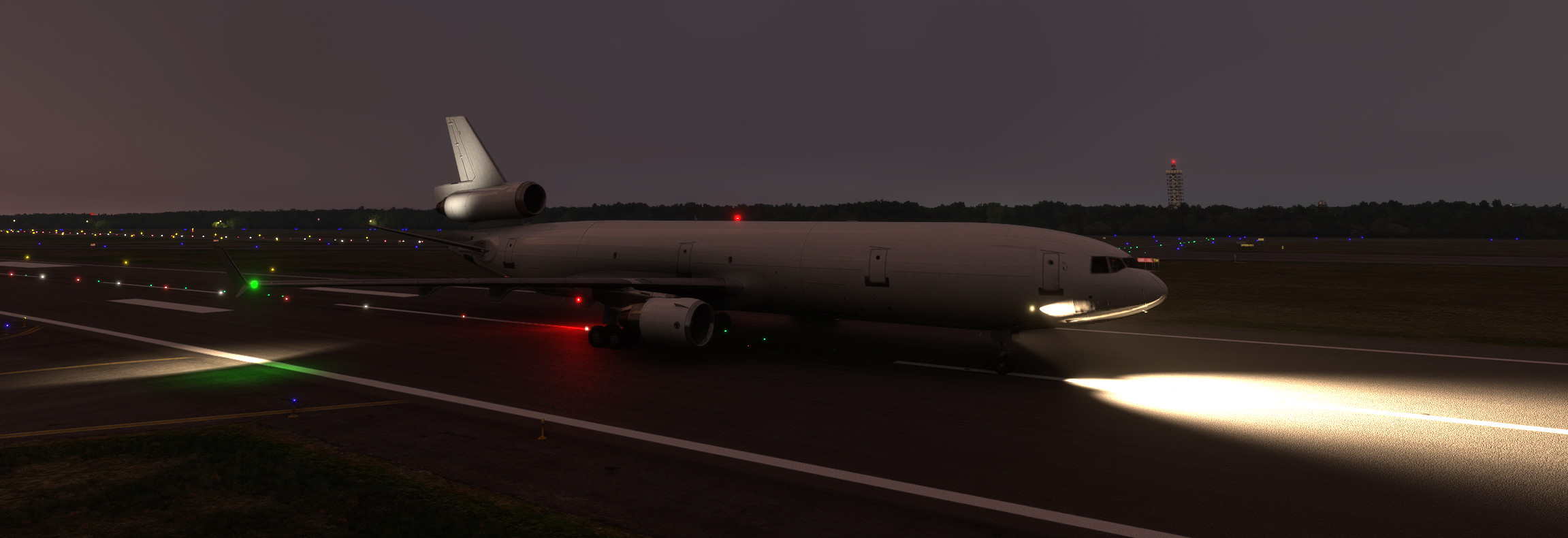
Description
TFDi MD-11 Light Mod
VC and external light mod for the JAN2026 MD-11/F PW/GE versions. unfortunately, CRT brightness and integral light knobs are not mapped to light potentiometers in the model.
v2.3
1) compatibility with 1.1.24 (fs20)
v2.2
fs20
1) visible copilot
2) integral light bounce on side panels
fs24
1) integral light bounce on side panels
v2.1
1) initial FS2024 version. beacon and strobe effects collide with default LOD limited effects when close to model
2) fixed light leaking into engine nacelle
v2.0
1) external beacon and strobe effects added on top of TFDI's LOD limited implementation
2) further VC lighting tweaks
v1.2
1) reduce CRT light casting on FMC
2) CRT spotlight diffused
v1.1
1) flood light color adjusted closer to LH reference photo
v1.0
1) flood light tint shifted to whiter lamps
2) CRT light emissions under and around the glareshield for the volumetric effect(cannot be made responsive to CRT brightness knob setting)
3) flood light bounce to overhead, pedestal, etc.
4) tweak strobes but red beacons cannot be improved due to a model setting/issue
5) under glareshield texture modified to reduce the 'leather' look
To install, place "xmd11_light_mod_fs20" folder in the /MSFS2020/Community folder.
To install, place "xmd11_light_mod_fs24" folder in the /MSFS2024/Community folder.
TFDi MD-11 Light Mod
The TFDi MD-11 Light Mod enhances the lighting effects for the JAN2026 MD-11/F PW/GE versions in Microsoft Flight Simulator. This add-on includes improvements to both virtual cockpit (VC) and external lighting, addressing issues with CRT brightness and adjusting flood light colors for a more realistic appearance. The mod features updated beacon and strobe effects while continuing to refine VC lighting elements through various iterations. It is currently a work in progress for MSFS2024.


User Reviews
1 reviews
More Information
Version History
1) compatibility with 1.1.24 (fs20)
Related
Inibuilds A350 Aircraft Light Mod
The Inibuilds A350 Aircraft Light Mod enhances both virtual cockpit and external lighting for the ini A350 aircraft, compatible with MFS2020 and MFS2024. This add-on includes a series of updates that improve light visibility, adjust light intensities, and ensure compatibility with various aircraft versions. Key features include refined internal ambient lighting and external light effects, aimed at providing a more realistic flying experience. Installation is straightforward, requiring placement of the mod into the appropriate Community folder for each simulator version.
by kdfw
Fenix A319-A320-A321 Cockpit Light Mod
Fenix A319-A320-A321 Cockpit Light Mod, provides improved surface illumination through light projection and reflection in the cockpit. This mod includes subtle lighting cues to create a better sense of space and immersion, particularly beneficial for VR users flying at night. Simply place it in your MSFS2020Community folder for installation.
by kdfw
Asobo Aircraft Dimmable VC flood light mod 6 pack
Enhance the cockpit lighting in Microsoft Flight Simulator with the Asobo Aircraft Dimmable VC flood light mod 6 pack V6.0. This mod features improvements for various aircraft including the Boeing 747-8i, Boeing 787-10, and Citation Longitude, with updated light reflections and effects. Easily install this mod to elevate your flying experience by adjusting flood lights, strobes, and more. Explore the enhanced virtual cockpit lighting and make night flights more immersive.
by kdfw
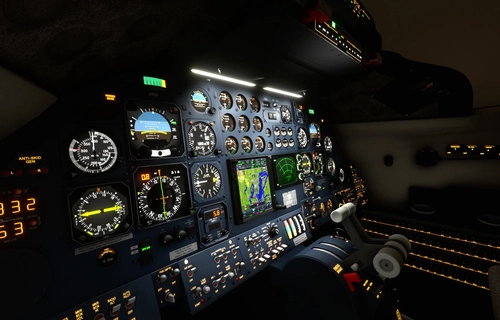
Flysimware MSFS Lear 35A Lighting Mod
This add-on for the MSFS Lear 35A enhances the aircrafts lighting systems, including improvements to rotating beacons and strobes. Various versions include fixes for light bounces, adjustments to ambient effects, and compatibility with multiple updates of the aircraft model. Notable features involve dimming adjustments and refined flood light dynamics to create a more realistic visual experience in the cockpit and exterior. Installation is straightforward, requiring placement in the Community folder of MSFS 2020.
by kdfw

Comments(11)
Log in to join the discussion
Log In3 months ago
3 months ago
4 months ago
4 months ago
4 months ago
4 months ago
4 months ago
6 months ago
Just some suggestions : Maybe it's me but I find the FMS a bit too bright, look like it's lighted from an unknown light source, could deserve a bit more dimming (see screenshot). Also, when dimming the A/P panel totally you get strange white reverberation in the screens, if you light the A/P panel just a bit those effects disappear (see the screenshots), you think that can be corrected ?
Otherwise great mod !
6 months ago
6 months ago
12 months ago