
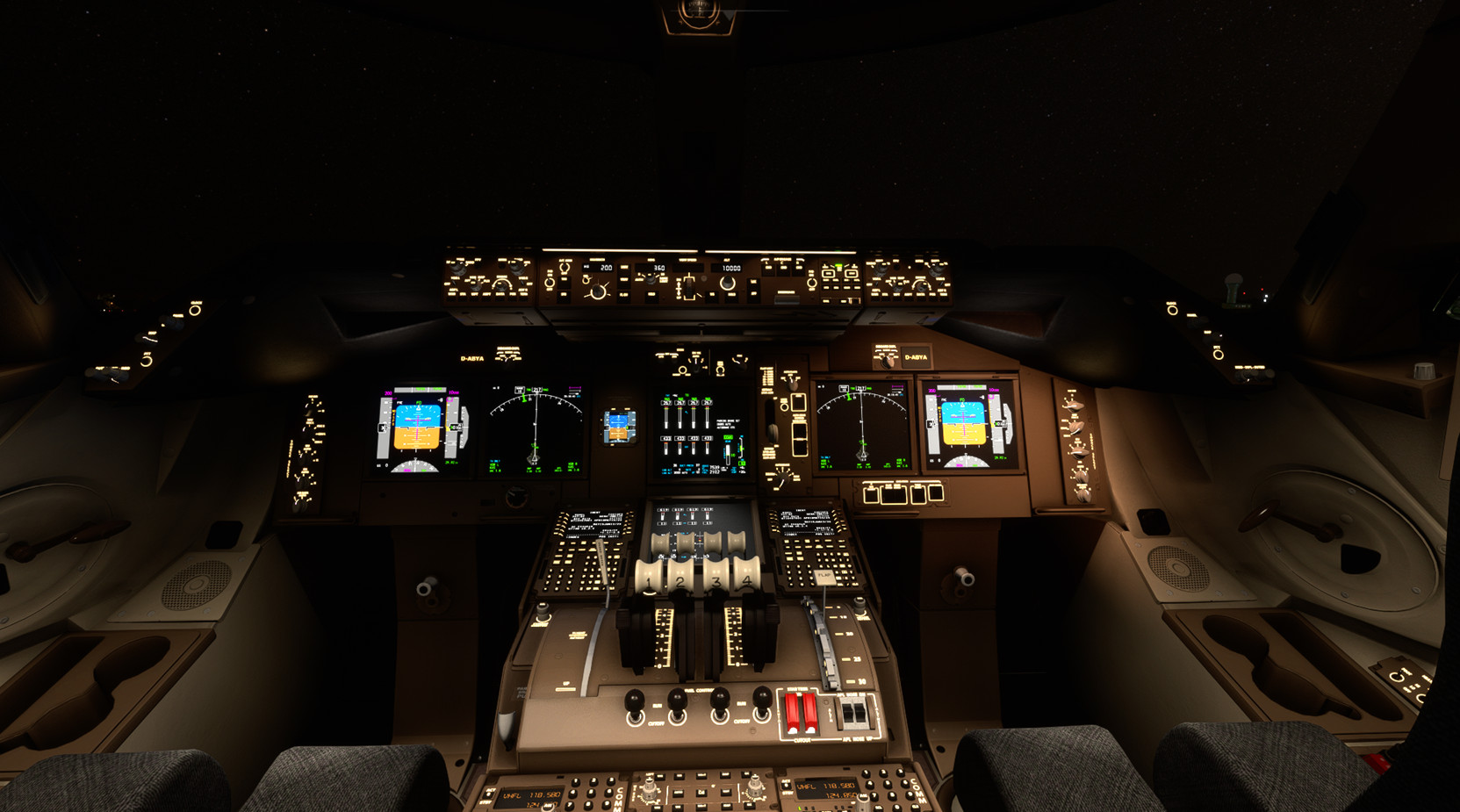
Description
Asobo Aircraft Dimmable VC flood light mod 6 pack V6.0
VR & non-VR versions
Improves VC flood lights for
Boeing 747-8i
Boeing 787-10
Kuro 787-8
Horizon 787-9 (can now be removed per HS B787-9 v1.2 contains latest)
Citation Longitude (NEW)
Citation CJ4
TBM930
Boeing 747-8i (Updated)
Updated VC lights
Light reflections from integral lighting on main panel and glareshield light panels
Under glareshield LCD panel light emission effects
Readjust main panel flood lights
Focused map light effect
Flood light pattern cleaned up
stronger strobes
adjusted landing lights angle to remove light leakage into VC view
strongly recommend VC texture color mod https://flightsim.to/file/30288/boeing-747-8i-improved-cockpit-textures
remove the previous version and place the folder in MSFS2020\Community folder.
Boeing 787-10 (SU13)
Kuro 788 light mod fixes
Horizon 789 v1.0.2 light mod fixes (can now be removed per HS B787-9 v1.2 contains latest)
Spot lights for the landing gear and DU panels fixed (separate left/right adjustment).
Improved uniformity of glareshield panel flood light.
Pedestal knob activates the pedestal and sidewall spot lights.
PFD panels project more light into the cockpit, fixed activation logic
overhead dome lights now adjustable
Master knob (with center button pressed) adjust all integral lighing
remove the previous version and place the folder in MSFS2020\Community folder.
Longitude (SU13) (NEW)
Completely reworked lighting
-Light bounce reduced (NEW)
-Fixed autobeacon on startup and flight
-Interior LCD screen light emissions responsive to brightness of each LCD screen
-realistic LCD screen light projection around the cockpit
-glareshield and flood lights cleaned up
-underside/T-tail LED red/white beacons flash in sync along with white tail flasher to match real aircraft
Panel and window trim textures corrected for color to match real aircraft
-main panel black adjusted
-dark gray window trim instead of black
NOTE: beacon lights flash red and white to maintain sync (anti-collision button bypassed)
Remove the previous version and place the folder in MSFS2020\Community folder.
Citation CJ4 (SU13)
Glareshield flood light added with brightness knob assigned to the overhead center light knob.
remove the previous version and place the folder in MSFS2020\Community folder.
TBM930 (SU13)
Glareshield flood light added with brightness knob assigned to the overhead panel light knob.
remove the previous version and place the folder in MSFS2020\Community folder.
NOTES:
1) for the VR version, cameras.cfg viewpoint optimmized for VR
But wait, there's more:
https://flightsim.to/file/65856/hjet-lighting-mod-only-for-non-marketplace-hjet
Asobo Aircraft Dimmable VC flood light mod 6 pack
Enhance the cockpit lighting in Microsoft Flight Simulator with the Asobo Aircraft Dimmable VC flood light mod 6 pack V6.0. This mod features improvements for various aircraft including the Boeing 747-8i, Boeing 787-10, and Citation Longitude, with updated light reflections and effects. Easily install this mod to elevate your flying experience by adjusting flood lights, strobes, and more. Explore the enhanced virtual cockpit lighting and make night flights more immersive.


User Reviews
8 reviews
Version History
Boeing 747-8i Updated VC lights
Related
Inibuilds A350 Aircraft Light Mod
The Inibuilds A350 Aircraft Light Mod enhances both virtual cockpit and external lighting for the ini A350 aircraft, compatible with MFS2020 and MFS2024. This add-on includes a series of updates that improve light visibility, adjust light intensities, and ensure compatibility with various aircraft versions. Key features include refined internal ambient lighting and external light effects, aimed at providing a more realistic flying experience. Installation is straightforward, requiring placement of the mod into the appropriate Community folder for each simulator version.
by kdfw
Fenix A319-A320-A321 Cockpit Light Mod
Fenix A319-A320-A321 Cockpit Light Mod, provides improved surface illumination through light projection and reflection in the cockpit. This mod includes subtle lighting cues to create a better sense of space and immersion, particularly beneficial for VR users flying at night. Simply place it in your MSFS2020Community folder for installation.
by kdfw
Aerosoft/Toliss A346 Light Mod
This add-on enhances the lighting for the Aerosoft and Toliss A340-600, improving both virtual cockpit and external lights. It introduces projector-style front panel flood lights and reworks key elements such as strobes, landing lights, and navigation lights. The mod addresses visibility issues with beacons by adding custom effects. Some limitations exist, such as static LCD brightness and light knob controls due to model constraints.
by kdfw
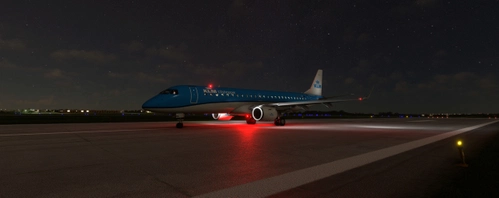
FSS ERJ-170/175 /190/195 VC Light Fixes
This add-on provides light fixes for the FSS EJet series (ERJ-170/175/190/195) in Microsoft Flight Simulator, enhancing virtual cockpit lighting effects. It includes various updates such as improved beacon and strobe effects, adjustments to ambient light intensity, and fixes for light initialization issues. The mod is compatible with MSFS2024 and includes support for both passenger and freighter versions of the aircraft. Regular updates ensure compatibility with the latest aircraft configurations.
by eatpizza2
Log in to join the discussion
Log InComments(54)
11 months ago
11 months ago
almost 2 years ago
over 2 years ago
In your screenshots you show 4 small spot lights below the glareshield/autopilot panel. I am unable to get these lights even with FLOOD LIGHTS at MAX.
Any idea what I might do wrong?
over 2 years ago
almost 3 years ago
I noticed that in the Longitude with the latest fix, the strobes no longer shut off when you turn off the "anti-coll" button in the cockpit. For the Longitude, the beacon starts automatically when you try to start the engines, but the strobes (named "anti-collision" in the Longitude) are turned on by pushing the "Anti-Coll" button.
Also, I love how you have the light fixture actually light up. That's how it used to be before Asobo messed it up, I can't tell why. But with your mod, it's now lit up like it should be, but the top fixture is not.
I'll send you pics to show what I mean.
almost 3 years ago
almost 3 years ago
almost 3 years ago
almost 3 years ago
thanks for your feedback, keep in mind that the light isn't just bleed off from the panels but also bounce back off surfaces like the yoke, the pilot, and glare shield down back down to the panel, etc. let me think about it.
over 2 years ago
almost 3 years ago
almost 3 years ago
almost 3 years ago
almost 3 years ago
almost 3 years ago
almost 3 years ago
Yes that is what I did and it is very nice indeed. Correct me if I'm wrong but the only changes affected are the 2 light controllers; the map light knob by the pilot's left knee and the flood light knob up above? One thing, how do I use this for flying both VR and non-VR flights at different times since the folder names are the same for each of the airplanes?
almost 3 years ago