
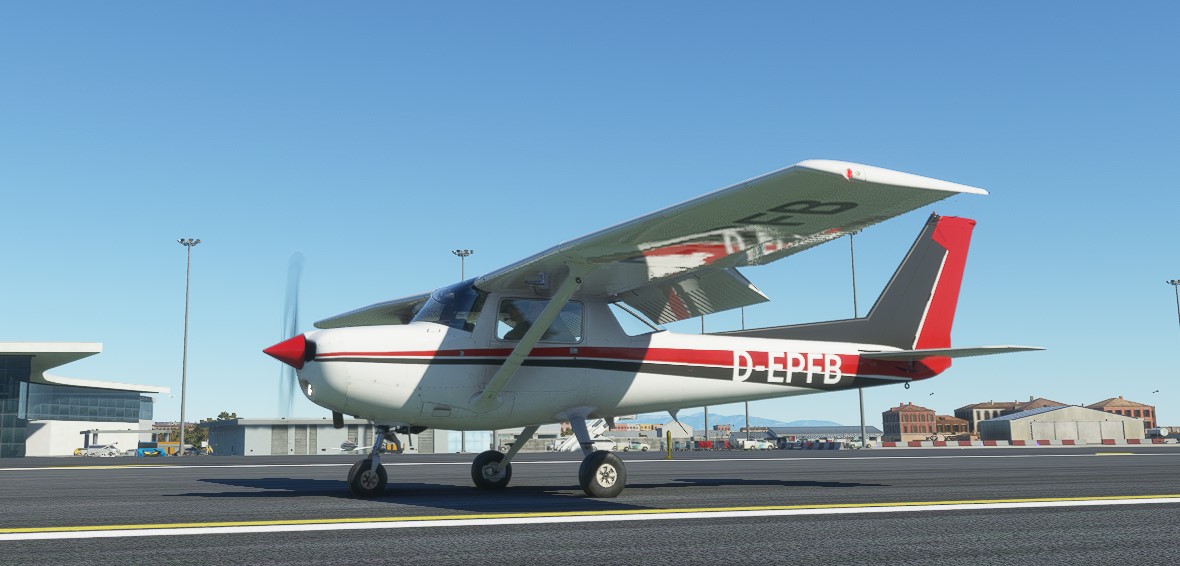
Description
Note from the author: Please upvote https://forums.flightsimulator.com/t/workaround-for-missing-propeller-drag-please/368300
Flight model modification version 1.14.5.0, date 2021-03-12:
I included "Uwa's lighting mods" from https://uwajimaya.github.io/FS2020/
Uwajimaya, I credit your work!
Pack version 1.13 (Feb 16, 2021)
This flight level mod sets (L/D)max to 80% of the real life value. This is part of the "missing propeller drag" workaround. For (L/D)max see https://code7700.com/aero_l_over_d_max.htm
Using the parameters drag_coef_zero_lift, htail_incidence, thrust_scalar and fuel_flow_scalar the maximum airspeed, (L/D)max and fuel consumption can be set to one operating point OP. I set the OP to no flaps, retracted landing gear, full thrust, level flight, no elevator input and altitude 300 ft.
MSFS 2020 does not simulate propeller drag. There are many forum posts about this missing feature. I propose using the existing drag possibilities as workaround for the missing propeller drag. Maybe we never get a propeller drag parameter, but we can have more realistic flight models!
The following is my cookbook recipe about "how to make the propeller drag workaround". You find many Asobo airplanes flight model mods on http://www.andreadrian.de/FS_2020_sailplanes/
This flight model mod changes only a minimum set of parameters to apply the "workaround for missing propeller drag" to the Asobo Cessna 152 flight model. I copy the parameter files aircraft.cfg, engines.cfg, flight_model.cfg and some more files from the Official folder to the Community folder.
What is propeller drag? If you set full thrust, you have first a mismatch between how fast the air around the airplane moves and how fast the propeller wants to move this air. You get acceleration until this mismatch is resolved. If you set thrust to idle, you have another mismatch. The air moves faster then the propeller wants to move the air. This results in a deceleration that we call "propeller drag". MSFS 2020 simulates the acceleration, but not the deceleration. The workaround increases available drag in the flight model. The available drag is induced drag, parasitic drag, gears drag and flaps drag.
To land the airplane with the workaround you first reduce thrust to idle. The parasitic drag reduces the airspeed. Below maximum flap extended speed Vfe you use flaps, add even more drag. If necessary you can increase thrust now to get the airspeed you need. With the workaround you can "flare" the airplane to the touch-down.
The induced drag parameters are induced_drag_scalar and flap_induced_drag_scalar. The MSFS SDK documentation version 0.10.0.0 tells: "a value between 1.2 and 1.5 is usually fine. If this value is above 1.5, the plane will generate a lot of drag at slow speed. If the value is closer to 1, it will glide very easily at slow speeds". I choose 1.5 for the fast TBM930 and 1.2 for the slow C152.
The parasitic drag parameters are drag_coef_zero_lift and parasite_drag_scalar. I set parasite_drag_scalar to 1 and only adjust drag_coef_zero_lift. The airplane "idle thrust deceleration" is controlled by the maximum lift-drag ratio (L/D)max. The "1000 surfaces" airplane 3D model connects the zero-lift drag coefficient CD,0 to (L/D)max. That is you set a CD,0, use the MSFS 2020 build in DevMod tool Tools, Aircraft Editor, Debug, Sim Polar VhVs to measure the (L/D)max and repeat the steps as needed.
You can ask the manufacturer for the (L/D)max value of the airplane. Very small propeller airplane like Cessna 152 have a (L/D)max of a little below 10. The Cessna 172 has a value of 11.6 and faster, more expensive airplanes have 13. I assume that the TBM930 has an (L/D)max value of 14.
As explained above the workaround increases available drag to compensate for the missing propeller drag. Therefore I set for the fast TBM930 the "workaround (L/D)max" to 80% of the real world (L/D)max or 11.2. For the slow C152 I set the "workaround (L/D)max" to 90% or 8.6.
The C152 has 4 different flaps settings. Normal without flaps, flaps position 1, flaps position 2 and landing, that is gears out and flaps position 3. For the test I set the airplane to maximum airspeed level flight at sea level and use the "active pause". In active pause I change flaps settings and note the airspeeds.
Flaps drag, lift and pitch is set in many parameters. First there is lift_scalar, drag_scalar and pitch_scalar. For this minimum change flight model mod I keep the Asobo numbers. I adjust drag_coef_flaps to get the intended behavior.
The values for the flaps-position.X parameter are tricky. My cookbook recipe is: Set the third parameter for flaps position 0 to 0 and set the third parameter for the other flaps positions to 1. The third parameter is a flaps drag multiplier. The flaps drag depends on this multipler and on the flaps angle. You don't need to play with the drag multiplier parameter.
I adjust flaps drag until airspeed for the slow C152 in landing configuration is 60% of airspeed in normal configuration. For a fast airplane like TBM930 I adjust to 50% airspeed.
After you have changed drag, you have to adjust thrust, fuel consumption and brake power to get again the intended cruise speed. My definition of parameter cruise_speed is: the maximum sea level level flight airspeed in still air. To adjust fuel consumption I use DevMod tool Tools, Aircraft editor, Debug, Engines. I set thrust to 75% or 80% LVR and adjust parameter fuel_flow_scalar as needed.
At last I take care of elevator trim. I like that I get cruise speed level flight without elevator trim. I adjust the parameter elevator_trim_neutral for this.
Here are all changed parameters. Reference are the parameter files of MSFS 2020 version 1.13.16.0. The values behind the first ; are the Asobo values.
lift_coef_flaps = 0.1761 ; 0.35220
This is NOT the "flight dynamics bug" workaround. The flaps lift is just too exaggerated for my taste.
flaps-position.1 = 10, -1, 1 ; 10, -1, 0.25 ;
flaps-position.2 = 20, -1, 1 ; 20, -1, 0.75 ;
elevator_trim_neutral = 0 ; 1 ; Elevator trim max angle (absolute value) (DEGREES), for indicators only (no influence on flight model)
drag_coef_zero_lift = 0.0559 ; 0.03500
drag_coef_flaps = 0.075 ; 0.06020
fuel_flow_scalar = 0.47 ; 0.60 ; Fuel flow scalar
[PROPELLER]
thrust_scalar = 1.8 ; 1.2 ; Propeller thrust scalar
induced_drag_scalar = 1.5
flap_induced_drag_scalar = 1.5
pitch_stability = 0.04 ; 0.25
roll_stability = 0.04 ; 0.25
yaw_stability = 0.04 ; 0.25
Summary: "If Asobo only knew what Asobo knows". Some Asobo engineers write documentation and tell everybody what to do and why. Other Asobo engineers write cfg files. As you can see above, these two groups don't talk to each other. Specially not about the stability parameters. The C152 is one of the best Asobo models. I found little to change!
Nowhere Asobo writes about the importance of (L/D)max (glide ratio) and how to set a proper (L/D)max. For me is a bad (L/D)max value the single most important reason for poor quality of (Asobo) flight models. Let's see what Asobo will do in the next software release!
Note from the author: Please upvote https://forums.flightsimulator.com/t/workaround-for-missing-propeller-drag-please/368300
Cessna 152 flight model mod
Enhance the flight model of the Cessna 152 with this mod, implementing a workaround for missing propeller drag in MSFS 2020. Adjust parameters to achieve realistic airspeed, drag, and fuel consumption, while enhancing landing dynamics with increased drag elements. Experience improved stability and performance based on real-world aircraft characteristics, providing a more authentic simulation experience in the skies.


User Reviews
1 reviews
Version History
Compatible to MSFS version 1.14.5.0. Include Uwa's lighting mods when available.
Related
Daher TBM 930 flight model mod
Enhance the flight experience with the Daher TBM 930 flight model mod. This mod adjusts parameters to simulate propeller drag, improving realism and offering a workaround for the missing feature in MSFS 2020. Experience more realistic flight dynamics with modified drag coefficients, induced drag settings, and optimized thrust levels for a smoother landing and cruise control. Built on real-life flying insights, this mod delivers a more authentic TBM 930 simulation in the virtual skies.
by PaulFalke
Cessna 172 Skyhawk flight model mod
Enhance the flight behavior of your Cessna 172 Skyhawk with this flight model mod. Experience realistic lift-drag ratios, gear and flaps drag adjustments, and improved propeller drag simulation for a more authentic flying experience. Based on in-depth research and modifications, this update focuses on optimizing the aircrafts performance and behavior in Microsoft Flight Simulator 2020.
by PaulFalke
747-8i Salty mod + flight model mod
Enhance your flight experience with the 747-8i Salty mod, featuring a detailed flight model modification for a more realistic behavior. This add-on includes adjustments to lift-drag ratios, gear and flaps drag, and more. Explore improved flight dynamics and aircraft performance with this comprehensive modification.
by PaulFalke
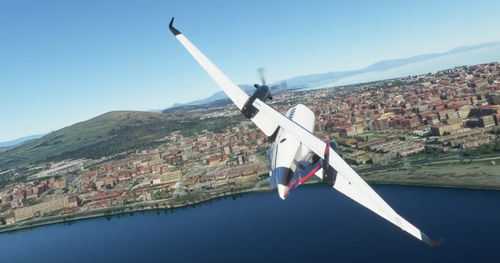
Beechcraft King Air 350i flight model mod
Enhance the flight behavior of your Beechcraft King Air 350i with this flight model mod. Realistic maximum lift-drag ratio, gear and flaps drag adjustments, and more for an improved flying experience. Utilizing data from the Beechcraft King Air 350i brochure for accuracy, this mod focuses on enhancing the realism of the aircrafts performance in Microsoft Flight Simulator 2020.
by PaulFalke
Log in to join the discussion
Log InComments(15)
10 months ago
I tried your mod on my PC Steam edition of MFSF2020.
I fixed red light by modifying your systems.cfg with index 5
"lightdef.14 = Type:10#Index:0#LocalPosition:-7.3,0,2.4#LocalRotation:45,0,0#EffectFile:LIGHT_ASOBO_CockpitSpotRed#PotentiometerIndex:5"
Now rotation cnob for red light works
but did not find how to get dome light back under control with in-game panel switch.
Can you help me please?
Or could you poste your mod without that light modification mod please? That light mod has also wing strobe lights out of position with the airplane.
I wish to try your mod :)
over 2 years ago
over 5 years ago
Now the plane stops faster and it´s more difficult to do a smooth landing, i love it!! Thank you for add the Uwa´s lights, merged with the "Cessna 152 realism livery" https://flightsim.to/file/3828/cessna-152-realism-livery looks great!! Cheers :) Now the stall sound is going to fuse my headphones, is ringing most of the time xD
over 5 years ago
over 5 years ago
over 5 years ago
over 5 years ago
https://flightsim.to/file/2246/msfs-c152-community
over 5 years ago
over 5 years ago
over 5 years ago
over 5 years ago
over 5 years ago
over 5 years ago
over 5 years ago
over 5 years ago