
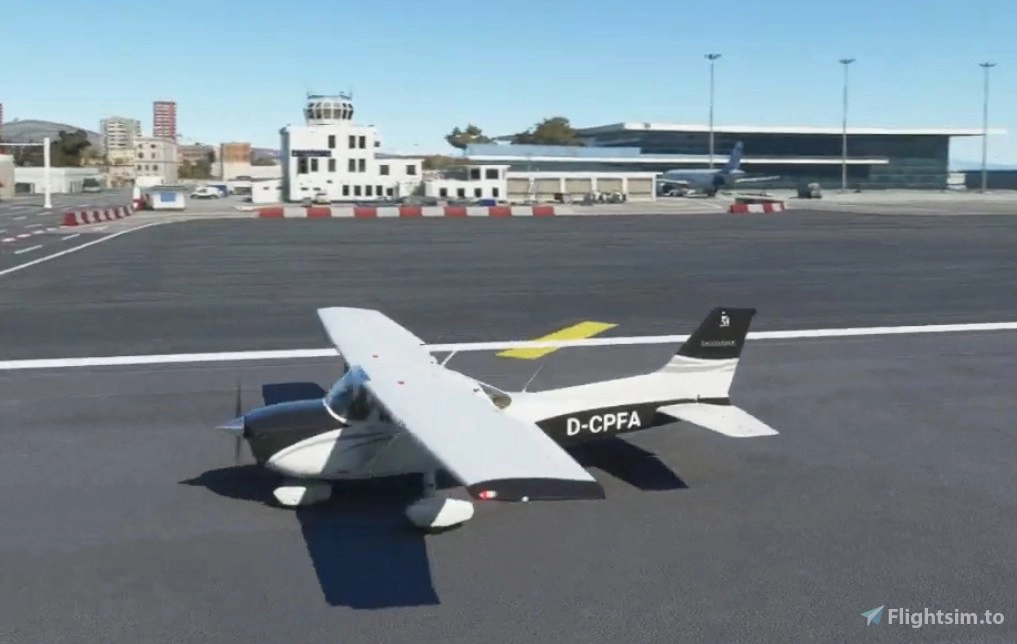
Description
Note from the author: Please upvote https://forums.flightsimulator.com/t/workaround-for-missing-propeller-drag-please/368300
This is no livery, this is a flight model mod. The idea is to make the flight behavior more realistic. The most important detail is a realistic maximum lift-drag ratio (L/D)max. This one change makes many other changes necessary. The second detail is I use gear and flaps drag to have a work around for missing propeller drag and ground effect. Now you can flare your airplane before touch-down.
See http://www.andreadrian.de/FS_2020_sailplanes/ for more of my work for MSFS 2020:
Gliders: SG-38, Aircreations 582SL
Sailplanes: DG-808S, Ka 6E, ASK23
Trainer: Tiger Moth
Seaplane: Grumman Goose G21A
Warbirds: Fokker Dr1, North American P-51D
Flight model modification version 1.14.5.0, date 2021-03-12:
I included "Uwa's lighting mods" from https://uwajimaya.github.io/FS2020/
Uwajimaya, I credit your work!
Pack version 1.13 (Feb 16, 2021)
The NASA book "Quest for Performance: The Evolution of Modern Aircraft" tells about the C172 Skyhawk: "The zero-lift drag coefficient CD,0 of the Skyhawk is 0.0319 as compared with 0.0358 for the Cherokee, and the maximum lift-drag ratios (L/D)max for the two aircraft are 11.6 and 10.0, respectively."
This flight level mod sets (L/D)max to 80% of the real life value. This is part of the "missing propeller drag" workaround. For (L/D)max see https://code7700.com/aero_l_over_d_max.htm
Using the parameters drag_coef_zero_lift, htail_incidence, thrust_scalar and fuel_flow_scalar the maximum airspeed, (L/D)max and fuel consumption can be set to one operating point OP. I set the OP to no flaps, retracted landing gear, full thrust, level flight, no elevator input and altitude 10000 ft.
I use the MSFS 2020 documentation from https://docs.flightsimulator.com/html/Samples_And_Tutorials/Defining_A_Flight_Model.htm Citations are in "". Asobo has expanded the documentation, but sadly the documentation is still far away from complete. Asobo please go on!
To all critics of my work: First, I am an armchair pilot. If you only accept flight model mods from real life 4 stars pilots, don't use it. Second, if you think my mod is atrocious, don't use it. To everybody else: The mod is the best I can do with my knowledge of MSFS 2020. Stay happy and healthy!
lift_coef_flaps = 0.33790
Undo "Flight dynamics bug" workaround.
wing_incidence = 1.5 ; Wing incidence (DEGREES)
htail_incidence = 1.8 ; 1 ; Horizontal tail incidence (DEGREES)
"You'll want to leave the horizontal tail Incidence at zero for the moment, this value will be used to set the default trim of the aircraft."
Trimmed for OP with no elevator input.
elevator_trim_neutral = 0 ; 1 ; Elevator trim max angle (absolute value) (DEGREES), for indicators only (no influence on flight model)
I want to have the green area in the middle of VSI.
drag_coef_zero_lift = 0.0520 ; 0.03270
"this value is usually of around 0.02 to 0.025 for an aircraft with a glide ratio above 15, 0.03 to 0.04 for aircraft with glide ratios of about 10, and up to 0.1 for some slow bush planes with very low glide ratios."
I use Aircraft Editor, Debug, Sim Polar VhVs to set (L/D)max (glide ratio) to a realistic value "within the limitations of MSFS 2020". The chosen value is 80% of real life (L/D)max because I use drag_coef_zero_lift as "missing propeller drag" workaround.
drag_coef_flaps = 0.1 ; 0.04700
I use drag_coef_flaps as "missing propeller drag" workaround, too.
[PROPELLER]
thrust_scalar = 1.7 ; 1.15 ; Propeller thrust scalar
Change in drag_coef_zero_lift needs change in thrust_scalar for the same cruise_speed.
ui_autonomy = 5 ; max duration the aircraft can fly between take-off and landing in (Hrs)
fuel_flow_scalar = 0.70 ; 0.88 ; Fuel flow scalar
Change in thrust_scalar needs change in fuel_flow_scalar for the same ui_autonomy. I use 80% LVR on ground to set fuel_flow_scalar.
toe_brakes_scale = 1 ; 0.66 ; Brake scalar
More thrust_scalar needs more toe_brakes_scale to hold airplane still on ground at thrust tests.
pitch_stability = 0.04 ; 0.1
roll_stability = 0.04 ; 0.1
yaw_stability = 0.04 ; 0.1
"You need to enter a value that is higher than zero for backwards compatibility with the legacy flight model, and you can enter 0.01 - for example - if you want only the minimum friction. If the plane has more inertia, you can enter higher values."
flaps-position.0 = 0, -1, 0
flaps-position.1 = 10, -1, 1 ; 10, -1, 0.5
flaps-position.2 = 20, -1, 1 ; 20, -1, 0.75
flaps-position.3 = 30, -1, 1
flaps-position drag depends on flaps angle. Therefore a drag multiplier of 1 is good enough.
"AIRCRAFT.UI_MODEL": "Cessna 172 Skyhawk (G1000)",
[FLTSIM.0]
title = "Cessna Skyhawk G1000 Asobo" ; Variation name
Use original aircraft selector name and title again for bush trips and other tasks that need specific airplanes.
Summary: "If Asobo only knew what Asobo knows". Some Asobo engineers write documentation and tell everybody what to do and why. Other Asobo engineers write cfg files. As you can see above, these two groups don't talk to each other. Specially not about the stability parameters. The C172 is one of the best Asobo models. I found little to change!
Nowhere Asobo writes about the importance of (L/D)max (glide ratio) and how to set a proper (L/D)max. For me is a bad (L/D)max value the single most important reason for poor quality of (Asobo) flight models. Let's see what Asobo will do in the next software release!
Note from the author: Please upvote https://forums.flightsimulator.com/t/workaround-for-missing-propeller-drag-please/368300
Cessna 172 Skyhawk flight model mod
Enhance the flight behavior of your Cessna 172 Skyhawk with this flight model mod. Experience realistic lift-drag ratios, gear and flaps drag adjustments, and improved propeller drag simulation for a more authentic flying experience. Based on in-depth research and modifications, this update focuses on optimizing the aircrafts performance and behavior in Microsoft Flight Simulator 2020.


User Reviews
2 reviews
Version History
Compatible to MSFS version 1.14.5.0. Include Uwa's lighting mods when available.
Related
Daher TBM 930 flight model mod
Enhance the flight experience with the Daher TBM 930 flight model mod. This mod adjusts parameters to simulate propeller drag, improving realism and offering a workaround for the missing feature in MSFS 2020. Experience more realistic flight dynamics with modified drag coefficients, induced drag settings, and optimized thrust levels for a smoother landing and cruise control. Built on real-life flying insights, this mod delivers a more authentic TBM 930 simulation in the virtual skies.
by PaulFalke
747-8i Salty mod + flight model mod
Enhance your flight experience with the 747-8i Salty mod, featuring a detailed flight model modification for a more realistic behavior. This add-on includes adjustments to lift-drag ratios, gear and flaps drag, and more. Explore improved flight dynamics and aircraft performance with this comprehensive modification.
by PaulFalke
Beechcraft King Air 350i flight model mod
Enhance the flight behavior of your Beechcraft King Air 350i with this flight model mod. Realistic maximum lift-drag ratio, gear and flaps drag adjustments, and more for an improved flying experience. Utilizing data from the Beechcraft King Air 350i brochure for accuracy, this mod focuses on enhancing the realism of the aircrafts performance in Microsoft Flight Simulator 2020.
by PaulFalke
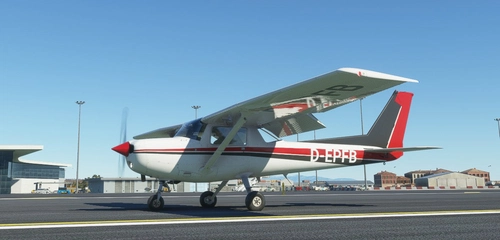
Cessna 152 flight model mod
Enhance the flight model of the Cessna 152 with this mod, implementing a workaround for missing propeller drag in MSFS 2020. Adjust parameters to achieve realistic airspeed, drag, and fuel consumption, while enhancing landing dynamics with increased drag elements. Experience improved stability and performance based on real-world aircraft characteristics, providing a more authentic simulation experience in the skies.
by PaulFalke
Log in to join the discussion
Log InComments(30)
over 1 year ago
almost 5 years ago
I downloaded the file and put it in my community folder but it doesn't show up in the sim. Any solutions?
over 5 years ago
are there any upcoming changes scince asobo have updated the flight model in Sim Update 4? thanks
almost 5 years ago
Same question re SU5, and now SU6. No updates to the mod or responses to messages since March 2021 (7 months at time of writing) so I wonder if the author has moved on?
over 5 years ago
Is this still working after this update? 1.16.2.0
over 5 years ago
That's a good question.
@paulfalke is this mod compatible with the latest fs version?
over 5 years ago
over 5 years ago
over 5 years ago
over 5 years ago
over 5 years ago
I've download and used your mod and it seems not to be finding the aircraft as its always sending me to content manager, but if I remove the MOD everything is back to normal.
Can this be fixed?
PS: previous mod I didn't have a issue
over 5 years ago
over 5 years ago
{
"name": "fs-base-propdefs",
"package_version": "0.1.2"
}
],
"content_type": "AIRCRAFT",
"title": "Cessna 172 Skyhawk (G1000)",
"manufacturer": "Textron Aviation",
"creator": "Asobo Studio",
"package_version": "0.1.73",
"minimum_game_version": "1.12.12",
"release_notes": {
"neutral": {
"LastUpdate": "",
"OlderHistory": ""
}
},
"total_package_size": "00000000000379615230"
}
I will download the latest and let you know
over 5 years ago
over 5 years ago
By the way: The "flight dynamics bug" was introduced with version 1.13.16.0. This version introduced other changes, like different CD,0 to (L/D)max function. I have to check version 1.13.17.0 to see if Asobo did roll back all changes or only the most noticeable.
over 5 years ago
over 5 years ago