
Description
iniBuilds A300-600 STREAMDECK XL and SD+ PROFILEs (need LORBYs Axis And OHs SD plugin)
with complete Scriptpackage
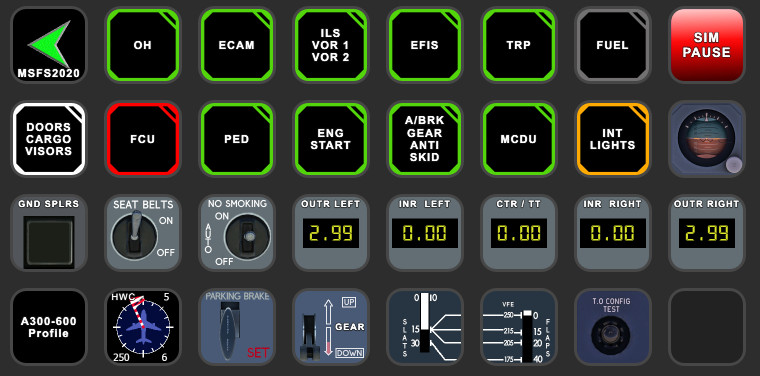
Here is a complete Streamdeck and StreamDeck PLUS Profile for the A300-600 based on iniBuilds model. These profiles are high sophisticated and still under construction.
To run this you need to have the latest version of the StreamDeck software, AAO software and AAOs plugin installed on your StreamDeck. Get it from here.
It is for the XL (and PLUS) Version ONLY! As this is to complex for the 3x5 Streamdeck it only gets provided for the 32button edition.
Features in this profile:
- MAIN page
- AIRCOND page
- ANTI-ICE page
- COM/NAV page
- ECAM page
- EFIS page
- EXT LIGHTS page
- AUTOPILOT page
- FIRE page
- FUEL page
- OH page
- TRIM page (ATS, YD etc.)
- VIEWS page (extra SD profile)
and more...
Installation:
First make sure that you have the latest AAO software (at least 4.0) and AAO SD plugin installed properly. Then just double click on the A300-600.streamDeckProfile provided in this download to import into your SD software. Import the A300-600_SCRIPTS into your AAO software via "Scripting->Import scripts". Make sure that AAO is NOT connected to the SIM.
For view profile you can either import this to your 2nd SD (if you have one) or just create a profile change within the A300 profile and mount the A300 VIEWS.streamDeckProfile file.
For the SD+ profile just double click on the "+" profile to get imported into your StreamDeck Plus. Just swipe on the display to reach the different pages and functions.
For further details regarding AAO refer to the manual.
Then you should be good to go.
This profile is still under construction and new functions will be added.
You can remove CONV START and CONV proceed button from SD+ profile as I use them to control my AAO conversation. This has no function for you!
If you find some bugs, need some help or have some suggestions just let me know and drop a comment. For support you can join my discord server. Don't forget to leave a like on flightsim.to! Please also consider a donation as this is a very time consuming work and it will keep up the work for future updates! Thank you!
A300-600 (iniBUILDS) STREAMDECK XL AND SD+ PROFILE (need Lorby's AXIS and OHs)
Enhance your A300-600 experience with the iniBuilds A300-600 STREAMDECK XL and SD+ profiles. This sophisticated profile offers a range of features including MAIN, AIRCOND, COM/NAV, and more. Installation requires the latest AAO software and plugins. Stay tuned for upcoming updates as this profile is still under construction.
Supporters

User Reviews
3 reviews
Version History
Changes in this update: - complete overhaul of profiles and scripts due to new AAO version Erase old SD XL/PLUS/VIEWS profiles and import new versions. Erase (!) old A300-600 scripts and import new version!
Related
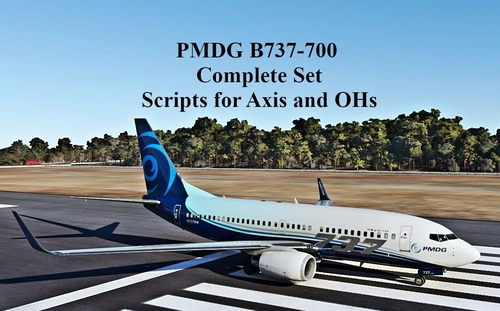
SCRIPTS FOR PMDG B737 to use with AXIS AND OHs
Complete set of scripts for PMDG B737-600/700/800 to be used with Axis and OHs, including all functions for the aircraft. Easily import the scripts into your AAO via "import script" function. Join the Discord server for any questions or assistance. Donations are appreciated to support ongoing development efforts.
by Chris_PU_A320
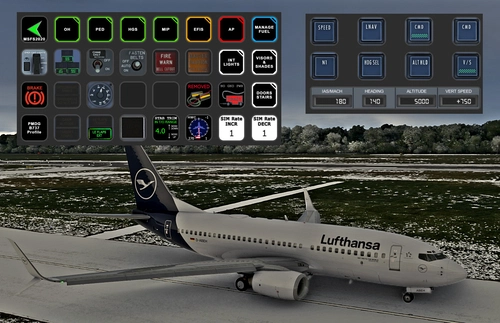
PMDG B737 (600/700/800/900) STREAMDECK XL AND SD PLUS PROFILES (need Lorby's AXIS and OHs)
Enhance your PMDG B737 experience with this meticulously crafted StreamDeck XL and SD+ profile. Enjoy a wide range of features like AIRCOND, AP, EFIS, and more. Customizable and compatible with all PMDG B737 variants (600-700-800), this profile is designed to elevate your cockpit setup. Simply follow the installation instructions and explore the possibilities for a more immersive flying experience.
by Chris_PU_A320
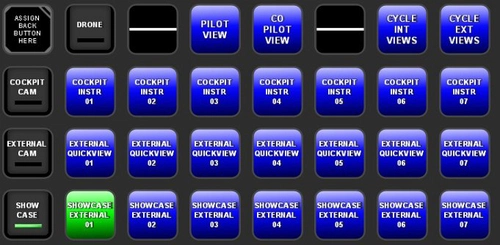
MSFS2020 CAMERA VIEWS STREAMDECK XL PROFILE (need Lorby's AXIS and OHs)
Customize your camera views in Microsoft Flight Simulator with the MSFS2020 Camera Views Streamdeck XL Profile. This pre-configured profile allows you to easily access a variety of internal cockpit, external, and showcase views directly from your Streamdeck. Simply import the profile, set up Lorbys Axis and OHs, and enhance your sim experience with personalized camera settings at the click of a button.
by Chris_PU_A320
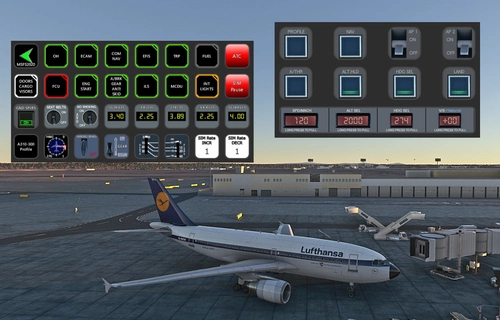
A310-300 STREAMDECK XL AND SD+ PROFILE (need Lorby's AXIS and OHs)
Enhance your A310-300 experience with the A310-300 STREAMDECK XL and SD+ Profiles, designed by iniBuilds. Offering various detailed pages and functionalities, this profile requires Lorbys Axis and OHs SD plugin. Installation instructions and ongoing updates are provided for optimal performance.
by Chris_PU_A320
Log in to join the discussion
Log InComments(15)
7 months ago
Can't find it.
Ty !
7 months ago
Rgds
Chris
7 months ago
Chris
7 months ago
I meant Elevator trim indicator.
Appriciate your work!
7 months ago
This comment has been deleted
7 months ago
over 2 years ago
The Takeoff Config push button does not do anything in the aircraft.
The flap indication has no 20 slats. The aircraft has 15 and 30 for slats. 15 are for 0, 15 and 20 for the flaps and 30 slats for 40 flaps.
Could you possible add the altimeter baro adjustment and standard pressure to the SD+. Thanks
Have a great day .
over 2 years ago
rgds
Chris
over 2 years ago
over 2 years ago
Rgds
Chris
over 2 years ago
over 2 years ago
over 2 years ago
over 2 years ago
EXT PWR button is not working.
MCU ABC -> the next page is not working. Can't input ABC texts.
Couldn't find a way to set SQAWK and XPDR status, I think it's important things. Maybe put it in SD+ profile?.
over 2 years ago
thanks for reaching out and reporting bugs. A new version has now been uploaded. Bugs fixed and more functions added. See changelog for details.
rgds
Chris