

Description
CAMERA VIEWS TO USE WITH MSFS2020 (need Lorby's Axis and OHs)
No need to use your Camera from the Toolbar anymore! Here is a complete set for your camera settings within MSFS2020. This pre-configured profile is just an example how you can use your preferred views directly from your Streamdeck. This is configured for the XL version. You may adapt this profile to your 3x5 deck with Lorby's streamdeck editor. Get it from here.
Installation:
Make sure you have the latest version of Lorby's AAO Sd plugin installed. Get it from here.
Just double click on the provided streamdeck profile file. It automatically gets imported as a new profile in your SD software. Import cameras.xml file into your AAO software (make sure you don't have connection to your SIM while importing). That's it and you are good to go.
Instructions/Explanations:
This profile is structured from top to bottom rows (horizontally) with (internal) cockpit views, external cam views and show case views.
The top row includes Drone mode and pre-configured Pilot and Co-Pilot views (unique for any aircraft) as well as 2 buttons where you can cycle through EXT/INT views.
When a respective view is chosen, then it will light up green and the CAM status will also light up on the left (toggle button) and show you what Camera state is chosen.
With this opportunity you can set every camera view that is possible within the SIM to your like without going to the toolbar and choose different settings every time. And that with a simple click on a button.
Camera State 2 - COCKPIT
3 - EXTERNAL
4 - DRONE MODE
5 - SHOWCASE
Check out the script group "CAMERAS" in your AAO software (under RPN SCRIPT EDITOR) as there are many more camera options available as displayed on the SD. Adjust it to your like. You also will find toggle options for some views. That will give you an example that you also be able to toggle between 2 different views with the same button. Especially helpful with aircraft where you have 2 different views for the same part, e.g. B737/A320 with upper/lower overhead. Now you can toggle between upper/lower OH by just clicking the button twice etc.
All my published aircraft SD profiles on flightsim.to do already have the right CAM VIEWS built in as views are different to every aircraft.
If you need any assistance, help or support join my discord server (found under my profile on flightsim.to). Report any issues or bugs found. Don't forget to give it a like and consider a small donation as finding/writing scripts and creating icons etc. is a very time consuming work. This will keep up the updates and further developments. Thank you!
MSFS2020 CAMERA VIEWS STREAMDECK XL PROFILE (need Lorby's AXIS and OHs)
Customize your camera views in Microsoft Flight Simulator with the MSFS2020 Camera Views Streamdeck XL Profile. This pre-configured profile allows you to easily access a variety of internal cockpit, external, and showcase views directly from your Streamdeck. Simply import the profile, set up Lorbys Axis and OHs, and enhance your sim experience with personalized camera settings at the click of a button.
Supporters


User Reviews
2 reviews
Version History
Changes in this update: - some script corrections - some more graphical changes (Views profile) due to SD software update Erase old profiles and import new ones (to prevent getting copies) and overwrite existing scripts!
Related
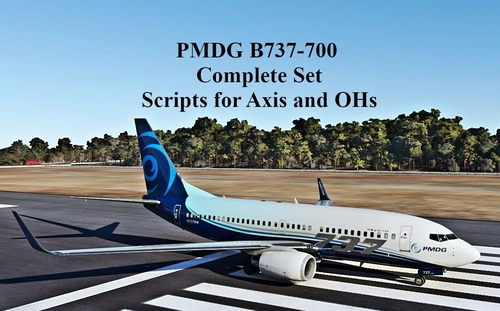
SCRIPTS FOR PMDG B737 to use with AXIS AND OHs
Complete set of scripts for PMDG B737-600/700/800 to be used with Axis and OHs, including all functions for the aircraft. Easily import the scripts into your AAO via "import script" function. Join the Discord server for any questions or assistance. Donations are appreciated to support ongoing development efforts.
by Chris_PU_A320
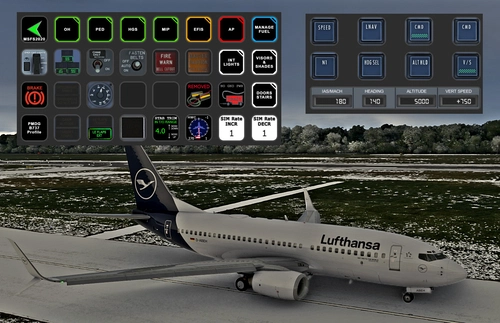
PMDG B737 (600/700/800/900) STREAMDECK XL AND SD PLUS PROFILES (need Lorby's AXIS and OHs)
Enhance your PMDG B737 experience with this meticulously crafted StreamDeck XL and SD+ profile. Enjoy a wide range of features like AIRCOND, AP, EFIS, and more. Customizable and compatible with all PMDG B737 variants (600-700-800), this profile is designed to elevate your cockpit setup. Simply follow the installation instructions and explore the possibilities for a more immersive flying experience.
by Chris_PU_A320
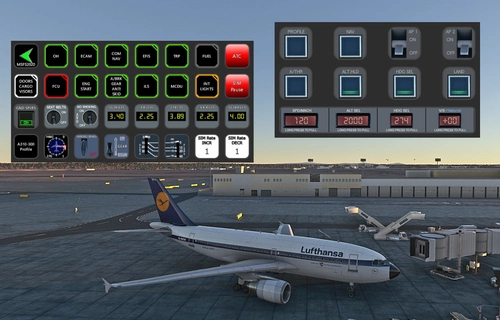
A310-300 STREAMDECK XL AND SD+ PROFILE (need Lorby's AXIS and OHs)
Enhance your A310-300 experience with the A310-300 STREAMDECK XL and SD+ Profiles, designed by iniBuilds. Offering various detailed pages and functionalities, this profile requires Lorbys Axis and OHs SD plugin. Installation instructions and ongoing updates are provided for optimal performance.
by Chris_PU_A320
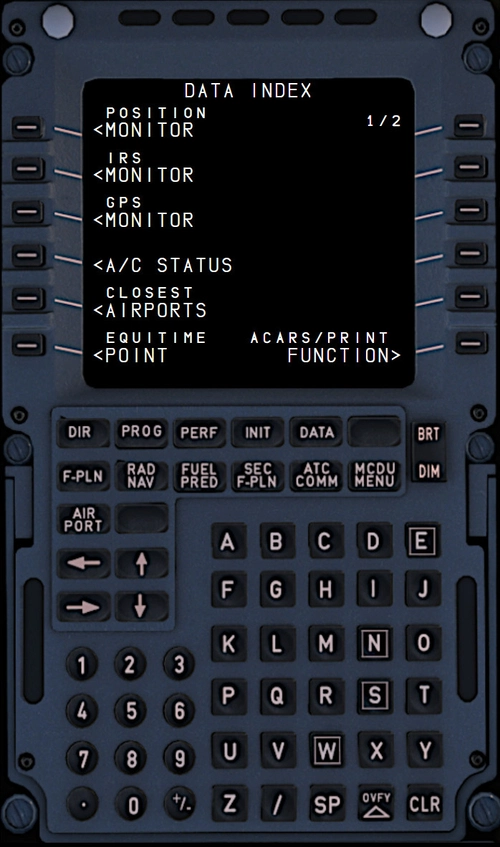
MCDU for FBW A320/HEADWIND A339 to use with AAO W/O SimBridge
Enhance your FBW A320neo and Headwind A330Neo experience with this MCDU addon, no SIMBRIDGE required. Compatible with AAO Version 3.02+, it can be accessed on local browsers or remote devices. Simply install in your Community folder and AAO WebPages Folder, then start AAO, connect to the sim, and load your aircraft.
by Chris_PU_A320
Log in to join the discussion
Log InComments(17)
about 1 year ago
thank you very much for this great SD Profile!
about 1 year ago
over 1 year ago
I have a question about this offer from you.
How and where exactly do I have to copy the included View.xml?
Can I import it with the AAO or do I have to copy it into a specific folder in the AAO.
Unfortunately the button in the SD doesn't work for me.
Thanks for an answer.
over 1 year ago
Rgds
Chris
over 1 year ago
over 2 years ago
thank you so much for your work.
Not sure the fault is on my side or not but here are my issues/bugs
1. Can't go directly back to PILOT VIEW from COCKPIT INSTRU VIEWS (I have to press on COPILOT first)
2. I can go back directly to PILOT VIEW from any of the second line COCKPIT INSTRU VIEW if i pressed COPILOT VIEW before selecting one of the COCKPIT INJSTRU view...then from there, it's ok to go to PILOT VIEW directly without going through COPILOT view.
3. If I pushan COCKPIT INST VIEW and switch to EXTERNAL QUICKVIEW or SHOWCASE EXTERNAL, then if i push any of the EXTERNAL QUICKVIEW or SHOWCASE EXTERNAL, PILOT or COPILOT VIEW CYCLE VIEW IN AND EXT, I'LL BE TAKEN BACK TO THE COCKPIT INST VIEW. Going from external views to showcase views and vise versa works.
4. Same as 3... If i have any of the external quickview or showcase external views selected and hit any cockpoit instr, it will take me to the last cockpit instr i selected.
5. CYCLE EXTR VIEWS stops at view 04 and skips 05 to 07
6. if i select an external view and go back to copilot or pilot view , cockpit instru or showcase external and select back an external view, no matter which one i select, i will be taken back to the last previously external view
7. If i select PILOT or copilot, then i go in any of the external quickview or shocase view, when i hit copilot, i ll be taken to pilot view instead of copilot if pilot was clicked on before, vise versa with copilot.
over 2 years ago
rgds
Chris
about 3 years ago
i cant use the camera views. I import the Data into a streaming deck but the results are are `Toogle´ on all Buttons. Plz help.
about 3 years ago
Rgds
Chris
over 1 year ago
about 3 years ago
und herzlichen Dank für die tollen Profile.
Ich habe nur ein Problem mit den Profilen im StreamDeck.
Ist es möglich ein View-Profil auf mehreren Flugzeugen zu verwenden? Ohne dann jedesmal zum letzen Flugzeugprofil wieder wechsen zu müssen?
Ist es irgendwie über Multi-Aktion Funktionen möglich, oder muss ich zu jeder Maschine ein entsprechendes View-Profil anlegen?
Herzlichen Dank
about 3 years ago
LG
Chris
over 3 years ago
over 3 years ago
over 3 years ago
This is a very interesting little addon.
I am concerned that every plane appears to require its own set of routines for streamdeck, and am wondering just how hard it would be to generate a set that covers, say, all single-engined planes, and contains all the commands that you might need to fly that type of aircraft without having to resort to messing about looking for an obscure keyboard combination to carry it out.
There are, after all, a finite number of commands that can be used with the sim, and presumably, most of them are identical, regardless of the plane itself, apart from the gross differences between turbine and piston engines, and those items of addon that constitute the special addons, such as different navigation programs.
Thanking you in anticipation
over 3 years ago
This set just covers commands in general and shows the user how to adapt it to their needs. All my profiles come with special configured view profiles. Easy to install and use…
almost 4 years ago
This will be quite helpful, thank you sir. I have sent you a little something for your time... Your pal, Skylar.