

Description
MCDU for FBW A320neo and Headwind A330Neo to use without SIMBRIDGE !
This MOD is used for the FlyByWire A320 CDU and also for the Headwind A330. You can use this without using FBW's SIMBRIDGE to save a lot of performance. No need to start the SimBridge. Dev versions used.
To get this to work correctly you have to use AAO Version 4.50 or later!
You can use this on your local web browser or on any remote tablet/device as well.
INSTALLATION:
1. Drop the content of the "Community" Folder into your MSFS2020 or MSFS2024 Community folder.
-"zzz-lorbysi-aao-fbwa320cdu-dev"
-"zzz-lorbysi-aao-hdwa339cdu"
(if you use MSFS2024 rename the zzz to aaa)
2. Drop the folder "fbwa320cdu" (for FlyByWire A320Neo) and "heada330cdu" (for Headwind A330Neo) into your AAO WebPages Folder.
- C:\Users\YOUR_NAME\Documents\LorbyAxisAndOhs Files\WebPages
3. Start the sim, start AAO, connect it to the sim, load your aircraft.
4. Address to call in your browser:
-when starting on the same computer where AAO/MSFS is running: http://localhost:43380/webapi/fbwa320cdu/index.html (for FBW A320)
-when starting on the same computer where AAO/MSFS is running: http://localhost:43380/webapi/heada330cdu/index.html (for Headwind A330Neo)
(make sure your ports matches your settings. New users usually have the port 43380!)
-when using on any remote device use your actual IP adress where AAO is running instead of "localhost"
(e.g. http://192.168.11.147:43380/webapi/fbwa320cdu/index.html)
(e.g. http://192.168.11.147:43380/webapi/heada330cdu/index.html)
You also can start the webpages (only on local PC) when clicking in AAO:
-> Gauges -> Display Webpages -> then choose the respective webpage from the list
The following keyboard commands can be used within the CDU:
- 0-9, A-Z, dot, minus, Enter, Page Up/Down
- Ctrl&1-6: LSK L 1-6
- Alt&1-6: LSK R 1-6
- Ctrl&Alt&Q-W: first row of control buttons
- Ctrl&Alt&A-H: second row of control buttons
- Ctrl&Alt&Y-N: third row of control buttons
- Ctrl&Alt&O: OVFY
If you find some bugs, need some help or have some suggestions just let me know and drop a comment. Also drop a comment and let me know what you think! Please consider a donation as this will keep up the work! Thank you!
MCDU for FBW A320/HEADWIND A339 to use with AAO W/O SimBridge
Enhance your FBW A320neo and Headwind A330Neo experience with this MCDU addon, no SIMBRIDGE required. Compatible with AAO Version 3.02+, it can be accessed on local browsers or remote devices. Simply install in your Community folder and AAO WebPages Folder, then start AAO, connect to the sim, and load your aircraft.

Supporters

User Reviews
2 reviews
Version History
Changes in this update: - fixed MCDU Display not working according to Headwinds Update Overwrite "zzz"-Folder in your community folder.
Related
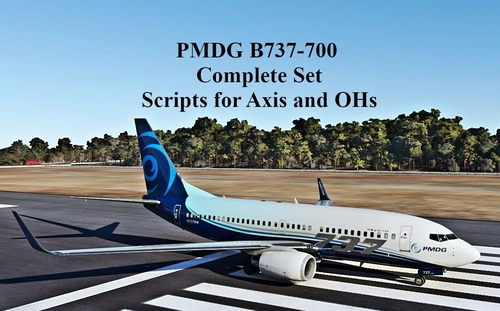
SCRIPTS FOR PMDG B737 to use with AXIS AND OHs
Complete set of scripts for PMDG B737-600/700/800 to be used with Axis and OHs, including all functions for the aircraft. Easily import the scripts into your AAO via "import script" function. Join the Discord server for any questions or assistance. Donations are appreciated to support ongoing development efforts.
by Chris_PU_A320
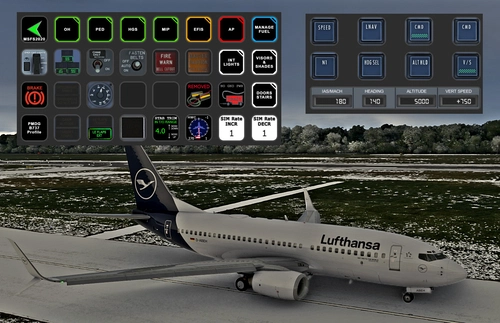
PMDG B737 (600/700/800/900) STREAMDECK XL AND SD PLUS PROFILES (need Lorby's AXIS and OHs)
Enhance your PMDG B737 experience with this meticulously crafted StreamDeck XL and SD+ profile. Enjoy a wide range of features like AIRCOND, AP, EFIS, and more. Customizable and compatible with all PMDG B737 variants (600-700-800), this profile is designed to elevate your cockpit setup. Simply follow the installation instructions and explore the possibilities for a more immersive flying experience.
by Chris_PU_A320
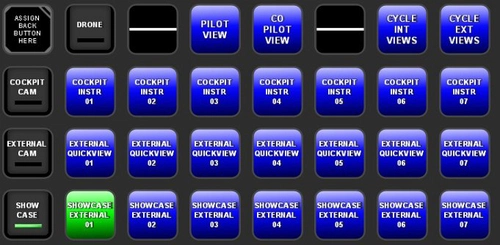
MSFS2020 CAMERA VIEWS STREAMDECK XL PROFILE (need Lorby's AXIS and OHs)
Customize your camera views in Microsoft Flight Simulator with the MSFS2020 Camera Views Streamdeck XL Profile. This pre-configured profile allows you to easily access a variety of internal cockpit, external, and showcase views directly from your Streamdeck. Simply import the profile, set up Lorbys Axis and OHs, and enhance your sim experience with personalized camera settings at the click of a button.
by Chris_PU_A320
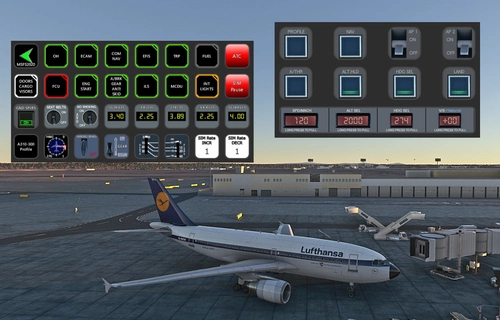
A310-300 STREAMDECK XL AND SD+ PROFILE (need Lorby's AXIS and OHs)
Enhance your A310-300 experience with the A310-300 STREAMDECK XL and SD+ Profiles, designed by iniBuilds. Offering various detailed pages and functionalities, this profile requires Lorbys Axis and OHs SD plugin. Installation instructions and ongoing updates are provided for optimal performance.
by Chris_PU_A320
Log in to join the discussion
Log InComments(24)
2 months ago
2 months ago
over 1 year ago
edit : i m on the A330-900 by headwind
your discord link is disabled
over 1 year ago
https://discord.gg/9gZj5Ec6nj
Are you on the MSFS2020 or 24? There are known issues with the MSFS2024 that Core packages are ignored.
Rgds
Chris
over 1 year ago
over 1 year ago
Rgds Chris
over 1 year ago
over 1 year ago
over 1 year ago
over 1 year ago
For further assistance and support pls join my discord server.
Rgds
Chris
almost 2 years ago
almost 2 years ago
over 1 year ago
over 1 year ago
about 2 years ago
What is the difference between working with or without?
Can you answer my question?
about 2 years ago
Rgds
Chris
about 2 years ago
Can you do this for the A320 v2?
I hope :)
about 2 years ago
Rgds
Chris