
Description
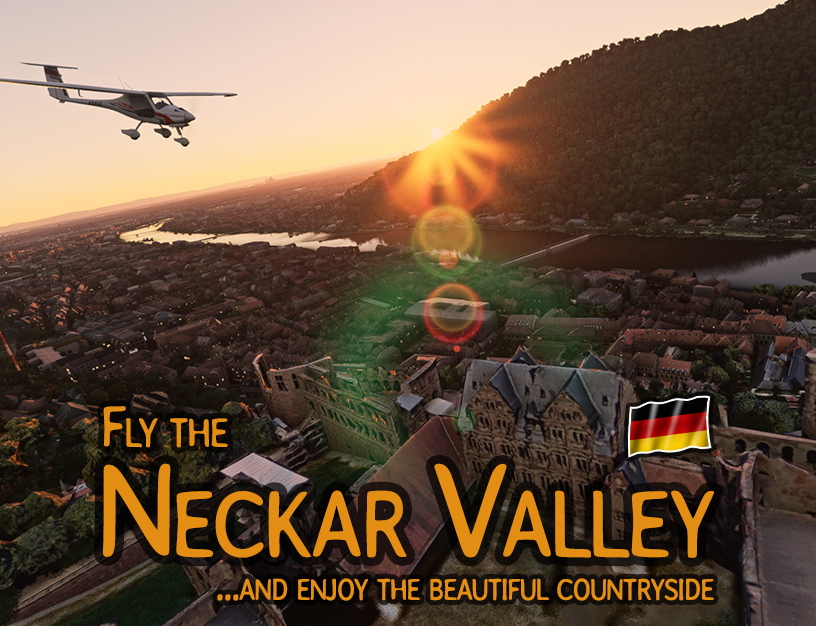
My first MSFS construct. I hope you like it and I know there's still room for improvement ;-)
Fly along the beautiful Neckar valley from Heidelberg up to Stuttgart.
Available in many languages*1 such as: DE, ES, FR, IT, PL, PT, RU
Available for two*2 predefined aircraft models such as: Asobo XCub*3 and Pipistrel Virus*4
Tour details:
The tour starts in the Rhine plain on the airfield of a nice city called Weinheim. You pass Mannheim, following the Rhine river upwards a couple of miles until you reach Speyer. A left turn after Speyer brings you straight to Heidelberg, the gateway to the Neckar Valley. You have a short stopover there before you start entering the Neckar valley and it's scenic surrrounding. After two more stopovers and passing Heilbronn, your trip end up on the Intl.airport of Stuttgart. Duration is round about one hour, depending on your timing and interuptions.
Boundaries:
Not everything in the 3D-world appears so far then it should be. There are still some issues with objects and landscapes. However I hope you enjoy the flight and visit some nice areas of Germany. And maybe time after time even more issues will vanish.
Third party recommendations: (Thanks to the guys who develop these sceneries, airports etc.)
Highly recommended:
ETIE Heidelberg Military Airfield: https://flightsim.to/file/3829/heidelberg-army-airfield-etie
EDDS Stuttgart Intl.Airport: https://flightsim.to/file/3437/stuttgart-airport-edds-by-gravity-edds-team (Highly recommended!!)
Stuttgart - Mercedes Benz Arena: https://flightsim.to/file/560/mercedes-benz-arena-stuttgart
Stuttgart - Landmarks: https://flightsim.to/file/702/stuttgart-landmarks
VFR - Landmarks: https://flightsim.to/file/2605/we-love-vfr-region-1
Normal recommendation:
Heidelberg castle (some contrast issues but not so strong*5): https://flightsim.to/file/2042/heidelberg-castle
Heidelberg observatory (you might not see it since it's on the mountain): https://flightsim.to/file/1758/observatory-haus-der-astronomie
Königstuhl towers: https://flightsim.to/file/1676/konigstuhl-towers
Not recommended (not very well performing with the surrounding area*5)
Heidelberg Oldtown "Altstadt": https://flightsim.to/file/2113/old-town-altstadt-heidelberg
How to install:
Both aircraft models can be downloaded seperatly and have to be extracted. After extration copy each complete folder into your community folder.
If you are not aware about where's your community folder located, please follow these instructions: https://www.flightsim.com/vbfs/content.php?21235-Finding-The-MSFS-2020-Community-Folder
---------------------------------------------------------
*1 most of the languages are translated with an online translator. So if there are some strange translations you either can switch to english or german or forward me a translation which fits better.
*2 You can install both flight models at the same time.
*3 This aircraft is available in all MSFS2020 versions.
*4 Only available in the premium deluxe version or if you bought it additionally.
*5 I don't want to offend the developer, I know it's hard work. However since these rather strong contrast differences vs. the surroundling area exists, I rather recommend to not install until developer has fixed it.
----------------------------------------------------------
Have fun, cheers BWilli
Neckar Valley - River bushtrip (DE,EN,ES,FR,IT,PL,PT,RU)
Embark on a scenic flight along the picturesque Neckar Valley, from Heidelberg to Stuttgart, with this MSFS bushtrip. Available in multiple languages and featuring two predefined aircraft models. Explore the beautiful German landscape with stopovers in key locations like Mannheim, Speyer, and Heilbronn. Enjoy a one-hour journey, taking in the sights and landmarks along the way.


User Reviews
5 reviews
Version History
No version history available.
Related
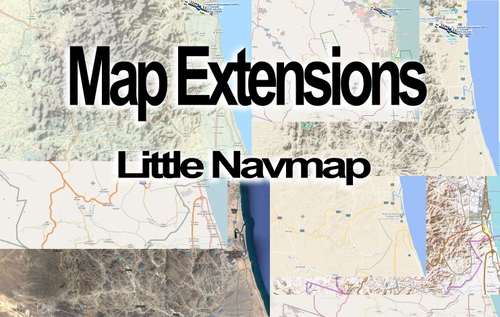
Map extensions for Little Navmap (LNM)
Enhance your flight planning experience with worldwide Latin letter naming map extensions for Little Navmap (LNM). Explore OSM OpenStreetMaps in English, German, and French, as well as Thunderforest outdoor maps for global flight navigation. Download and install additional maps to view readable Latin letters for towns and villages across various regions.
by BWilli

Lahn Valley - River bushtrip (DE,EN,ES,FR,IT,PL,PT,RU)
Embark on a scenic bush trip along the Lahn Valley from Wetzlar to Koblenz, available in multiple languages and compatible with two aircraft models. Enjoy a curvy flight following the Lahn river, with the opportunity for daring landings and exploration below 800 feet. Discover picturesque views and experience a taste of Germany in this immersive add-on.
by BWilli
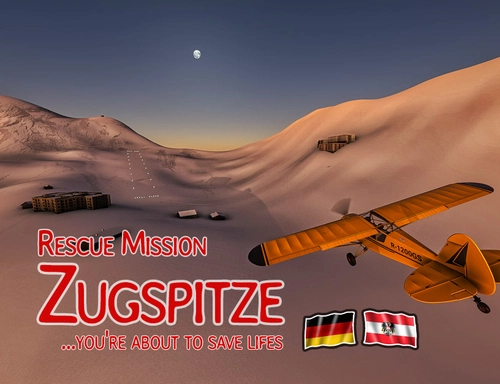
Zugspitze - Rescue mission (DE,EN)
Embark on a thrilling rescue mission to Germanys highest mountain, the Zugspitze, in this MSFS addon. Play the role of a daring pilot flying the Zlin Aviation Savage Cub to save stranded individuals in treacherous conditions. Experience a real stopover on the Schneeferner glacier and navigate through challenging weather obstacles. Are you ready for the ultimate aviation challenge?
by BWilli
Log in to join the discussion
Log InComments(18)
over 4 years ago
Ty!
almost 6 years ago
almost 6 years ago
Well afaik a Stuttgart [EDDS] is technically existing in MSFS but....just as a more or less lousy field where you can land (as you have probably noticed). So afaik from a technical perspective it'll work.
However if you still think I should highlight the recommendation even more especially for EDDS, please let me know.
Cheers Dirk
almost 6 years ago
almost 6 years ago
almost 6 years ago
some of the descriptions could be a little bit shorter (less information) :-)
almost 6 years ago
--------The selected models ------------------
It's somehow a toipic with the models (you never can fullfill every users wishes ;-) which one to select since there are always boundaries.
First depending on the software you paid for Standard, Deluxe, Deluxe Premium.
So as developer you are always on the safe side if you choose just one out of the standard (which is i.e. the Asobo XCub). I tried to establish two but they only differ by the pre-selected plane but both need to have the complete installation material for convenience. So. unfortunately it's not foreseen by the MSFS developers to select your own model for the bushtrip.
Unfortunately I miss that, too....but....I found a interim solution and here's how to solve it ;-)
Since most of the data are available by a texteditor - If you like to go for another plane (this works even with the official files) you can use this instructions (for sure own risk). Open the corresponding bushtrip folder somewhere in there, in the sub you'll find one file called *.FLT .Normally it's named like "bushtripname.FLT".
For safety reasons make a backup and name it i.e. like xxxx.flt.backup or similar.
After that open the *.FLT file with a good editor (I recommend Notepad++.)
First: Search for a group called: [Sim.0] or similar.
Beyond this group you'll find the defined plane:
i.e. Sim=Cessna 152 Asobo
If you replace now the name "Cessna 152 Assobo" then you fly this bushtrip with any other plane - For sure at your own risk - Since you never know if the trip is designed for this plane but as long as you remain close to the origin, I think it'll work. So, don't change a Cessna by a A320 ;-)
After replacement save it and restart MSFS.
(For sure the mission should be in the community folder. This works as well with the official bushtrip. You have to search for the same FLT file.
But in both cases I highly recommend to do a file copy before you change.
And last but not least. the replaced flight model name must fit to the internal software name and this often differs to the public name.
i.e. Here's a list for some model names.
When you replace the Cessna by the Mudry you have to do it like this:
Sim=Cessna 152 Asobo -> Sim=Mudry Cap 10 C
almost 6 years ago
Asobo XCub
Beechcraft King Air 350i Asobo
Bonanza G36 Asobo
Cessna 152 Asobo
Cessna 208B Grand Caravan EX
Cessna CJ4 Citation Asobo
Cessna Skyhawk G1000 Asobo
DA40-NG Asobo
DA62 Asobo
DR400 Asobo
Extra 330 Asobo
FlightDesignCT Asobo
Icon A5 Asobo
Mudry Cap 10 C
Pitts Asobo
TBM 930 Asobo
VL3 Asobo
Have fun. And by the way I'm already thinking about a small software where everybody is able to switch some parameters (i.e. like switching the flight model mentioned above) before he starts flying the bush- or landing trips.
So this will offer additional benefit for these trips. Only thing is I have to reactivate my programming talents which are rather not used for a long time :-(
almost 6 years ago
Yes, I know they are sometimes "long" but...since there are not really necessary informations for the flight. Compass data are available anyway.
So I wrote a little bit more what you can see and what will be there. I enjoy it getting some more infos about the surrounding I fly and not just turn left or right.
But, you need not to read it, if you don't want. And finally, it was my first bushmissiontrip trial. It was really lot of work even though you do not really see it, especially with trial and error and learning the how to, using these great community tools bushmissiongen and flightinjector even though you do not really see it.
Cheers , BWilli
almost 6 years ago
almost 6 years ago
It's nice what all is possible in the new sim.
almost 6 years ago
almost 6 years ago
Endlich einer der sich mal wieder meiner Heimat annimmt :-))
almost 6 years ago
almost 6 years ago
almost 6 years ago
almost 6 years ago
almost 6 years ago
-------------------------------
Yes and no: The picture is taken with ultra settings from the so far existing MSFS2020 software - So no additional sceneries etc. so far.