

Description
READ BEFORE YOU DOWNLOAD:
WARNING: This is not a standalone package!!! Both HPG H145 BASE and Expansion packs are needed!!!!
WARNING!!!! This mission pack requires H145 build 479 or above. Download it from the Hype Discord channel (link provided below).
NOTE THAT OpenStreetMap (OSM) services are almost inoperative. OSM is used by the mission to retrieve locations for almost any aspect of the mission itself. With the 4 services not operational, only custom missions (maybe not all) will be the only FREE solution.
Cicers is now offering a new OSM server which solves the location issue. The subscription is not free, and with limited slots, but the fee is needed to compensate the expenses. Stuck vehicle fix is also included. Here the link:
Discord | #⁉️-cicers-osm-guide | Random & Everywhere
YOU MAY STILL USE THE MISSION WITH NO OSM SERVERS. USE CUSTOM MISSION AND ENABLE THE "SKIP QUERY" OPTION. SOME LIMITATIONS WILL APPLY.
IF YOU HAVE EXTERNAL SOUNDPACKS, YOU MAY LOSE MISSION AUDIO. IF YOU HAVE MGONZALEZ SOUNDPACK, DOWNLOAD THE MODIFIED XML FROM HERE, SECONDARY FILE.
Go to• Discord | #🚁│h145_discussion | HYPE
If you need invitation, go tohttps://www.hypeperformancegroup.com/and click DISCORD (on top of the page).
-----------------------------------------------------------------------
MISSION IS FULLY COMPATIBLE WITH MSFS2020 AND MSFS2024. LIMITATIONS MAY APPLY FOR DEPENDENCIES COMPATIBILITY (MISSING TEXTURES, LIGHTS, EFFECTS). THEY ARE NOT RELATED TO THE MISSION ITSELF AND ACTUALLY NO ONE REPORTED ISSUES.
CAUTION: This mission is still under development, some functions may be disabled or may not be fully operative. Feedbacks are kindly welcome! MISSION WILL AUTOMATICALLY ALERT IN CASE REQUIRED PACKAGES ARE NOT INSTALLED.
-----------------------------------------------------------------------
Download and Installation:
1- Obtain the Hye Performance Group Base and Action pack, and check you have a build number higher than the one posted in the warning above. If not, access to HYPE discord channel (links posted above) and download the latest build.
2- Download the HPG Airbus H145 Action pack: HEMS Random and Anywhere mission pack from here (Flightsim.to).
3- Copy and paste the "hpg-airbus-h145-z-andrew-mission-pack" folder (and its content) into your original Microsoft Flight Simulator community folder. (Avoid using external linking tools.) (NOTE: flightsim.to may modify the zip name, before you copy the file in community, remove old versions first).
4- Start Hype Operation Center and click on "update mission index".
5- The mission will be available on the tablet under "RANDOM AND EVERYWHERE" folder. YOU NEED TO USE H145 HEMS variant otherwise it will not appear.
6- For "beta" updates: https://discord.gg/dy8nAEuE3M
You will find the invitation to R&E discord directly in the mission, in the description page.
---------------------------------------------------------------------------
Required and Recommended Packages:
Required: (Numbers show correct installation order. The most important thing, is to install number 8 at last. Optional items may be skipped if not needed by you)
1) Batteroulio french emergency vehicles FR (2.0) https://flightsim.to/file/42450/pack-vehicules-et-personnages-franais
2) 30West HEMS-objects (1.3): https://it.flightsim.to/file/69699/hems-objects
8) 68ponyGT HEMS objects (1.1): https://flightsim.to/file/47913/h145-action-pack-hems-objects
Optional: (Numbers show correct installation order. The most important thing, is to install number 8 at last. Optional items may be skipped if not needed by you)
68ponyGT US,UK,DE, NL,IT emergency vehicles:
5) USA https://flightsim.to/file/41995/h145-action-pack-vehicles-us
7) UK https://flightsim.to/file/42197/h145-action-pack-vehicles-uk
3) DE https://flightsim.to/file/42133/h145-action-pack-vehicles-de
6) NL https://flightsim.to/file/45600/h145-action-pack-vehicles-nl
4) IT https://flightsim.to/file/47085/h145-action-pack-vehicles-it
OTHERS:
Offshore package: (to be installed, in case, before 8 ) https://flightsim.to/file/43408/h145-action-pack-offshore-objects
The above packages are used to enhance the fire and smoke effects, crash sites by adding national rescue vehicle variants (where applicable) and will include an airplane and helicopter used by the relative scenes.
INSTALLATION NOTE: In order to avoid possible installation error due to overwriting errors, if you install 68PonyGT national vehicles, make sure you install HEMS objects as last package (and allows it to overwrite already installed files).
I highly recomend also:
Mamu82 great addons available here https://mamudesign.eu/
- Project Lifts, Europe
- Power lines and solar farms
Those 2 packages are not strictly necessary, however there are scenes placed in areas covered by both addons and they enhance a lot the experience.
VOICEPACKS: The following voice packs are available for improvement or translation. The following VPs may be selected and activated in game, if they are already installed.
HEMS Random and Anywhere Realistic German Voice PACK ADD-ON (HPG H145)
---------------------------------------------------------------------------
About this mission:
This mission pack delivers a randomized Helicopter Emergency Medical Service (HEMS) mission generator and grants you the flexibility to choose mission and destination locations anywhere in the world.
Core Dispatch & Communication:
- Realistic HEMS Dispatch Simulation: Simulates a complete HEMS dispatching system involving a ground station (dispatcher), rescue vehicles, and the helicopter.
- Radio Communication: All mission information is shared via radio. Ensure the CARLS radio is ON and Connected. Once connected, the dispatcher and rescue vehicles send information messages, viewable on the DMAP (STUS soft key > Messages). Interact with the dispatcher using numerical codes (1-7) available on the CARLS keyboard, DMAP STUS, or the tablet.
- Mission Status Reporting: Choose between automatic or manual reporting of your mission status to the dispatcher.
- Full Audio Assistance: Benefit from comprehensive audio assistance from both onboard and ground crew.
- Includes voice callouts and warnings during flight, with a detailed report on flight mistakes made by the ground crew.
- Customization: Personalize your experience with custom voice packs and ring tones for dispatch notifications.
Mission Generation & Loading:
Flexible Mission Loading:
- From tablet map, by selecting a POI: Load a mission instantly by clicking a Helipad, Hospital, or Airport POI on the tablet map. This method offers an optional teleport to the chosen location.
- Missions can be also loaded via the Mission & map tablet app. This mode gives full flexibility in terms of customization.
- Randomized Accident Scenes: Generate realistic, randomized accident scenes in coherent locations (over 60 different scenes with varying objects, people, and effects).
- Custom Locations: Perform rescues (single injured or full accident) at any custom position you choose on the map.
- Custom missions may be prepared on external script and shared with others allowing users to share custom missions.
- Dispatch Preview: Receive random dispatches and visually check the accident location on the map before accepting. In case of SAR missions, a ring shows the defined search area.
- Scene Variety (Examples): Includes car, motorbike, and bicycle accidents; various job accidents (forklift, quarry); air emergencies (helicopter/aircraft landing); mountain rescue; and residential accidents (apartment, hotel, school, etc.). Accidents are categorized to simplify browsing/selection.
- Every mission or mission category can be enabled or disabled via the menu, excluding/including them in the random selection.
Crew & Vehicle Logistics
- Crew Boarding: Automatic boarding of the flight crew from a nearby building. The crew may approach by walking or by car. Same happens for deboarding at mission end.
- Crew Configuration: Select the number of crew members for the mission (3, 4, or 5), which affects relative limitations and animations.
- Automatically load crew configurations from compatible liveries.
- Ground Crew & Rescue Vehicles: Randomized or user selectable rescue vehicles (Ambulance, Police, Firefighters) presence at the scene. Vehicles will drive to the scene by following roads. Each vehicle has a specific function (patient transport, scene security, etc.) and their presence or absence may have impacts on operations.
- Simulated random vehicle queues due to traffic jams.
- Vehicle Customization: Rescue vehicles are customized automatically based on location (e.g., UK, FR, USA, IT, etc.) if the related custom packages are installed. User may force the desired nationality.
- Flight/Engine Checks: Includes pre-flight check and engine start assistance, managed via the prime pumps sequence.
Rescue Operations:
- Different operation options based on rescue area: User may chose ground operations (landing); hoist operations; skid landing operations.
- Manual Landing Spot Marking: Mark a customized landing/hoisting spot on the map, different from the auto-assigned one. This allows user to have precise guidance in case of hoist operations,, as well marshalling/lights in case of ground operations (require rescue vehicles already on scene).
- Realistic Hoist Simulation: Receive realistic information from the rear crew via text and audio during hoisting. Hoist load limits, with the possibility of failure or loss if the patient is kept outside.
- For 4 or 5-crew configurations, you can hoist two operators onto the scene. With 3 crew you can now use hoist (one operator only)
- Includes options to pick up and drop off heli rescuers for mountain missions.
- Includes options to meet an ambulance in case the scene is too far.
- Includes options to drop the patient to an ambulance if needed.
- Ground Crew Movement: Improved crew movement on the ground following fictional waypoints to avoid, as much as possible, obstacles.
- Police, Firefighter, Hospital/Ambulance crews may interact to help the helicopter crew. Police may transport the crew to the scene, and back to the helicopter, Ambulance may transport the patient, the patient and our doctor, our crew and patient, to the hospital or to the helicopter.
Medical & Patient Management:
- Crew makes triage checks on multiple injured patients, with reporting of status using emergency codes.
- Check of patient status (symptoms, diagnosis, life parameters) on the tablet.
- Simulated need of additional wait for critical patient stabilization and CPR.
- Visit Time Settings: Select from 4 different settings for patient visit time: ULTRA FAST (e.g. 1 minute for 3 injured); FAST (e.g., <3 minutes for 3 injured); MEDIUM (e.g.,<5 minutes); REALISTIC (Manually configurable max time per injured).
- Ambulance Handover & Transport: Patients may be loaded directly into an ambulance based on injury status or number. For single injured, the doctor may accompany the patient in the ambulance to the hospital.
- Transport or relocate patients or do urgent organ transportation missions.
Destination & Post-Mission
- Destination Selection: Select your destination directly on the map or use the legacy list mode. The system will always propose a destination.
- Crew presence at destination: The presence, at destination, of medical crew/ambulance is automatically determined (ambulance for non-hospital destinations, hospital crew for hospitals).
- Unloading: Perform patient unloading at a selectable hospital helipad or any user-defined spot.
- Custom Waypoints: Create custom ground paths (up to 4 per location) for the crew to follow at your preferred hangar (from hangar to helicopter) and hospital (from helicopter to hospital door).
- Return to Base: At mission completion, decide if return to base (either at the starting point or a location chosen from the map), end the mission or immediately receive a new dispatch. While you are returning to base, possible dispatches may be randomly received. Block dispatches, like in real life, by declaring the helicopter unavailable to the dispatcher.
System & Customization
- Intuitive New Menu System allowing you to:
- have all mission information (code, description, patient status, etc.) always available.
- Customize most mission parameters before or during the mission (tons of settings are available, settings are grouped in different areas to simplify user interaction).
- Custom Mission menu allows to select single missions to be performed, or to select/deselect missions from the random engine. The menu also allows to start the mission to a custom location, either selected on map or by entering coordinates.
- Automatic Payload Adjustment: Payload weight is automatically adjusted based on crew/patient boarding/deboarding, affecting both the flight model and MFD values.
- Random Failures: Experience unexpected random system failures.
- Key Bindings: Use PRIMARY ACTION/SECONDARY ACTION key bindings to virtually click tablet buttons for common tasks like starting Hoisting, skipping boarding, or managing the hoist.
This mission is still under development, please help me improving with feedbacks. Do you have a question? A request? A problem? Feel free to comment! PS: A user manual will be provided as soon as the functions will stabilize.
More scenes and functions will be provided almost at every update!
NEW FUNCTION: Some settings are saved in your PC. If you need to reset settings to the default, delete the “global.json” and “table_Andrews_accidents.json” files contained in: …\Microsoft.FlightSimulator_8wekyb3d8bbwe\LocalState\packages\hpg-airbus-h145-ap\work
A RESET of the settings is also provided in the mission itself (SETTINGS)
Few settings (less important ones) can be modified via file editing:
1) Open the everywhere_all.json file with notepad (or notepad++) or with HOC Mission Editor ( -> Start Developing->Open) (HOC is the preferred way);
2) The custom settings are all enclosed in the top of the mission file. In the area I marked in red in the above screenshots you need to set the value (green circle in the red box) to 1 if you want to allow the mission to read all the other settings in green, if it is 0, the settings in the green circles are not read.
3) Modify all the values you want within the available ranges, I marked them with green circles.
4) Change the title (top line) if you want to have a different name for your custom mission
5) Save the file (if you want with a different name);
6) Update mission index to update the settings to the tablet.
Dependencies
Frequently Asked Questions
HPG Airbus H145 Action pack: HEMS Random and Anywhere mission
NOW WITH AUDIO!!!! The package contains an "all in one" HEMS random mission generator and an "everywhere" mission all in one. The mission allows: To perform rescue of a single injured created on the helicopter position, and, to unload it in front of the helicopter (Everywhere missions, designed for Neofly or HERO missions); To perform randomized automatic accident scenes generation on randomic and coherent locations (based on accident type); To perform hoist or ground loading operations; To perform unloading on selectable hospital helipad or whenever the user decides
Contributors
Supporters





User Reviews
88 reviews
Version History
0.997 - Changelog (from 0.996) OSM FIXES: NOTE THAT MISSION TRIED TO REDUCE THE OSM WORKLOAD, HOWEVER, SERVER ISSUES ARE STILL THERE. MISSION STILL REQUIRES OSM FOR MOST OF SCENE CALCULATIONS. USE EITHER CICERS OSM (You need to obtain an API KEY), OR CUSTOM MISSIONS. - Fixed train query for missing min/max range and replaced closest results with random results (Thanks to Daikan) - Fixed duplicated location pre-generator macro call in custom mission generation (Thanks to Daikan) - Modified most of the OSM queries from closest to random (few differences are present from Daikan version) - Restored Daikan logic in detached query - Modified hospital building queries to not spam on server at big distances. - Reworked a query for parking to avoid spamming the OSM server - Modified some queries and the query logic to optimize/reduce OSM workload FIXES: - Fixed INJURED ONLY button not generating IO mission at custom location. (Thanks ACC). - Modified XML to remove reverberation (Thanks to Daikan) - Modified rescue vehicles presence logic (no effect on final user) - Modified "patient transport by ambulance to the helicopter" slider to lower the minimum distance to 100m instead of 200 - Reviewing the hoist logics adding the following capabilities: - - Customizable speed (slider in options) - - Automatic slow down when either close to ground or upper/lower stop - - Delay in crew connection/disconnection - - Lock of crew connection/disconnection if cable is not fully down - - Protections if helicopter moves - - possible operator kills if helicopter moves too much (NOT YET) - - Added target icon for hoisting up HR. new hoist logic requires that you stay 20m from the crew after he reached the pick up point (where you established stable hover). if you leave hover from that point, you have to reach it again. Icon will help you. Icon was not present for HR HOIST IS STILL WIP, actually only crew hoisting down/up to/from scene is implemented. Helirescuer boarding/operations are now supported. NOTE: 2 helirescuer operation (hoist with 3 crew) should work. - 1 helirescuer operation (hoist with 3 crew) should also work now. - Fixed possible errors during mixed hoist/ground operation in a particular condition (landing far from scene). (TBT) - Fixed police/ambulance loading range circle appearing in SAR operation before the injured is spotted (TBT) - Renamed some query macros to match the search type - - - - Fixed mission lock with 1 HR hoisted down (no medic at destination) (part of HR modification) - - - - Fixed HR appearing outside the helicopter without offboarding from helicopter during ground ops (3 crew) - Fixed "we are approaching to the landing site" played after picking up the helirescuer after the helicopter overflown the accident site. - Fixed a couple of HR animations - Fixed an animation, with 3 crew, where copilot was walking through the helicopter when deboarding on scene in ground ops. - Fixed multiplayer mission filling restoring old injection mode - Fixed multiplayer position injection to be 0,0 if "rescue_location" is master location (apartment and similar scenes) - Fixed an error with nationality autoselection - Fixed a bug which shows helirescuers location message if a custom landing spot is set before engines start. - Fixed destination menu not appearing with patient pick from ambulance at mid way. - Fixed a bug preventing to save crew configuration from CREW SELECTION in settings menu (was working only from briefing). - Fixed crew member for midway operation appearing with headsets and no helmet (copilot with 3 members selected) - Fixed error "point_object":"waving_man"... that may appear in rare occasions - Optimized accident location generation for custom mission at custom location fixing the lack of nationality display. - Increased LVAR output for custom apps - Improved waypoints and animations for mid way operations - Fixed a problem with german voice pack set as not present if ITA pack not installed - Fixed some fallback logics to avoid rescue vehicles missplacements. - Corrected some bugs for airport vehicles not matching the nationality. - Reworked the big airplane scenes to remove the default asobo fire engine truck which has been removed by Asobo, resulting in US truck. - Fixed "cabin secured, ready to fly" voice played while the operator is still on ground, during hoisting operation - Fixed incorrect hotel logic which was resulting either in no accident location or aircraft location or previous location in few particular cases (mission 26, variant 1). The correction increases the possibility of hotel accidents - Fixed a issue with hospital naming when selected from map - Modified messages (previously from doctor, now from ambulance crew) and added rescue track message when ambulance arrives and assess the patients. Now, if ambulance arrives late, the message will be different, considering the rescued person. - Fixed mission lock during patient transportation to the hospital while helirescuer is onboard - Fixed double "hoist boom is retracted, you're free to leave hover" after helirescuer is boarded - Fixed suicide helirescuer jumping midair during skid landing with helirescuer - Added an IF (if object has been created then...) when destroying the injured object. This condition should prevent the triggering of errors on object destroy if the object failed to create/has been destroyed already (users reported sporadic cases of this error) - Fixed sex info in some messages for second and third patients, incorrectly displayed. UI NEW FEATURES: - Added a "GROUND/HOIST OPTIONS" area in the settings page, moved some "most used" options to this section. - Reworked the START SEL MISSION @ CUSTOM LOCATION button, now it will be grey when no custom location is set, green after a location is selected. - As soon as a custom mission location is selected, the custom location menu automatically collapses and shows only the start buttons, and the skip query button. - Added tablet map type selection in MAP OPTIONS in settings menu. By default topograph is selected. - Added CHANGE LOCATION button for missions where midway option is provided. - Added some protections to the CHANGE LOCATION button preventing the change of the destination if ambulance is already close to the destination (possible mission lock in that case). - Reduced "NEXT DISPATCH" cool time to 10 secs for CICERS OSM - Added new disclaimer for OSM issues - Added links in the disclaimer, Briefing and Settings for CICERS OSM web page - Added coordinates and distance to proposed dispatch - Added CICERS OSM automatic selection if a key is found, CICERS OSM is also automatically deselected if keys are expired at mission start up - Added dynamic messages for CICERS OSM including validity of keys, expiration advice 12h before the expiration, Welcome with username. - Added CICERS OSM info in the homepage, techpage, briefing, debug pages - Added version + dev version display in all pages where version is displayed - Added automatic check for mission updates (requires CICERS OSM key, valid or expired) - Corrected Welcome screen text and links - Introduced dynamic links from cicers OSM with fallback fixed links - Added up to 5 custom hospitals user may insert and save directly on tablet. The saved hospitals can be automatically selected by the mission checking the distances, or, can be manually selected by the user. - Added 5 presets plus a default preset for random missions. User may decide to use one of the 5+1 presets, the customization allows to disable or enable single or multiple missions for each preset. Then change the preset to switch from one to another without needing to edit the preset anymore. NEW FUNCTIONS - Added a repetition for "please set hoist on" before hoisting, the voice will be triggered every 30-60 seconds if user doesn't set the hoist on. Avoiding the user to forget it. - Added a logic to reduce/randomize copilot conglaturation at landing. (Limit is 2 time per session, but counter is randomized to be between 0 and 3. It will either play twice per session or once, or never. - Added a delay for VNE announcement, if VNE is cleared before the random time (randomly within 0.5 and 5 secs) it will not be announced. - Adjusted timings after HOIST switch is set to ON and added "human" delays to actions after hoist is on. - Added a cool time for "NEXT DISPATCH" to avoid to overload OSM - Added a "AUTO TOGGLE" option for OSM service which changes the OSM service in use at every search. This should split traffic between 2 services reducing the load on one of them. - Added information about current OSM service on dispatch page. Service will stay on the display until a loation is found - Added a new first start page, in addition to the old one, with OSM issue info and tips - Added new message and buttons on dispatch page which appear either if a query fails, or, in case the query is slow/hangs for more than 45 secs. - Added OSM donation link to both first start pages - Added 1 custom hangar (Bern) - Added rescue pack to the scene, the pack will be spawn when lifescore is low (less than 60%) Rescue pack requires rotor ops from fs.to. Download of the pack is optional. - Added smoke from 30West (accident smoke only actually, orange smoke will come). Mission will recognize if the new pack is installed or not, using old or new effects accordingly. - Added the possibility for multiplayer to use old or new LVARs codes. - Disabled traffic and rescue waypoints generation if OSM queries are skipped in Multiplayer, this should avoid errors. - Applied multiplayer SKIP QUERY logic also to custom mission, added an option in the CUSTOM MISSION menu to skip or not the query (WIP, I have to check the possibility to save the setting or not) The query is skipped only if mission is started at custom location from the custom menu. - Added a skip logic for nation identification for accident site and hospital if queries are skipped. - Reduced the country OSM requests. They are made (if not skipped), only once for H/C starting point, for accident site, for hospital. Previously the request was repeated a bit more. - Added vehicle nationality selection in custom mission menu if queries are skipped (not displayed otherwise as it is in the settings) - Disabled crashed car query if queries are skipped in RTC custom missions. - Added support for Kekkeruuu new OSM service. Note that you need modified JSON and subscription to use it. - Added CICERS OSM (Kekkeruuu new OSM server) to AUTO TOGGLE function - Added Italy, Netherlands, Poland national names to the known nations, new OSM server may give national names in english and not in national language as Overpass/Kumi. - Increased the maximum query attempts for Daikan "Query random nodes with sampling" to 15. The last 5 will have range multiplied by 3 each attempt. In this way it should increase results in areas with few or almost no result while still working and saving data in dense areas. - Added automatic midway location selection if queries are skipped - Added support for Italian voicepack, available on fs.to - Reworked custom mission script to give much more features. New features include: A) Spawn of up to 15 custom objects in the scene; B) re-placement of smoke/fire in a custom position; C) Possibility to create a full custom mission by editing all the parameters of the "ID CARD" (i.e. presence of public, fire, emergency vehicles, the scene type, if SAR... - Added an "empty" scene macro to avoid overusing the climber macro which can spawn unwanted objects in custom mission scripts. - Modified some rescue vehicles logics to avoid overlapping - Modified Fire Engine, Ambulance and Police station query to find closest locations to the accident site. This should result in closer rescue vehicles intervention. - Added the possibility to automatically select the preset (1 to 5) if the livery has the necessary PRESET field in the livery.json.
Related
Mikea.at - AssetPack
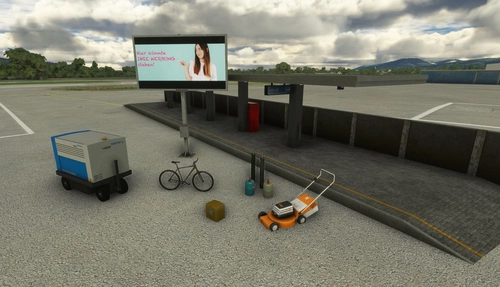
Discover Mikea.at - AssetPack, a collection of assets for enhancing your scenery projects in Microsoft Flight Simulator. This pack includes a variety of objects like gliders, signs, vehicles, and more, all available for easy access in your community folder. Keep an eye out for regular updates and additions to this growing pack of detailed assets.
by Mikea.at
MSFS 2020 object library 200+ models - towers hangars to cones v14-11 UPDATE
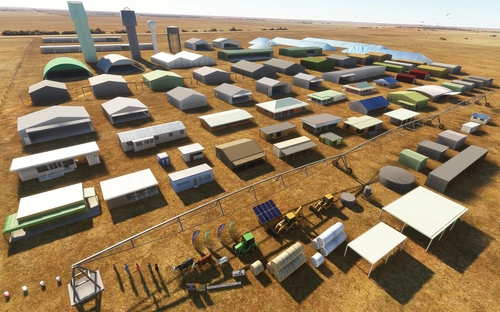
Object library with a variety of useful objects designed to be frame rate friendly using LOD (level of detail) so simple models used in longer distances. Smaller objects will not disappear in short distance due to the addition of large triangles underground. Objects are high quality using PBR textures and with some animated.
by colinj
Emerald Object Library
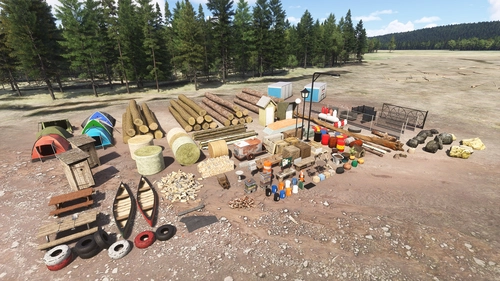
A library for Emerald Scenery Design addons and freeware developers containing over 400 Models, Environmentally-Dynamic SimObjects, Visual Effects, Wwise Sounds, and Materials. Emerald Object Library is now available on the MSFS Marketplace for PC and Xbox!
by Emerald Scenery Design
Animated Human 3D Models Library
A library of nearly 300 animated human models and animals for Microsoft Flight Simulator, offering a variety of actions and colors. Models include civilians, business people, airport staff, animals, and more. Includes SDK object search guidelines and a separate section for developers with tutorials on creating custom content. Version 1.3 update brings new models and props like cyclists, wheelchair users, and livestock for enhanced realism.
by superspud
Log in to join the discussion
Log InComments(525)
3 days ago
about 4 hours ago
4 days ago
Aber seit 2-3 Wochen kann ich das nicht mehr, weil keine Einsatzdaten vom OSM generiert werden können. Von keinem der angebotenen Server.
Alle Links zu CICERS gehen ebenfalls nicht.
Somit ist das Ganze gerade unspielbar :(
gibt es eine andere Option, um Einsätze zu generieren ?
about 4 hours ago
4 days ago
This comment has been deleted
5 days ago
5 days ago
about 4 hours ago
10 days ago
Thank you for this brilliant mission generator, which makes flights so much more exciting.
about 4 hours ago
13 days ago
I'm reaching out because I'm experiencing an error that I haven't been able to resolve.
Whenever I start a random mission, an error occurs regarding the destination.
I've attached several screenshots that may help you identify and understand the issue.
Thank you in advance for your help and support.
11 days ago
11 days ago
22 days ago
19 days ago
27 days ago
Le lien pour joindre le discord ou on peux ce procurer le nouveau osm ne fonctionne plus..
mercii par avance
26 days ago
28 days ago
26 days ago
about 1 month ago
This comment has been deleted