

Description
This is a modification to the MSFS 2020 default Asobo Cirrus SR22T aircraft. This mod is primarily aimed at improving the overall flight dynamics of this aircraft, providing a more realistic flying experience that is much closer to the actual aircraft. Multiple changes have been made to the engine and flight model parameters, and the aircraft weight and balance, which are all detailed in the Change Log file included under the Documentation folder. A full PDF copy of the aircraft POH is also included under the Documentation folder.
This mod is easily installed by simply unzipping the download file and copying the mge-asobo-aircraft-sr22 folder to the MSFS Community folder. It will then replace the existing default Asobo Cirrus SR22 aircraft in the MSFS aircraft selection screen, and will also continue to utilize any existing aircraft Liveries. To uninstall the mod and return to using the MSFS default aircraft, simply remove it from the Community folder. This aircraft and mod requires the MSFS Premium Deluxe Edition.
STEERING:
This mod uses Nosewheel Steering by default because MSFS does not currently fully support Free-Castering steering, but it also includes Free-Castering Steering as a future option. To change the steering just open the flight_model.cfg file and modify the following two lines under the [CONTACT POINTS] section of the file. Just remove the semicolon from the current point.0 line, and add it to the other one...
Use this setting for Nosewheel Steering...
point.0 = 1, 6.1, 0.0, -4.1, 750, 0, 0.523, 30, 0.15, 1.9, 0.794, 0, 0, 0, 165, 165, 2 ;Nosewheel steering
;point.0 = 1, 6.1, 0.0, -4.1, 750, 0, 0.523, 180, 0.15, 1.9, 0.794, 0, 0, 0, 165, 165, 2 ;Free castering nosewheel
Use this setting for Free-Castering Steering....
;point.0 = 1, 6.1, 0.0, -4.1, 750, 0, 0.523, 30, 0.15, 1.9, 0.794, 0, 0, 0, 165, 165, 2 ;Nosewheel steering
point.0 = 1, 6.1, 0.0, -4.1, 750, 0, 0.523, 180, 0.15, 1.9, 0.794, 0, 0, 0, 165, 165, 2 ;Free castering nosewheel
To improve the realism and performance of your Toe Brake Pedals, I highly recommend changing the SENSITIVITY settings on the CONTROLS OPTIONS screen to the following...
⦁ Set "SENSITIVITY -" to 33%,
⦁ Set "SENSITIVITY +" to -33%,
⦁ Set "DEAD ZONE" to 0%,
⦁ Set "NEUTRAL" to 60%,
⦁ Set "EXTREMITY DEAD ZONE" to -1%.
This will make the performance of the brakes much closer to the real-world, where the braking force is applied very gradually at first and then increases as the pedal is pressed further down. This will improve the smoothness and realism of braking for all aircraft in MSFS, and it will also make differential brake steering much easier and more precise.
Microsoft Flight Simulator © Microsoft Corporation. Asobo SR22T Realism Mod has been created under Microsoft's "Game Content Usage Rules" using assets from Microsoft Flight Simulator, and it is not endorsed by or affiliated with Microsoft.
Asobo SR22T Realism Mod
Experience enhanced realism with the Asobo SR22T Realism Mod for MSFS 2020. This mod focuses on improving flight dynamics, engine parameters, and weight balance for a more authentic flying experience. Easily installed by unzipping the download file, this mod replaces the default Asobo Cirrus SR22T aircraft in the simulator. Requires MSFS Premium Deluxe Edition for installation.


User Reviews
35 reviews
Version History
Version 1.5.0 ⦁ A Passenger has been added to the back seat to move the default loaded CG aft and improve the takeoff and landing performance. ⦁ The Aileron Deflection Scaling Table has been tweaked to reduce twitchiness near Neutral. ⦁ The Rudder Deflection Scaling Table has been tweaked to reduce twitchiness near Neutral. ⦁ The Elevator Lift Coefficient has been increased to improve elevator control authority and pitch stability. ⦁ The Rudder Lift Coefficient has been increased to improve rudder control authority and yaw stability. ⦁ The Flaps Induced Drag has been increased to improve takeoff and landing performance and stability. ⦁ The Flaps Lift and Drag have been increased to improve takeoff and landing performance. ⦁ The Flaps are now set to Takeoff (50%) by default for a Runway start.
Related
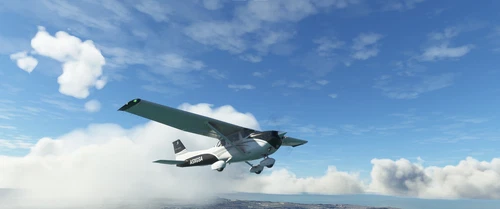
Asobo C172SP AS1000 Realism Mod
Enhance the flight dynamics of the Asobo C172SP AS1000 aircraft with this mod, which also includes the FLOATS and SKIS variant. This modification aims to provide a more realistic flying experience by adjusting engine and flight model parameters, weight, and balance. Detailed documentation and real-world training guides are included for easy installation and compatibility with other mods.
by MGouge425
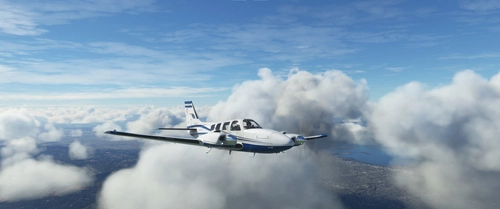
Asobo Baron G58 Realism Mod
Enhance the realism of the Asobo Baron G58 in MSFS 2020 with this mod. Improvements to the flight model provide a more authentic flying experience, closely matching the performance of the actual aircraft. Easily install the mod by copying the folder to the Community folder, and enjoy the detailed changes listed in the documentation. Note: Only compatible with MSFS Deluxe Edition and Premium Deluxe Edition.
by MGouge425
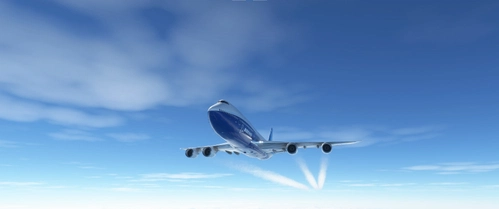
Asobo B747-8i Realism Mod
Enhance your Boeing 747-8i experience with this realism mod for the MSFS 2020 default aircraft. This modification focuses on improving the flight model to closely match the actual aircrafts performance. Detailed changes can be found in the included documentation, addressing bugs like the landing gear failure. Easily installed by transferring files to the Community folder, this mod aims to provide a more authentic flying experience.
by MGouge425
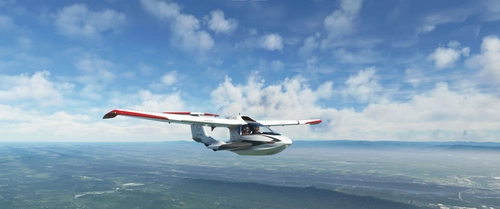
Asobo Icon A5 Realism Mod
Enhance your flying experience with the Asobo Icon A5 Realism Mod for MSFS 2020. This mod focuses on adjusting the flight model and performance of the default Icon A5 to align it more closely with the real aircraft. From improved flight parameters to enhanced weight and balance, this mod offers a more authentic and satisfying flight experience. Easily install this mod to enjoy a more realistic flying experience with the iconic and versatile Asobo Icon A5 aircraft in Microsoft Flight Simulator.
by MGouge425
Log in to join the discussion
Log InComments(203)
9 months ago
about 1 year ago
Thsnk you
over 1 year ago
over 1 year ago
I can not speak for the others, but i had a problem with a 3d party livery that didn't load and after some research i found out that is was made for the old version of the SR22 with's was replaced in the SU14 update with a new version. This new version is a completely new aircraft and because of that, old textures can not be made to work with the new version.
I think it's possible that some of the problems people report are not caused by your mod, but are the result of outdated liveries, that interfere with the proper working the new version of the SR22T.
over 1 year ago
Also, does this expound on top of the default SR22T that's made by Working Title? Or was this originally meant for the Asobo (not Working Title)'s SR22T?
almost 2 years ago
almost 2 years ago
almost 2 years ago
almost 2 years ago
almost 2 years ago
almost 2 years ago
almost 2 years ago
about 2 years ago
about 2 years ago
about 2 years ago
about 2 years ago
about 2 years ago