

Description
This is a modification to the MSFS 2020 default Asobo Boeing 747-8i aircraft and is primarily aimed at improving the aircraft flight model to make its overall performance more closely match the actual aircraft, providing a much closer experience to flying the real aircraft. Multiple changes have been made to the flight model parameters, and the aircraft weight and balance, which are detailed in the Change Log file included under the Documentation folder. This mod also fixes a couple of bugs in this aircraft, including the random landing gear failure bug described in multiple Forum posts.
This mod is easily installed by simply unzipping the download file and copying the mge-asobo-aircraft-b7478i folder to the MSFS Community folder. It will then replace the existing default Boeing 747-8i aircraft in the MSFS aircraft selection screen, and will also continue to utilize all of the existing available Liveries. To uninstall the mod and return to using the MSFS default aircraft, simply remove it from the Community folder.
Microsoft Flight Simulator © Microsoft Corporation. Asobo B747-8i Realism Mod was created under Microsoft's "Game Content Usage Rules" using assets from Microsoft Flight Simulator, and it is not endorsed by or affiliated with Microsoft.
Asobo B747-8i Realism Mod
Enhance your Boeing 747-8i experience with this realism mod for the MSFS 2020 default aircraft. This modification focuses on improving the flight model to closely match the actual aircrafts performance. Detailed changes can be found in the included documentation, addressing bugs like the landing gear failure. Easily installed by transferring files to the Community folder, this mod aims to provide a more authentic flying experience.


User Reviews
25 reviews
Version History
Version 2.8.7 ⦁ The updated Wing Flex parameters recommended by @QANTASFLIGHT have been added to the mod... Many thanks for this excellent enhancement.
Related

Asobo C172SP AS1000 Realism Mod
Enhance the flight dynamics of the Asobo C172SP AS1000 aircraft with this mod, which also includes the FLOATS and SKIS variant. This modification aims to provide a more realistic flying experience by adjusting engine and flight model parameters, weight, and balance. Detailed documentation and real-world training guides are included for easy installation and compatibility with other mods.
by MGouge425
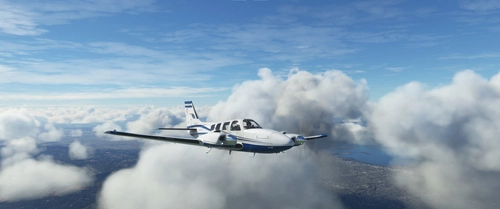
Asobo Baron G58 Realism Mod
Enhance the realism of the Asobo Baron G58 in MSFS 2020 with this mod. Improvements to the flight model provide a more authentic flying experience, closely matching the performance of the actual aircraft. Easily install the mod by copying the folder to the Community folder, and enjoy the detailed changes listed in the documentation. Note: Only compatible with MSFS Deluxe Edition and Premium Deluxe Edition.
by MGouge425

Asobo Icon A5 Realism Mod
Enhance your flying experience with the Asobo Icon A5 Realism Mod for MSFS 2020. This mod focuses on adjusting the flight model and performance of the default Icon A5 to align it more closely with the real aircraft. From improved flight parameters to enhanced weight and balance, this mod offers a more authentic and satisfying flight experience. Easily install this mod to enjoy a more realistic flying experience with the iconic and versatile Asobo Icon A5 aircraft in Microsoft Flight Simulator.
by MGouge425
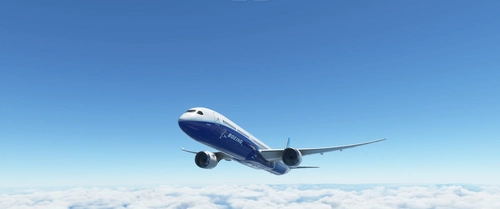
Asobo B787-10 Realism Mod
Enhance the flight model of the default Asobo Boeing 787-10 in MSFS 2020 with this realism mod. Experience improved performance closely aligned with the actual aircraft, featuring a flexible carbon fiber wing, modern fly-by-wire system, and advanced glass cockpit. Enjoy effortless hand flying with additional artificial stability and perfectly coordinated turns. Install easily and explore the unique experience of flying this new generation high-performance aircraft.
by MGouge425
Log in to join the discussion
Log InComments(370)
about 12 hours ago
about 1 month ago
3 months ago
8 months ago
8 months ago
10 months ago
This setting change involves making the spoilers more animated and, in my opinion, more realistic when banking and turning. Rather than me giving a detailed explanation, try out the settings bellow then use your wing views to see what I mean while in a turn. You will see that the combination of the earlier wingflex settings and these spoiler settings really makes the 747-8 wing come to life, especially just after take-off during an initial slow climb while banking and turning with flaps deployed in moderate to heavy turbulence.
Go to - Community\mge-asobo-aircraft-b7478i\SimObjects\Airplanes\Asobo_B747_8i
Open - flight_model with Notepad
Scroll down to - [AIRPLANE_GEOMETRY]
Change the following settings from
aileron_to_spoileron_gain = 3
min_ailerons_for_spoilerons = 10
To these settings
aileron_to_spoileron_gain = 2
min_ailerons_for_spoilerons = 2
Save the file
Again, I have been using these settings forever.
It will not affect the performance or aerodynamics of the aircraft.
Also has no effect on speed break operation.
Cheers! 😊
10 months ago
10 months ago
10 months ago
10 months ago
10 months ago
10 months ago
10 months ago
10 months ago
11 months ago
10 months ago
Open - “flight_model” file with Note Pad
Scroll down to - [FLIGHT_TUNING]
Change the following settings from
wingflex_scalar = 0.5
wingflex_surface_scalar = 0.33
wingflex_offset = 0
To these settings
wingflex_scalar = 1.3
wingflex_surface_scalar = 0.33
wingflex_offset = 0.0425
Save the file
I have been using these settings forever.
This will give you realistic wing flex in the 747-8.
It will not affect the performance or aerodynamics of the aircraft.
I save it this way to keep the original values there albeit deactivated
wingflex_scalar = 1.3 ////0.5
wingflex_surface_scalar = 0.33
wingflex_offset = 0.0425 ////0
Have a nice day! :)
10 months ago
about 1 year ago
about 1 year ago
Another workaround for this bug is to press [CTRL]+[E] immediately after completing the STARTING ENGINES checklist. You can also do this before completing the checklist to autostart all four engines. IRS alignment occurs automatically during the autostart process.