
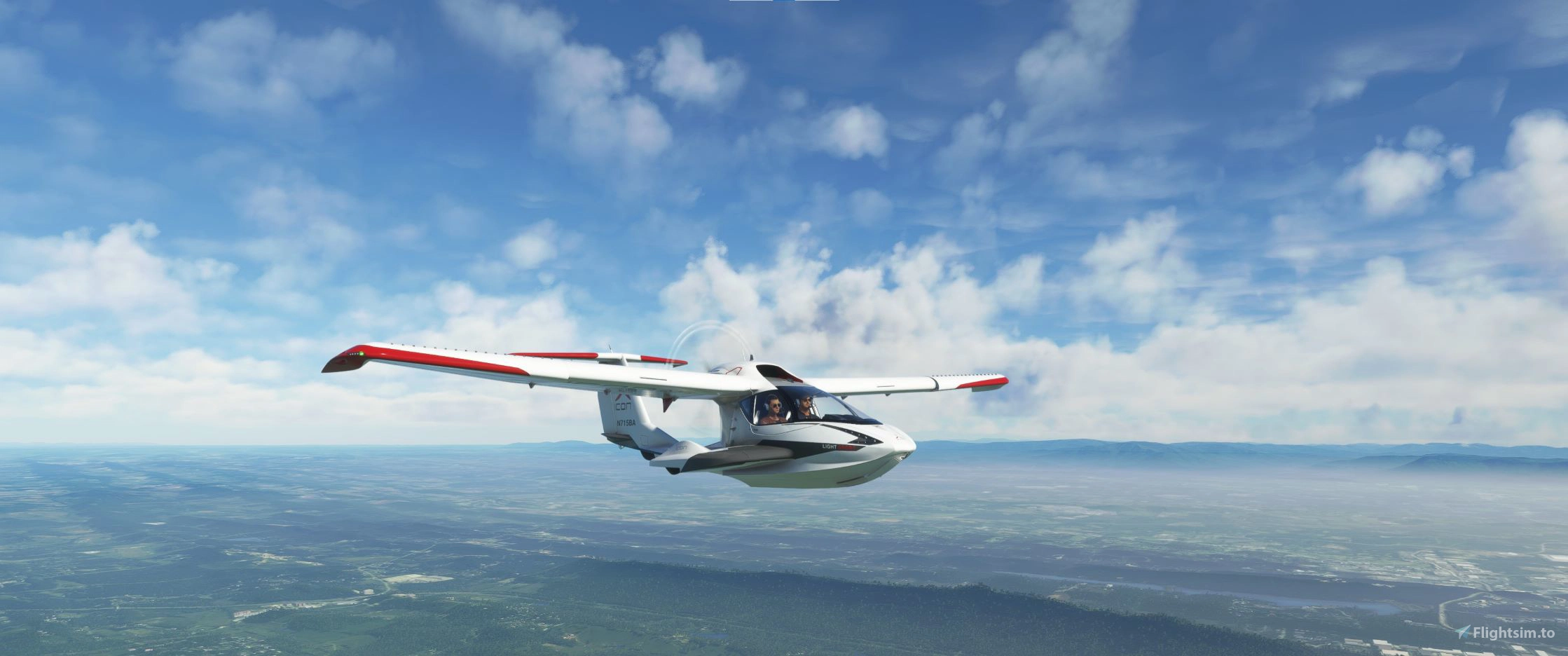
Description
This is a modification to the MSFS 2020 default Asobo Icon A5 aircraft, primarily aimed at making the aircraft flight model and overall performance more closely match the actual aircraft, providing a much closer experience to flying the real aircraft. Multiple changes have been made to the flight model parameters, and to the aircraft weight and balance, which are detailed in the included Change Log and README file. This beautifully modelled, uniquely versatile aircraft is a lot of fun and very easy to fly, and learning to fly it properly utilizing the unique AOA panel gauge can be a highly satisfying experience, and will also make you a much better pilot.
This mod is easily installed by simply unzipping and copying the mge-asobo-aircraft-icon folder to the MSFS Community folder. It will then replace the existing default Icon A5 aircraft in the MSFS aircraft selection screen, and it will also continue to utilize all of the existing available Liveries. To uninstall the mod and return to using the MSFS default aircraft, simply remove it from the Community folder. A detailed description of all of the changes and improvements included in this mod, as well as a full PDF copy of the Icon A5 POH, can be found under the Documentation folder.
Microsoft Flight Simulator © Microsoft Corporation. Asobo Icon A5 Realism Mod was created under Microsoft's "Game Content Usage Rules" using assets from Microsoft Flight Simulator, and it is not endorsed by or affiliated with Microsoft.
Asobo Icon A5 Realism Mod
Enhance your flying experience with the Asobo Icon A5 Realism Mod for MSFS 2020. This mod focuses on adjusting the flight model and performance of the default Icon A5 to align it more closely with the real aircraft. From improved flight parameters to enhanced weight and balance, this mod offers a more authentic and satisfying flight experience. Easily install this mod to enjoy a more realistic flying experience with the iconic and versatile Asobo Icon A5 aircraft in Microsoft Flight Simulator.


User Reviews
16 reviews
Version History
Version 1.9.3 ⦁ As requested by users, the aircraft Manufacturer Name that appears in the aircraft selection screen has been restored to the default. ⦁ The manifest.json file has also been updated to allow the mod to appear correctly in the CONTENT MANAGER list as a COMMUNITY mod with the correct Author Name and currently installed Version number.
Related

Asobo C172SP AS1000 Realism Mod
Enhance the flight dynamics of the Asobo C172SP AS1000 aircraft with this mod, which also includes the FLOATS and SKIS variant. This modification aims to provide a more realistic flying experience by adjusting engine and flight model parameters, weight, and balance. Detailed documentation and real-world training guides are included for easy installation and compatibility with other mods.
by MGouge425

Asobo Baron G58 Realism Mod
Enhance the realism of the Asobo Baron G58 in MSFS 2020 with this mod. Improvements to the flight model provide a more authentic flying experience, closely matching the performance of the actual aircraft. Easily install the mod by copying the folder to the Community folder, and enjoy the detailed changes listed in the documentation. Note: Only compatible with MSFS Deluxe Edition and Premium Deluxe Edition.
by MGouge425

Asobo B747-8i Realism Mod
Enhance your Boeing 747-8i experience with this realism mod for the MSFS 2020 default aircraft. This modification focuses on improving the flight model to closely match the actual aircrafts performance. Detailed changes can be found in the included documentation, addressing bugs like the landing gear failure. Easily installed by transferring files to the Community folder, this mod aims to provide a more authentic flying experience.
by MGouge425

Asobo B787-10 Realism Mod
Enhance the flight model of the default Asobo Boeing 787-10 in MSFS 2020 with this realism mod. Experience improved performance closely aligned with the actual aircraft, featuring a flexible carbon fiber wing, modern fly-by-wire system, and advanced glass cockpit. Enjoy effortless hand flying with additional artificial stability and perfectly coordinated turns. Install easily and explore the unique experience of flying this new generation high-performance aircraft.
by MGouge425
Log in to join the discussion
Log InComments(202)
over 1 year ago
over 1 year ago
2) Verify that the default TRIM setting for a Runway start is T/O.
over 1 year ago
?
over 1 year ago
over 1 year ago
over 1 year ago
over 1 year ago
It s a super A5
But i can t use the screen it s stay off, what is the manip please
over 1 year ago
over 1 year ago
because with my new honeyComb i have a button to turn off/on this screen i've forget it.
So i m very happy with this ICON A5 !!!
Thank You
over 2 years ago
https://flightsim.to/file/74880/westcoastwilly-s-icon-a5-g3x-mod
almost 3 years ago
almost 3 years ago
over 3 years ago
Is this compatable with the HPG Icon A5 Performance Edition? Your mod looks great :)
over 3 years ago
No... This is a modification of the default ICON A5, and it will conflict with any other mod that changes the same default aircraft configuration files.
over 3 years ago
Thanks
over 3 years ago
I don't know what it is, but I had to manually paste the content into the icon folder, since then it's been working...
Maybe an incompatibility with another mod.
if i know more i will let you know.
almost 4 years ago
Do you think you can replace the screen with the G3X touch display?
Or is there a way to use the screen from the icon a5 performance mode with your flight model? Cheers, great mod btw, I really enjoy it, but it would be grea to have the G3X as an option.
almost 4 years ago
Unfortunately, I can't change the 3-D model or panel instruments.