
Description
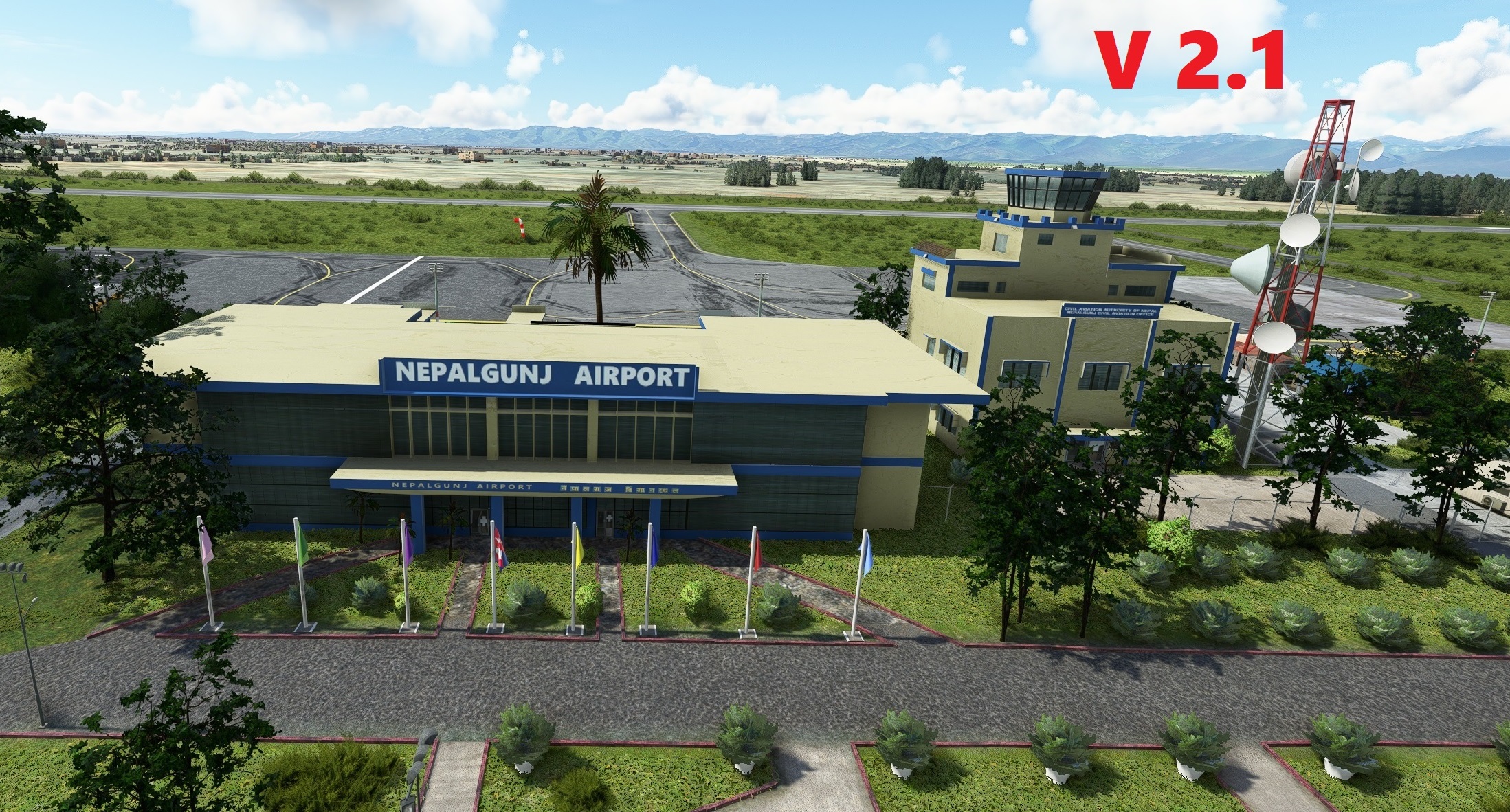
Its here! Nepalgunj Airport, now in Version 2.0! New additional 3D custom objects I created in Blender have been added (see below). Along with a new Corporate hangar, now virtual passengers arriving for your flight will now enjoy a courtyard with an actual parking lot like the real life airport! Feel free to comment below and check out the screenshots with updated version 2 included as well. Thanks to everyone for the amazing download response to my inital release. I hope you enjoy Nepalgunj Airport even more now.
My background and why I created this if you're interested :)
It is my pleasure to introduce as my first scenery, an updated Nepalgunj Airport (VNNG) to MSFS to replace the rather bare and bland default airport (to say the least.lol). I love Nepal flying in MSFS and this is what gave me the motivation and passion in recreating this very special and vital airport. This was my first ever attempt using Blender to re-create all the 3-D custom buildings listed below using reference photos, google earth and youtube. It is my joy to pass on this scenery to everyone in the MSFS community who wants it! I hope you enjoy my scenery as much as I enjoyed creating it. Namaste!
3D Custom Objects (Created in Blender):
V1.0
-Passenger Terminal - ATC Tower - VIP Building - Booths - Departure/Arrival gates & overhangs
V2.0 added:
-Corporate Hanger - Courtyard "Welcome to Nepalgunj" sign - Gazebos - 8 Flags including Nepal's own country flag - Brick curbs
Features:
V2.0
-Added Courtyard with 3d bricks and paths
-Flags, including Nepal's own now proudly fly outside the front entrance to the terminal
-Added Parking lot
-Added Airport Perimeter Fence
-Another Rework of Corporate Ramp
V1.0
-A rework of the entire tarmac, taxiways, ramp areas and parking lines to closely represent what is in real life.
-New Parking spots that represent where Airlines park in real life
-Retexturing of Ramps and taxiways to give a more "lived in feel"
-Added an entire ramp area west of the terminal that was missing from the default airport
-Added missing corporate ramp parking spot
-Corrected an error in MSFS AI, the rivers close to the arrival end of Rwy 8 are not rivers but actual roads.
-Added the missing concrete overrun to Rwy 8
-Changed the trees surrounding the airport (default scenery) to what I precieved as a more accurate depiction
-Custom Night lighting
To Install V2.1 (Main File):
Download the "2.1" below (Main File). Then unzip the folder and place the "embcreations-airport-vnng-nepalgunjv21" folder into your MSFS community folder and enjoy! (Be sure to delete any older version from your community folder if you had one.)
**If you perfer the orginal V2.0 instead, I have left that available to download as well.
Feel free to leave a comment or rating. Thanks :)
If you enjoy this airport be sure to check out my other created ones (Click each one below):
[VNPK] POKHARA AIRPORT - NEPAL
[KMTP] MONTAUK AIRPORT NY - USA
[KMTP] MONTAUK AIRPORT NY- USA (MSFS 2024 EDITION)
[KHOC] HIGHLAND CO. AIRPORT OH - USA
A special thanks to the following Youtubers for the tutorials I used to help with MSFS SDK or Blender. I couldn't have created this scenery without your videos:
- Patriot Six - MyPhysicalWorld - Flying Theston - Federico Pinotti - RoBuilder - BlenderGuru - The CG Essentials -Blender Rookie
Location
VNNG - Nepalgunj Airport v2.1
Nepalgunj Airport may not be as well known as its bigger sibling airport in Kathmandu but just as vital to Nepal's Air transportation. Nepalgunj Airport has been essential in connecting passengers to some of the most remote airports in Nepal since 1961.

Supporters

User Reviews
10 reviews
Version History
**Yellow Star designation in World Map added 8/25/23 - redownload the file if you would like to update** -Thinner taxiway/ramp lines and markings. (No other changes were made from V2.0) I discovered that these thin lines existed in the MSFS SDK after I published V2.0. I believe the thinner lines provide a more accurate depiction for the airport. I would have had these in the original release had I had known earlier, my mistake :)
Related
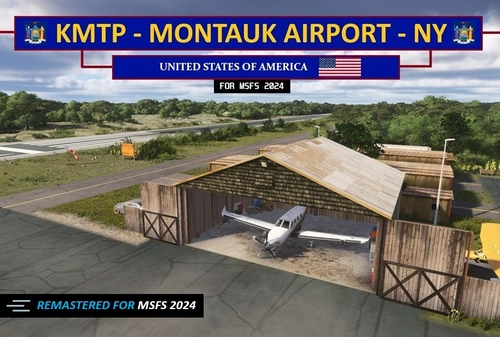
KMTP - Montauk Airport - NY (MSFS 2024 edition) V1.4
A remastered MSFS 2024 version of the MSFS 2020 KMTP airport. Features include everything from the 2020 version plus 3d rocks, new large diversity of plants and trees, 3d weeds in the marshlands, textures etc. Taking full advantage of all the enhancements MSFS 24' brings.
by EMBcreations
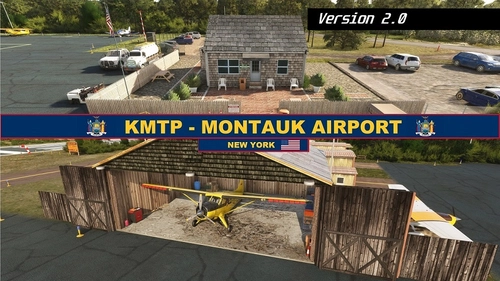
KMTP - Montauk Airport - NY - MSFS 2020 edition
Enhance your Long Island experience with the custom-created Montauk Airport (KMTP). This add-on includes 3D custom buildings and objects, private hangar parking, tiedown and ramp parking spots, as well as reworks and fixes for a more realistic airport environment. Explore this detailed scenery and enjoy a more immersive flight simulation experience.
by EMBcreations
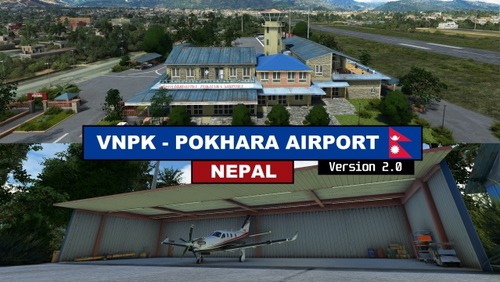
VNPK - Pokhara Domestic Airport v2.0
Experience the beauty of Nepal with the VNPK - Pokhara Domestic Airport v2.0 add-on. Enjoy detailed 3D custom objects, custom hangars, and enhanced realism, including a real-life helipad ramp. Explore the added features like a passenger help desk booth, VOR building, and more for an immersive flying experience in Microsoft Flight Simulator. Upgrade your simulation with this meticulously crafted airport scenery.
by EMBcreations
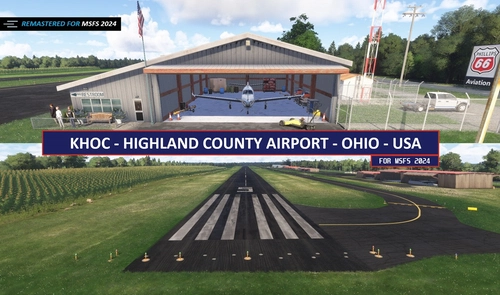
KHOC - Highland Co. Airport - MSFS 2024 edition V1.4
A faithful remaster of my 2020 version for MSFS 2024. Brings in latest graphical enhancements for MSFS 2024. Includes a new 3d cornfield, 3d rocks and vegetation, updated runway textures, fixes to surrounding satellite imagery and much more!
by EMBcreations
Log in to join the discussion
Log InComments(33)
about 1 hour ago
6 months ago
Question: do you plan to make them FS24-compatible (or are they already)?
6 months ago
In regards to compatibility for FS24, I had fully intended to make them all compatible soon after FS24's release. Unfortunately, the older method I was using to create 3D buildings for VNNG and VNPK, did not transfer well with FS24's newer coding. Asobo changed the way which buildings will disappear after a certain distance (LODs) from 2020 to 2024 and this vastly affected the buildings at those 2 airports.
It gets very technical as to why, but any adjustments/changes I make to the scenery file for either one of these airports in MSFS24's Scenery development software, forces the scenery and all the objects to the new 2024 LOD rules. This causes buildings to disappear at excessively close distances, like the terminal right from the ramp area. Unfortunately this requires all the buildings at these airports to be built from the ground up again.
Sorry for the long winded explanation. Hope it explained it a little. I may re-visit those airports at some point to overhaul, but just can't promise it. Thanks again. Cheers 😎👍
about 2 years ago
A quick question: have you tested this with GSX Pro? I noticed that GSX Pro doesn't recognize stands or the airport generally. It might be something related to the AFCAD. Is that something you can look into? If so, that would be incredible. Regardless, excellent work!!
about 2 years ago
In regards to GSX, I do not have it for MSFS, so I'm not too familiar with its inner workings. I did look into it after reading your question. It seems like GSX has some sort of airport editor included to add its features to airports. As of right now, I'll probably just leave it to the community if they want to create a profile for them. I will definitely keep it in mind in the future if that is something I'd like to work on as an addition. Cheers!
about 3 years ago
Please give it the yellow star symbol. Thanks a lot!
about 3 years ago
about 3 years ago
over 3 years ago
Excellent looking work, thanks for this.
over 3 years ago
You are very welcome and thank you for the kind words :)
almost 4 years ago
Very nice work, thank you ! However, the "golden star" we usually have on custom sceneries does not show, I don't know why... I first thought there was a problem with the scenery before checking it !
Thank you !
almost 4 years ago
Thank you for the kind compliment. Glad you are enjoying it. Cheers!
about 4 years ago
Great Work!! Thanks. As your creation is no less than Orbx standards, it would be nice to have more landmarks and airports around Nepal
about 4 years ago
Kind words like yours mean so much to me. Thanks! :) Its my pleasure to share this work with you. I agree, Nepal definitely needs some love! Such a beautiful country. I'm currently working on the next addon: Pokhara Airport VNPK (the smaller one). It's going to be awhile before its released but stay tuned! Thanks again.
about 4 years ago
definitely payware level!! Love to see more airports around nepal at this level.
(a little contribution sent for your time via paypal) Cheers for the awesome addon.
about 4 years ago
Thank you so much for the generous donation! I really appreciate it! :) and for the compliments too. I actually just started working on the next airport for Nepal, which is Pokhara (the smaller airport). I don’t have a time frame for release, but it’s coming along well. Have a great day!
about 4 years ago
will be eagerly waiting for Pokhara then.
about 4 years ago
Fantastic work!!
Such a beautiful airport, and such painstaking attention to detail. Really wonderful.
I wonder, would you ever be interested in making a nice rendition of Dehradun [VIDN], Uttarakhand, India? It’s about 500km from VNNG.
I tried some years back to make it on X-Plane but the SDK wasn’t good enough and my skills are somewhat basic. The terminal there looks quite lovely. Strange design too.
A very unloved place in MSFS.
May I wish you great good luck with all your future work.
Barty
about 4 years ago
Thank you for the really nice compliments, it gives me great pleasure to see others enjoying the scenery and that you shared your enjoyment. As of right now, I’m focused on creating my own personal picked airports, but if I ever do start taking requests, I’ve made note of yours. Have a great day and thanks again for the kind words. :)