
Description
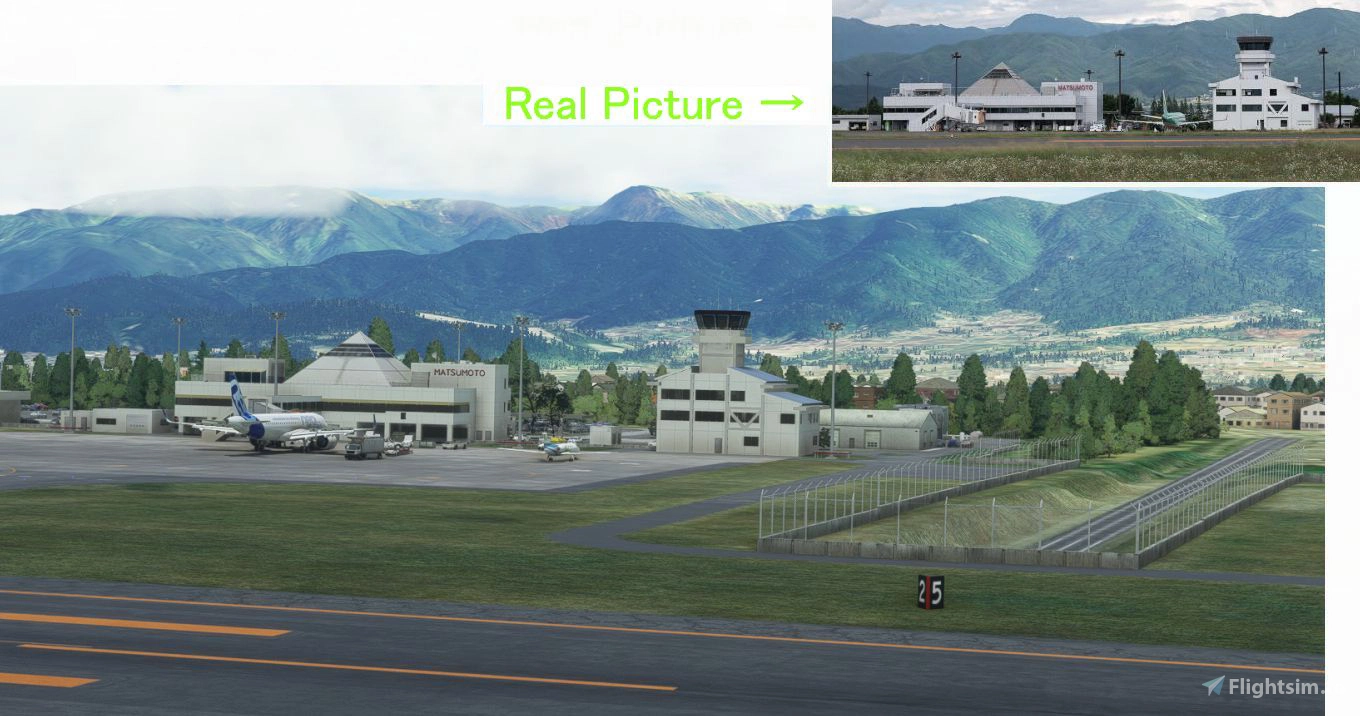
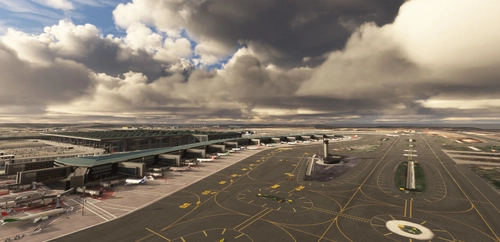
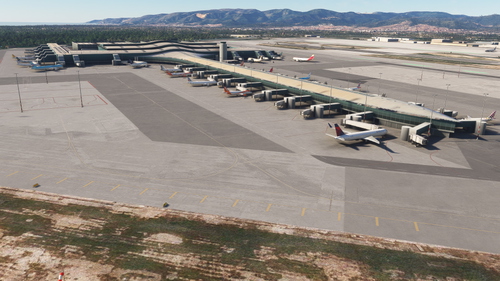
Matsumoto Airport is the most difficult landing in Japan. There are high mountains around, after crossing the 7000FT mountain just before landing, we will fly along the mountain valley and land at the airport at 2100FT.
Ver1.5.1
I made a lot of mistakes in Ver1.5. I will fix it and update it with Ver1.5.1.
The file name has been changed from \h177_matumoto to \kaze-airport-rjaf-matumoto. Delete old files first.
Ver1.5.1
先日UPしましたVer1.5に たくさん ・・ の 不具合がでてきたので 手直ししました。
1 駐車場をフラットにしたことにより OBJECTの位置ずれ 隠れ、などのバグがたくさんでてきたので 修正していきました。(一例をあげると最後の写真左上)
2 タキシーが約2メートル傾斜になってしまい 滑走路からGATE INするときに 滑り台みたいになってしまっていました(最後の写真左下)
原因は上1で駐車場のフラットの高さを 思い込みで660メートルにしたのが そもそもの間違いで、 滑走路を 659-664メートルに傾斜をつけているので タキシー部が662.5メートルとなり これによりタキシー間で 約2メートルの落差(傾斜)がついてしまいました。
対策として 駐車場の高さを 660メートルから 662メートルにあげまして, 滑走路の高さも約50cmづつ下げていきました。これにより RWY18の崖が崩れてきたので 崖の下の地面も50cm-1メートル下げて崖を作り直しました。
隣の地下に入る傾斜道路の高さもおかしくなり修正しました。 ちなみにこの駐車場をフラットにしたことによるバグの手直しには 再起動10回 6時間もかかってしまいました。
3 前回のVer1.5が 内部的に V0.1.5になっているとご指摘があったので V0.1.5を V1.5.0 にしました。
同じく シーナリーのファイル名についてASOBOから フォーマットが出ているのでそのとおりにしなさい、という ご指摘があったのでかえました。(最後の写真右上)
4 着陸時に 読み出しが集中して低スペックPC(私の)でコマ落ちが発生するので JETWAYの読み出しタイミングを速めて集中しないようにさせました。
5 ターミナルの色がすこし 黄色っぽい色になっていましたので 本物の真っ白に近づけるために 色調整をやりなおしました。(最後の写真右下)
6 距離表示灯の裏と中央が赤色だったので そのTEXTUREを作成していましたがMODELするのをわすれてしまっていたので 今回変更しました。(14枚目の写真の右下に写っている物体)
今回ファイル構成をかえているので古い松本V0.1.5 はすべて削除してから あたらしい松本V1.5.1 を\COMMUNITYに入れてください。
ファイル名は ¥h177_matumoto から ¥kaze-airport-rjaf-matumoto に変わっていますから上書きしたりするとすべてがダブってしまいます。
Ver1.5
(1)先週松本空港に行きまして「謎の物体」をJETWAYの窓から撮影してきました。
それが2枚目の写真!!!
この物体はセンターが合うと 緑-緑 が点灯しますが 左にズレると 赤ー緑 に変わり
右にズレると緑ー赤 に変わるという動作をすることがわかりました。
今回この 「色が変わる物体」を 作りまして 設置しました。
(2) リクエストがあったので やまびこドームを簡単ですが作りました。
ついでに 建物3つと向かいのサッカー場も簡単ですが作りました。3枚目の写真
(3) 駐車場が斜めになっていたので フラットにしました。
これをすると空港内のどこかに段差ができてしまうのでやりたくなかったのですが
(2)の建物がうまく設置できないのでやりました。
(4)屋上の床が高いので下げました。
旧= 床が高く 2枚目の写真のアングルで ギャラリーの足まで見えていて 非常に違和感がありました。
新= 床を下げて 2枚目の本物の写真のとおりギャラリーの上半身しか見えないようにしました。
今回 松本に行ったついでに 着陸のコースを正確に 記録してみました。(12。13枚目の写真)木曽福島までは岐阜基地ー美濃加茂市を通過しています。風向きによっては松本駅を通らず塩尻ICで直進して右旋回しながらRWY36へ着陸します。
Location
(RJAF) MATSUMOTO Airport
Experience the challenge of landing at Japans most difficult airport, Matsumoto Airport. Navigate high mountains and a mountain valley approach before landing at 2100FT. Ver1.5.1 update includes fixes for parking lot elevation, taxiway slope, and enhanced terminal visuals. Ensure to delete old files and replace them with the updated kaze-airport-rjaf-matumoto version for a seamless experience.
User Reviews
20 reviews
Version History
Ver1.5.1 I made a lot of mistakes in Ver1.5. I will fix it and update it with Ver1.5.1. The file name has been changed from \h177_matumoto to \kaze-airport-rjaf-matumoto. Delete old files first.
Featured in Collections(1)


Related
(RJBE) Kobe Airport
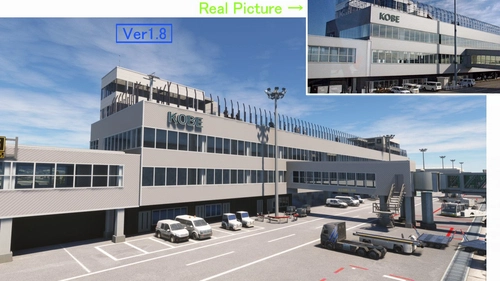
Experience the challenge of landing at Kobe Airport in Microsoft Flight Simulator with this add-on. Located 8 km south of Kobe city, the airport features a unique approach over the sea and through the Akashi Big Bridge. Version 1.8 includes enhancements like realistic tire marks, improved textures, and added details for a more immersive flying experience.
by KAZE
(RJNA) NAGOYA Airport 2004
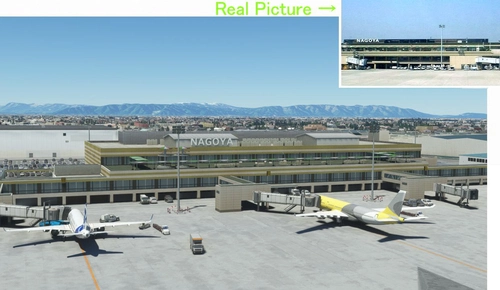
(RJNA) NAGOYA Airport 2004 add-on offers a nostalgic recreation of the bustling Nagoya Airport from the early 2000s in Microsoft Flight Simulator. This scenery adds a passenger terminal to the default Nagoya Airport, addressing some of the default bugs present. Version 1.3 includes enhancements such as a realistic observation deck, custom Jetway models, and corrected taxiway lines for a more immersive experience.
by KAZE
(RJFM) Miyazaki Airport
Enhance your Japan flying experience with the RJFM Miyazaki Airport add-on. This local airport in the south of Japan features 15 custom buildings and realistic enhancements, making it a convenient gateway to the picturesque town of Miyazaki. Stay tuned for upcoming updates as the creator works towards achieving version 1.0 for an even more immersive experience.
by KAZE
(ROMY) MIYAKO Airport /MSFS2020 宮古空港
Experience the beauty of Miyako Airport in Japan with this highly detailed add-on for Microsoft Flight Simulator 2020. Explore a resort area with unique airport operations, including flights to Tokyo and Naha. Created with precision, this scenery upgrade accurately depicts the terminal and surrounding buildings, capturing the airports authentic atmosphere.
by KAZE
Log in to join the discussion
Log InComments(46)
about 1 month ago
7 months ago
over 1 year ago
almost 2 years ago
about 2 years ago
over 2 years ago
over 2 years ago
almost 3 years ago
almost 3 years ago
about 3 years ago
about 3 years ago
over 3 years ago
更新された個所については上手く作動しており一層素晴らしいSceneryになり大いに楽しませて頂いております。
Block-inの際の”謎の物体”も上手く作動しており、アラインの具合も良好です。
ちなみに、この”謎の物体”の正式名称はたぶん”AGNIS VDGS"(Azimuth Guidance for Nose-in Stand)と言う名称(通称;アグニス)で現在の進化型VDGSの旧型のシステムです。空港によってはこれに各航空機種に応じて前後の停止位置を示す”PAPA”システムと併用して使う場合もあるのですが、松本空港でこのシステムが併用使用されているかは不明です。(PAPAシステムは少し横側に別設置されているためゲートイン時、パイロットが視点を前と横に動かして位置確認する必要があり、しかも停止位置表示がアナログ指示で見難いためその運用要領に不評が多く現代の進化型VDGSが開発された経緯があります。以下参考文献興味があるようでしたら参照下さい)
参考URL:https://www.wikiwand.com/en/Stand_guidance_system
改めて最近の諸空港の素晴らしいシーナリー更新に感謝しております。
over 3 years ago
ありがとうございます。この物体の名前おかげさまでやっとわかりました。
over 3 years ago
Could you please update your airports folder name and stick to the offical asobo airport naming convention and update it accordingly?
https://forums.flightsimulator.com/uploads/default/original/4X/b/c/4/bc4816ae8f57000c4c47b3a42e203ada65c78bc5.jpeg
Example for this airport:
kaza-airport-rjaf-matsumoto
Your package_version value in manifest.json says 0.1.5. But here you call it version 1.5. You should update this as well in the mainifest.json :)
over 3 years ago
thank you. I will refer
about 3 years ago