
Description
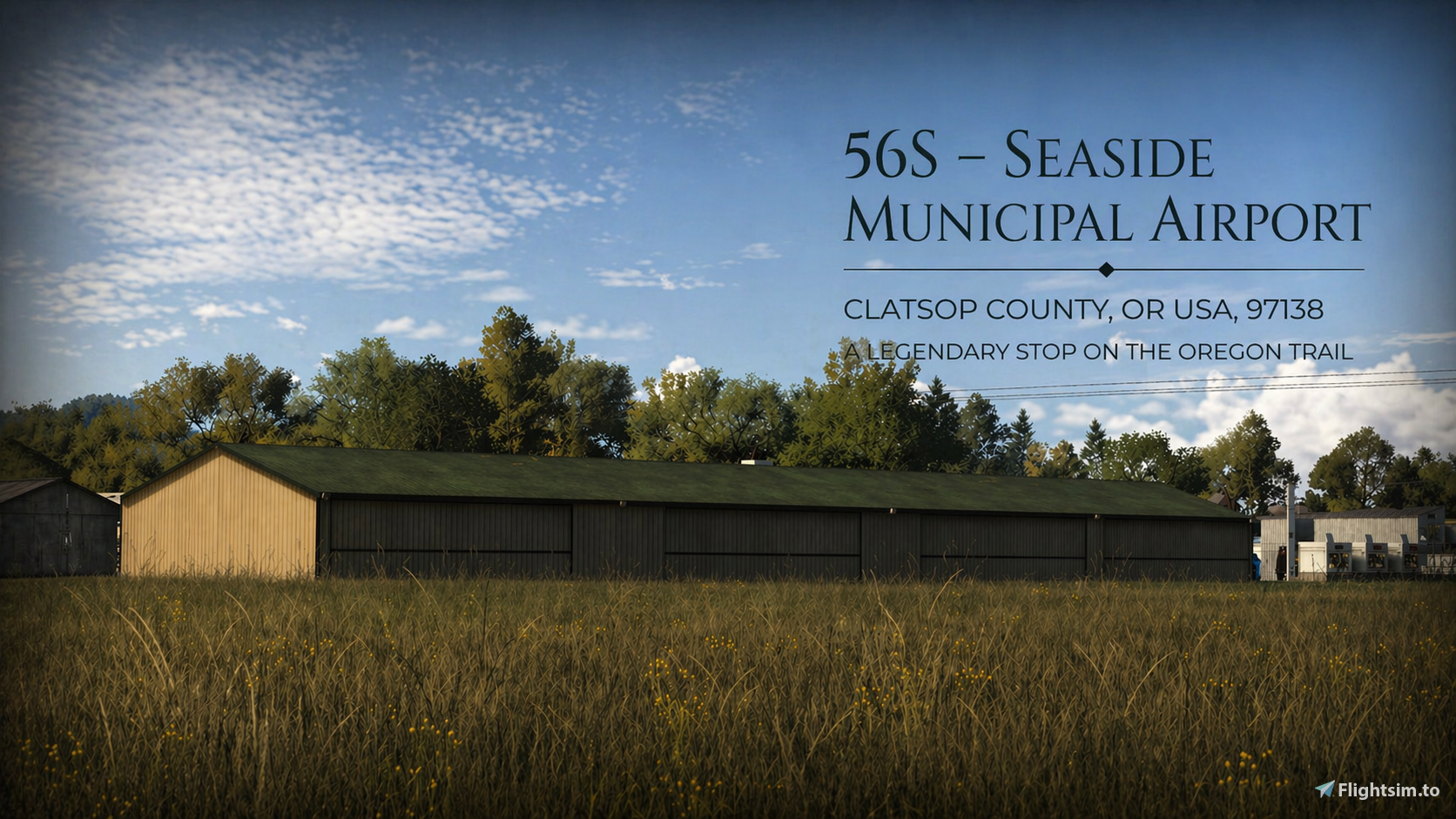
DESCRIPTION: I came across 56S while flying through the Oregon coast and it immediately stood out.
Seaside Municipal sits just inland from the shoreline, surrounded by trees, small roads, and a mix of local buildings that give it a really grounded, everyday feel. It’s not a big airport, but that’s exactly what makes it interesting — it feels like a place that actually gets used, not just something placed on the map. Flying into it, you get that mix of coastal air, low terrain, and a quiet atmosphere that makes it feel different from a lot of other fields in the area. It’s the kind of spot you might pass over without thinking twice, but once you drop in, you start noticing the details.
This version is my take on that — trying to capture the feel of the place and how it sits in its surroundings.
NOTE: Silent HOTFIX: 05/01/2026 – Runway Start Correction Fixed missing and incorrectly assigned runway start positions for RWY 16/34. Runway selection from the world map now works as intended.
INSTALLATION:
1. Extract the downloaded .zip file.
2. Place the folder: OR_56S into your community folder.
ADD-ONS LINKER (Optional):
If you are using Addons Linker (by bad2000), place the folder inside your existing MSFS add-ons directory (the same location you use for your other linked scenery), then link it through Addons Linker.
If you are using my folder structure: GarciaMK4 Global Add-On Hierarchy (Directory Structure) v1.0.4
Place folder OR_56S in
Global Scenery
└── Northern America
--> └── United States
--> └── Pacific
--> └── OREGON
--> └── Airports <------- Place OR_56S Folder in here
--> └── OR_56S<------ then link it through Addons Linker.
Following a Recent Discovery as of 8-14-2026:
Compatibility Notice 8-14-2026
- Do not install this scenery alongside the older MSFS 2020 56S Seaside Municipal Airport package by YankeeMike01.
- If that package is active with higher load priority, it conflicts with
OR_56Sand can cause severe terrain deformation, raised or tilted buildings, and duplicate airport objects. If installed,Please remove or disable the YankeeMike01 package before using this scenery, then restart MSFS.
Source: Microsoft explains that incorrect terraforming and overlapping scenery objects can occur when an older MSFS 2020 package overrides a native MSFS 2024 airport.You can find more information about this known package-priority issue here:
https://forums.flightsimulator.com/t/scenery-package-order-conflict/732339
CREDITS: I'd like to express my gratitude to the individuals who make all these libraries available, including the ones mentioned above.
Thank you for downloading hope you guys enjoy it.
Note: I forgot to include two additional libraries in the PDF. The Emerald Object Library is used for a cement shed by the front gate, and Animated 3D Human Library is used for two characters near the back dock by the van. If these libraries are not installed, those objects will be missing. This does not affect overall use of the scenery.
Additional third-Party Assets: Sketch-fab Model "Abandoned Brick Building" (https://skfb.ly/pBNzv)by MadeByYeshe
Sketchfab Model Abandoned Brick Building Licensed under Creative Commons Attribution 4.0 (CC BY 4.0) https://creativecommons.org/licenses/by/4.0/
Modifications: Converted and optimized for Microsoft Flight Simulator, including material and texture adjustments.
Want to support the scenery? If you enjoy flying into these remote strips and want to toss a coffee tip into the jar, you can head over to my Flightsim.to creator profile and click the PayPal button.
Absolutely no pressure. Enjoy the flight
Dependencies
Location
56s - Seaside Municipal Airport
This add-on recreates Seaside Municipal Airport 56S on the Oregon coast, focusing on accuracy and atmosphere. The airport is depicted with surrounding local buildings, trees, and roads to capture its realistic, small-town feel. Suitable for short field and coastal flights, the scenery aims to reflect the airport’s true character. Installation instructions are provided for standard and Addons Linker users.


User Reviews
2 reviews
Version History
I felt a little guilty about the old guy and lady sitting out in the grass in the previous version with no cover—imagine a sudden drizzle and nowhere to go! I’ve moved them further down the grass near the porta-potties (hey, convenience is key) and finally gave them a canopy to keep them dry. I also added a young girl to the scene, so they have some company while they watch the planes. PARKING: * 8 Active Spots: There are now 8 spawnable parking spots selectable directly from the world map. * Fully Connected: All 8 main spots are 100% connected to the taxiway paths. * Overflow Parking: Plenty pf Parking on the ground., perfect for group flights or parking manually after you land. STATIC AIRCRAFT: * I updated the static aircraft to pull from Vintage Aircraft Collection Version 2. I previously had this as a dependency from an older library, but now it’s officially linked to V2 to ensure the planes actually show up for you. * New Statics: Added two specific static aircraft—a Piper Cub on the tarmac, and another plane tucked back near the construction site fence (still on the apron). WINDSOCK/FUEL PUMP: * Small Details: Added a windsock (finally!), a security guard keeping an eye on things, and a guy just hanging out on a crate near the post. * Moved the fuel pump to the corner of the apron near the construction site. It’s out of the way but still easy to access. * The real story: I realized the old location was being completely blocked by the static vintage plane. I didn't actually notice this until I went to refuel my own plane today and ended up "crashing" into a stationary aircraft. So, for the sake of your insurance premiums (and my ego), the pump has been moved to a much safer, collision-free corner! The apron has plenty of open space now, so feel free to bring a group and fill up those extra marked spots!
Featured in Collections(1)


Related
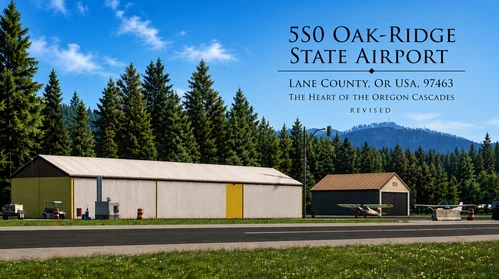
OakRidge State: The Heart of the Oregon Cascades (5S0)
This add-on recreates Oak Ridge State Airport (5S0) in Oregon, featuring some custom scenery assets, set in the Cascade Range foothills. It includes accurate vegetation, weathered structures, custom T-markers, and small touches like realistic signage. The airport is designed for bush flying and general aviation, capturing the atmosphere of the Pacific Northwest backcountry. Some static aircraft and third-party assets are used.
by Garciamk
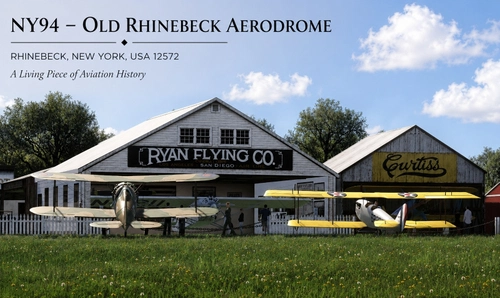
NY94 Old Rhinebeck
This add-on recreates the historic Old Rhinebeck Aerodrome NY94 in Red Hook, New York, for Microsoft Flight Simulator 2024. The scenery features custom-built hangars, museum areas, fencing, and other airport structures, modeled using reference photographs. Third-party assets are included for additional period atmosphere, such as vintage static aircraft and environmental details. Some elements may differ from the real location where reference material was limited.
by Garciamk
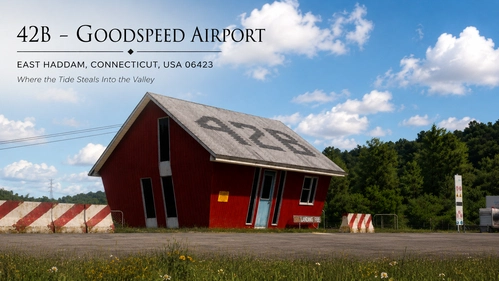
42B GoodSpeed Airport-Where the Tide Steals the Valley
This add-on recreates Goodspeed Airport (42B), a distinctive airport and seaplane base on the Connecticut River in East Haddam, Connecticut. It features detailed models of key airport structures including the office, hangars, service buildings, and custom docks. The scenery includes static aircraft, various small details, and ground clutter to capture the airport’s character. Hidden clues and extra details are also available for users who enjoy exploring the area beyond the airport itself.
by Garciamk
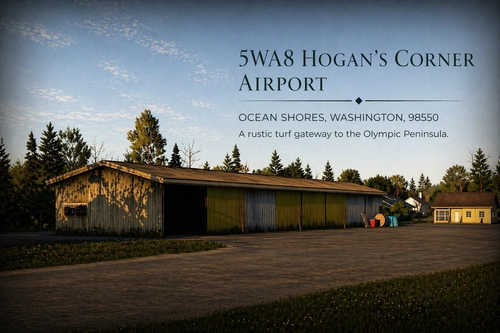
5WA8 Hogan's Corner
Hogan’s Corner 5WA8 is a small, private airstrip located in rural Washington and designed for general aviation and local bush flying. This add-on recreates the airstrip for MSFS 2024, focusing on natural scenery and consistent atmosphere. The scenery uses custom and legacy models, with optional library support for additional signage. The package is community made and is easy to install by placing it in the Community folder.
by Garciamk
Log in to join the discussion
Log InComments20
Hi, I confirmed that this is not a problem with my OR_56S scenery by itself. I reproduced the terrain deformation only when the older MSFS 2020 56S Seaside Municipal Airport package by YankeeMike01 was given higher priority.
You can either remove the older package or keep both installed. If you choose to keep both, open the Package Reorder Tool and move OR_56S below yankeemike-airport-56s-seasidemun, then restart MSFS.
My recommendation is to remove the older MSFS 2020 package by YankeeMike01, or any other airport, regional scenery, terrain mesh, or elevation packages that may affect the Seaside area completely, as it may also cause duplicate buildings and other scenery conflicts.
As a follow-up, what led me to test the older third-party 56S scenery against mine at different package priorities was Microsoft’s official notice about scenery package-order conflicts.
Microsoft explains that incorrect terraforming and overlapping scenery objects can occur when an older MSFS 2020 package overrides a native MSFS 2024 airport.
After changing the priority so the YankeeMike01 package loaded after mine, I immediately reproduced the same terrain deformation shown in your screenshots.
You can find more information about this known package-priority issue here:
https://forums.flightsimulator.com/t/scenery-package-order-conflict/732339
https://flightsim.to/addon/62257/56s-seaside-municipal-airport
here on .to
When I changed its priority, I was able to reproduce the same terrain deformation you’re seeing.
But your right that doesn’t necessarily mean this particular package is causing it on your end—another scenery could be producing the same conflict.
I’d recommend temporarily disabling your other sceneries one at a time until the ground at 56S returns to normal. Once it does, the last scenery you disabled could potentially be the culprit.
Hope this helps 😉
This comment has been deleted
This comment has been deleted
It turned out the runway start was missing, I’ve now corrected both positions, and runway selection from the world map is working properly.
I just released it as a Silent Update HOTFIX, so just make sure you grab the newest version should already be up 👍
Good catch on that. The runway is still using the default surface, but the taxiway areas were stripped back pretty heavily, so the surrounding ground can blend through more than intended depending on settings.
I just pushed a larger visual update and didn’t touch that part this round, but I’ve made a note of it and will take another look when I’m back working on the strip.