
![ATR72 Buddha Air[4K] - Image 1](https://cdn.flightsim.to/images/25/buddha-air-19970-1682742638-U2o0R.jpg)
Description
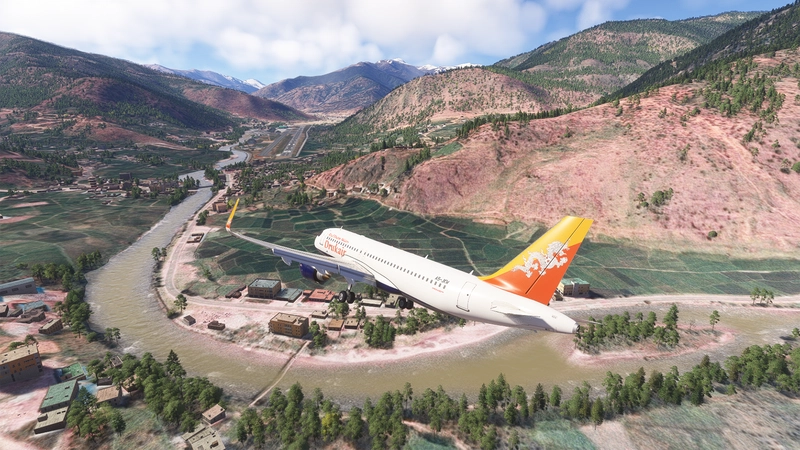
Buddha Air is a fast growing airline in Nepal, from a small charter alrline serving the bushstrips to become the one with international routes, and it is virtually the only foreign airline which have pilots qualified to land on Paro Airport.
If you also want the ATR42 version for the same company, here it is.
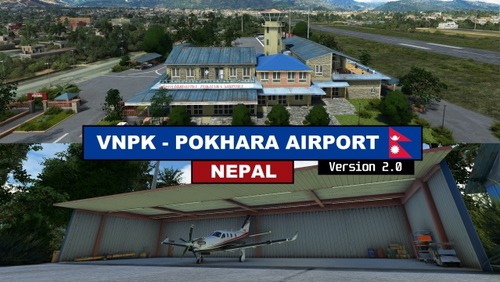
Besides the aircraft, you may also have interest to download these airport mods by me for an updated experience to fly in Nepal:
--
Welcome to subscribe my YouTube channel for MSFS live game-play:
https://www.youtube.com/channel/UC21efZOlIujoYpzzCGoiYfQ
ATR72 Buddha Air[4K]
Fly with the growing airline in Nepal - Buddha Air! This ATR72 add-on lets you experience international routes and skilled pilots for Paro Airport, with an option to also explore the ATR42 version. Enhance your Nepalese flying adventures with additional airport mods available for download.

User Reviews
4 reviews
Version History
Now this livery is affiliated with the ATR addon by Microsoft/H&S
Featured in Collections(1)

Related
![ATR72 FedEx - Empire Airlines (Real Cargo Interior)[4K]](https://cdn.flightsim.to/images/25/fedex-19970-1683021400-aCige.jpg?width=500)
ATR72 FedEx - Empire Airlines (Real Cargo Interior)[4K]
This add-on features the ATR72 FedEx livery specifically designed for Empire Airlines, complete with a detailed real cargo interior in 4K resolution. Various other cargo livery options for the ATR series are available, including Mountain Air Cargo, Morningstar Air Express, and ASL Airlines. Users looking for a similar experience can also explore the ATR42 version of the FedEx livery.
by kychungdotcom
![British Airways - CityFlyer[4K]](https://cdn.flightsim.to/images/25/ba-cityflyer-19970-1682676874-l0SYt.jpg?width=500)
British Airways - CityFlyer[4K]
Immerse yourself in British Airways history with this high-quality 4K livery for BA CityFlyer. Discover the unique Union Jack livery on G-BYTO, the only remaining aircraft with this design from the past century. Experience nostalgia as you fly with this iconic airline in Microsoft Flight Simulator.
by kychungdotcom
![Japan Air Commuter (Microsoft/H&S version)[4K]](https://cdn.flightsim.to/images/25/japan-air-commuter-19970-1683905425-6_DKw.jpg?width=500)
Japan Air Commuter (Microsoft/H&S version)[4K]
Fly the Japan Air Commuter, a subsidiary of Japan Airlines, between airports on the Ryukyu Islands in 4K resolution. Some airports are marked as star locations since the Japan Update.
by kychungdotcom
![ATR42 FedEx - Empire Airlines (Microsoft/H&S version)[4K]](https://cdn.flightsim.to/images/25/atr42-fedex-microsoft-h-s-version-4k-19970-1683025275-t1kqF.jpg?width=500)
ATR42 FedEx - Empire Airlines (Microsoft/H&S version)[4K]
ATR42 FedEx - Empire Airlines add-on brings a highly anticipated livery to the ATR series. While some minor surface imperfections exist, the overall detail is commendable. Check out related ATR72 versions like Empire Airlines (US), Morningstar Air Express (Canada), and ASL Airlines (Ireland). Note a small issue with the rear main door livery pattern.
by kychungdotcom
Log in to join the discussion
Log InComments(22)
about 6 hours ago
about 4 hours ago
3 months ago
3 months ago
5 months ago
5 months ago
over 3 years ago
Thanks for your efforts and amazing liveries!
over 3 years ago
thank you for the update, also don't forget to update Yeti Airlines ATR livery.
over 3 years ago
Here it is:
https://flightsim.to/file/10387/yeti-airlines
about 4 years ago
Thanks for the livery! it works great on my own ATR but I'm having trouble seeing it on AI atr aircrafts, its just a blank white atr. same with the yeti airlines atr too but it someone shows on Druk air AI atrs. is there something I'm missing.
about 4 years ago
The actual mechanism of how the sim pick the "right" aircraft for AI traffic is still not clear. One of the reason is the blank ATR you see in the sim is an ATR42 instead of ATR72
about 4 years ago
oohh, ok thanks for the info
almost 4 years ago
By the way, is there a way to make the sim use the ATR72 models for the ai ATR42 so that at least we'll get correct liveries instead of white ATRs.
about 5 years ago
"Your comment has to be 10 to 100 words minimum, resubmit your review again" -Team Flightsom.to :)
about 5 years ago
I have installed the livery and the community version of the ATR, but it's not showing in livery. (Same for your yeti airline livery, I'm doing somethign wrong ?)
about 5 years ago
You may try to modify the texture.cfg and model.cfg as described at the page of the ATR mod
about 5 years ago
Okay, your update fixed it, perfect !
over 5 years ago
Thank you so much!
Here is my test flight using this livery and your VNPP scenery update
https://youtu.be/fIfIHxOBYfk
Hope you can update the old VNPK domestic airport also.
over 5 years ago
over 5 years ago
https://flightsim.to/file/12249/atr-72-600-community-version