
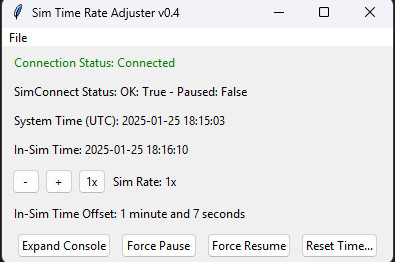
Description
IMPORTANT NOTE: This tool has not been updated to work with SU3, and it's uncertain whether I'll be able to figure out how to make it compatible.
This utility offers a workaround to the MSFS 2024 bug / behavior where the in-sim clock stays locked to real-time / system time or a fixed offset, even if you pause or use sim rate acceleration. This is unlike MSFS 2020, where pausing would pause the in-sim time, and using sim rate would accelerate / decelerate the progression of in-sim time accordingly.
It also offers the ability to select an app which will be automatically killed when sim rate is more than 1x, and restarted when it drops back to at most 1x (e.g. RealTurb, or other sim-rate sensitive apps).
This utility only adjusts an internal variable of MSFS 2024 which is the "seconds offset off of system time", and won't resolve other side-effects of that behavior / bug, like the incorrect fuel usage of first-party aircraft, where present. Not by design, anyway!
Like MSFS_AutoFPS, this utility does its work using undocumented methods through runtime memory editing. My attempts to resolve this bug using the native SimConnect variables and events was fruitless, as those appear to be all broken as of the time of writing. You can read more here.
Hopefully Asobo / Microsoft will just fix this bug / behavior and make it work like MSFS 2020, and this utility will no longer be necessary, just like my Airport Override Checker for MSFS 2024 utility. Fingers crossed!
This utility is open source under the MIT license. Find it on GitHub.
Join the conversation on Discord.
Sim Time Rate Adjuster for MSFS 2024
This tool addresses a known issue with MSFS 2024 where the in-sim time continues ticking at 1x even when you're paused or using sim-rate other than 1x. It also allows you to configure an app that will be turned on/off depending on whether the sim rate is 1x or accelerated.


Supporters

User Reviews
12 reviews
Version History
- Added Sim Rate controls: Decrease, Increase, Reset to 1x
Related
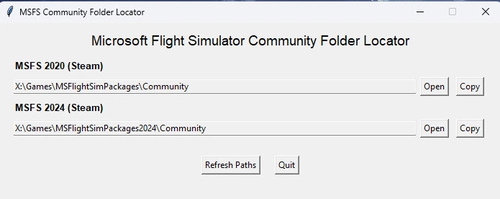
Community Folder Locator
This utility provides users with the locations of their MSFS 2020 and 2024 Community folders. It allows for easy access by enabling users to copy the folder paths directly to the clipboard. Ideal for managing add-ons and modifications, this tool simplifies navigation within the simulators file structure.
by leftos
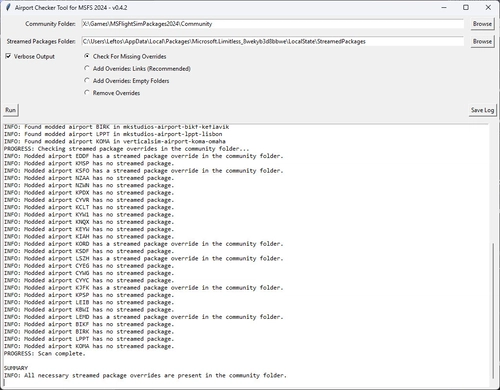
Airport Override Checker for MSFS 2024
The Airport Override Checker for MSFS 2024 is a utility that helps users manage modded airports in their Community folder by ensuring appropriate overrides for Asobo/Microsoft Streamed Packages. It scans both the Community and Streamed Packages, suggesting and automatically creating overrides as needed. While recent updates to MSFS 2024 allow for managing these packages through the in-game Content Manager, this tool remains available as an alternative for users who prefer it.
by leftos
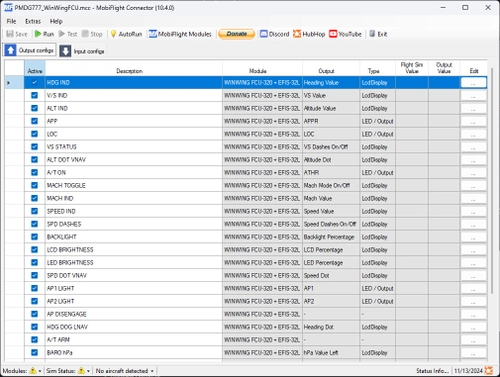
PMDG 777 | Winwing FCU+EFIS | Mobiflight Profile
This add-on provides a Mobiflight profile for the PMDG 777 designed for use with the Winwing FCU and EFIS hardware. It includes various fixes and improvements over the original version by TajGuy, such as enhancements to indicated speeds and adjustments for the display of MACH values. Additionally, the profile features new mappings for key flight control indications and button press cycles, while also offering EFIS L support. Some known issues are present, particularly regarding the display of standard pressure settings.
by leftos
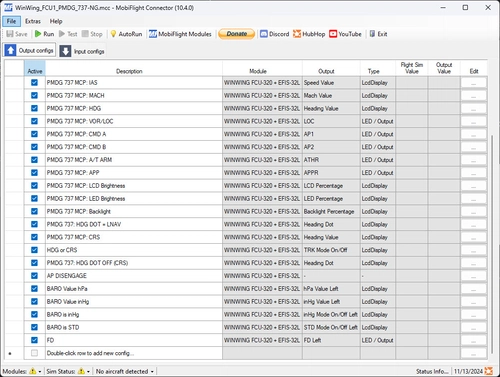
PMDG 737NG | Winwing FCU+EFIS | Mobiflight Profile
The PMDG 737NG Winwing FCU+EFIS Mobiflight Profile enhances the functionality of the PMDG 737NG aircraft in Microsoft Flight Simulator. This add-on incorporates various improvements over the original release, including more reliable Mach display toggling, adjustments to backlight controls, and enhanced functionality for heading and tracking modes. Additional support for EFIS L is provided, alongside fixes to autopilot controls and the visibility of vertical speed values. Known issues and non-applicable features are also outlined for user awareness.
by leftos
Log in to join the discussion
Log InComments(44)
2 months ago
7 months ago
10 months ago
10 months ago
about 1 year ago
So unfortunately, I can't promise that this tool will be updated to be SU3 and later compatible, but I'll keep thinking on whether there's some approach to figuring this out that I'm missing.
Sorry to be the bearer of bad news.
about 1 year ago
about 1 year ago
about 1 year ago
=====================================
MSFS2024 Sim Time Rate Adjuster v0.4
=====================================
Base address: 0x7FF7D0ED0000
Detected MSFS Vendor: MSStore
Trying offset: 0x74FD5F8
Final address: 0x7FF7D83CD5F8
Scanning process memory for the address...
Trying offset: 0x76F7728
Final address: 0x7FF7D85C7728
Scanning process memory for the address...
Searching for the magic string in the module memory...
Trying offset: 0x7A42628
Final address: 0x7FF7D8912628
Scanning process memory for the address...
Could not find the seconds offset address using quick methods, attempting to detect offset via events.
This requires you to be currently using real time in-sim, otherwise this method will fail.
Please wait...
Could not find the seconds offset address. Retrying after 5 seconds...
Detected MSFS Vendor: MSStore
Trying offset: 0x74FD5F8
Final address: 0x7FF7D83CD5F8
Scanning process memory for the address...
Trying offset: 0x76F7728
Final address: 0x7FF7D85C7728
Scanning process memory for the address...
about 1 year ago
about 1 year ago
about 1 year ago
about 1 year ago
about 1 year ago
over 1 year ago
over 1 year ago
over 1 year ago
over 1 year ago
over 1 year ago
any help?
over 1 year ago
From Virus total: 2025-05-24
Zillya: Trojan.Agent.Win32.4060150
McAfee Scanner: Ti!850E5E4F6290
Elastic: Malicious (moderate Confidence)
K7GW: Trojan ( Baba064c1 )
SecureAge: Malicious
over 1 year ago
https://github.com/leftos/msfs-2024-utils/tree/main/sim_time_rate_adjuster