
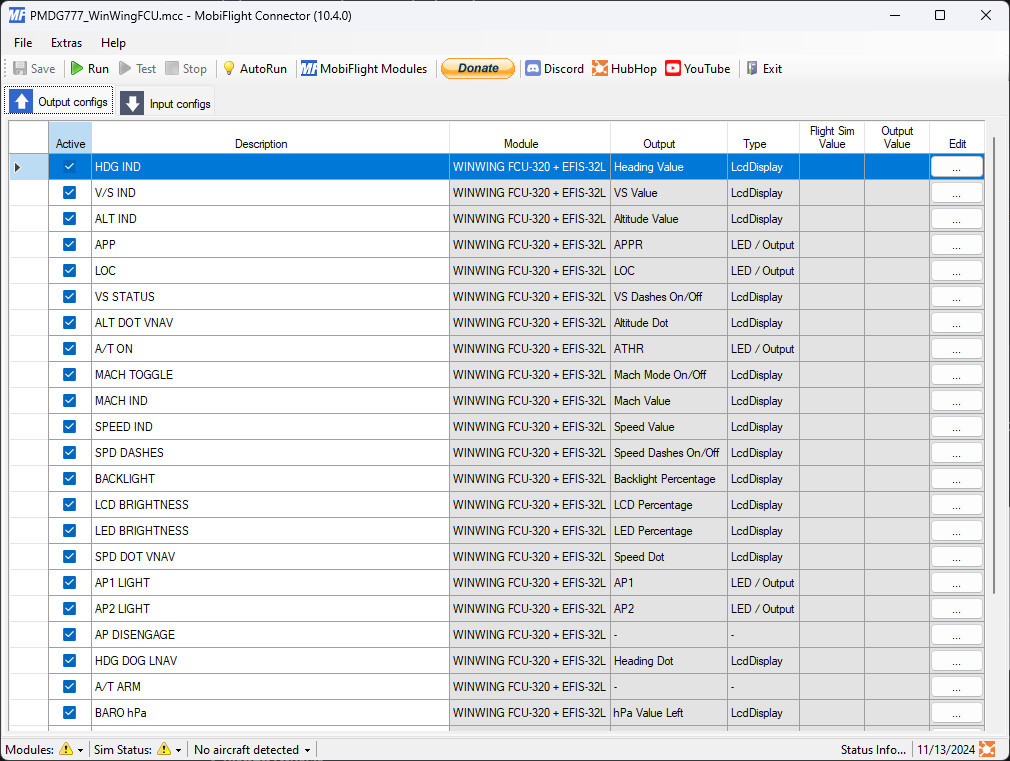
Description
Based on TajGuy's work
Prerequisites
UPDATE: v0.2.2 and future updates will require MobiFlight 11 (internal version 10.5.3 or later) which is currently in BETA. You can opt into beta versions using the File > Settings dialog, or by downloading the latest beta here:
https://github.com/MobiFlight/MobiFlight-Connector/releases
This profile requires FSUIPC7. The free version is sufficient, you don't need the paid version for this, but it doesn't hurt either.
You'll need to enable the aircraft's SDK broadcast setting for all options to work. This process is explained in the PMDG 777 SDK manual under section "ENABLING DATA OUTPUT".
To enable the data communication output, you will need to open the file 777_Options.ini that is located in the 777 persistent storage folder.
For Microsoft Store distribution, this folder is located at
LOCALAPPDATA%\Packages\Microsoft.FlightSimulator_8wekyb3d8bbwe\LocalState\packages\pmdg-aircraft-77w\work\.
For Steam distribution, this folder is located at
%APPDATA%\Microsoft Flight Simulator\Packages\pmdg-aircraft77w\work\.
Once this folder is open, add the following lines as required to the bottom of the file:
[SDK]
EnableDataBroadcast=1
Additions / Changes / Fixes over TajGuy's 1.2 release linked above
- Fix: Various fixes in indicated speeds both in IAS and MACH
- Fix: Speed dashes
- Improvement: When showing MACH, the speed knob will increase / decrease by .01 mach, since the Winwing FCU can't display 3 decimal places (I haven't figured out if I can hide the 0 in, say, 0.82, so that we can display .823, and I didn't want it to show 8.23); note that this uses PMDG events, so you'll have to be slow with MACH changes, twisting the knob one at a time; multiple twists will not work consistently, as PMDG events are slower than direct controls
- Add: Heading DOT mapped to LNAV light
- Change: FCU A/THR light mapped to aircraft's A/T light, instead of A/T arm status
- Change: Instead of using AP2 for disengage, both AP1 and AP2 have button press cycles that follow this order: A/P On -> A/P Disengage On -> A/P Disengage Off -> A/P On
- Change: A/THR button now has a button press cycle that follows this order: A/T Arm On -> A/T On -> A/T Arm Off -> A/T Arm On
- Add: EFIS L support (EFIS L hardware not required)
Known Issues
- The autopilot altitude selector mode (auto / 1000) might not be synced between your physical FCU and the virtual cockpit. Make sure to switch it with your mouse to the mode that matches your FCU when first loading into the aircraft.
Notes
- The aircraft's IAS/MACH switch is deliberately INOP while the aircraft is not in MACH range yet, and that's reflected in the FCU profile as well. You will be able to switch between IAS/MACH both using the virtual cockpit and the physical FCU once you see your MACH displayed under the speedtape.
EFIS L Support
Known issues
- Using the virtual cockpit's BARO STD toggle will make the EFIS profile's internal tracking of STD mode go out of sync; only use the EFIS to toggle BARO STD mode to avoid this issue
INOP / Not Applicable
- LS
- CSTR
- NDB
- LEDs for WPT, VOR.D, ARPT
PMDG 777 | Winwing FCU+EFIS | Mobiflight Profile
This add-on provides a Mobiflight profile for the PMDG 777 designed for use with the Winwing FCU and EFIS hardware. It includes various fixes and improvements over the original version by TajGuy, such as enhancements to indicated speeds and adjustments for the display of MACH values. Additionally, the profile features new mappings for key flight control indications and button press cycles, while also offering EFIS L support. Some known issues are present, particularly regarding the display of standard pressure settings.


User Reviews
8 reviews
Version History
Fix SPD/MACH display broken in recent PMDG update NOTE: This update and future updates will require MobiFlight 11 (internal version 10.5.3 or later) which is currently in BETA. You can opt into beta versions using the File > Settings dialog, or by downloading the latest beta here: https://github.com/MobiFlight/MobiFlight-Connector/releases
Related
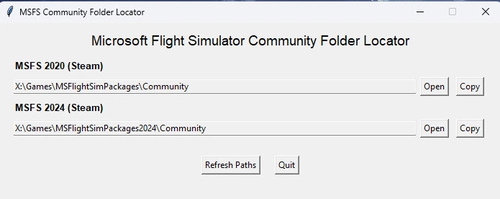
Community Folder Locator
This utility provides users with the locations of their MSFS 2020 and 2024 Community folders. It allows for easy access by enabling users to copy the folder paths directly to the clipboard. Ideal for managing add-ons and modifications, this tool simplifies navigation within the simulators file structure.
by leftos
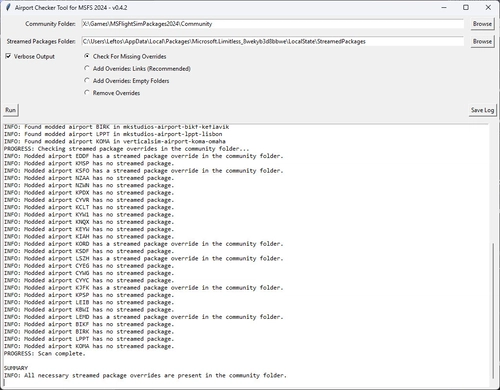
Airport Override Checker for MSFS 2024
The Airport Override Checker for MSFS 2024 is a utility that helps users manage modded airports in their Community folder by ensuring appropriate overrides for Asobo/Microsoft Streamed Packages. It scans both the Community and Streamed Packages, suggesting and automatically creating overrides as needed. While recent updates to MSFS 2024 allow for managing these packages through the in-game Content Manager, this tool remains available as an alternative for users who prefer it.
by leftos
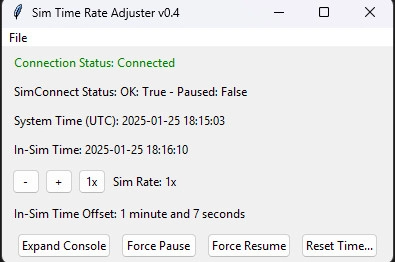
Sim Time Rate Adjuster for MSFS 2024
This tool addresses a known issue with MSFS 2024 where the in-sim time continues ticking at 1x even when you're paused or using sim-rate other than 1x. It also allows you to configure an app that will be turned on/off depending on whether the sim rate is 1x or accelerated.
by leftos
PMDG 737NG | Winwing FCU+EFIS | Mobiflight Profile
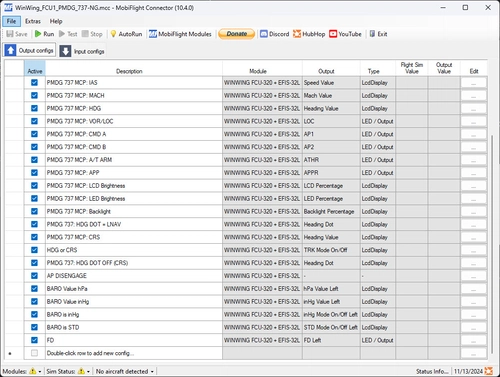
The PMDG 737NG Winwing FCU+EFIS Mobiflight Profile enhances the functionality of the PMDG 737NG aircraft in Microsoft Flight Simulator. This add-on incorporates various improvements over the original release, including more reliable Mach display toggling, adjustments to backlight controls, and enhanced functionality for heading and tracking modes. Additional support for EFIS L is provided, alongside fixes to autopilot controls and the visibility of vertical speed values. Known issues and non-applicable features are also outlined for user awareness.
by leftos
Log in to join the discussion
Log InComments(46)
about 1 month ago
EDIT: I should also mention I did check the 777_Options.ini file and 'EnableDataBroadcast=1' was already set.
2 months ago
3 months ago
3 months ago
Pourriez vous m'aider svp , merci
Thank you, great work. Everything works on WinWing except for the barometric and INHG displays, which stay at 0000, and the HGPA-to-INHG toggle, which doesn't work. However, the barometric buttons and the HGPA/INHG toggle interfere with the simulator.
Could you please help me? Thank you.
9 months ago
9 months ago
about 1 year ago
over 1 year ago
Just a question, when i look for the .mcc file I don't see it , only a .mfproj file. Will that work
about 1 year ago
about 1 year ago
over 1 year ago
over 1 year ago
The connection to FSUIPC got lost
when I start Mobiflight.
Thanks for your help
Klaus
over 1 year ago
over 1 year ago
over 1 year ago
:)
over 1 year ago
over 1 year ago
I would reward you
best regards
over 1 year ago
over 1 year ago
I used this profile to enable my Winwing MCDU + EFIS-R
and with the extra hints I was able to use the EFIS-R.
@leftos
There seem to be a whole lot of inputs for EFIS-L but not the same for EFIS-R. Specifically, the range finder options are there fore EFIS-L but not named by PMDG for EFIS-R. Do you have any hint how to find these inputs?