
Description
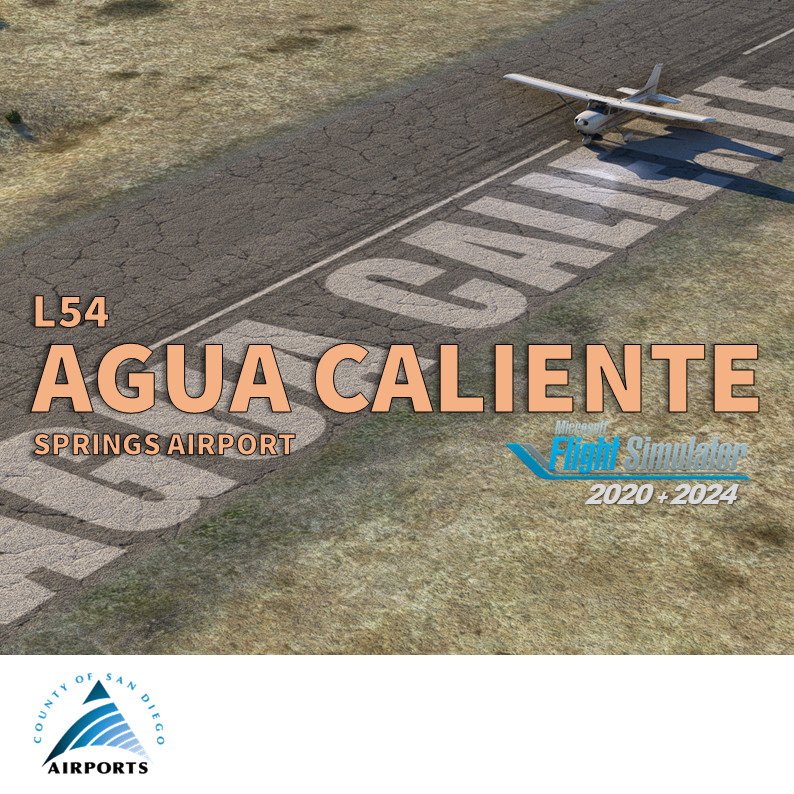
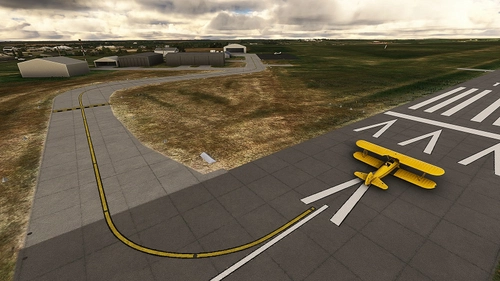
Agua Caliente Springs Airport serves residents of rural east San Diego County and visitors to Agua Caliente Hot Springs County Park. It's located 95 miles east of San Diego. The airfield looks like a blacktop field next to a two-lane desert highway in the middle of nowhere. Approach runway 11 is challenging and weather permit it's highly recommended to land on runway 29.
Agua Caliente is part of County of San Diego airport and one my freeware covering GA airports (https://flightsim.to/collection/35/san-diego-general-aviation-airports)
As real as it gets
The real Agua Caliente airfield is officially closed for a while. The runway has large fissures and places where the soil was bubbling beneath the asphalt. It seems to be a million dollar operation. Very possibly we'll see the NOTAM "!SAN 08/047 L54 RWY 11/29 CLSD 2508122016-2510110659" renewed. The main file displays Agua Caliente in MSFS without the big yellow X marking. An alternative file can be downloaded if you want the X marking on the runway closing it.
Features
- Improve all ground textures
- Improve and fix the windsock area
- I keep voluntary the big marking AGUA CALIENTE on the runway abeam the windsock (remove after 2018)
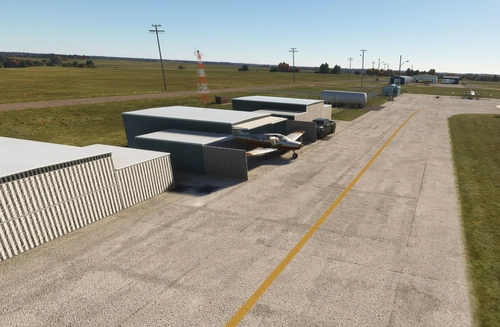
- Add details and life on apron and parking
- Add some terraforming to simulate "berm, ditch, sand both sides of runway"
- Choose runway close or open, with or without the X yellow marking.
More info for pilots
Agua Caliente has only one runway 11/29 with 2500 x 60 feet (762 x 18 meters). Wind permitting use of runway 29 for landing and runway 11 for departure recommended due to a 460 feet hill 1/2 mile west of the airport. Right Pattern runway 29. Left pattern runway 11. Frequency: aircraft shall self announced on CTAF prior to landing or departure. Runway 11/29 closed Sunset-Sunrise; Not lighted.
- Skyvector: https://skyvector.com/airport/L54/Agua-Caliente-Springs-Airport
- Airnav: https://www.airnav.com/airport/L54
- Airport Journal: http://airportjournals.com/returning-fallbrook-airport-to-former-glory/
If you love the San Diego area, you should also consider my other sceneries (in this collection:https://flightsim.to/collection/35/san-diego-general-aviation-airports)
- KMYF Montgomery Field: https://flightsim.to/file/5856/montgomery-gibbs-exec-airport-taxiway-fix-and-many-more
- KRNM Ramona: https://flightsim.to/file/25710/ramona-krnm
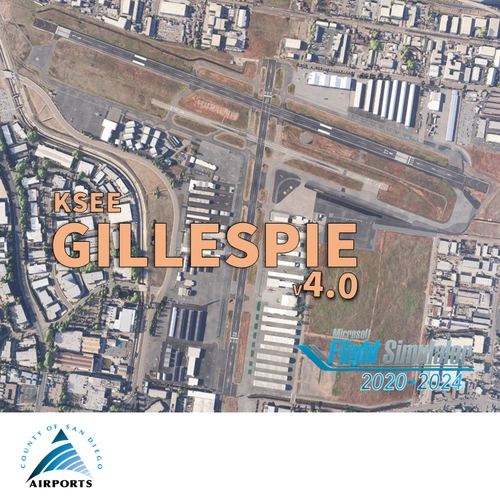
- KSEE Gillespie: https://flightsim.to/file/36679/gillespie-field-ksee
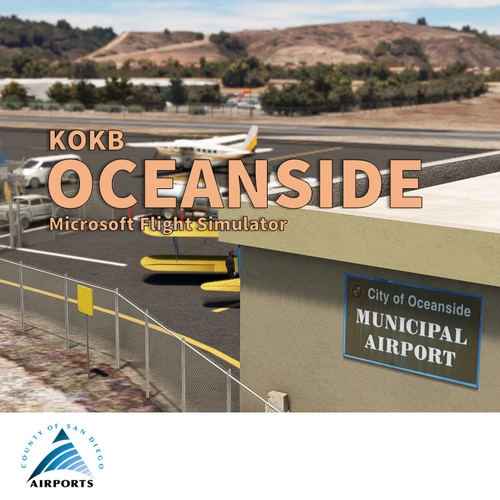
- KOKB Oceanside: https://flightsim.to/file/37328/oceanside-box-maxwell-memorial-airfield-kokb
- KSDM Brown Field Muni : https://flightsim.to/file/38035/brown-field-muni-kdsm
- L08 Borrego Valley: https://flightsim.to/file/38247/san-diego-borrego-valley-l08
- L18 Fallbrook Airpark Community: https://flightsim.to/file/63441/fallbrook-community-airpark-l18
- L78 Jacumba: https://flightsim.to/file/66976/jacumba-airport-l78
- The Bush Trip "San Diego VFR Transition": https://flightsim.to/file/6276/vfr-transitions-at-san-diego
Requirements
This scenery doesn't required any extra library. It's only made with stocked MSFS object from the integrated library.
Location
San Diego Agua Caliente Springs (L54)
Experience the rural charm of Agua Caliente Springs Airport (L54) in San Diego County with this detailed MSFS add-on. Enhance your sim with improved ground textures, windsock areas, and added airport life. Master the challenging runway and enjoy the unique desert surroundings at this GA airport.

User Reviews
10 reviews
Version History
Agua Caliente airport (L54) is now officialy closed. The latest sectional chart no longer shows this little airfield ;( In MSFS2020/24, with this v2.1.0, I have removed the yellow 'closed' crosses from the runway. This is a tribute to everyone fighting to see L54 reopened and restored to the charts where it belongs. MSFS2024 users: the .ZIP contains now 2 folders "vbcorp-airport-L54-Agua-Caliente" and "zzz-vbcorp-airport-l54-agua-caliente-springs". You need to activate these 2 folders in your Community. Keep the name “zzz-vbcorp-airport-l54-agua-caliente-springs”. MSFS2020 user only: you can ignore the "zzz-vbcorp-airport-l54-agua-caliente-springs" folder - There isn't much to align with the new Bing Maps data (ground imagery from Microsoft Flight Simulator 2024) but it's finally done - Add runway texture (MSFS2024) - Fix (cracked and highly weathered) texture on apron and road access - Fix T markings - Fix missing RV (MSFS2024)
Featured in Collections(4)


San Diego General Aviation enhancement
This is the flightsim.to collection including all enhancement mod for General Aviation in the San Diego area
 vbazillio
US Highly recommended
Sceneries that bring the US to life
 PieFly
SoCal Flying
A list of my favorite mods for flying in Southern CA
 taius
taius
So. California GA Airports - MSFS 2024
A collection of GA airports scattered across Southern California. Will be updated as more airports become available.
 ChillMays
Related
San Diego Montgomery - Gibbs Exec Airport (KMYF)
Enhance your Montgomery Field experience with this updated airport scenery for Microsoft Flight Simulator. Features include corrected taxiway names, new taxiway signs, added buildings, custom windsocks, and more small details to improve immersion. Explore the bustling airport located six miles north of downtown San Diego and enjoy a more realistic flying experience.
by Vincent BAZILLIO
San Diego Gillespie Field (KSEE)
Experience San Diegos Gillespie Field with this detailed MSFS add-on featuring 1800+ objects, corrected taxiways, all airport buildings, fences, apron extension, ground markings, windsocks, and more. Inspired by real-life aerial views and personal footage, this scenery adds a touch of realism to the bustling general aviation hub. Install easily in your Community folder and explore this vibrant airport in the heart of California.
by Vincent Bazillio

San Diego Ramona (KRNM)
Experience the detailed charm of Ramona Airport (ICAO:KRNM) with this small scenery add-on, featuring over 600 objects added to the default scenery. Explore the recreated airport buildings, taxiway signs, and specialized features. Immerse yourself in the history and significance of this public airport located near downtown San Diego.
by Vincent Bazillio
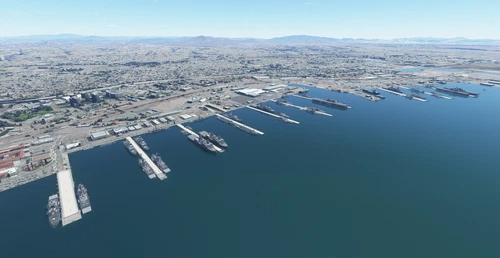
US Navy - San Diego V3.0.1
The US Navy - San Diego V3.0.1 add-on enhances the naval scenery around San Diego in Microsoft Flight Simulator. It includes a variety of updated ship models and improved textures, ensuring compatibility with both MSFS2020 and MSFS2024. Key features include detailed representations of the Rosecrans Submarine Base, multiple naval shipyards, and various classes of ships, including attack submarines and aircraft carriers. Recent updates have focused on model clean-up and the addition of interactive landing pads for helicopters.
by FreakyD
Log in to join the discussion
Log InComments(38)
2 months ago
8 months ago
could you please consider doing Torrance (KTOA)? :)
8 months ago
about 1 year ago
merci pour ta reactivité et toutes tes scenes mister VBC
about 1 year ago
Thank you for your excellent work.
Just one thing: the planes parked on the tarmac are a pink color in the distance (crossed version).
When you are near (20 meters or so), they get the color.
Regards
about 1 year ago
about 1 year ago
I vote no yellow crosses, but it's your mod.
about 1 year ago
about 1 year ago
about 1 year ago
Leave it open. No yellow crosses! Hey, I'm still flying into Kai Tek, Meigs and Stapleton. No local authorities are going to tell me where I can fly!
Keep up the amazing work Vincent!
about 1 year ago
about 1 year ago
Thanks for your message!
about 1 year ago
about 1 year ago
my vote is no yellow crosses!
thanks again vincent for your work, you give us crazy scenarios
thanks from milan italy
about 1 year ago
about 1 year ago
I'd say skip the yellow crosses and let's keep the airport as it's remembered. If you're going to close it, then you'd want to lose any static planes, services, etc. and make it look "dead." And who knows how long it'll be closed before they pave over parts to build commercial stuff... Sad to lose another small airport in reality, but my vote is to keep it open in the world of MSFS.
about 1 year ago
Happy flying!
about 1 year ago
about 1 year ago
Let’s continue thinking about it.
Thank you!
over 2 years ago