
Description
These widgets do not work in Flow Pro for MSFS 2024 and cannot currently be updated to work in MSFS 2024. Flow Pro for MSFS 2024 currently does not have the sim settings API implemented. These widgets will be updated as needed when the functionality exists in Flow Pro.
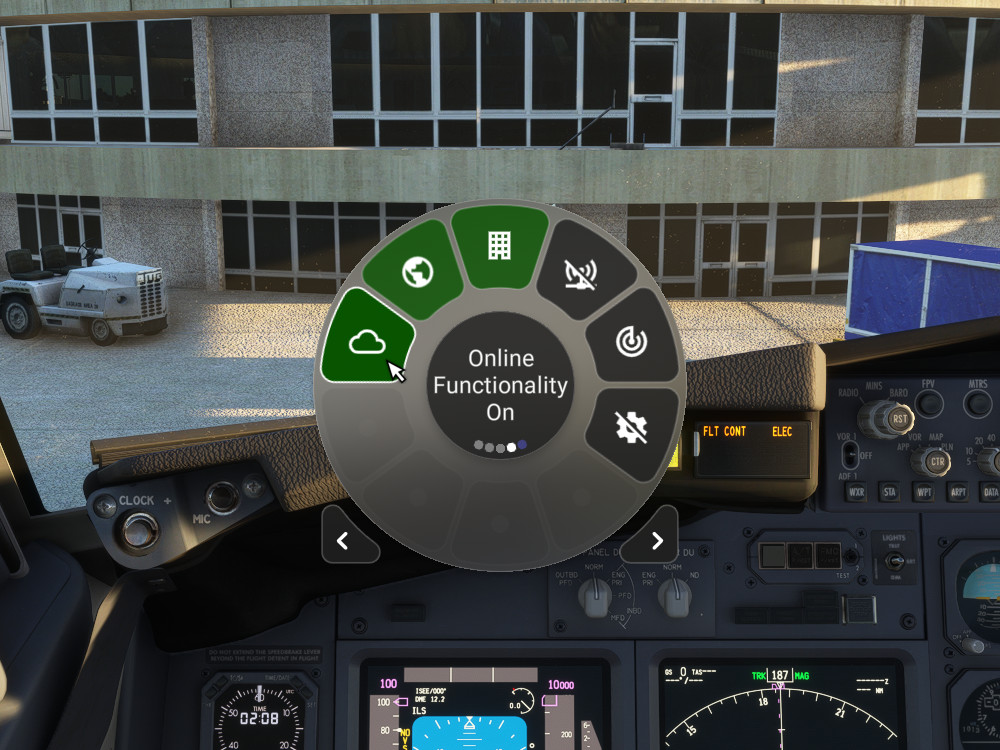
Widgets to easily toggle the following MSFS settings:
- Online Functionality (Off/On)
- Bing Data World Graphics (Off/On)
- Photogrammetry (Off/On)
- Multiplayer (Off/On)
- Data Live Weather (Off/On)
- Data Live Traffic (Off/On)
- Traffic (Live/AI Offline/Off)
- Developer Mode (Off/On)
- Graphics Terrain LOD (Scroll 10-400)
- Graphics Objects LOD (Scroll 10-200)
- Sound Headphone Simulation (Off/On)
- Sound Master (Scroll 0-100)
- Sound Engines (Scroll 0-100)
- Sound Cockpit (Scroll 0-100)
- Sound Aircraft Misc (Scroll 0-100)
- Sound Warnings (Scroll 0-100)
- Sound Environment (Scroll 0-100)
- Sound Voices (Scroll 0-100)
- Sound Other Aircraft (Scroll 0-100)
- Sound User Interface (Scroll 0-100)
- Sound Music (Scroll 0-100)
- Show Traffic Nameplates (Off/On)
- Cockpit Interaction System (Lock/Legacy)
- Instrument Name Tooltips (Off/Instant/Delayed)
- Instrument Description Tooltips (Off/Instant/Delayed)
- Units of Measurement (US/Metric/Hybrid)
- Server Switcher (Scroll or Click to cycle through servers)
- List Settings (Click to list all settings in Otto/Click any setting to copy all settings to the clipboard)
- Sound ATC Text-To-Speech (Off/Offline/Azure)
- Graphics HDR10 (Off/On)
Scroll widgets can be adjusted with the mouse wheel while the cursor is over the widget. There is a 2 second delay before the setting change is applied, to avoid frequently changing the actual setting. The widget will turn green until the new setting is applied.
The Bing Data World Graphics widget can be used to reconnect when MSFS puts you in "offline mode", but it may keep your sim paused for a while while loading the data.
Note: Requires Flow Pro version 2023.29.3.12 (or higher)
MSFS Settings Widgets
Easily toggle various MSFS settings with these widgets, including online functionality, graphics options, sound settings, and more. Adjust settings with simple clicks or scrolls, with a 2-second delay to prevent frequent changes. Stay updated with the Bing Data World Graphics widget and ensure a seamless simulation experience. Compatibility requires Flow Pro version 2023.29.3.12 or newer.


User Reviews
3 reviews
Version History
Added the following widgets: Sound ATC Text-To-Speech (Off/Offline/Azure) Graphics HDR10 (Off/On) Updated the following widgets to use the VR setting when VR is selected: Traffic (Live/AI Offline/Off) Show Traffic Nameplates (Off/On)
Featured in Collections(1)

Related
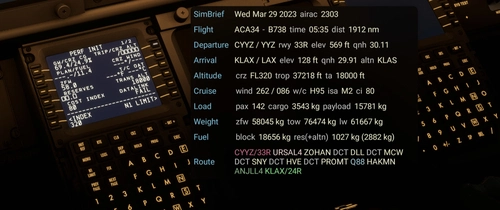
Flow SimBrief OFP
This widget will display data from your latest SimBrief OFP (Operational Flight Plan) in a window once you’ve configured it with your simbrief user name or user id. I welcome feedback regarding the info displayed as I will continue to evolve this with additional features and data.
by wasabidad
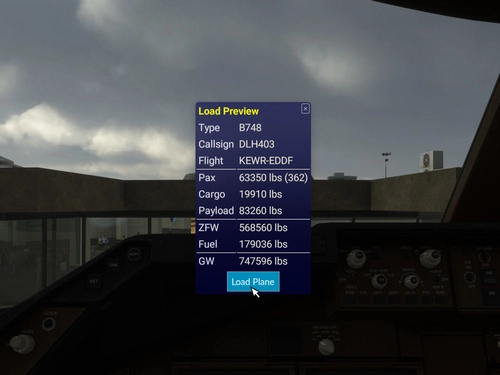
SimBrief Loader
Automatically load fuel and payload weights from SimBrief for select aircraft in Microsoft Flight Simulator. Verify and load the flight plan, ensuring correct weights are applied for an accurate simulation experience. Customized for specific aircraft models and prevents mismatches with in-game weight settings. Note: Flow Pro integration is necessary for addon functionality.
by timwells
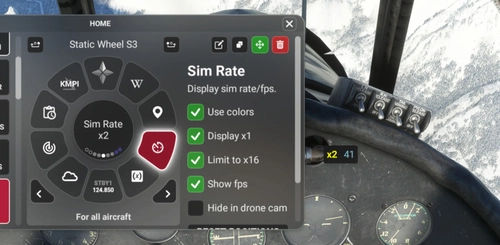
Flow Sim Rate Monitor
I've been wanting an onscreen display of the sim acceleration rate for a long time and this widget enables a small floating window that will display the sim rate and can be dragged anywhere on screen. You can see it in the 2nd photo in the lower right of the screen.
by wasabidad
Flow Radio Scripts
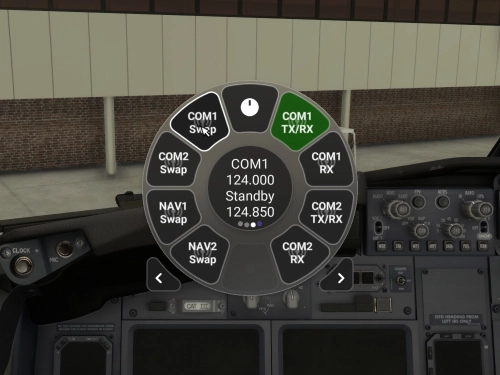
Enhance your aviation experience with Flow Radio Scripts, offering convenient widgets for seamless tuning and swapping of COM and NAV radio frequencies in Microsoft Flight Simulator. This add-on includes features such as toggling receive only mode, swapping active and standby frequencies, and toggling between 8.33 kHz and 25 kHz frequency spacing. Compatible with select aircraft like PMDG 737 and FlyByWire A32NX, this tool is designed to work with vPilot for VATSIM, ensuring a smoother radio management experience in the virtual skies. Please note that Flow Pro is necessary for utilizing this add-on.
by timwells
Log in to join the discussion
Log InComments(27)
8 months ago
8 months ago
10 months ago
10 months ago
10 months ago
10 months ago
10 months ago
about 1 year ago
Thank you
over 2 years ago
over 2 years ago
that would be very helpful for the Fenix
over 2 years ago
over 2 years ago
almost 3 years ago
I did notice after the last Flow update, there seems to be a conflict with the Nameplates, as they won't show in the sim and Flow states there is a conflicting addon. I don't have any nameplate addons other than the one that is part of this widget - wondering if anyone else has noticed or if there is a fix/update for it?
Thanks again for the great work notwithstanding this small issue.
about 3 years ago
about 3 years ago
about 3 years ago