

Description
Loads the fuel and payload weights from SimBrief
Supported planes:
- Asobo 787-10
- Asobo 747-8 (SimBrief Profile*)
- Kuro 787-8
- Asobo ATR-42-600 (SimBrief Profile*)
- Asobo ATR-72-600
After clicking on the widget, it will load the flight plan from Simbrief and display a Load Preview. Verify that the correct flight plan is loaded, and click on Load Plane to load the fuel and payload onto the plane. If the aircraft or airport do not match the flight plan, it will show yellow warning(s) just above the Load Plane button.
A loadsheet will be displayed if the aircraft is loaded successfully. The weights shown in the loadsheet are read back from the aircraft weights for verification.
This widget will automatically use the weight units (lbs or kgs) from the SimBrief flight plan.
Set your SimBrief username or ID in the settings.
747-8 Fuel Loading Sequence (version 2.4):
- Main tanks (all 4 tanks loaded evenly until tanks 1 and 4 are full)
- Center tank
- Reserve tanks 1 and 4
- Stabilizer tank
For more info about the 747-8 fuel system, please see the Boeing 747-8i Manual.
* I have created the linked SimBrief profiles in order for the ZFW and GW to match (the empty weight does not match on the default profiles).
There may be some slight variations of a few pounds in the weights, but it should be pretty close.
NOTAM: Do not use the MSFS weights screen with this widget! The payload weights will not match what this widget has loaded onto the aircraft, and making any changes there will mess up the load.
To check the version number, hover over the widget and it can be seen in the center circle (version 1.4 or higher). If the verision number does not match (or is not there), then try removing the widget from the wheel and adding it back.
Version 2 NOTAM: Version 2 does not replace version 1.x. You will need to add version 2 of this widget to your flow wheel separately. You may choose to keep or remove version 1.x. Version 1.6 remains available for download for now.
Note: Flow Pro is required to use this addon.
Frequently Asked Questions
SimBrief Loader
Automatically load fuel and payload weights from SimBrief for select aircraft in Microsoft Flight Simulator. Verify and load the flight plan, ensuring correct weights are applied for an accurate simulation experience. Customized for specific aircraft models and prevents mismatches with in-game weight settings. Note: Flow Pro integration is necessary for addon functionality.


Supporters

User Reviews
9 reviews
Version History
Reworked payload loading for the Kuro 787 to match changes to the default payload stations based on BAW cabin layout in version 2.1
Featured in Collections(1)

Related
Flow SimBrief OFP
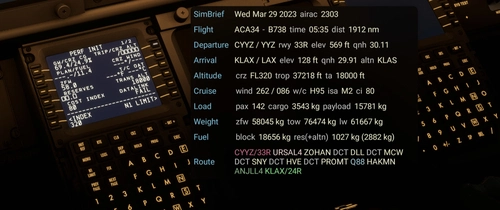
This widget will display data from your latest SimBrief OFP (Operational Flight Plan) in a window once you’ve configured it with your simbrief user name or user id. I welcome feedback regarding the info displayed as I will continue to evolve this with additional features and data.
by wasabidad
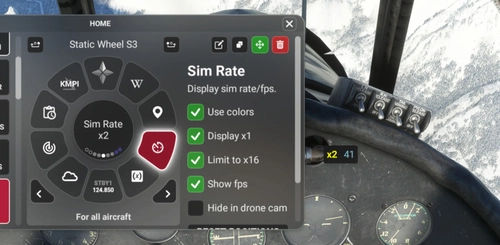
Flow Sim Rate Monitor
I've been wanting an onscreen display of the sim acceleration rate for a long time and this widget enables a small floating window that will display the sim rate and can be dragged anywhere on screen. You can see it in the 2nd photo in the lower right of the screen.
by wasabidad
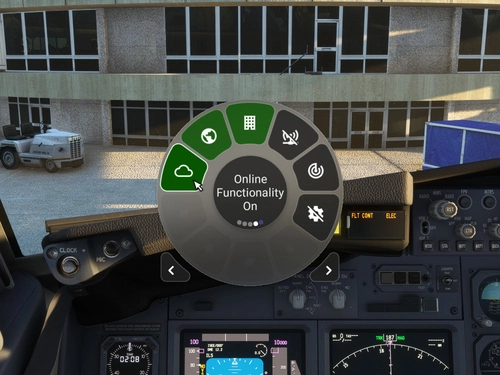
MSFS Settings Widgets
Easily toggle various MSFS settings with these widgets, including online functionality, graphics options, sound settings, and more. Adjust settings with simple clicks or scrolls, with a 2-second delay to prevent frequent changes. Stay updated with the Bing Data World Graphics widget and ensure a seamless simulation experience. Compatibility requires Flow Pro version 2023.29.3.12 or newer.
by timwells
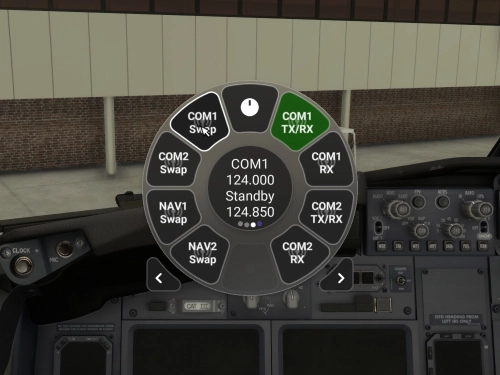
Flow Radio Scripts
Enhance your aviation experience with Flow Radio Scripts, offering convenient widgets for seamless tuning and swapping of COM and NAV radio frequencies in Microsoft Flight Simulator. This add-on includes features such as toggling receive only mode, swapping active and standby frequencies, and toggling between 8.33 kHz and 25 kHz frequency spacing. Compatible with select aircraft like PMDG 737 and FlyByWire A32NX, this tool is designed to work with vPilot for VATSIM, ensuring a smoother radio management experience in the virtual skies. Please note that Flow Pro is necessary for utilizing this add-on.
by timwells
Log in to join the discussion
Log InComments(106)
over 2 years ago
about 3 years ago
SimBrief Loader 2.5 is not detected in parallel 42
I just have atr simbrief loader which is detected
it's okay, Parallel 42 was not up to date
about 3 years ago
PMDG 737-900
about 3 years ago
You can use your Pilot ID or SimBrief username. If you haven't tried both, try the other one.
Also note the list of supported aircraft in the description. The PMDG 737 is not a plane that is supported by this addon. However if it was working properly it would be saying "The B739 aircraft is not supported!" instead of just "Error".
about 3 years ago
about 3 years ago
about 3 years ago
If that's not it, then you could try removing it from the wheel and adding it back.
If that doesn't work, try re-installing it also.
about 3 years ago
about 3 years ago
about 3 years ago
over 3 years ago
Hello Guys How It Works ? I put It in my Community folder but I Don't have This option in FLOW Wheel.
about 3 years ago
about 3 years ago