
Description
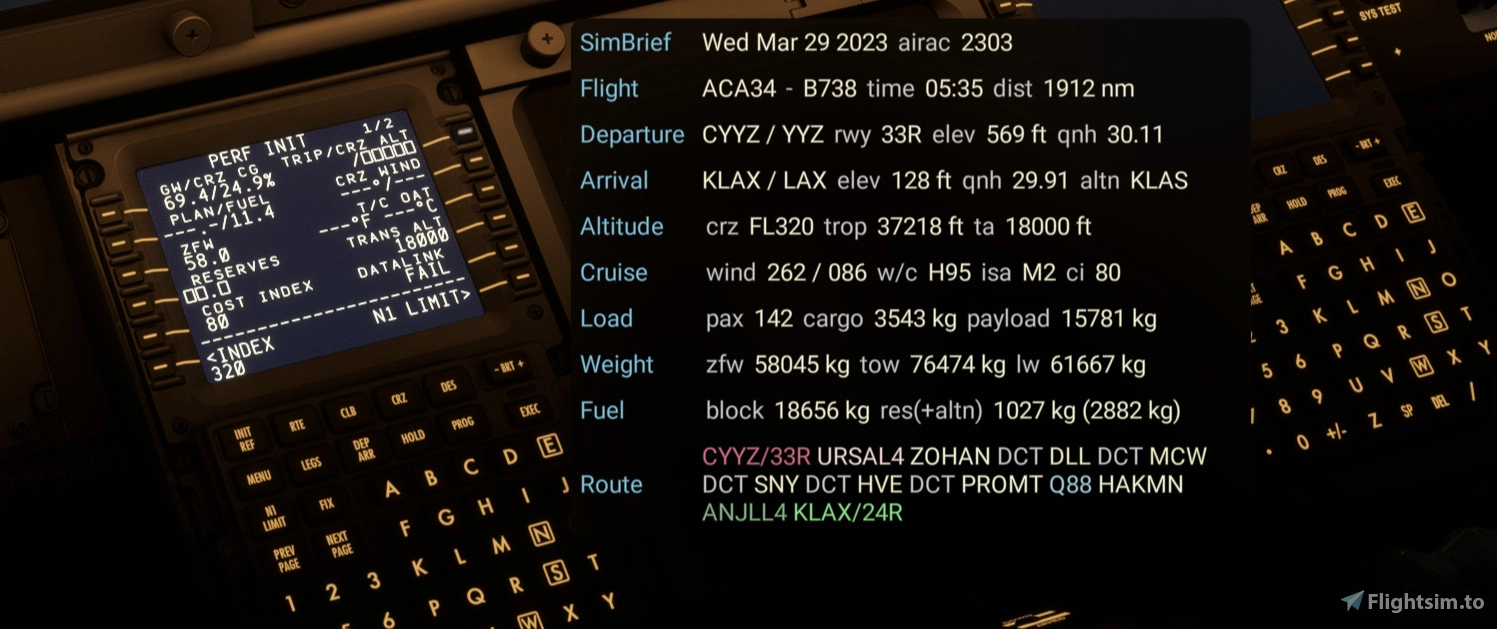
This widget will display data from your latest SimBrief OFP (Operational Flight Plan) in a window once you’ve configured it with your simbrief user name or user id. I welcome feedback regarding the info displayed as I will continue to evolve this with additional features and data. Flow Pro Required.
To install simply unzip the folder and make sure the folder p42-util-flow-wasabidad-simbrief is in your Community folder either directly or via addons linker.
New features 1.3
- Configuration of your simbrief id or name is now done through the standard widget settings using a text field.
- Double click on the window will close it so you don't have to bring up the wheel to close.
- Use mouse scroll wheel (when cursor is over window) to change the size of the simbrief window so you can quickly make it larger or smaller and it will remember your preferred size.
- Reworked the format a bit to make more sense such as putting all fuel settings together and other minor updates.
Configuration (required)
You can use your simbrief user name or user id, but if you encounter problems with the user name (e.g. it has special characters) just use the user id instead. Set this in the text field of the settings section for the widget.
Usage
Once configured, you simply click on the widget tile and it will attempt to fetch your latest simbrief OFP and display a window with basic data. It will display the last simbrief plan you generated from simbrief. If you don't see the latest simbrief plan it is likely you forgot to generate it.
If there is no response in 2 seconds from simbrief you’ll see an error. Double-click to dismiss the window. Usually an error means your simbrief id didn't work. If you used your simbrief name, try the id instead.
Clicking on the tile will basically toggle the window on/off. Each time it is toggled on it will fetch the latest plan again.
Update from previous version
Sometimes there are problems having flow register a new version if you have an previous version installed. I believe the easiest workaround is to simply delete the old widget and then re-add the new one.
Settings
- Route colorize (default on) This will colorize the route with SID/STAR/airrway/VOR in different colors to make it a bit easier to read. I tried to use subtle colors but I put all of the colors at top of file JS file so they can be customized (see my "Sim rate monitor" widget for some instructions on how to customize colors.
- Kg as tonne (mt). (default off) When using kg will display as metric tons (mt) instead, rounding up. It seems most FMCs expect in this format anyway. Just keep it off to always see kg. Does not affect lb.
- Close flow wheel (default on) Option to automatically close the wheel when you toggle widget on/off. Avoids extra click if you just want to quickly bring up plan and don't have any other wheel actions to do at the same time. I always leave this on personally.
- SimBrief ID - you can enter either your user name or user id for your simbrief account.
Some notes about the OFP data.
I find it useful to see the transition altitude. If there is no change in t.a. between the origin and destination then one altitude is displayed but it will display both if they are differnt.
The QNH values are pulled from the METAR fields in simbrief and the value at the destination airport could obviously change by the time you get there so don't rely on these values as reflecting current conditions as they are the values given by the OFP in simbrief at the time it was generated.
I welcome feedback on additional data that I'm missing or any errors on what is displayed. Thank you
Flow SimBrief OFP
This widget will display data from your latest SimBrief OFP (Operational Flight Plan) in a window once you’ve configured it with your simbrief user name or user id. I welcome feedback regarding the info displayed as I will continue to evolve this with additional features and data.


User Reviews
21 reviews
Version History
- Configuration of your simbrief id or name is now done through the standard widget settings using a text field. - Double click on the window will close it so you don't have to bring up the wheel to close. - Use mouse scroll wheel to change the size of the simbrief window. - Reworked the format a bit to make more sense such as putting all fuel settings together and other minor updates. (note: I've kept the previous version 1.22 available for now in case there are any problems with this update).
Featured in Collections(1)

Related
Flow Sim Rate Monitor
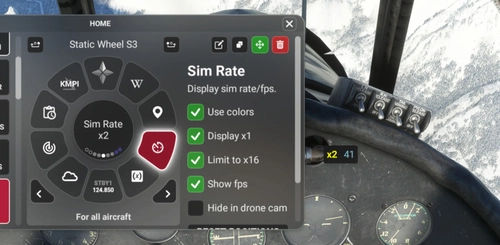
I've been wanting an onscreen display of the sim acceleration rate for a long time and this widget enables a small floating window that will display the sim rate and can be dragged anywhere on screen. You can see it in the 2nd photo in the lower right of the screen.
by wasabidad
Flow FR24 Launcher
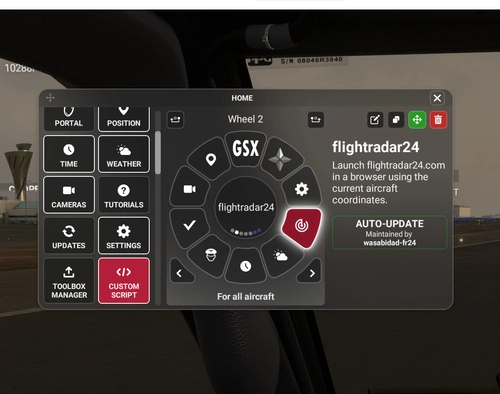
Flow widget to launch flightradar24.com in a browser with the current coordinates of your aircraft . I’ve created it so that it also adjusts the default zoom level depending on altitude. For example, when on the ground at an airport it will zoom in closer to the airport so you can see what other aircraft are parked nearby but when you are airborne depending on the altitude it will gradually zoom out.
by wasabidad
Log in to join the discussion
Log InComments(67)
4 months ago
about 1 month ago
4 months ago
6 months ago
9 months ago
Glad to hear it still works in msfs2024 with new flow pro version and people still using it.
I updated to say compatible with 2024.
10 months ago
over 2 years ago
almost 3 years ago
about 3 years ago
over 3 years ago
Great add on not working properly in VR SU12 issue probably a flow fix required
over 3 years ago
great addon. thank you!
over 3 years ago
In order to see the changes in version 1.3 take effect I had to remove the widget from the wheel, then add it back. I assumed removing the previous version files from the community folder and replacing with the new version would complete the update, but I did not see any of the changes described in version 1.3 take effect until I removed the widget from the flow pro wheel, then added it back. This is the best and most useful Flow widget made to date in my opinion. Thank you for making it.
over 3 years ago
thank! sorry yes it can be a trick to get the new widget version to take.
over 3 years ago
I have a multi (3) scene configuration, is it possible to drag the Simbrief OFP window away from the main screen and onto one of the another screen?
over 3 years ago
hi, I don't believe flow widgets (any widget including custom) can currently be moved to other monitors (can't verify for sure as I don't have access to computer for a few days but I'm pretty sure that is a current flow limitation)
over 3 years ago
over 3 years ago
Hi, please see comment directly above (bnash00) - sometimes it can be tricky to get the new widget code active unless you delete the previous one.
over 3 years ago
Why does Addon Linker show that it is version 1.0 as supposedly it is already version 1.3? What version of this addon is it, after all?
over 3 years ago
It is 1.3, I just forgot to update the manifest.json file and repackage (it's been a while since I last updated so forgot this step since it's a manual step to do this after exporting widget).