

Description
Spirit of Delta Airbus A310 N102DA on 8K.
V 1.5
Changelog:
Fixed Red Blue stripe on side to better match curvature of fuselage.
Added silver metal lining on front/side windshield window.
Removed inner delta logo on left and right engines.
Instructions:
Simply unzip to community folder.
If you like my work and would like to support, BUY ME A COFFEE. It would help me make more hi-end liveries for you to enjoy. Thank you.
Spirit of Delta Airbus A310 N102DA 8K
In appreciation for Delta's support during a difficult economic time, employees raised $30 million in 1982, to purchase Boeing 767 The Spirit of Delta, the airline's first Boeing 767. Repainted back to its original livery in 2006, before coming home to the Delta Flight Museum.
Supporters

User Reviews
1 reviews
Version History
V1.6 Changelog: - Added back inner logo of Delta in engines. - Added GE logo on outer part of engines beside Delta logo.
Related
![[A32NX] Delta Air Lines "2007 livery"](https://cdn.flightsim.to/images/12/YKoV7Gef.jpg?width=500)
[A32NX] Delta Air Lines "2007 livery"
A detailed livery add-on featuring the Delta Air Lines "2007 livery" for your A32NX aircraft. Simply extract and install the files in the "community" directory for an enhanced visual experience during your flights.
by UnitDeath
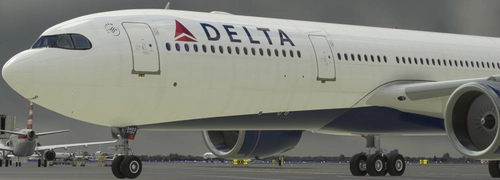
DELTA AIRLINES N402DX A330-900 8K
Repaint of the Delta Airlines N402DX A330-900 aircraft for Microsoft Flight Simulator. Install by unzipping and placing in your Community Folder for an enhanced visual experience during your flights.
by JanT73
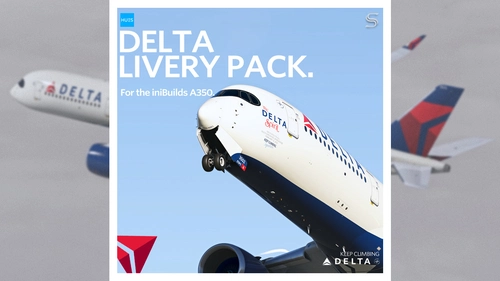
Delta Air Lines Livery Pack w/ Cabin | iniBuilds A350 | Smart Decals
The Delta Air Lines Fleet Pack for the iniBuilds A350 offers realistic livery designs featuring accurate stencils and detail representations of the aircraft. This add-on includes a custom cabin layout with bespoke seating and in-flight entertainment screens, along with custom exterior weathering effects. The package includes several specific aircraft models, enhancing the overall immersive flying experience. Installation is straightforward, requiring only a drag-and-drop into the community folder.
by SilkySmooth
![[A32NX] FlyByWire | Airbus A320neo DELTA AIRLINES N325US - Dirty in 8k](https://cdn.flightsim.to/images/14/cBwmKIrx.png?width=500)
[A32NX] FlyByWire | Airbus A320neo DELTA AIRLINES N325US - Dirty in 8k
A new livery for the Airbus A320neo DELTA AIRLINES N325US featuring a dirty design in 8k resolution, now compatible with FlyByWire. Easily install the livery in your community folder and take to the skies in style. Share your experience and support future livery requests with a rating or donation.
by Selcuk Dikilitas
Log in to join the discussion
Log InComments(7)
over 3 years ago
Wonderful livery, great job dude ! Many thanks
almost 4 years ago
Very nice livery, thank you very much.
One Problem: The passenger windows look blurred from a certain distance. Could you update?
almost 4 years ago
I am not sure what you mean. Its 8K already.
almost 4 years ago
almost 4 years ago
I will double check. Thank you for this info.
almost 4 years ago
New update is up. Tho am not able to reproduce what u see. A lot of rework was done on this build. Pls chk. Enjoy.
https://flightsim.to/file/45142/spirit-of-delta-airbus-a310-n102da-8k
almost 4 years ago
Thank you very much!