

Description
This is a modification to the MSFS 2020 default Microsoft Curtiss JN-4 Jenny aircraft. This mod is primarily aimed at improving the overall flight dynamics of this aircraft, providing a more realistic flying experience that is much closer to the actual aircraft. Several changes have been made to the flight model and the aircraft weight and balance, which are all detailed in the Change Log file included under the Documentation folder.
This mod is easily installed by simply unzipping the download file and copying the mge-microsoft-aircraft-jn4 folder to the MSFS Community folder. It will then replace the existing default Curtiss JN-4 Jenny aircraft in the MSFS aircraft selection screen, and will also continue to utilize all existing aircraft Liveries. To uninstall the mod and return to using the MSFS default aircraft, simply remove it from the Community folder.
Microsoft Flight Simulator © Microsoft Corporation. Microsoft JN-4 Jenny Realism Mod has been created under Microsoft's "Game Content Usage Rules" using assets from Microsoft Flight Simulator, and it is not endorsed by or affiliated with Microsoft.
Microsoft JN-4 Jenny Realism Mod
Enhance the flight dynamics of the default Microsoft Curtiss JN-4 Jenny aircraft in MSFS 2020 with this realism mod. Adjusted flight model and weight balance provide a more authentic flying experience. Easily install by copying the folder to the Community directory, and revert to the default aircraft by removing the mod.


User Reviews
8 reviews
Version History
Version 2.2.0 ⦁ The Engine and Prop parameters have been tweaked to more closely match the actual aircraft specs for Engine HP, Prop Diameter, Min/Max RPM, Oil Pressure and Coolant Temperature. ⦁ The Tail Skid ground friction has been increased to more closely match the actual aircraft and improve taxi speed control and landing roll out distance. It now requires about 700 RPM to begin moving the aircraft on a paved runway, and about 800 RPM on grass or dirt.
Featured in Collections(1)


Related

Asobo C172SP AS1000 Realism Mod
Enhance the flight dynamics of the Asobo C172SP AS1000 aircraft with this mod, which also includes the FLOATS and SKIS variant. This modification aims to provide a more realistic flying experience by adjusting engine and flight model parameters, weight, and balance. Detailed documentation and real-world training guides are included for easy installation and compatibility with other mods.
by MGouge425
Asobo Baron G58 Realism Mod
Enhance the realism of the Asobo Baron G58 in MSFS 2020 with this mod. Improvements to the flight model provide a more authentic flying experience, closely matching the performance of the actual aircraft. Easily install the mod by copying the folder to the Community folder, and enjoy the detailed changes listed in the documentation. Note: Only compatible with MSFS Deluxe Edition and Premium Deluxe Edition.
by MGouge425

Asobo B747-8i Realism Mod
Enhance your Boeing 747-8i experience with this realism mod for the MSFS 2020 default aircraft. This modification focuses on improving the flight model to closely match the actual aircrafts performance. Detailed changes can be found in the included documentation, addressing bugs like the landing gear failure. Easily installed by transferring files to the Community folder, this mod aims to provide a more authentic flying experience.
by MGouge425

Asobo Icon A5 Realism Mod
Enhance your flying experience with the Asobo Icon A5 Realism Mod for MSFS 2020. This mod focuses on adjusting the flight model and performance of the default Icon A5 to align it more closely with the real aircraft. From improved flight parameters to enhanced weight and balance, this mod offers a more authentic and satisfying flight experience. Easily install this mod to enjoy a more realistic flying experience with the iconic and versatile Asobo Icon A5 aircraft in Microsoft Flight Simulator.
by MGouge425
Log in to join the discussion
Log InComments(39)
3 months ago
3 months ago
4 months ago
5 months ago
5 months ago
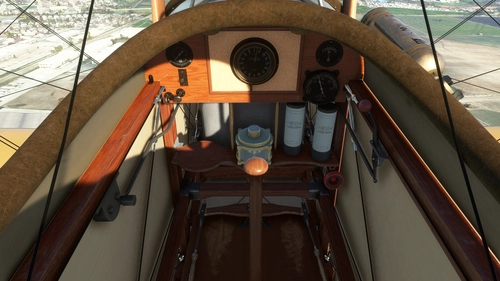
To remove the engine cowling so that you can inspect the highly detailed fully animated 3-D engine model, just click on the small Left cockpit corner bracket. Clicking on the Right corner bracket will remove the new hand-held Radio/Compass.
5 months ago
11 months ago
about 2 years ago
almost 3 years ago
When flying old planes like this both in X-plane and in MSFS I always do these extra laps and cut the engine before landing and I have never had the need for doing the mentioned ground turns, which could be dangerous if you flew a plane with a rotary engine ( which this plane does not have for ref. )
almost 3 years ago
almost 3 years ago
over 3 years ago
thank you for everything youve done they have been great! Is there any chance you can do the bonaza v35?
over 3 years ago
I can only modify the MSFS default aircraft... Unfortunately, that is a payware add-on aircraft that I don't have.
over 3 years ago
Thank you for this. I love flying the old planes and the more real the better.
over 3 years ago
Thanks for the update. Good work iniBuilds, this radio is nice to have for nowadays flights.
over 3 years ago
Works perfectly.
Thanks for that.
almost 4 years ago
almost 4 years ago
Tip of the Day: To remove the engine cowling and see the amazingly well modelled engine, just click on the small metal angle bracket on the left side of the cockpit.