
Description
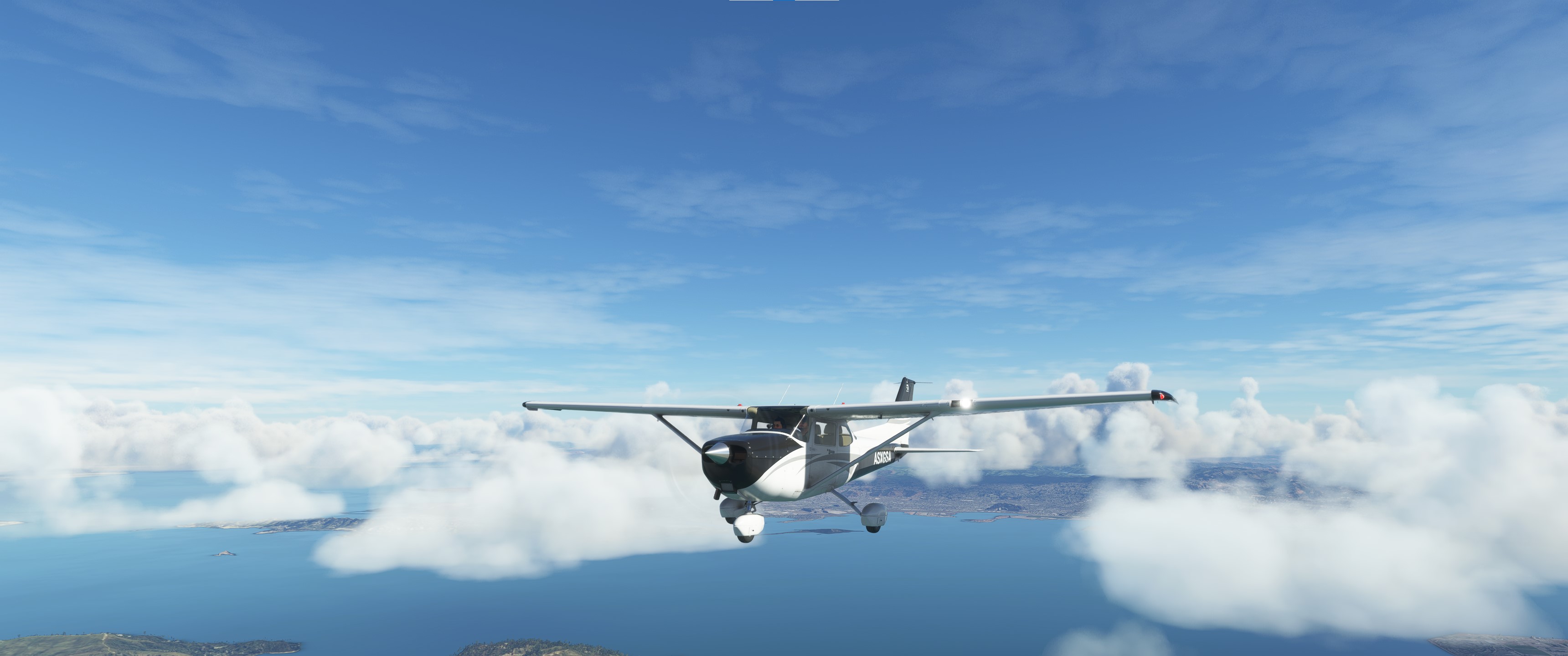
This is a modification to the MSFS 2020 default Asobo C172SP Classic aircraft, including the FLOATS and SKIS variant of the C172SP.
This mod is primarily aimed at improving the overall flight dynamics of this aircraft, providing a more realistic flying experience that is much closer to the actual aircraft. Multiple changes have been made to the engine and flight model parameters, and the aircraft weight and balance, which are all detailed in the Change Log file included under the Documentation folder. A full PDF copy of the aircraft POH, the Garmin G1000NXi Pilots Guide, and some helpful tips for operating this aircraft are also included under the Documentation folder. A PDF copy of the FAA Airplane Flying Handbook, which is an excellent real world PPL flight training guide, is also included.
This mod is easily installed by simply unzipping the download file and copying the mge-asobo-aircraft-c172sp-classic folder to the MSFS Community folder. It will then replace the existing default C172SP Classic aircraft in the MSFS aircraft selection screen, and will also continue to utilize any existing aircraft Liveries. To uninstall the mod and return to using the MSFS default aircraft, simply remove it from the Community folder. This aircraft and this mod are only for the MSFS Deluxe Edition and Premium Deluxe Edition.
Microsoft Flight Simulator © Microsoft Corporation. Asobo C172SP Classic Realism Mod has been created under Microsoft's "Game Content Usage Rules" using assets from Microsoft Flight Simulator, and it is not endorsed by or affiliated with Microsoft.
Asobo C172SP Classic Realism Mod
Enhance the realism of the Asobo C172SP Classic in MSFS 2020 with this mod, featuring improved flight dynamics and detailed adjustments to engine, flight model, weight, and balance. The package includes a PDF copy of the aircrafts POH, Garmin G1000NXi Pilots Guide, FAA Airplane Flying Handbook, and operational tips for an authentic experience. Simply unzip and install the mod to replace the default C172SP Classic in the simulator, compatible with MSFS Deluxe and Premium Deluxe Editions.


User Reviews
9 reviews
Version History
Version 1.2.2 ⦁ The Free-Castering Steering on the FLOAT variant has been disabled and changed back to Nosewheel Steering. Offset free-castering wheels are not currently simulated correctly in MSFS 2020 and as a result they can easily become stuck at an angle during taxi after a sharp turn. If Asobo fixes this bug in the future Free-Castering Steering can be easily re-enabled if desired by a simple edit of the [CONTACT POINTS] section of the FLIGHT_MODEL.CFG file. ⦁ The Ground-Effect Lift Scaler has been decreased slightly to reduce floating during the landing flare. ⦁ The Flaps Lift, Drag and Pitch parameters have been retweaked to improve takeoff and landing performance.
Related

Asobo C172SP AS1000 Realism Mod
Enhance the flight dynamics of the Asobo C172SP AS1000 aircraft with this mod, which also includes the FLOATS and SKIS variant. This modification aims to provide a more realistic flying experience by adjusting engine and flight model parameters, weight, and balance. Detailed documentation and real-world training guides are included for easy installation and compatibility with other mods.
by MGouge425
Asobo Baron G58 Realism Mod
Enhance the realism of the Asobo Baron G58 in MSFS 2020 with this mod. Improvements to the flight model provide a more authentic flying experience, closely matching the performance of the actual aircraft. Easily install the mod by copying the folder to the Community folder, and enjoy the detailed changes listed in the documentation. Note: Only compatible with MSFS Deluxe Edition and Premium Deluxe Edition.
by MGouge425

Asobo B747-8i Realism Mod
Enhance your Boeing 747-8i experience with this realism mod for the MSFS 2020 default aircraft. This modification focuses on improving the flight model to closely match the actual aircrafts performance. Detailed changes can be found in the included documentation, addressing bugs like the landing gear failure. Easily installed by transferring files to the Community folder, this mod aims to provide a more authentic flying experience.
by MGouge425

Asobo Icon A5 Realism Mod
Enhance your flying experience with the Asobo Icon A5 Realism Mod for MSFS 2020. This mod focuses on adjusting the flight model and performance of the default Icon A5 to align it more closely with the real aircraft. From improved flight parameters to enhanced weight and balance, this mod offers a more authentic and satisfying flight experience. Easily install this mod to enjoy a more realistic flying experience with the iconic and versatile Asobo Icon A5 aircraft in Microsoft Flight Simulator.
by MGouge425
Log in to join the discussion
Log InComments(77)
about 1 year ago
Question: I HAve disabled the 2024 sp classic, and now use the 172sp classic from 2020 by enabling that in "my library" in 2024.
Do you think I Can use this mod in that case ?
And how will I see that the mod is actually used?
Thanks, Dave.
about 1 year ago
about 1 year ago
9 months ago
9 months ago
Well it did not crash the sim or anything, but I found no way of confirming if it was using this mod. Also i think the "in sim" 172 sp in 24 is great and now works well.
I can also seriously recommend Bagolu's Mods, he has a HAWK 172-XP here @ flightsim.to that is wonderful, also full analog!
about 1 year ago
about 1 year ago
about 1 year ago
over 1 year ago
over 1 year ago
Will this work with WB-SIM mod ? If not, why not?
Thanks for your invaluable mods! :)
over 1 year ago
over 1 year ago
over 1 year ago
over 1 year ago
over 1 year ago
over 1 year ago
over 1 year ago
over 1 year ago
over 1 year ago
about 2 years ago
BTW - MSFS didn't make it easy to find the 'community' folder... best tip I found online was to go into MSFS, choose OPTIONS/GENERAL OPTIONS/DEVELOPERS (left nav bar) and toggle 'ON' to expose a small-font navigation bar on the top of the game window. Choose 'Tools'/'Virtual File System' to open a dialogue window. Under 'Packages Folders' choose 'Open Community Folder' and pow, it opens. I recommend pinning the folder for future reference. Return to MSFS and click 'Devmode' and choose 'Exit DevMode' to close the mini nav bar.