

Description
This mod gives you alternative payload configuration for the Indiafoxtecho F-35 Lightning II aircraft. This mod doesn't modify the base performance and general specification of the aircraft. This mod only modifies the default Weight Payload that is loaded when the aircraft is selected in the Free Flight selection.
The purpose of this mod is to give you the weapons payload by default, so that you can just choose the aircraft and start your flight straightaway with full weapons loadout. That way, you don't have to manually enter the pay load for each station one by one everytime you start a new flight. This mod also changes the Station # labels into their actual weapons name.
Dislaimer: If you purchased the Indiafoxtecho F-35 Lightning II from the MSFS Marketplace, this mod won't work. This is because Marketplace prohibits the distribution of military weapons as a content. So the developer have intentionally omits them from their releases via the Marketplace. This mod only works for the addon distributed through other stores and other channels apart from the MSFS Marketplace.
This mod gives you the following specifications for all F-35A, F-35B, and F-35C variants for in order of their stations:
- Pilot = 91 kg / 200 lb
- AIM-9X SIDEWINDER = 91 kg / 200 lb
- GBU-12 laser guided bomb = 249 kg / 550 lb
- GBU-31 GPS guided bomb = 907 kg / 2000 lb
- GBU-12 laser guided bomb = 249 kg / 550 lb (B variant)
- GBU-31 GPS guided bomb = 907 kg / 2000 lb (A and C variant)
- AIM-120 AMRAAM = 159 kg / 350 lb
- centerline gunpod = 249 kg / 550 lb
- AIM-120 AMRAAM = 159 kg / 350 lb
- GBU-31 GPS guided bomb = 907 kg / 2000 lb (A and C variant)
- GBU-12 laser guided bomb = 249 kg / 550 lb (B variant)
- GBU-31 GPS guided bomb = 907 kg / 2000 lb
- GBU-12 laser guided bomb = 249 kg / 550 lb
- AIM-9X SIDEWINDER = 91 kg / 200 lb
Installation:
- Download the main file from this mod.
- Extract the indiafoxtecho-f35-weapons-payload folder into your Community folder.
Uninstallation:
Just remove the indiafoxtecho-f35-weapons-payload folder from your Community folder.
Recommended Mods:
Credits:
- Indiafoxtecho for the original file from their F-35 Lighning II aircraft addon.
- LordFrites for the permission to make the compatible version with their F-35 Improvement MOD
Dependencies
Indiafoxtecho F-35 Lightning II - Default Weapons Payload
This mod gives you alternative payload configuration for the Indiafoxtecho F-35 Lightning II aircraft. This mod doesn't modify the base performance and general specification of the aircraft. This mod only modifies the default Weight Payload that is loaded when the aircraft is selected in the Free Flight selection. The purpose of this mod is to give you the weapons payload by default, so that you can just choose the aircraft and start your flight straightaway with full weapons loadout. That way, you don't have to manually enter the pay load for each station one by one everytime you start a new flight. This mod also changes the Station # labels into their actual weapons name.


User Reviews
10 reviews
Version History
- Compatibility for Indiafoxtecho F-35 version 1.2.4
Related
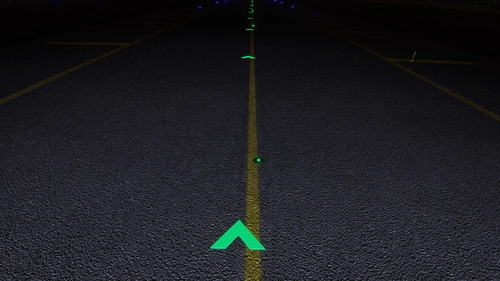
Subtle Taxi Ribbon
Enhance your taxiing experience with the Subtle Taxi Ribbon mod, which reduces the size and changes the color of the taxi ribbon for a more seamless integration with taxiway centerlights. Easily install or uninstall this mod to customize your MSFS experience. For an alternative option with parking box retention, check out the RXP Small Taxi Helpers 3D-VR mod by CptLucky.
by NeoKingArthur
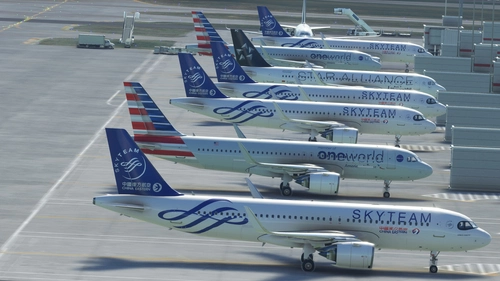
Generic A320 Traffic
This is a mod that disables the sim to use the Generic Traffic model to be used for populating the aircraft and to be used as moving Traffic. Instead, this mod will force the sim to use the Asobo A320 aircraft to become the Generic Traffic. So if you do not have a matching aircraft model, the sim will use the A320 model by default.
by NeoKingArthur
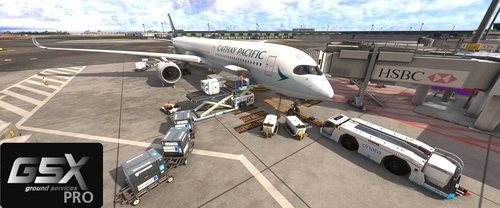
GSX Pro Profile - iniBuilds A350-900/1000
This add-on provides a customized GSX Pro profile for the iniBuilds A350-900 and A350-1000 variants, enhancing boarding and cargo operations. Key features include the activation of all passenger doors on the port side and setting the front door as the preferred entry/exit point to streamline passenger flow. Additionally, bulk cargo functionality has been refined with proper door checks for realistic loading. Installation involves extracting the profile folder into a designated directory.
by NeoKingArthur
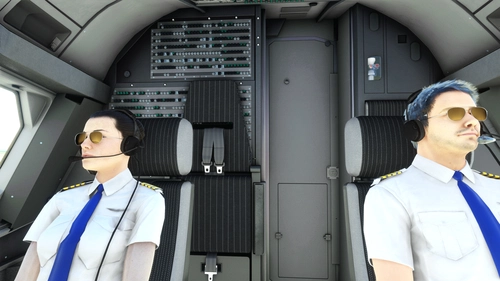
FBW A32NX - Pilot & Copilot Avatar
This mod adds visible Pilot & Copilot avatars to the cockpit of the FBW A32NX aircraft. Choose the appropriate version (Stable or Dev/Exp), download the zip file, and follow the installation instructions to enhance your flight experience. Special thanks to FlyByWire Simulations and Fluegelmann for their contributions to this mod.
by NeoKingArthur
Log in to join the discussion
Log InComments(76)
25 days ago
about 4 hours ago
about 2 months ago
about 4 hours ago
about 3 years ago
about 3 years ago
over 3 years ago
I discovered that you also changed the aerodynamics and performance of the aircraft. Will you update to the latest Indiafoxecho's revision ?
over 3 years ago
Yeah, everytime they update any performance data. This mod requires update. But I don't have the time to do this for now. So I'm not sure when I'll make an update. For now just remove the mod. (or you can edit it yourself). Copy the weight loadout and paste it in the new F-35 file.
over 3 years ago
OK.
about 3 years ago
This is now updated.
almost 4 years ago
hello how did you make this weapons payload i have tried looking at you files to figure out how you did it but cant get it to work on other jets in the game
almost 4 years ago
Because the weapon model themselves are already packaged with the F-35 aircraft by the developer. It's activated by using the payload menu. If you add a specific payload weight to each station, the aircraft will display the weapons model. But this is packaged together with the F-35. It's not applicable to other aircraft if those aircraft developer don't have the weapons packaged along with them as well, or if they don't display the weapons the same way as Indiafoxtecho did.
All I did in this mod was to apply the weapons weight as the default weight of the aircraft (so that you don't have to manually add them via the menu every time). I do not change the way the weapons are displayed, nor I'm sharing the weapons model themselves. These are done by the original developers themselves. If your other aircraft developers doesn't have them, my method won't work.
about 4 years ago
Which version of the F-35 is this version compatible with?
about 4 years ago
It should be version 1.1.4 as written in the changelog. I always try to keep this mod's version to be identical with the original F-35 version numbers.
about 4 years ago
Great, I just got confused with version numbers. Thanks
about 4 years ago
https://www.flickr.com/photos/pd_taylor/51992914234/
no coment...