

Description
This is a mod that disables the sim to use the Generic Traffic model to be used for populating the aircraft and to be used as moving Traffic.
Instead, this mod will force the sim to use the Asobo A320 aircraft to become the Generic Traffic. So if you do not have a matching aircraft model, the sim will use the A320 model by default.
The purpose for this is so that you can use your own A320 liveries to be used as a traffic, provided that the livery you have has a matching ICAO airline code that the Live traffic will use. It will also help to make your airports more immersive by removing the low-poly aircrafts and the generic liveries.
Features:
- All default Generic Traffic: Quad Engine Airliners, Twin Engine Airliner, Private Jet, GA aircrafts will now stop spawning at gates and some parking spots.
- If you don't have a matching model, Live Traffic will no longer use the Generic Traffic models above.
- Instead Live Traffic will start using the Asobo A320 model for traffic that doesn't have a matching model.
- Default A320 Air Traffic Livery (the plain white/green, yellow, etc) will be replaced with the three major Airline Alliances: Star Alliance, Oneworld and SkyTeam. No more plain liveries at the gates and parking spots.
- Multiple variants with a unique set of airline livery combinations.
- If you have a A320 Liveries setup for AI Traffic and has a matching ICAO, the sim will use that livery for the traffic (Livery not included).
- If the Live Traffic does not have a matching ICAO code with an A320 livery in your collection, it will randomly use the default Alliance liveries above.
Variants:
Global Variant (Main File):- North America:
- American Airlines Oneworld livery.
- Korean Air SkyTeam livery.
- Lufthansa Star Alliance livery.
- Europe:
- Iberia Oneworld livery.
- Delta Air Lines SkyTeam livery.
- Turkish Airlines Star Alliance livery.
- Asia:
- Qatar Airways Oneworld livery.
- Air France SkyTeam livery.
- United Airlines Star Alliance livery.
- North America
- American Airlines Oneworld livery.
- Delta Air Lines SkyTeam livery.
- United Airlines Star Alliance livery.
- European Variant:
- Iberia Oneworld livery.
- Air France SkyTeam livery.
- Lufthansa Star Alliance livery.
- Asian Variant:
- Qatar Airways Oneworld livery.
- Korean Air SkyTeam livery.
- Turkish Airlines Star Alliance livery.
Recommended Configuration:
It's recommended to go to your General Options -> Traffic and make some adjustments.
- Ground Aircraft Slider can be adjusted accordingly, the higher the slider value the more A320s will spawn to your airports parking spots and gates. I recommend this to be set to 100 as thats what I use for the screenshots.
- Set AI Traffic to use Generic. This will force the sim to always use the A320 as Live Traffic. This is not mandatory since the sim will always use the A320 as generic anyway when there's no matching traffic model, but it's recommended if you don't want to see plain 747 or other aircrafts spawn as traffic which could also affect FPS performance when aircraft that's not designed with AirTraffic in mind to be used as such.
- Set the Traffic Variety to Ultra if you want the sim to use a lot more liveries in your collection as the ground aircraft.
Installation:
- Make sure you have the Default Asobo A320 installed from the Content Manager.
- Then you need to find the Official folder within your installation directory.
- Download only one variant of your choosing.
- Extract the folders contained within this mod to the Official Folder and replace all 24 files when asked.
These are the default installation path for each respective store version. This won't apply if you install your MSFS to a custom drive\folder. If that's the case, you need to find it yourself.
Steam Version:
C:\Users\(UserName)\AppData\Roaming\Microsoft Flight Simulator\Packages\Official\Steam\
Microsoft OneStore Version:
C:\Users\(UserName)\AppData\Local\Packages\Microsoft.FlightSimulator\LocalCache\Packages\Official\OneStore\
Uninstallation:
- Backup files are included in this mod, you can download the backup files that's based on version 1.20.6.0 and do the same installation process as above.
For A320 livery creators:
If you include an AI Traffic model.cfg and a separate FLTSIM entry with isAirTraffic=1. Make sure you have a matching ICAO airline code. This will help other people downloading your livery to also be used as an AI traffic that will work with this mod. As this mod will force everyone to have the A320 as AirTraffic, and the sim will use your livery for AirTraffic that uses the same matching ICAO code. See the section below for known issue when it comes to AI AirTraffic livery.
Known Issues:
- When you have a matching ICAO code livery with the livetraffic, the livery loaded correctly, but sometimes the engine sound is missing from the live traffic. This is usually caused by a broken Sound reference from your livery for the traffic. This can be solved by adding the soundai folder from the official Asobo A320 folder and bring it to the livery's folder, and point the aircraft.cfg to reference the soundai folder.
- If you have AI Traffic model addons in the community folder, that will still take precedence. So you can still keep the community AI traffic models addon if you still want to use it, and this mod will take care of the gaps instead. Or if you want to use this tweak to its full potential, then you will need to remove the AI Traffic model addons that you use from the community folder.
Credits:
- n0k3 for the SkyTeam liveries.
- Miggle for the Star Alliance liveries.
- CraftDesigns for the American Airlines Oneworld livery.
- OrientePS for the Iberia Oneworld livery.
Generic A320 Traffic
This is a mod that disables the sim to use the Generic Traffic model to be used for populating the aircraft and to be used as moving Traffic. Instead, this mod will force the sim to use the Asobo A320 aircraft to become the Generic Traffic. So if you do not have a matching aircraft model, the sim will use the A320 model by default.


User Reviews
22 reviews
Version History
- Added a pack designed to be compatible for users with Aerosoft Tool Simple Traffic mod. All variants included inside. (Requires the payware Aerosoft Tool Simple Traffic by Aerosoft for it to work).
Related
Subtle Taxi Ribbon
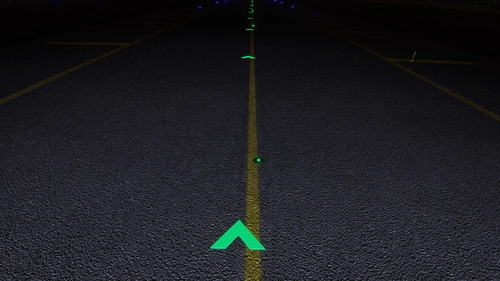
Enhance your taxiing experience with the Subtle Taxi Ribbon mod, which reduces the size and changes the color of the taxi ribbon for a more seamless integration with taxiway centerlights. Easily install or uninstall this mod to customize your MSFS experience. For an alternative option with parking box retention, check out the RXP Small Taxi Helpers 3D-VR mod by CptLucky.
by NeoKingArthur
GSX Pro Profile - iniBuilds A350-900/1000
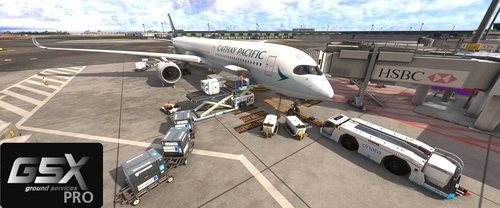
This add-on provides a customized GSX Pro profile for the iniBuilds A350-900 and A350-1000 variants, enhancing boarding and cargo operations. Key features include the activation of all passenger doors on the port side and setting the front door as the preferred entry/exit point to streamline passenger flow. Additionally, bulk cargo functionality has been refined with proper door checks for realistic loading. Installation involves extracting the profile folder into a designated directory.
by NeoKingArthur
Indiafoxtecho F-35 Lightning II - Default Weapons Payload
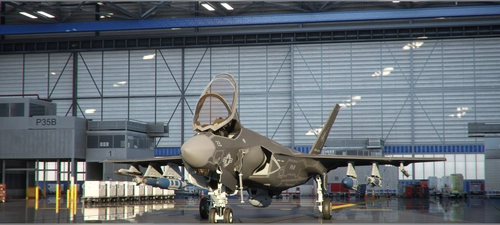
This mod gives you alternative payload configuration for the Indiafoxtecho F-35 Lightning II aircraft. This mod doesn't modify the base performance and general specification of the aircraft. This mod only modifies the default Weight Payload that is loaded when the aircraft is selected in the Free Flight selection. The purpose of this mod is to give you the weapons payload by default, so that you can just choose the aircraft and start your flight straightaway with full weapons loadout. That way, you don't have to manually enter the pay load for each station one by one everytime you start a new flight. This mod also changes the Station # labels into their actual weapons name.
by NeoKingArthur
FBW A32NX - Pilot & Copilot Avatar
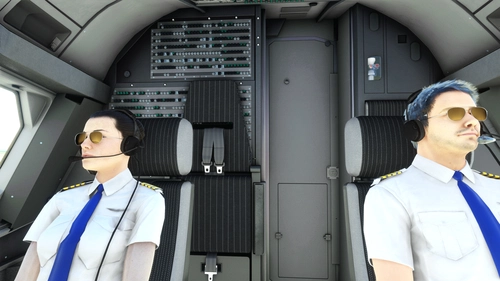
This mod adds visible Pilot & Copilot avatars to the cockpit of the FBW A32NX aircraft. Choose the appropriate version (Stable or Dev/Exp), download the zip file, and follow the installation instructions to enhance your flight experience. Special thanks to FlyByWire Simulations and Fluegelmann for their contributions to this mod.
by NeoKingArthur
Log in to join the discussion
Log InComments(158)
about 1 year ago
over 2 years ago
about 3 years ago
about 3 years ago
almost 4 years ago
my game crashes
almost 4 years ago
Thanks, I'll disable the mod for now until I find a solution.
almost 4 years ago
To add a bit of context, I haven't been using this mod myself anymore since I installed AIG, it has more variety, and you can mix and match which airlines you want and it's free.
about 4 years ago
What are the default backup files?
about 4 years ago
They are the backup from the original files. If you want to uninstall this mod and revert back to the default, you can just install the default backup files and it should restore the original files.
about 4 years ago
yeah, and where are they?
about 4 years ago
What do you mean where are they? When you press the Download button from this mod, you will have the option to install which variant of the mod. The Default Backup files is one of them.
over 4 years ago
Hi. Nice one, thank you.
I have a question. How to add more liveries to this mod?
And Can I have different AI Generic? I have the PMDG 737, I would like to see it as AI.
Is it possible?
Thank you.
over 4 years ago
Basically, if you download liveries for your flyable A320, in the aircraft.cfg file, you need to make sure there's a separate FLTSIM.1 entry that is set to isAirTraffic=1. As long as you have that, this mod will pick up that livery and use it as the traffic.
You can technically make the PMDG 737 spawn as traffic with a few tweaks on the isAirTraffic=1 entry as well. But it's not recommended. This is because if you do, the sim will spawn the PMDG aircraft in its entirety, including interior, cockpit instruments, etc. And you don't want that, because as soon as your airport is populated with them, it will overwork your hardware trying to render them all and will severely drops down your FPS. The reason why it works on the A320, is because Asobo created 2 separate models for them. One is for the flyable A320 with high detailed interior cockpit rendered, and another separate model designed for traffic, with low poly non-operational cockpit so that you can maintain the same FPS performance.
To be honest. I don't even use this mod that I made anymore. Ever since I discovered AIG. Once I installed it, I get all sorts of traffic, A320, A330, A350, A380, 737, 747, 777, 787, ATR, etc. And I get to choose which liveries to install out of the hundreds in their library. I know it's counter intuitive to push people away from my mod. But to be honest, AIG does air traffic better than this mod.
over 4 years ago
Hey, After last MSFS Update it seems that your files were reseted. I have the default yellow A320 back. Do we have to reinstall after every MSFS Update?
over 4 years ago
Yes, you have to keep reinstalling the mod after every update. I'm still trying to find a way to make a separate community mod instead. But I don't have that much incentive since I installed AIG model and Liveries. It works the same but actually better than my own mod.
over 4 years ago
south uptade please
over 4 years ago
Uhh.. what do you mean?
over 4 years ago
update for southern airlines
over 4 years ago
Southern what? I don't have southern airlines on the list.