
Description
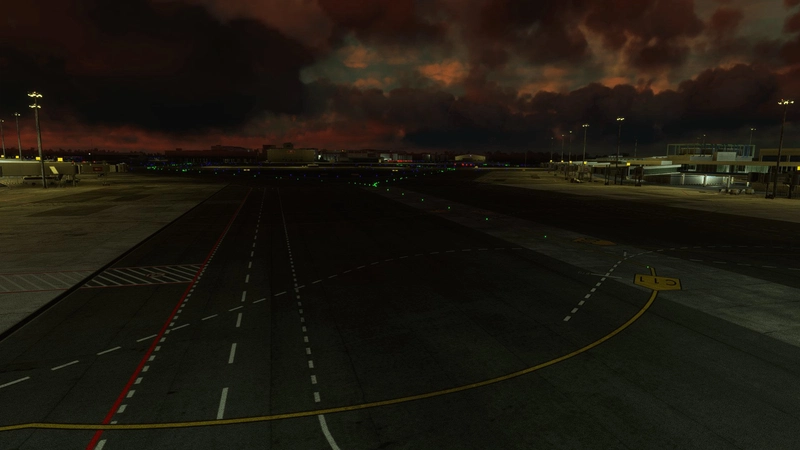
What I initially thought would take a few weeks is now finally at an acceptable level of completion for release. This project is the culmination of 4 months of work, much of which was spent placing and colouring every single taxiway, runway, stop bar and obstacle light, as well as taxiway signs, as accurately as possible to their real-world positions, with reference to real-world photos and videos, the AIP, as well as satellite imagery.
Quite a bit of time (and energy at that) was also expended in working around some constraints of the sim. The first hurdle I had to clear was finding the best way to remove the default Asobo taxiway lighting from a third-party scenery and add on custom lighting. The method I’ve used comes from a bit of luck and experimentation — there may well be better ways but I’m not aware of them (or at least, they come with some compromises). If you know of a better way, please do share it with us!
Features:
- Custom taxiway lighting and taxiway signage implemented west of taxiways G and H (with the exception of CAB West)
- Stop bars and runway guard lights included at all runway holding points
- Re-work of runway lighting for RWY 02L/20R and 02C/20C to feature correct lighting (approach lighting, centreline lighting and touchdown zone lighting, with rapid exit taxiway indicator lights for RWY 02C/20C)
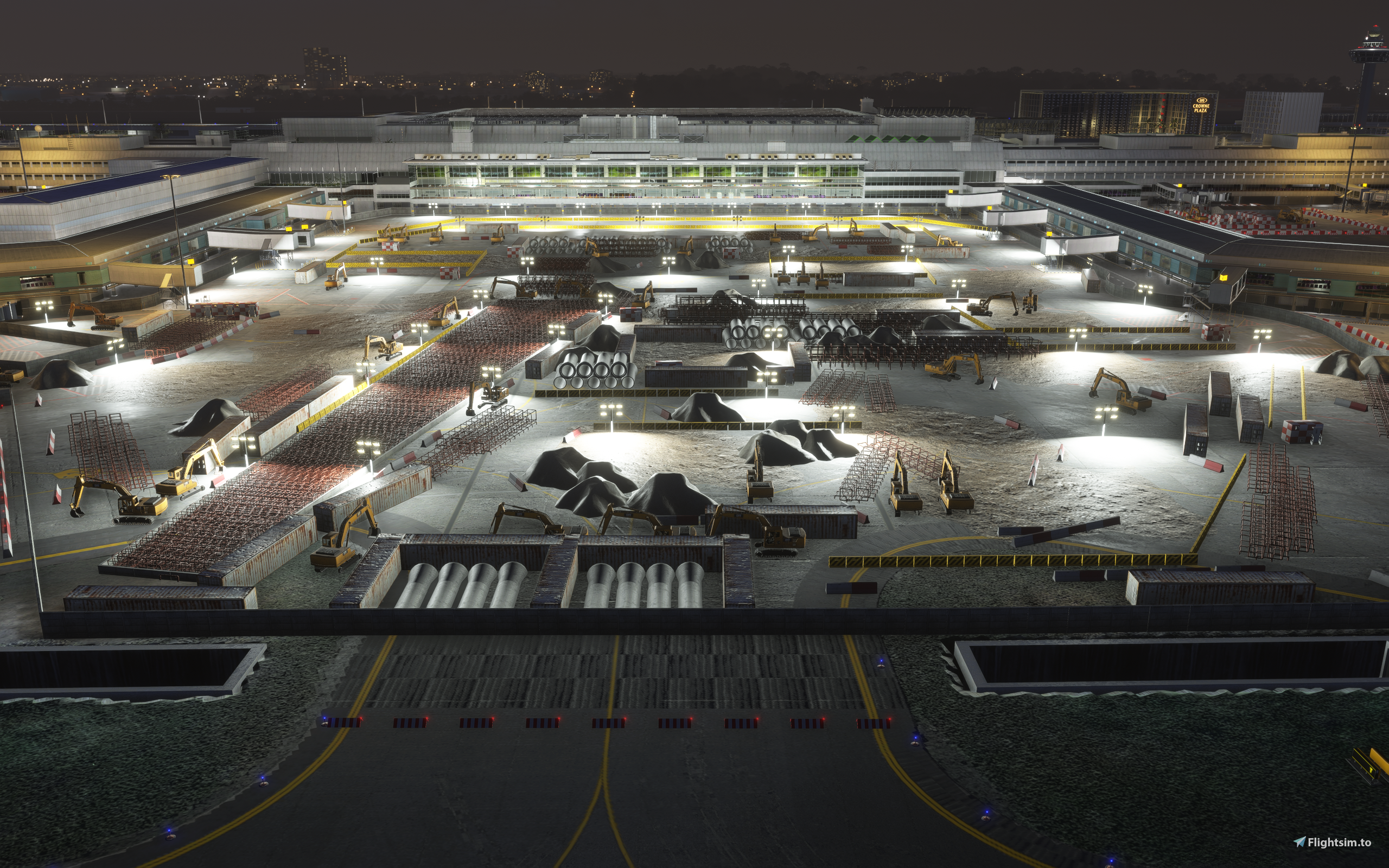
- T2 Central Apron construction (circa January 2026)
- Closure of parking stands 504, 517, 604, E20, taxiways S2 and L, with appropriate obstacle marker boards, barricades and obstacle lighting
- Correct parking codes, radii, positions*, aerobridge placement and docking logic** for each individual aerobridge-equipped parking stand*** (See notes below)
- Static aircraft courtesy of FSLTL at South Apron and parking stand 517
- Blast deflector and airport perimeter fencing
- Added trees to golf course
- Use of instancing as much as possible to minimise performance impact
Notes:
* Most of the stop positions on the stands you see on the apron are actually wrong, but TAIMODELS is not to be blamed because it's very difficult to obtain such data unless you visit every single stand in real life and physically check what's printed on the apron.
Therefore the general principle I have adhered to is that the stand should cater to the most commonly operated aircraft type there (this means it caters to the 737 MAX at T2 and the A320 family at T1, and I have tried to be faithful to the ground markings unless (and this happen frequently) they are blatantly wrong such that the tail of the largest aircraft capable of visiting that stand protrudes out of the stand, or at Multiple Aircraft Receiving Stands, the wingtips don't fit properly and stay out of the white hatched areas.
There are still many stands where this can't be resolved due to scenery limitations such as at A21, E24 etc.
** Every aerobridge (also known as jetway, in case you're wondering what an aerobridge is) has been carefully placed, taking into account the major addons one might use. I have attempted to position and orient every aerobridge as close as possible to their real-life positions, within the limitations of the scenery and MSFS jetway docking logic, and the fact that PMDG widebody aircraft and the iniBuilds A359 will have the jetway dock at door 2L.
Multiple Aircraft Receiving Stands (MARS) have been implemented with a workaround. This means a jetway will attempt to dock at all 3 parking positions (L/R and the main one) at all MARS gates. This was achieved with some tedious experimentation through which I discovered that a jetway will dock if the aircraft's datum is in the parking circle, but the spawn position is determined by (roughly) aligning the forwardmost edge of the aircraft with the forwardmost edge of the parking circle, the radius of which is determined by the parking radius. A consequence of this is that if you're using AI traffic software that reads the parking radii, you won't see aircraft parked at all 'R' stands with the exception of F35R (you won't see any aircraft parked at F35L in this case).
As an aside, I believe that this is the first working and fully functional jetway-MARS system for any MSFS scenery.
*** The parking codes have been determined painstakingly by analysing flight data from 01 DEC 2025 to 17 JAN 2026. If you therefore see Scoot aircraft parked at the T3 stands adjacent to T1 (B5–B10), that's not unrealistic — in fact it happened a total of 400 times out of 9220 departures and arrivals during that time period.
Not all stands in a terminal are equal — for example E10 has only been allocated to Myanmar Airways International during the time period and Emirates has only ever parked at 2 D-pier stands (D32 and D46) over that time period compared to having taken up every stand at the C-pier their aircraft are capable of fitting in (possibly because their lounge is near Transfer C). You should see an accurate reflection of this with whatever AI traffic software you choose to use.
Also, if you're interested in realistic operations, I have compiled a table of parking stands and maximum aircraft size allowed, based on flight data from 01 DEC 2025 to 17 JAN 2026.
Link: https://docs.google.com/spreadsheets/d/1nAeTAx4R2otbgUz14IvlvJYBe0bbltU5CdC-L-5F8CQ/edit?usp=sharing
Limitations:
- You might notice some missing taxiway signage around the drains, that's because the signs have actually sunken into the ground. Not much I can do about it unfortunately since the signs are constrained to sit flush with the ground
- Changi Airport is using Follow the Greens at the moment, which means only your cleared taxi routing will be lighted up. You’ll just have to pretend the system is under maintenance or something, though I have turned off sections of taxiway lighting that don't see use irl (such as the reverse rapid exit taxiways)
- No custom lighting on the bridge section of R and S — I cannot remove the taxiway lighting added by TAIMODELS
- The stop bars do not drop as you approach them.
Installation Instructions:
- Download, unzip and place the file into your community folder
All models use either free libraries you can download here (linked below), or objects from the default Asobo library that comes with your sim installation. The objects used have been selected because they most closely resemble their real-life counterparts, but you will notice certain inaccuracies (e.g. the number of red stripes on the obstacle marker boards).
Dependencies:
- FSLTL Base Models for the static aircraft — Available from the FlyByWire Installer
- Plus the other addons listed below under the other 'Dependencies' section
While I am relatively familiar with the airport, I do not have access to any documents that officially detail much of what has been implemented in this mod. There are therefore areas where I had to make an educated guess on what was actually written on the taxiway signs (by looking at the length of the signage board on Google Maps and zooming in on whatever footage I could find). Thus if you do spot an error in any shape or form, please do reach out to me and I will be happy to look at your reference(s) and make the necessary corrections, as much as possible. The same goes for anything you’d like to see implemented, or questions you may have on why certain things were done in certain ways.
Plans for a future update down the road:
- Custom windsock placement
- Full re-do of approach lighting and runway lighting for RWY 02R/20L
- Possibly, updating the parking codes for the other stands and adjusting parking position and radii, though this isn't going to happen in the near future as it's extremely tedious work
- Fixing any errors that come to light (there are sure to be at least a handful, do let me know if you spot any)
I will also try to keep the scenery updated for any long-term parking-stand and taxiway closures (and re-openings too) as per the NOTAMs. Do let me know if you have information on this too as I will only view the NOTAMs every time I fly out of Changi in the sim, which isn’t too often these days.
Over the years I’ve benefitted significantly from this community, having enjoyed the work of many, many talented creators crafting highly detailed liveries and scenery packages that rival and surpass payware ones. This is thus my little contribution to the great pool of free addons we have to make our sims better. If this package does have the honour of being added to your community folder, I hope you enjoy what it brings every time you fly in and out of Singapore!
Dependencies
Location
WSSS Singapore Changi — Custom Taxiway Lighting and Improvement Mod for TAIMODELS Scenery
Custom hand-placed taxiway, runway, stop bar and obstacle lights, as well as taxiway signage for the TAIMODELS WSSS Singapore Changi scenery
User Reviews
9 reviews
Version History
- Removed W9 Construction
Related
![Singapore Changi International Airport [WSSS]](https://cdn.flightsim.to/images/15/1TSimGAN.png?width=500)
Singapore Changi International Airport [WSSS]
Enhance your virtual Singapore experience with this mod for Changi International Airport [WSSS], featuring painted lines, hatched areas, vehicles, assets, and apron improvements. Simply extract the file to your community folder to enjoy the enhancements.
by ams7880
Singapore Changi Airport (WSSS) (Accurate Taxiways and Gates)
Enhance your virtual experience with this Microsoft Flight Simulator add-on featuring an updated version of Singapore Changi Airport (WSSS). This meticulous work by Zenith Creations ensures accurate taxiways and gates, making it VATSIM/IVAO ready and compliant with the latest charts and AIRAC. While some cosmetic issues remain, this add-on provides a significant improvement over the default airport.
by exocet_falling
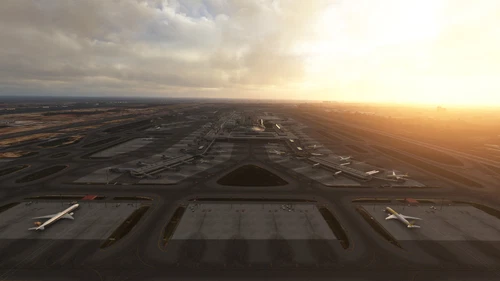
WSSS Singapore Changi FSLTL Static Aircraft
Enhancement add-on for WSSS Singapore Changi airport featuring FSLTL static aircraft models to bring more life to the scenery without impacting FPS. Requires FSLTL Base models for use, static aircraft do not move. Please take note to delete older files after updating for seamless experience.
by StaticSceneries
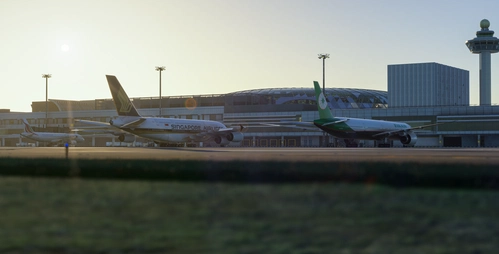
WSSS AIG Static Aircraft (TaiModels)
This add-on places static AIG model aircraft at Changi Airport WSSS in Microsoft Flight Simulator 2024. It requires AIG AI Manager models to function. The scenery does not use FSLTL models. The mod is designed to add visual realism by populating the airport with parked aircraft.
by octopushadow
Log in to join the discussion
Log InComments(82)
about 2 hours ago
20 days ago
19 days ago
25 days ago
21 days ago
30 days ago
30 days ago
11 days ago
10 days ago
about 2 months ago
about 1 month ago
about 2 months ago
about 1 month ago
3 months ago
about 1 month ago
4 months ago
4 months ago
about 1 month ago