

Description
This is a modification to the MSFS 2020 default Asobo Cessna Citation Longitude aircraft and is primarily aimed at improving the aircraft flight model to make its overall performance more closely match the actual aircraft, providing a much closer experience to flying the real aircraft. Multiple changes have been made to the aircraft Flight Model and Weight and Balance parameters, which are detailed in the Change Log file included in the download.
This mod is easily installed by simply unzipping the download file and copying the mge-asobo-aircraft-longitude folder to the MSFS Community folder. It will then replace the existing default Cessna Citation Longitude aircraft in the MSFS aircraft selection screen, and will also continue to utilize all of the existing available Liveries. To uninstall the mod and return to using the MSFS default aircraft, simply remove it from the Community folder.
Microsoft Flight Simulator © Microsoft Corporation. Asobo Cessna Citation Longitude Realism Mod was created under Microsoft's "Game Content Usage Rules" using assets from Microsoft Flight Simulator, and it is not endorsed by or affiliated with Microsoft.
Asobo Cessna Citation Longitude Realism Mod
The Asobo Cessna Citation Longitude Realism Mod enhances the default MSFS 2020 aircraft by refining its flight model and performance to align more closely with the real Cessna Citation Longitude. Key adjustments to the Flight Model and Weight and Balance parameters provide a more authentic flying experience. The mod is easily installed by placing the designated folder into the MSFS Community directory and retains compatibility with existing liveries. Uninstallation is straightforward, allowing users to revert to the default aircraft.


User Reviews
9 reviews
Version History
Version 1.5.2 ⦁ The Engine Thrust Angle has been increased further to +2.5° to more closely match the actual aircraft and 3-D model. This improves the pitch and trim during Takeoff, Cruise and Approach, in addition to the pitch response to power changes. This aircraft will pitch up when thrust is decreased, and pitch down when thrust is increased. ⦁ The Landing Gear Suspension has been retweaked to reduce swaying when steering with the rudder on the runway. ⦁ The Flaps Lift, Drag and Pitch parameters have been retweaked to improve the takeoff, cruise and approach pitch and performance.
Related

Asobo C172SP AS1000 Realism Mod
Enhance the flight dynamics of the Asobo C172SP AS1000 aircraft with this mod, which also includes the FLOATS and SKIS variant. This modification aims to provide a more realistic flying experience by adjusting engine and flight model parameters, weight, and balance. Detailed documentation and real-world training guides are included for easy installation and compatibility with other mods.
by MGouge425
Asobo Baron G58 Realism Mod
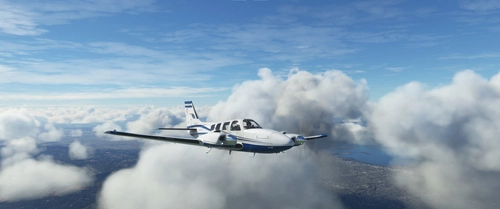
Enhance the realism of the Asobo Baron G58 in MSFS 2020 with this mod. Improvements to the flight model provide a more authentic flying experience, closely matching the performance of the actual aircraft. Easily install the mod by copying the folder to the Community folder, and enjoy the detailed changes listed in the documentation. Note: Only compatible with MSFS Deluxe Edition and Premium Deluxe Edition.
by MGouge425

Asobo B747-8i Realism Mod
Enhance your Boeing 747-8i experience with this realism mod for the MSFS 2020 default aircraft. This modification focuses on improving the flight model to closely match the actual aircrafts performance. Detailed changes can be found in the included documentation, addressing bugs like the landing gear failure. Easily installed by transferring files to the Community folder, this mod aims to provide a more authentic flying experience.
by MGouge425

Asobo Icon A5 Realism Mod
Enhance your flying experience with the Asobo Icon A5 Realism Mod for MSFS 2020. This mod focuses on adjusting the flight model and performance of the default Icon A5 to align it more closely with the real aircraft. From improved flight parameters to enhanced weight and balance, this mod offers a more authentic and satisfying flight experience. Easily install this mod to enjoy a more realistic flying experience with the iconic and versatile Asobo Icon A5 aircraft in Microsoft Flight Simulator.
by MGouge425
Log in to join the discussion
Log InComments(83)
about 1 month ago
3 months ago
3 months ago
Next, start a flight and observe the smoothness and stability of the aircraft Throttles while you operate them with the controller levers. Then, try setting the Throttles manually using only your Mouse while on the ground with the engine running, and see if you experience the same instability problem at low power settings.
If you do have a Throttle Controller Lever that is noisy at min or max, you might be able to bypass the noisy area by changing the EXTREMITY DEAD ZONE settings for that AXIS on the SENSITIVITY screen.
7 months ago
7 months ago
9 months ago
just did another flight, landed in under 600ft. with no wind, no reverse thrust, 1.2 g's and 30% fuel. nothing realistic about this mod. also floats at 110kts.
10 months ago
Thanks for all the excellent tips too, btw!
10 months ago
No... This mod is only for MSFS 2020. But I have not tested it to see if it might also work with FS2024, since I have not yet purchased FS2024.
12 months ago
12 months ago
12 months ago
12 months ago
12 months ago
Setting the Target ALT to 1,000 ft. AGL will also cause the autopilot to automatically level off at this Final Approach decision altitude so you can easily perform a Go-Around if you fail to intercept the GS for any reason.
12 months ago
12 months ago
I usually disengage the AT above 500 ft. and disengage the AP above 200 ft., and then manually retard the Throttle as I cross the threshold. But, just do what works best for you.
12 months ago
12 months ago
Question: do you have a specific Simbrief profile for this?
12 months ago
12 months ago
12 months ago