

Description
MSFS2020 VERSION IS UNLIKELY TO BE UPDATED AS I NO LONGER FLY IT
REQUIRES NON MARKETPLACE MSFS2020 CONCORDE
this addon changes some little details that i was unsatisfied with on the original dc designs concorde
changes:
-sounds:
some MWS warnings (the array of red and amber lights at the front of the overhead panel) now trigger a gong when lit or unlit (unless the mws is inhibited)
stick shaker now sounds when above 16.5° AoA
added sounds to buttons and knobs to civa ins
altitude warning sounds when approaching the selected altitude in PIT IAS, MACH, vert speed or alt acq modes, or when deriving too far from the captured altitude in alt hold mode
gear warning sounds will no longer sound above 1000 feet radio altitude
decision height warning sounds 100 feet above the selected decision height and goes out when below decision height, accompanied by the DH light on the attitude indicator when below 250 knots
pack sounds are now dependent on the leftmost cond valve switch
overspeed warning can be cancelled by right clicking airspeed reminder knob
-fuel management:
red and amber cg lights are now mach dependent, the red m/cg light is accompanied by an audio mws warning
tank 6 to 7 and 5 to 8 interconnect valves are functional and will balance the main tanks
reduced fuelflow in trim tanks(msfs2024)
-flight control
fly by wire will be in direct law with gears down or with both anti-stall switches off
overhead servo controls work
-CIV-A INS:
modified logic of tracking, leg switching and waypoint management
leg switching will no longer swap to empty waypoints
dsrtk no longer acts as an adf
added the ability to insert dme data
INS is used when the auto-man switch on the modern fmc is set to man
fixed the CSS file being unable to read INS font
INS button is used instead of hdg hold when tracking civa
HSI and DTG indicators can read INS data
OBS available, right click CDI knob to toggle OBS mode, the FROM waypoint is swapped to 0 and leg switching is inhibited when OBS mode is active
CIVA lat/long format is in degrees/decimal minutes (this is not a change but a heads up)
-autopilot:
ins, vorloc, glide and land modes can be armed
autopilots 1 and 2 are independent, heading select and radio navigation modes will use data from their corrosponding HSIs
two autopilots cannot be connected at the same time unless in land mode
speed select ranges from 0 knots to 640 knots (was 130 to 400)
altitude select ranges from 0 feet to 99000 feet (was 500 to 60000)
ias acq will switch to ias hold when the selected speed is reached
ias acq/hold mode will retard throttles at 45 feet
vert speed mode will capture altitude with constant acceleration instead of interpolating vspeed
alt acq, vert speed, pit ias hold and pit mach hold will switch to alt hold when the selected altitude is reached
pitch hold mode can hold pitch (FPA when TRKFPA selected)
alt acq now acts as flc mode
pit ias hold and pit mach hold no longer control the autothrottles
max climb mode will now keep throttles at max thrust throughout the climb
max climb/max cruise can be used for desending, where the aircraft will idle throttles
backcourse mode can now be selected without engaging another horizontal mode
backcourse mode only engages when autopilot is off
land and glide modes no longer control the autothrottle
autoland is available (aircraft will start flare dependent on G forces and vertical speed)
slight tuning of pitch pid
-instruments:
reworked animations of virtually every instrument drum, no longer will you be unable to tell the diffrence between 399.9 knots and 390 knots (I spent way too long on this)
changed the variable of engine n1 and n2 instruments
reworked mach disc animation of standby airspeed indicator to (hopefully) be accurate under all circumstances
altimeter is now persice to the 10 digit instead of 100
fuel tanks now display kilograms instead of pounds divided by 2.2
all fuel tanks are now percise to 10 kg instead of 100
flight director pitch and bank will now move accordingly with aircraft attitude changes
flight director pitch bar can be offset with adi pitch control switch on yoke, will not affect autopilot
vor dme now percise to one decimal place
engine takeoff monitor is available, when t/o monitor button is armed, the green lights are lit when N1 is above 99%, amber CON lights are lit if the afturburners are off above 90% throttle (which should never happen unless your engines are off)
blue REV lights are lit when the reverser nozzles are fully open
DEV HSI and COMP HSI are available, data on the HSI will be fed to corrosponding autopilot
a red flag will be on the adi glideslope indicator when there's no valid glideslope signal
radio altimeter needle is readable
decision height knob will show the selected decision height as the radalt bug animation is inaccurate
when the rad/ins switch is on the ins position, the aircraft will use true heading
vor and trk flags on the hsi display properly
barometric altimeter knob has standard setting, right click knob to switch between qnh and std
altimeter inhg and mbar indicators are readable
second digit of mach meter is readable
flulflow digital counter now displays kg/h *100 instead of kg/h *1000
ADF Displays 4 digits
electrics:
completely rewritten with msfs2024 system
system is now split into AC and DC
GPU can be connected when aircraft is stationary on ground anywhere
added hydraulic driven emergency generator
modified interactions for many switches
electric panel voltmeters now react to knob position
electric panel frequency meter works
hydraulics
completely rewritten with msfs2024 system
ground hyd check out panel works
added RAT, pressurizes green system up to 3850psi and yellow system up to 3500psi when deployed
yellow pumps auto mode work
flight control hydraulics modeled
engine intakes require hydraulics
pneumatics
comepletely rewritten with msfs2024 system
custom control system
systems 1 and 2 operate independently (for the user)
ground air source is available when gpu is connected
cabin pressure will target a maximum of 10.7psi pressure difference
-misc:
TFX Compatibility
comepletely rewritten interactive checklist
broke some keybinds and autostart for better yourcontrols compatibillity
some previously decorative metal bars can now flick on switches (landing lights and overhead panel)
in flight reverser available (only works in msfs 2024, reversers only deploy on ground in 2020, reverse strength is dependent on spoiler position)
some indicators and lights on the air bleed panel are now dependent on the switch positions
emergency relight knob works
the epu no longer turns off when the engines are started
logo lights now iluminate the vertical stabilizer instead of surrounding air
left main landing light now points in the opposite direction of the right main landing light
landing lights tilt to aircraft aoa
cabin pressurization now defaults to 6000 feet instead of 8000 feet (msfs2020)
cabin pressurization can now be up to 12 psi instead of 7.6 (it means the aircraft will no longer depressurize at 60000 feet) (msfs2020)
DC Designs Concorde Systems Enhancement
this addon changes some details that I was not satisfied with on the original dc designs Concorde and ones that I am able to change, be careful on the installation


User Reviews
18 reviews
Version History
fixed some flt files drag and drop is finally supported marketplace aircraft compatibility (untested, tell me if something goes wrong) removed tfx compatibility for now
Related

Inibuilds A350 HUD Fix
This add-on adjusts the Head-Up Display for the Inibuilds A350 by increasing the zoom factor to 1.43x, improving the accuracy of the flight path vector and horizon alignment. The modification requires users to be closer to the HUD to view all elements clearly. Compatibility is ensured for A350 version 1.2.1. Installation involves replacing specific panel files within the aircraft's directory.
by thinkofnamelater
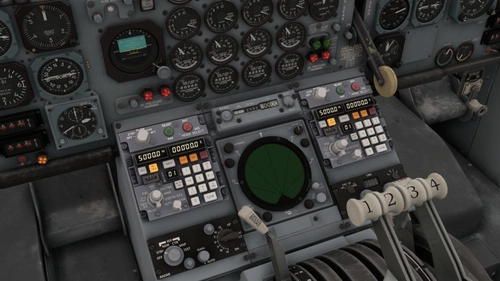
Triple CIVA INS for the WorkingTitle/Microsoft Boeing 707-320C
This add-on adds a second and third CIVA INS unit to the WorkingTitle or Microsoft Boeing 707-320C, with specific panel placements and DME connections. The mod also modifies the existing CIVA INS attachment. Key features include remote mode for waypoint and DME data but exclude present position updates. Triple INS mixing and DME/DME updating are planned for future updates.
by thinkofnamelater
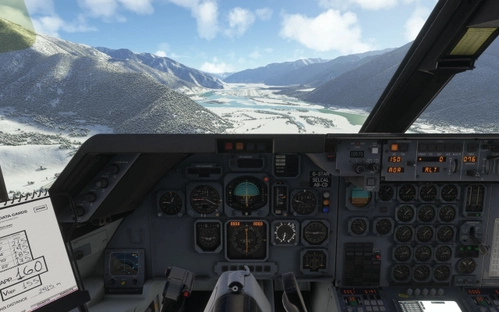
ZUNZ Linzhi Traditional Navaids
This add-on introduces several traditional navaids to ZUNZ Linzhi airport, including LOC, ILS, IGS, and VOR/DME installations originally used for flight testing. The navaids provide navigation support for both runways 05 and 23, with carefully positioned locations based on MSFS satellite imagery. These aids replicate the real-world test environment before commercial operations switched to RNP-AR procedures. Compatibility is limited to MSFS2024, as MSFS2020 is not supported.
by thinkofnamelater
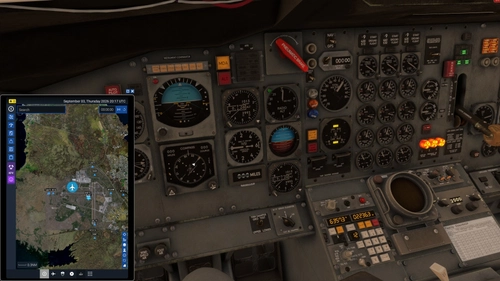
FSS 727 CIVA HSI
This add-on enables the FSS 727's HSI to interface with the CIVA INS, displaying crosstrack and track angle error information on the instruments. When the NAV/GPS switch is set to GPS and CIVA INS is selected, the CDI needle shows crosstrack distance while the compass card indicates track angle error. One dot on the CDI represents 3.75 nautical miles of deviation. Heading reference on the HSI is replaced by CIVA navigation data during use.
by thinkofnamelater
Comment Summary
User feedback on the DC Designs Concorde Systems Enhancement mod is generally positive about its extensive improvements to the aircraft's systems and realism compared to the default experience. Many users appreciate enhanced avionics, fuel management, and overall immersion, and several note the increased fidelity of checklists and lighting fixes. However, a significant and recurring criticism is the lack of compatibility with the Marketplace version of Concorde, especially for MSFS 2024, with frequent reports that installing the mod breaks aircraft functionality or makes Concorde disappear from the simulator. There are also reports of bugs such as autopilot limitations, incorrect speed limits, CG (center of gravity) discrepancies, issues with INS navigation, pink textures on some default liveries, and installation difficulties, particularly around the layout.json and manifest.json files. Several users provide workarounds, such as not overwriting certain files or using the layout generator tool, while others request better documentation or a simpler, drag-and-drop installation process. Support and troubleshooting are active in the comments, with users and the developer responding to installation issues and operational questions.
Summarized on Nov 13, 2026
Log in to join the discussion
Log InComments220
In "Legacy" interaction mode, I can't right-click either knob or rotate them. I can only left-click, but doing so doesn't change the displayed values. Is this expected behavior, or is there another way to synchronize them with the actual aircraft conditions?
This comment has been deleted
This comment has been deleted
This comment has been deleted