
Description
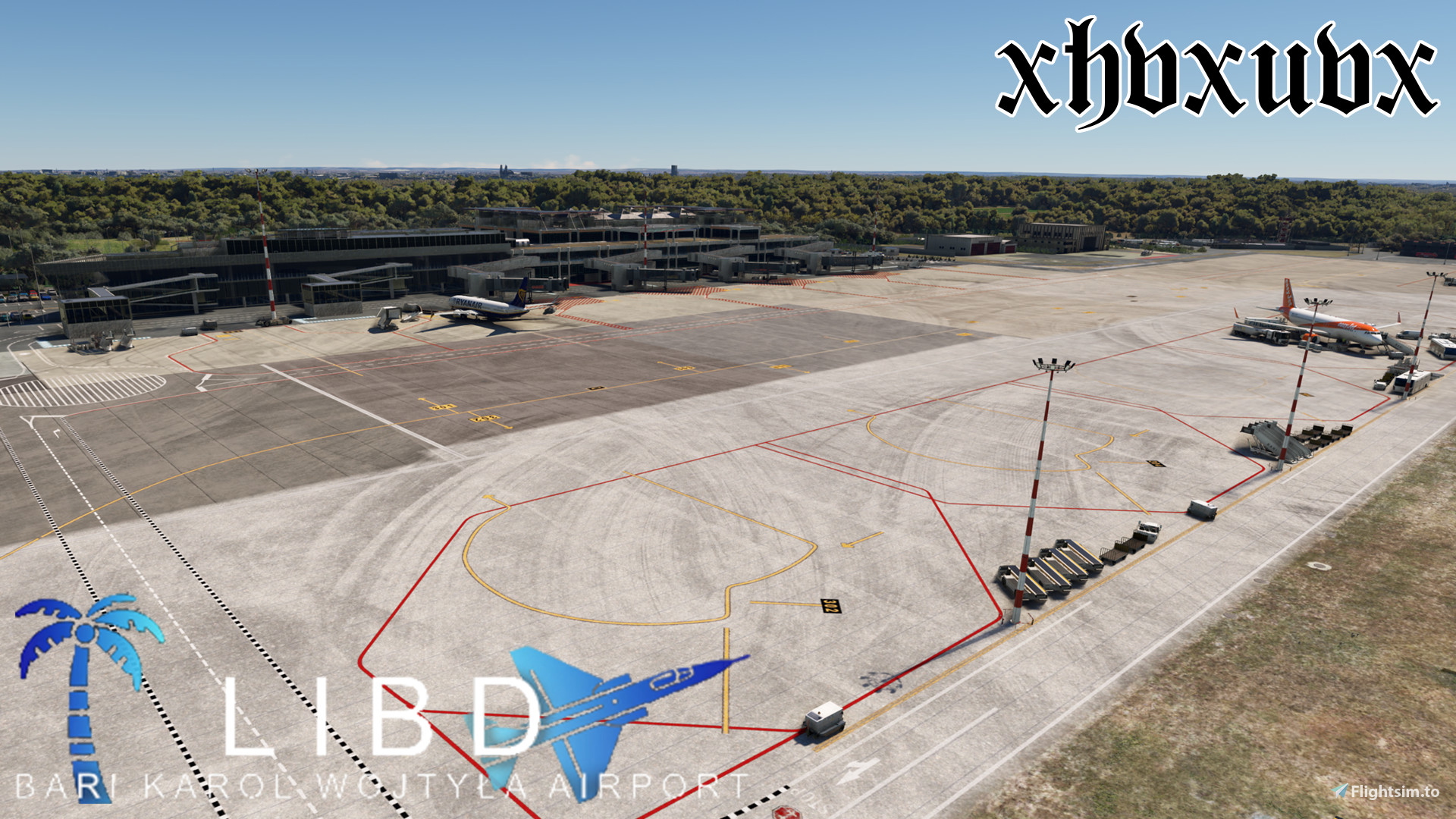
All of the main Terminal gates are done (301-313) with custom stop positions, custom pushbacks, and custom walking waypoints (for walk-in gates).
Installation:
- Drag and drop the .ini and .py file into %APPDATA%/virtuali/GSX/MSFS/ folder.
- Have fun!
OR
- Download Drag&Drop Installer for GSX Pro Profiles
- Drag and Drop.
- Have fun!
Medium Gates support:
- Airbus A320 (all types)
- Boeing 737 (all types)
- McDonnell Douglas MD-80 (all types)
Heavy Gates support:
- Airbus A300
- Airbus A310
- Airbus A320 (all types)
- Airbus A330 (all types)
- Boeing 737 (all types)
- Boeing 757 (all types)
- McDonnell Douglas MD-80 (all types)
Passengers will "float" through the jetways because, for some reason, the jetways attach to the planes lower than they should; this is not something I can fix, unfortunately.
I have no idea if this works with MSFS2024, feel free to try by changing the 4th line in the .ini file from "msfs2020only = 1" to "msfs2020only = 0", and let me know!
I plan on doing the heavy ramps (201-205) next, and then I'll do the hangar ramps and the GA ramps. (If there is demand)
LIBD (SimPixel) GSX Profile
The LIBD (SimPixel) GSX Profile enhances the airport experience at LIBD by customizing all main terminal gates (301-313) with tailored stop positions, pushbacks, and walking waypoints for walk-in gates. The add-on supports a variety of aircraft types, including medium and heavy gate usage for popular models like the Airbus A320 and Boeing 737. Installation is straightforward with options for manual dragging of configuration files or using a dedicated installer. Note that jetway animations may not align perfectly due to existing game limitations.


User Reviews
1 reviews
Version History
No version history available.
Related
KBNA (Dominic Design Team) GSX Profile
This GSX Profile for Nashville International Airport (KBNA) by the Dominic Design Team provides a comprehensive setup covering all parking spots within the scenery. It features custom vehicle placements, accurate ground handling, and tailored pushback procedures for each gate, ensuring compatibility with a wide range of aircraft. Additionally, the profile includes specific stop positions, de-icing areas, and accurate airline assignments per gate, enhancing realism for users. Installation instructions are provided for easy setup.
by xhvxuvx
KDFW GSX Profile (imaginesim)
This add-on provides a GSX profile tailored for the KDFW Dallas Fort Worth International Airport, created for use with Imaginesim scenery. It features accurate operator selection, custom pushback and vehicle placements for all gates, and detailed de-icing pad arrangements. Additionally, it incorporates accurate stop positions for various aircraft types and adjusts jetway floor heights to enhance realism in terminal operations.
by xhvxuvx

Better Contrails
Better Contrails is an add-on designed to enhance the visual effects of contrails in Microsoft Flight Simulator. This preliminary release aims to improve the default contrail appearance and is compatible with all aircraft that utilize the standard contrail system. While primarily developed for MSFS2024, it is also expected to function on MSFS2020, with minimal risk involved in trying it. Installation involves a straightforward extraction and placement into the Community folder.
by xhvxuvx
Log in to join the discussion
Log InComments(5)
7 months ago
11 months ago
11 months ago
12 months ago
12 months ago