
Description
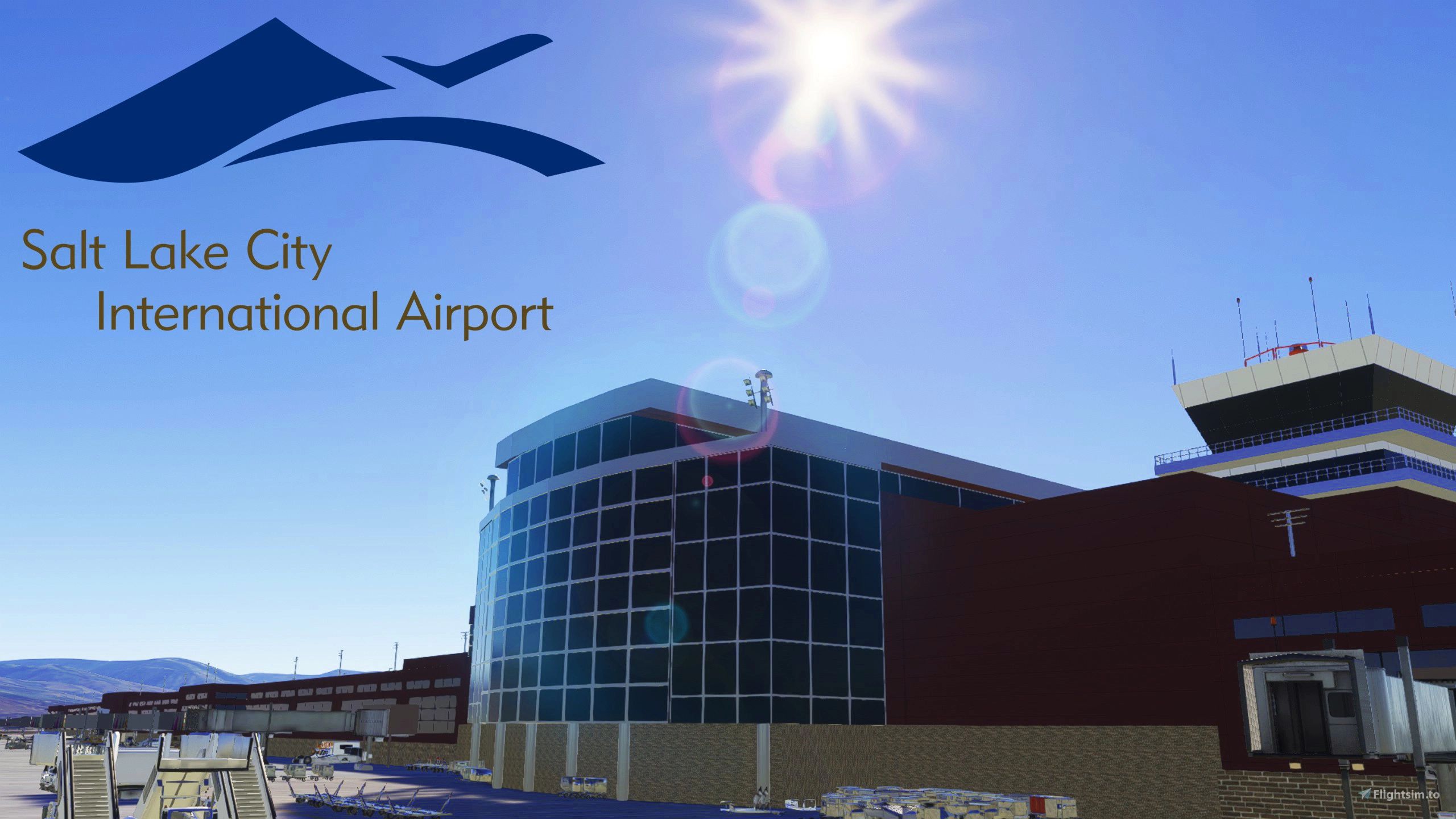
This scenery is a complete overhaul for KSLC. Featuring the new Terminal layout with all current gates available. The airports taxiway network is completely up to date and taxiway signs and painted markings. A lot of objects clutter the ramp and theres plenty of weathering on the airport surfaces to really bring the airport to life. Custom buildings for the Terminal, FBO's, ATC Tower, and FedEx warehouse. And Stock buildings replace most of the auto-generated buildings around the airport. And everything is well lit at night. With Ramp Lights, Edge Lights, and in pavement lights.
Custom Airport Buildings graciously provided by b757.
Note on MSFS 2024
I do not use MSFS 2024 as my PC is old and can't run it. So until i can get the money together to build a new PC I cannot offically confirm any of my scenerys work in 2024.
However, Atleast 6 users have reported this scenery works in 2024. But Since I can't confirm it myself I will leave it marked as 2020 only. Just know if you want to it seems you can use this scenery in MSFS 2024.
Install
- Extract the ZIP file to a temp location (like the desktop)
- Inside the Extracted Folder, locate the despamods-kslc-custom folder.
- Place that folder inside your community folder
Optional Downloads
The following is some optional mods that you can download to make the scenery look better. They are by no means required however, but highly recommended
A Large mod that places objects like power lines, wind turbines, smoke stacks and other objects all around the world.
Various Airport Objects to enhance the airport. Required to see the runway distance remaining signs alongside the runway's
As of Version 1.1.0, This pack is requiered! Various Airport Objects to Enhance the airport. And custom jetways.
Various Airport vehicles. Such as Catering trucks, GPU Carts, and De-Ice Trucks.
Free AI Traffic Addon. I use some of the models as Static Aircraft around the Airport. You Don't Need the Injector, just the models.
Special Thanks to b757, AKA Chris B for allowing me to use their buildings in this project. And for making a few new ones at my request. Be sure to theck out their sceneries to.
Dependencies
Location
Salt Lake City International, Custom Scenery
This add-on provides a comprehensive overhaul of Salt Lake City International Airport (KSLC), featuring an updated terminal layout and all current gates. The scenery includes a complete taxiway network with accurate signs and markings, alongside custom-designed buildings such as the terminal and ATC tower. Additionally, the airport is richly detailed with ramp clutter, weathering effects, and enhanced night lighting for an immersive experience. Replace auto-generated buildings with high-quality models for improved realism.


Contributors

User Reviews
14 reviews
Version History
This update does 2 main things, Add the remaining gates at Concourse B, and remove Runway 14-32 which has been closed IRL and converted to a Taxiway. - Added the remaining Gates at the B concourse. - The construction area at the terminal was removed. - Removed Runway 14/32 and replaced it with a new Taxiway J - Fixed and updated the various markings around the airport that broke for some unknown reason - Changed the lines and paths that show how to enter the Gates at the ends of Concourse A Notes: The gates I added at Concourse B are not open IRL at time of writing, but should open soon. They are scheduled to Open up on October 27. Additionally I took this opportunity to replace all of the custom ground markings which broke at some point. They look much nicer now and may even be better on the resource usage since I was able to use less textures this time. Know however that the Markings that indicate gate numbers have been changed to the procedural generated ones the sim draw instead of a custom texture. They don't look as nice but they are much easier to work with. And lastly I changed the paths and lines leading into the gates at the far ends of Concourse A. Player and AI aircraft will no longer have to cross the taxiway edge lines to get to these gates. The markings I have added may not be 100% true to life though
Log in to join the discussion
Log InComments(103)