
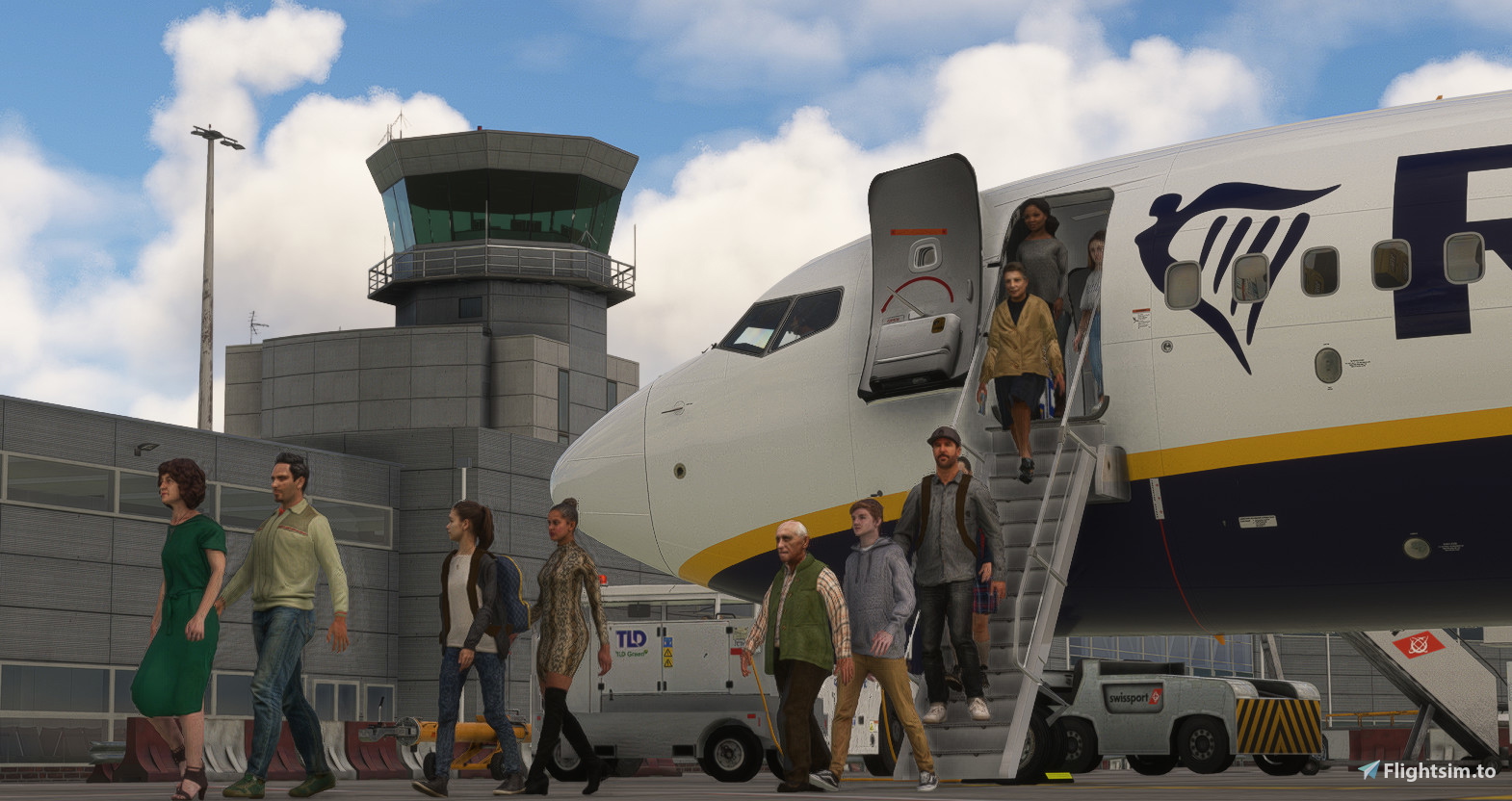
Description
This profile includes:
- Accurate ground handlers & catering.
- True to life stands dependant on aircraft sizes.
- Accurate gate allocation for airlines.
- True to life pushback procedures.
- Accurate custom vehicle spawn locations.
- Custom walk-in gate walkways.
- Remote de-icing areas according to the charts.
- Custom nosewheel stop positons depending on aircraft types.
- Custom parking names & listings on the GSX menu.
----------------------------------------------------------------------------------
TO INSTALL:
1. Locate your %appdata%\virtuali\GSX\MSFS folder and delete any .ini/.py file with EGGD in the name.
2. In the same folder, place eggd-KT-PP.ini & eggd-KT-PP.py in there.
3. That's it! Go and enjoy!
----------------------------------------------------------------------------------
Things to note:
If you have the 'Remove Static Aircraft' mod installed, GSX will still not recognise these as gates, therefore they will not work in placement.
----------------------------------------------------------------------------------
Smaller steps for the 737/A32X family:
Fancy having smaller rear door steps for the B737 and A32X family as shown in my photos. Please follow the steps below.
*Please be advised, this is FSDT's instructions, any issues, please speak to them*
- In \Addon Manager\MSFS\fsdreamteam-gsx-world-of-jetways\SimObjects\GroundVehicles\FSDT_Staircase_CDS_2438\sim.cfg
change the "condition" line to be like this:
condition = ( %(exitAlt)f >= 1.75 ) and ( %(exitAlt)f <= 3.80 ) and ( %(isCargo)f == False ) and ( %(isCargoStand)f == False )
- In \Addon Manager\MSFS\fsdreamteam-gsx-world-of-jetways\SimObjects\GroundVehicles\FSDT_Staircase_TLD_ABS-580\sim.cfg
change the "condition" line to be like this:
condition = ( %(exitAlt)f >= 3.80 ) and ( %(isCargo)f == False ) and ( %(isCargoStand)f == False )
- In \Addon Manager\MSFS\fsdreamteam-gsx-world-of-jetways\SimObjects\GroundVehicles\FSDT_Staircase_TLD_ABS-1740\sim.cfg
change the "condition" line to be like this:
condition = ( %(exitAlt)f >= 3.80 ) and ( %(isCargo)f == False ) and ( %(isCargoStand)f == False )
- Remove this folder: %ProgramData%\Virtuali\Couatl
- Restart GSX
If this does not work, you may need to disable the new GSX intrigrated stairs; you can do this by following these instructions:
- In MSFS\Community\fsdreamteam-gsx-world-of-jetways\SimObjects\GroundVehicles\FSDT_Staircase_FW2458PE
Change sim.cfg to sim.off
If you want to re-enable those stairs, just rename it from sim.off to sim.cfg
GSX Profile - PilotPlus' Bristol (EGGD)
Enhance your ground handling experience at Bristol Airport with this GSX Profile by PilotPlus. Featuring accurate ground handlers, catering services, gate allocations, pushback procedures, and custom vehicle spawn locations. Ensure smooth operations with custom walkways, de-icing areas, and parking listings on the GSX menu. Follow the simple installation steps to enjoy the detailed features tailored for various aircraft types at EGGD.


User Reviews
1 reviews
Version History
- Removed wing-walkers. - Corrected some stands on Southern Parking Area.
Related
GSX Profile - EGKK Gatwick (MKVY)
A highly detailed and precise gatwick airport GSX profile. Complete with fully working VDGS, passenger walk-in/out gates, as well as true-to-life pushback procedures & ground handlers/catering. Accurate vehicle spawn locations & stand sizes depandant on aircraft size!
by Krake802
GSX Profile - UK2000 Luton (EGGW)
This is an accurate GSX Pro profile for UK2000's Luton 2020 (EGGW) which includes custom made parking spots, vehicle spawn locations, walk-in gates. Also including accurate gate allocation for airlines, and accurate ground handling and catering companies.
by Krake802
GSX Profile - Inibuilds Luton (EGGW)
Enhance your ground handling experience at Inibuilds Luton (EGGW) with this GSX Profile add-on. It brings accurate ground operations, gate allocation, pushback procedures, and custom liveries to MSFS. Follow simple installation steps to enjoy a more realistic airport environment. Optional adjustments for the B737/A32X family are also included in this comprehensive package.
by Krake802
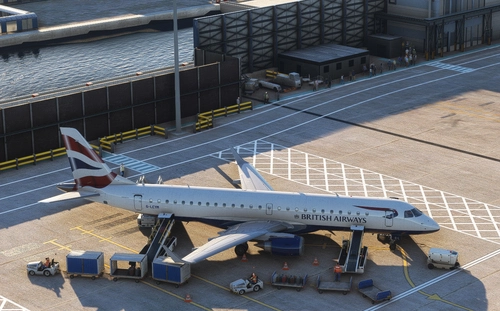
GSX Profile - EGLC London City Airport (ORBX V2)
GSX Profile - EGLC London City Airport (ORBX V2) enhances ground operations at the airport with accurate ground handlers, gate allocations for airlines, and custom vehicle spawn locations. This profile offers disabled pushback for straight-out departures, custom walkways, and nosewheel stop positions based on aircraft types. Simply delete old files and install the new ones in your GSX folder for a seamless experience.
by Krake802
Log in to join the discussion
Log InComments(4)
almost 2 years ago
almost 2 years ago
about 2 years ago
about 2 years ago