
Description
This profile includes:
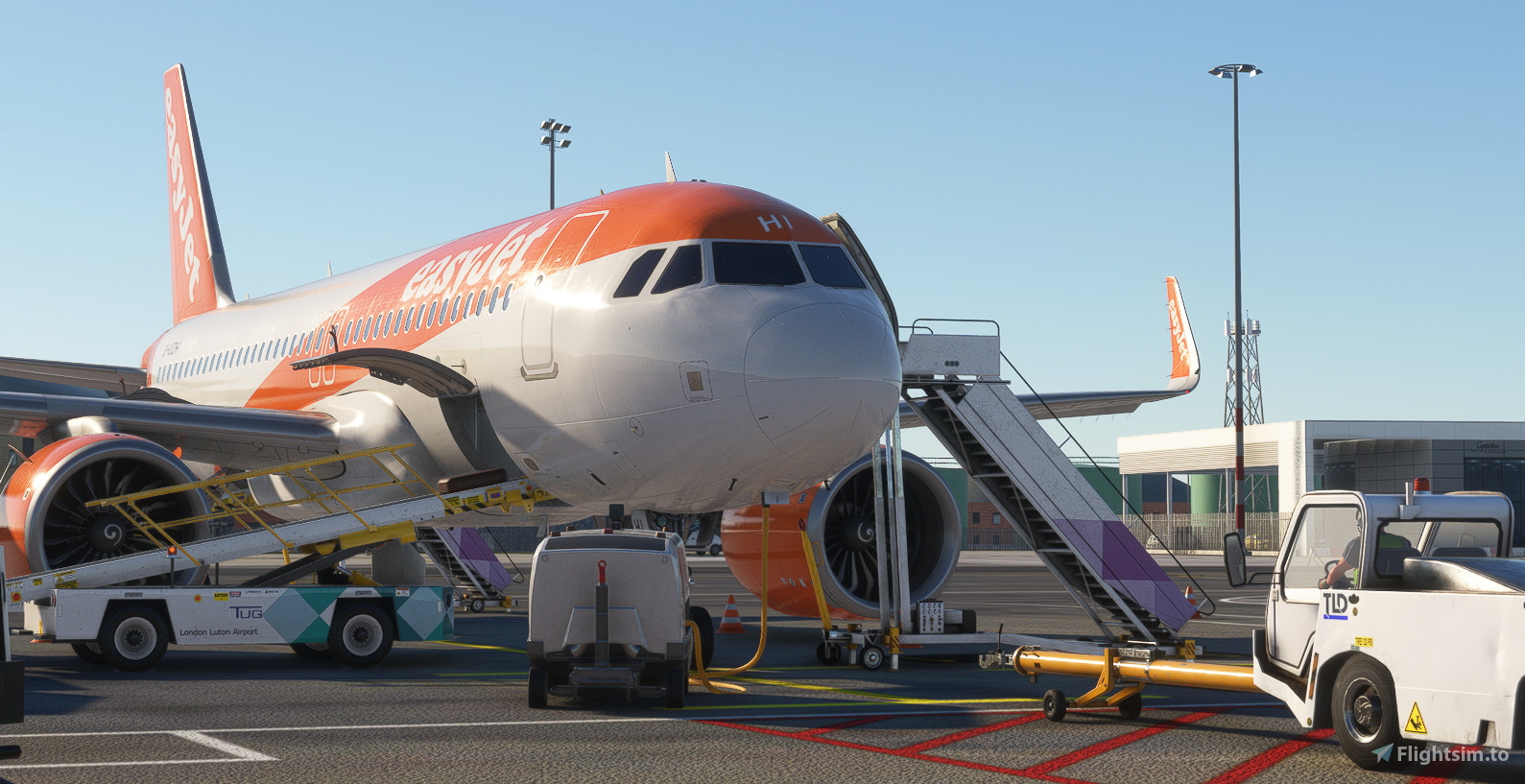
- Accurate ground handlers & catering.
- True to life stands dependant on aircraft sizes.
- Accurate gate allocation for airlines.
- True to life pushback procedures. (Including non-standard to assist when simming online).
- Accurate custom vehicle spawn locations.
- Custom walk-in gate walkways.
- Remote de-icing areas according to the charts.
- Custom liveries on ground handling equiptment.
- Custom nosewheel stop positons depending on aircraft types.
- Custom parking names & listings on the GSX menu.
----------------------------------------------------------------------------------
TO INSTALL:
1. Locate your %appdata%\roaming\virtuali\GSX\MSFS folder and delete any .ini/.py file with EGGW in the name.
2. In the same folder, place EGGW-KT-Inib.ini, EGGW-KT-Inib.py & EGGW-KT-Inib_handler.py in there.
3. Locate your MSFS Community folder, and place the folder named kt-gsx-luton-textures & fsdreamteam-livery-cobus-LTN in there.
4. That's it! Go and enjoy!
----------------------------------------------------------------------------------
Things to note:
I have changed gate 15L to be 15, to allow you to bring the TUI 787's on stand. Also 41R to be 76 (ex 41) to allow the 777-200ER to park on stand.
Please also be advised that I have changed the names of stand 41/42's to be updated to the charts as 72/74/76. (I have added 'ex *gate number*) into the name to help with visual ground movement.
GSX Profile - UK2000 Luton (EGGW)
This is an accurate GSX Pro profile for UK2000's Luton 2020 (EGGW) which includes custom made parking spots, vehicle spawn locations, walk-in gates. Also including accurate gate allocation for airlines, and accurate ground handling and catering companies.


Contributors

User Reviews
5 reviews
Version History
- Updated some fallback files to prevent pink textures appearing. - Added bus file for repainted Cobus 3000 to Luton Airport themed.
Related

GSX Profile - EGKK Gatwick (MKVY)
A highly detailed and precise gatwick airport GSX profile. Complete with fully working VDGS, passenger walk-in/out gates, as well as true-to-life pushback procedures & ground handlers/catering. Accurate vehicle spawn locations & stand sizes depandant on aircraft size!
by Krake802
GSX Profile - Inibuilds Luton (EGGW)
Enhance your ground handling experience at Inibuilds Luton (EGGW) with this GSX Profile add-on. It brings accurate ground operations, gate allocation, pushback procedures, and custom liveries to MSFS. Follow simple installation steps to enjoy a more realistic airport environment. Optional adjustments for the B737/A32X family are also included in this comprehensive package.
by Krake802

GSX Profile - EGLC London City Airport (ORBX V2)
GSX Profile - EGLC London City Airport (ORBX V2) enhances ground operations at the airport with accurate ground handlers, gate allocations for airlines, and custom vehicle spawn locations. This profile offers disabled pushback for straight-out departures, custom walkways, and nosewheel stop positions based on aircraft types. Simply delete old files and install the new ones in your GSX folder for a seamless experience.
by Krake802
GSX Profile - EGCC Manchester (Maccosim)
A highly detailed and precise Manchester airport GSX profile. Complete with fully working VDGS, passenger walk-in/out gates, as well as true-to-life pushback procedures & ground handlers/catering. Accurate vehicle spawn locations & stand sizes depandant on aircraft size!
by Krake802
Log in to join the discussion
Log InComments(14)
6 months ago
6 months ago
10 months ago
I was getting pink textures on the baggage tug drivers, but I found a fix. In case it helps anyone else, just add the following to the texture.cfg in FSDT_Tug_M1A:
fallback.5=..\..\FSDT_Drivers\texture.01
fallback.6=..\..\FSDT_Drivers\texture.02
fallback.7=..\..\FSDT_Drivers\texture.03
fallback.8=..\..\FSDT_Drivers\texture.04
fallback.9=..\..\FSDT_Drivers\texture.05
fallback.10=..\..\FSDT_Drivers\texture.06
Then run MSFSLayoutGenerator.exe to update the layout.
5 months ago
over 1 year ago
over 1 year ago
over 1 year ago
over 1 year ago
over 1 year ago
over 1 year ago
over 2 years ago
over 2 years ago
almost 3 years ago
almost 3 years ago